Viberank MCP
MCP server for viberank: submit your AI coding usage (Claude Code, Codex, Gemini CLI and more) and read the leaderboard
Install Viberank MCP
Pick your client, then add it in one click or paste the config.
~/Library/Application Support/Claude/claude_desktop_config.json{
"mcpServers": {
"viberank-mcp": {
"command": "npx",
"args": [
"-y",
"viberank-mcp"
]
}
}
}
Settings → Developer → Edit Config, merge this into mcpServers, then fully quit and reopen Claude Desktop.
Install not yet sandbox-tested— we haven't run this command through our automated sandbox yet. Not a red flag; we're working through the catalog.
Overview
Security & health
What it can reach and how reliably it runs — from our own checks, not the maintainer’s claims.
We have not completed a health check for this listing yet.
From the project README
viberank
A community-driven leaderboard for AI coding usage — Claude Code, Codex, Gemini CLI and every other tool ccusage tracks. Submit your stats and see how you rank.
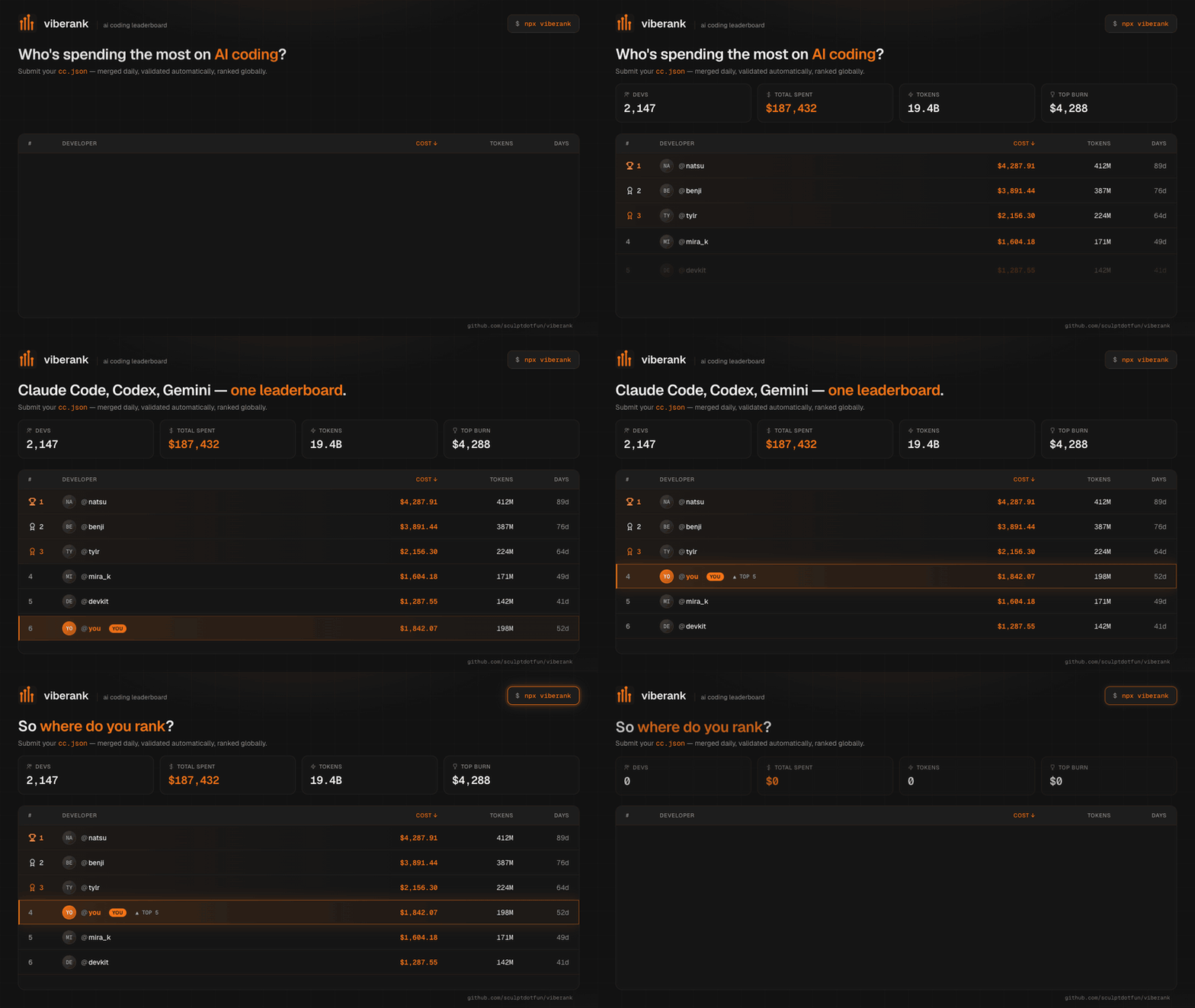



Live at viberank.app.
v2 — multi-tool support. viberank started as a Claude Code leaderboard. As
ccusagegrew to track Codex, Gemini CLI, Copilot, OpenCode and more, viberank evolved with it: submissions from any supported tool are now accepted, recorded per tool, and filterable on the leaderboard. Claude Code remains a first-class citizen — you can now just see how it stacks up against the rest of your stack. Full details in the CHANGELOG.
Features
- 🏆 Global leaderboard — top-3 podium + full table, sorted by cost or tokens, with 7d / 30d / custom date filters
- 🧰 Multi-tool — usage from Claude Code, Codex, Gemini CLI, Copilot, OpenCode and other
ccusage-supported agents; every row shows tool chips and the board filters per tool - 🎯 Per-tool boards — dedicated leaderboards at
/tool/claude,/tool/codex,/tool/gemini,/tool/copilot,/tool/opencode - 📊 Profile pages at
viberank.app/profile/{username}— global rank, daily charts, token breakdown, tools used - ⚡ Server-rendered — homepage, profiles, and tool boards are SSR'd with structured data (FAQPage, ProfilePage, BreadcrumbList) for fast paint and full crawlability
- 🚀 Four ways to submit:
npx viberank-cli, plaincurl, signed-in web upload, or MCP - ♾️ Autosubmit —
viberank loginonce,viberank autosubmitonce, and your usage keeps arriving daily;viberank statussays whether it is working. Claude Code deletes session transcripts after 30 days by default, so this is the difference between a permanent record and whatever survived the last cleanup - 🔐 GitHub OAuth + API tokens — OAuth and token submissions show a blue check; header-only CLI submissions show a
clipill - 🖥️ Multi-machine — a laptop and a desktop sum into one profile instead of overwriting each other
- 📈
/stats— site-wide spend curve, monthly trend, and where your burn lands against everyone else - 🧮
/calculator— which subscription tier your actual usage justifies, based on your realccusagenumbers rather than a guess - ⚔️ Head-to-head comparisons —
/compare/claude-vs-codexand every other tool matchup, with live adoption numbers from the board - 🎖️ README badges —
https://www.viberank.app/api/badge/{username}for rank, cost, or tokens - 🛡️ Input validation — one-sided token math (reasoning-token aware), a per-model cost floor, date sanity, realistic-range ceilings
- 🔄 One row per developer — every submission lands in your single profile row; history is never deleted, only added to or held at its high-water mark
- ✍️ Blog — data-backed posts on AI coding costs at viberank.app/blog (RSS);
llms.txtfor AI search engines
Submitting your usage data
Option 1: npx viberank-cli (recommended)
npx viberank-cli
It needs Node.js 18 or newer.
This runs ccusage@20 daily --json (the aggregate report across all your detected tools), writes the report to ~/.viberank/cc.json rather than your current folder, and POSTs it to /api/submit. It reads your GitHub username from your git remote and asks you to confirm it. If there is no GitHub remote it shows what git config user.name says but makes you type the handle yourself — that value is usually a display name, and accepting it silently created profiles belonging to nobody (#141). If ccusage finds no usage at all, nothing is submitted and the CLI says where ccusage looked.
Without a terminal (an agent's shell, CI), the CLI never prompts. It submits when it has a token (npx viberank-cli login --token vbr_…, or VIBERANK_TOKEN), or with npx viberank-cli --user <github-handle> --yes as an unverified submission; otherwise it says which of those to use. npx viberank-cli --help lists every command and option.
Set it and forget it. A one-off submission captures only what survives on disk today, and freezes your rank there. Mint a token at viberank.app/settings/tokens, then:
npx viberank-cli login       # paste the token once (or: login --token vbr_…)
npx viberank-cli autosubmit  # daily background submission
autosubmit without a saved token walks you through login first. A scheduled job cannot see VIBERANK_TOKEN, so it needs the saved one.
Claude Code deletes session transcripts older than cleanupPeriodDays — 30 by default — on startup, with no warning. Every tool that reads ~/.claude/projects loses that history at the same moment; what has already been submitted here does not. Submitting daily is what makes the record outlive the local files. (Raising cleanupPeriodDays in ~/.claude/settings.json stops the deletion at the source.)
autosubmit registers with your platform's own scheduler — launchd, systemd user timers, or Task Scheduler — rather than running a daemon of its own, so it survives reboots and catches up after a missed run. It runs at the hour you pick (9 by default) and a minute fixed per machine, so submissions spread across the hour. If the scheduler refuses the job (WSL without systemd, say), nothing is left half-installed and you see the scheduler's own error. Every run writes one dated line to ~/.viberank/autosubmit.log.
npx viberank-cli status shows whose token it is (or that it was revoked), the schedule and the scheduler's last exit code, the last successful submission and how long ago, a warning after 48 hours without one, and the recent log lines. autosubmit off removes the job, and logout removes it along with the token. Token submissions are verified, so they carry a blue check without a browser sign-in.
Turned autosubmit on before 1.13? Run
npx viberank-cli autosubmitonce. Older jobs started without a PATH, could not find node, and never submitted; a job that cannot start cannot update itself either.
Option 2: curl
npx ccusage@latest daily --json > cc.json
curl -X POST https://www.viberank.app/api/submit \
  -H "Content-Type: application/json" \
  -H "X-GitHub-User: your-github-username" \
  -d @cc.json
Put your GitHub username in that header, not
$(git config user.name)— that is usually a display name, and submitting under it creates a second profile nobody owns.
Add
--by-agentto theccusagecommand to include a per-tool split, so a Claude Code cleanup can be applied to Claude's numbers alone.
ccusagev20 keys daily entries byperiodand reports anagentper day; viberank normalizes this server-side, so either the new or olderccusageoutput works.
Option 3: Web upload
- Sign in to viberank.app with GitHub
- Click Submit Stats → Upload cc.json
- Drop your
cc.jsonfile
Web uploads come back with a verified badge automatically. CLI submissions are verified when the CLI has a token (npx viberank-cli login); without one they're an unverified claim to the username. Once a username is verified, unverified submissions to it are refused with a pointer to login, so nobody else can write to your profile.
Option 4: MCP server
viberank-mcp (source) lets your agent read your usage, submit it, and look up the leaderboard, profiles and site stats. In Claude Code:
claude mcp add --scope user viberank -- npx -y viberank-mcp
With an API token from viberank.app/settings/tokens, submissions are verified and filed under the token's account, with no username to confirm:
claude mcp add --scope user viberank --env VIBERANK_TOKEN=vbr_… -- npx -y viberank-mcp
Without a token, the agent has to confirm your GitHub username with you before it submits. On native Windows, use -- cmd /c npx -y viberank-mcp. For Claude Desktop, add this to claude_desktop_config.json (on Windows, "command": "cmd" with "args": ["/c", "npx", "-y", "viberank-mcp"]):
{
  "mcpServers": {
    "viberank": {
      "command": "npx",
      "args": ["-y", "viberank-mcp"],
      "env": { "VIBERANK_TOKEN": "vbr_…" }
    }
  }
}
Other MCP clients can run npx -y viberank-mcp as a stdio server. The package README lists the tools.
Data validation
Submissions are checked at the API level. Anything that fails these rules is rejected:
Reviews
No reviews yet — be the first to share how it worked for you.
Frequently Asked Questions about Viberank MCP
Related MCP servers
Add a badge to your READMEShow it’s listed — live SVG, Markdown or HTML.
AllMCPs Directory Badge
Showcase your server listing on GitHub or your project documentation. Embed this dynamic SVG badge to highlight official listing status and live engagement.
[](https://allmcps.com/mcp/viberank-mcp)<a href="https://allmcps.com/mcp/viberank-mcp"><img src="https://allmcps.com/api/badge/viberank-mcp?style=directory" alt="Viberank MCP on AllMCPs" /></a>