AllMCPs
BrowseBestCategoriesStackCompareToolsGuidesBlog
Log in Submit MCP

Stay in the loop

Get new MCP servers and top picks in your inbox.

AllMCPs

The open directory for discovering and installing Model Context Protocol servers.

AllMCPs on GitHub (opens in a new tab)
Launched onTiny Startupstinystartups.com
Explore
  • Browse servers
  • Best MCP servers
  • Categories
  • MCP clients
  • Agent prompts
  • Stack Builder
  • Compare servers
  • Random discovery New
  • Submit a server
  • Pricing & Boost Boost
Learn
  • Guides hub
  • What is MCP?
  • Install guide
  • Build an MCP server
  • Deploy an MCP server
  • Security guide
  • Troubleshooting
  • MCP for SEO & AEO
  • Protocol versioning
  • Transports: stdio vs HTTP
  • State of MCP (stats)
  • Blog & updates
Tools
  • All developer tools
  • Config generator
  • Config validator
  • Config auditor
  • MCP playground
  • Token calculator
  • OpenAPI → MCP
  • Badge generator
For agents
  • REST API docs
  • Trust & traffic Live
  • Remote MCP server SSE ↗ (opens in a new tab)
  • llms.txt ↗ (opens in a new tab)
  • Catalog JSON ↗ (opens in a new tab)
Company
  • About
  • Advertise Sponsor
  • Contact
  • GitHub ↗ (opens in a new tab)
  • Terms
  • Privacy
AllMCPs VerifiedAllMCPs VerifiedFeatured on Nick LaunchesFeatured on Nick LaunchesLaunch Llama NewsletterLaunch Llama NewsletterVerified DR - allmcps.comVerified DR - allmcps.comFeatured on SaaSGrowFeatured on SaaSGrowFeatured on Twelve ToolsFeatured on Twelve ToolsFeatured on Saaspa.geFeatured on Saaspa.geFeatured on Findly.toolsFeatured on Findly.toolsFeatured on Startup FameFeatured on Startup FameFeatured on LaunchKiwiFeatured on LaunchKiwiFeatured on ScrollLaunchFeatured on ScrollLaunchFeatured on DailyPingsFeatured on DailyPingsFazier badgeFazier badgeFeatured on NewTool.siteFeatured on NewTool.siteFeatured on saasfame.comFeatured on saasfame.comDR Checker - Domain RatingDR Checker - Domain RatingListed on Turbo0Listed on Turbo0Launched on LaunchBoard - Product Launch PlatformLaunched on LaunchBoard - Product Launch PlatformList on SimilarlabsList on Similarlabshttps://codetrendy.comhttps://codetrendy.comListed on DevTool.ioFeatured on BuildlistFeatured on BuildlistLaunched on Tiny StartupsFeatured on ShowMeBestAIFeatured on ShowMeBestAIFind us on LaunchZoneFind us on LaunchZoneAllMCPs VerifiedAllMCPs VerifiedFeatured on Nick LaunchesFeatured on Nick LaunchesLaunch Llama NewsletterLaunch Llama NewsletterVerified DR - allmcps.comVerified DR - allmcps.comFeatured on SaaSGrowFeatured on SaaSGrowFeatured on Twelve ToolsFeatured on Twelve ToolsFeatured on Saaspa.geFeatured on Saaspa.geFeatured on Findly.toolsFeatured on Findly.toolsFeatured on Startup FameFeatured on Startup FameFeatured on LaunchKiwiFeatured on LaunchKiwiFeatured on ScrollLaunchFeatured on ScrollLaunchFeatured on DailyPingsFeatured on DailyPingsFazier badgeFazier badgeFeatured on NewTool.siteFeatured on NewTool.siteFeatured on saasfame.comFeatured on saasfame.comDR Checker - Domain RatingDR Checker - Domain RatingListed on Turbo0Listed on Turbo0Launched on LaunchBoard - Product Launch PlatformLaunched on LaunchBoard - Product Launch PlatformList on SimilarlabsList on Similarlabshttps://codetrendy.comhttps://codetrendy.comListed on DevTool.ioFeatured on BuildlistFeatured on BuildlistLaunched on Tiny StartupsFeatured on ShowMeBestAIFeatured on ShowMeBestAIFind us on LaunchZoneFind us on LaunchZone
© 2026 Jackalope Digital LLC. All rights reserved.
  1. Home
  2. 💰 Finance & Fintech
  3. Veyra
V
Health: Not checked yetWe have not completed a health check for this listing yet.No health check has run yet.

Veyra

User RatingsBe the first to rate and review this MCP server! Enrichment pendingWe haven’t run our AI enrichment pass on this listing yet, so the overview, use cases, and FAQ below may be sparse or missing. We work through the catalog over time — check back soon.
View RepositoryVisit Website

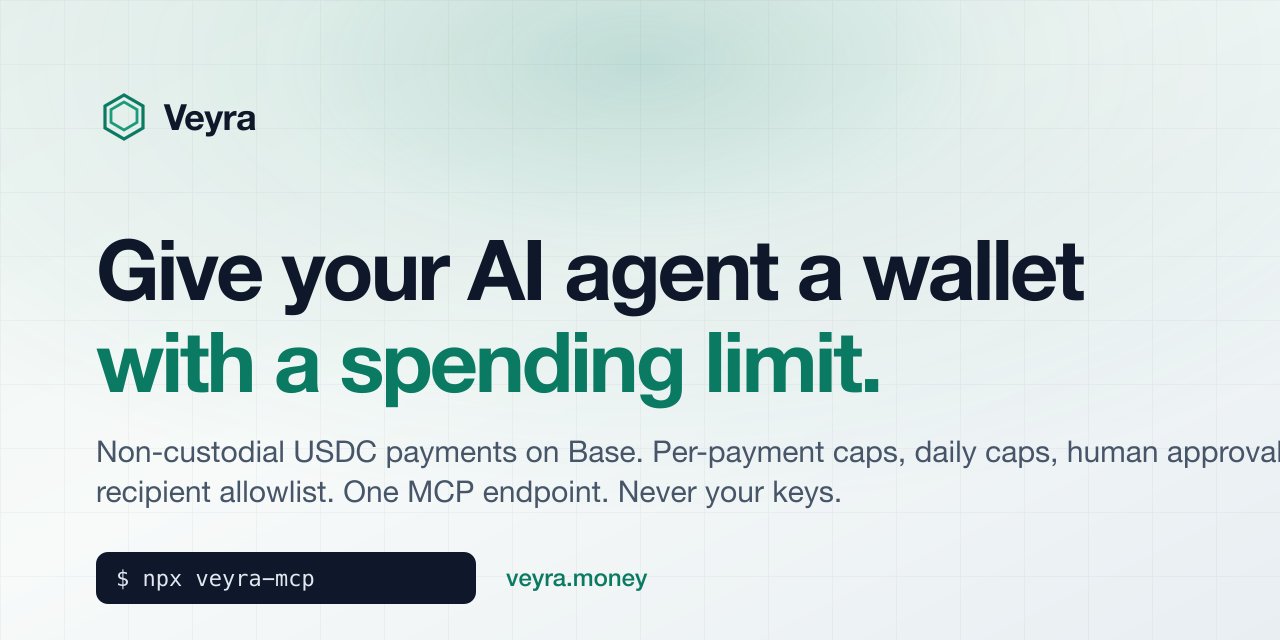
Give AI agents a wallet with a spending limit. Non-custodial USDC on Base, server-enforced limits.

Quick Install

Automated & IDE Setup

Copy the AI prompt to install this server into Claude Code, Cursor, or another agent — or use 1-click editor setup below.

One-click editor setup isn’t available for this listing yet — we don’t have a confirmed install command, and we’d rather show nothing than point your editor at the wrong package or host. Follow the project’s own setup instructions, linked above.

Manual Client & Custom JSON ConfigExpand JSON â–¾
No confirmed setup config for this listing yet. We only publish a config block when the install details come from the project itself — its README, its docs, or a verified owner. We haven’t found those for Veyra, and we’d rather show nothing than a guess you’d paste into your client. Follow the project’s own setup instructions for the current steps.
Install Directory Badge Claim listing Alternatives💰 More in Finance & Fintech

Documentation Overview

Veyra — give AI agents a wallet with a spending limit

veyra-mcp

Give your AI agent a wallet with a spending limit.
MCP server + typed client for Veyra: non-custodial USDC payments on Base, with per-payment caps, daily caps, human approval bands and a recipient allowlist — all enforced server-side, never by the model.

npm CI MIT Docs


The problem

Agents increasingly need to pay for things: an API call, a dataset, a bounty, another agent. Today the choices are bad:

  • Hand the agent a private key. One prompt injection away from an empty wallet.
  • Hand it a card. No per-call limits, no allowlist, and your bank will not tell you which tool call spent the money.
  • Approve every payment by hand. Then it is not really an agent.

Veyra is the layer in between. You connect a wallet you already own, set what an agent may spend, and hand the agent one MCP endpoint. The agent gets tools like create_payment. It never sees a key, and it cannot exceed the limits you set because the limits are enforced by Veyra's server, not by the model following instructions.

Code
  agent  ──MCP──▶  veyra.money  ──policy──▶  your wallet  ──USDC on Base──▶  recipient
                    │
                    ├─ under auto-max      → executes from your capped on-chain allowance
                    ├─ in the ask band     → you approve in your own wallet (one link)
                    └─ over the limits     → blocked, agent is told why

60-second setup

  1. Sign up at veyra.money, connect a wallet (or start with the simulated source, which moves no money).
  2. Create an MCP endpoint with limits. Copy the credential (it starts with veyra_).
  3. Add it to your host:
Claude Code
Terminal
claude mcp add --transport http veyra https://veyra.money/api/mcp \
  --header "Authorization: Bearer veyra_..."
Cursor (.cursor/mcp.json)
config.json
{
  "mcpServers": {
    "veyra": {
      "url": "https://veyra.money/api/mcp",
      "headers": { "Authorization": "Bearer veyra_..." }
    }
  }
}
OpenAI Codex
server.ts
export VEYRA_TOKEN=veyra_...
codex mcp add veyra --url https://veyra.money/api/mcp --bearer-token-env-var VEYRA_TOKEN
Claude Desktop and any host that cannot send a bearer header (claude_desktop_config.json)
config.json
{
  "mcpServers": {
    "veyra": {
      "command": "npx",
      "args": ["-y", "veyra-mcp"],
      "env": { "VEYRA_TOKEN": "veyra_..." }
    }
  }
}

The veyra-mcp binary is a stdio bridge: it holds the credential locally and relays every call to the hosted endpoint. No policy lives in the bridge.

Anything else (plain JSON-RPC)
Terminal
curl -s https://veyra.money/api/mcp \
  -H "Authorization: Bearer veyra_..." \
  -H "Content-Type: application/json" \
  -d '{"jsonrpc":"2.0","id":1,"method":"tools/call","params":{"name":"get_budget","arguments":{}}}'

Then ask the agent to do something that costs money and watch the policy decide.

Tools the agent gets

ToolWhat it does
get_capabilitiesRails, networks, assets, limits and the recipient allowlist in force right now
get_budgetDaily limit, spent today, per-payment limit, auto and ask bands
list_payment_sourcesMasked sources and whether each can settle without a human
create_paymentCreate a payment intent. Policy is applied server-side and the result says what happened
get_paymentCanonical state for one payment, including which rail settled it
list_paymentsRecent payments for this endpoint
cancel_paymentCancel while still cancellable

Every payment reports one of these statuses:

StatusMeaning
confirmedValue moved on-chain
confirmed_simulatedSettled on the simulated rail. No money moved. The agent is told this explicitly
awaiting_approvalIn the ask band. next_action.url is a one-time link the owner opens in their own wallet
submittedTransaction sent, waiting for the chain receipt
pendingCreated, not yet evaluated or executed
failed / cancelled / expiredTerminal. Blocked-by-policy payments are failed with a policy_reason

Use it from code

Terminal
npm install veyra-mcp
server.ts
import {
  VeyraClient,
  VeyraToolError,
  idempotencyKey,
  movedRealMoney,
  paymentOutcome,
} from "veyra-mcp";

const veyra = new VeyraClient({ token: process.env.VEYRA_TOKEN! });

const budget = await veyra.getBudget();
console.log(`spent ${budget.spent_today} of ${budget.daily_limit} USDC today`);

const payment = await veyra.createPayment({
  amount: "1.25",
  recipient: "0x1234…abcd",          // USDC on Base
  reason: "Weather API, 500 calls",
  idempotency_key: idempotencyKey("weather"),
});

switch (paymentOutcome(payment)) {
  case "settled":
    // The only case where value actually moved.
    console.log("paid —", (await veyra.getPayment(payment.payment_id)).tx_ref);
    break;
  case "simulated":
    console.log("settled on the simulated rail; no money moved");
    break;
  case "awaiting_approval": {
    console.log("owner must approve:", payment.next_action?.url);
    const settled = await veyra.waitForPayment(payment.payment_id);
    console.log(movedRealMoney(settled) ? "paid" : paymentOutcome(settled));
    break;
  }
  case "blocked":
    console.log("policy refused it:", payment.policy_reason);
    break;
}

Policy refusals are not exceptions

This is the one thing worth reading twice. A payment the policy declines comes back as an ordinary result with status: "failed" — the call did what it was asked and the answer was no. Only a malformed argument, a bad credential or an unknown id throws.

So try/catch is the wrong tool for detecting refusals: it misses every blocked payment and reads it as a success. Use paymentOutcome, and use movedRealMoney before telling anyone value moved — it returns false for a simulated settlement even though the status begins with "confirmed".

Reserve catch for what genuinely failed:

ts
try {
  await veyra.createPayment({ /* … */ });
} catch (e) {
  if (e instanceof VeyraToolError) {
    console.log(e.code, e.message);   // VALIDATION_ERROR, UNKNOWN_CREDENTIAL, NOT_FOUND
  } else throw e;
}

Never retry because you are unsure

If you cannot tell whether a payment worked, read it — do not create another. getPayment returns tx_ref once a real payment has settled, which is both your confirmation and what you show the recipient as proof. Reusing the same idempotency_key returns the original payment; a new key spends again. Veyra also sets possible_duplicate_of when an identical payment to the same recipient is already live.

VEYRA_TOOLS exports the tool definitions as JSON Schema, so you can register them with the Vercel AI SDK, LangChain, or plain function calling without a network round-trip. See veyra-examples for complete agents built with the Claude Agent SDK and the Vercel AI SDK.

What you are trusting

Worth being blunt, because this is money.

  • Veyra never holds your funds. Payments go from your wallet to the recipient. There is no Veyra balance in the middle.
  • Above your auto-approve limit nothing is delegated. You sign each transfer in your own wallet from the approval link. Veyra verifies the on-chain receipt matches the request.
  • Within your auto-approve limit you grant a capped ERC-20 allowance to a relayer Veyra operates, the same approve primitive every DeFi app uses. The token contract enforces the cap. Veyra's policy engine decides the destination within that cap, so size the allowance like a float you could lose, and use the recipient allowlist when you know who the agent should be paying. Revoke it any time.
  • The simulated rail exists so you can wire everything up before touching real funds. It is labelled everywhere: status confirmed_simulated, simulated: true.
  • Every decision is in the audit log, including limit changes and credential rotations.

Full details: How a payment actually moves and What you are trusting, exactly.

FAQ

Which networks and assets? USDC on Base. One stablecoin keeps the dollar limits exact without a price feed, and Base is where the agent-payment ecosystem already settles. More rails are on the roadmap; open an issue if you need one.

Does this work with x402 or pay-per-call APIs? Yes, in the sense that matters: the agent asks Veyra to pay the seller's address and gets a receipt. Veyra is the spending policy, not the protocol on the other end.

Can I self-host? Not today. This repo is the client and bridge; the policy engine is the hosted service at veyra.money. The wallet-approval path is fully non-custodial regardless.

What does it cost? There is a free plan. See pricing.

Read the full README →View source on GitHub →

Related MCP Servers

View all in Finance & Fintech View all alternatives
  • M
    Mcptoon
    Verified

    Every Agent discovers all your MCP tools from one install; major token savings via TOON output.

    💰 Finance & Fintech10 views
    Compare vs Mcptoon →
  • S
    Stock Trends Market Intelligence

    Equity trend, relative-strength, expected-return, market-context, and research resources for agents.

    💰 Finance & Fintech2 views
    Compare vs Stock Trends Market Intelligence →
  • M
    Mossgate MCP

    mcp stdio server exposing mossgate trust and rue render apis with x402 usdc payment

    💰 Finance & Fintech6 views
    Compare vs Mossgate MCP →
  • T
    Tradingview MCP

    Real-time market data, screeners, technical analysis & backtesting for stocks, crypto and forex.

    💰 Finance & Fintech4 views
    Compare vs Tradingview MCP →

Reviews

No reviews yet — be the first to share how this listing worked for you.

Frequently Asked Questions about Veyra

We don't have a confirmed install command for Veyra yet, so we don't publish a generated one — a guessed package name would point at the wrong package or none at all. Follow the project's own README or setup instructions (https://github.com/zapxlabs/veyra-mcp) for the current steps.

AllMCPs Directory Badge

Full Badge Customizer

Showcase your server listing on GitHub or your project documentation. Embed this dynamic SVG badge to highlight official listing status and live engagement.

Badge Style:
Live Dynamic SVG PreviewVeyra AllMCPs Directory Badge

Markdown (GitHub README)
[![AllMCPs](https://allmcps.com/api/badge/veyra?style=directory)](https://allmcps.com/mcp/veyra)
HTML Embed
<a href="https://allmcps.com/mcp/veyra"><img src="https://allmcps.com/api/badge/veyra?style=directory" alt="Veyra on AllMCPs" /></a>

Technical Specs & Signals

Category💰Finance & Fintech
More technical detailsExpand â–¾
Last updatedSep 28, 2026
Views0
Unique ViewsTotal visits recorded for this listing page on AllMCPs.
Installs0
Installs & Copy ActionsTotal times users copied install commands or configuration snippets for this server.
27Quality signal: Emerging · 27/100How this signal is calculated ▾
Server availabilityNot measured

Not scored for repo-hosted servers — we can't reach the running server, only its GitHub page. Hosted MCP endpoints are health-checked live.

Verified ownership8/20
Documentation & tools11/30
Adoption & activity1/15
Community engagement0/10

A guidance signal from public completeness & health data — not a user rating. New listings start lower and rise as they add docs, get verified, and grow adoption. Signals we can't observe for a listing are skipped, not counted against it.

★ Spotlight Slot

Feature Your MCP Server

Get maximum visibility for your server across our directory, search results, and detail pages.

Spotlight Your Server

Own this project?

This directory is pre-filled from public sources. Claim via GitHub README, site badge, or DNS TXT to unlock edit access and the Official badge — proof is checked automatically, then reviewed by our team.

Free dofollow backlink: add your website and place the AllMCPs badge on it — no claim needed. We detect it automatically and keep it verified as long as the badge stays live.

Claim & get free dofollow

Share & Embed

Add our SVG badge (dark/light directory styles) or embeddable widget to your site.

Explore more

More in 💰 Finance & Fintech →Best MCP servers for Finance & Fintech →Alternatives to Veyra →Install in Claude DesktopInstall in CursorInstall in VS CodeSetup guides for all 13 MCP clients