Secure Umami Analytics MCP server for Cloud and self-hosted deployments
Quick Install
Automated & IDE SetupCopy the AI prompt to install this server into Claude Code, Cursor, or another agent — or use 1-click editor setup below.
Manual Client & Custom JSON ConfigExpand JSON ▾
Client Config & Setup
Choose your client or environment
Target File:
💡 Paste the JSON block into your client's configuration file under mcpServers, then restart the application.
Documentation Overview
Umami Compass
Open-source MCP server for Umami Analytics — Cloud and self-hosted.



Distribution: umami-compass on npm · io.github.webcredo/umami-compass in the official MCP Registry
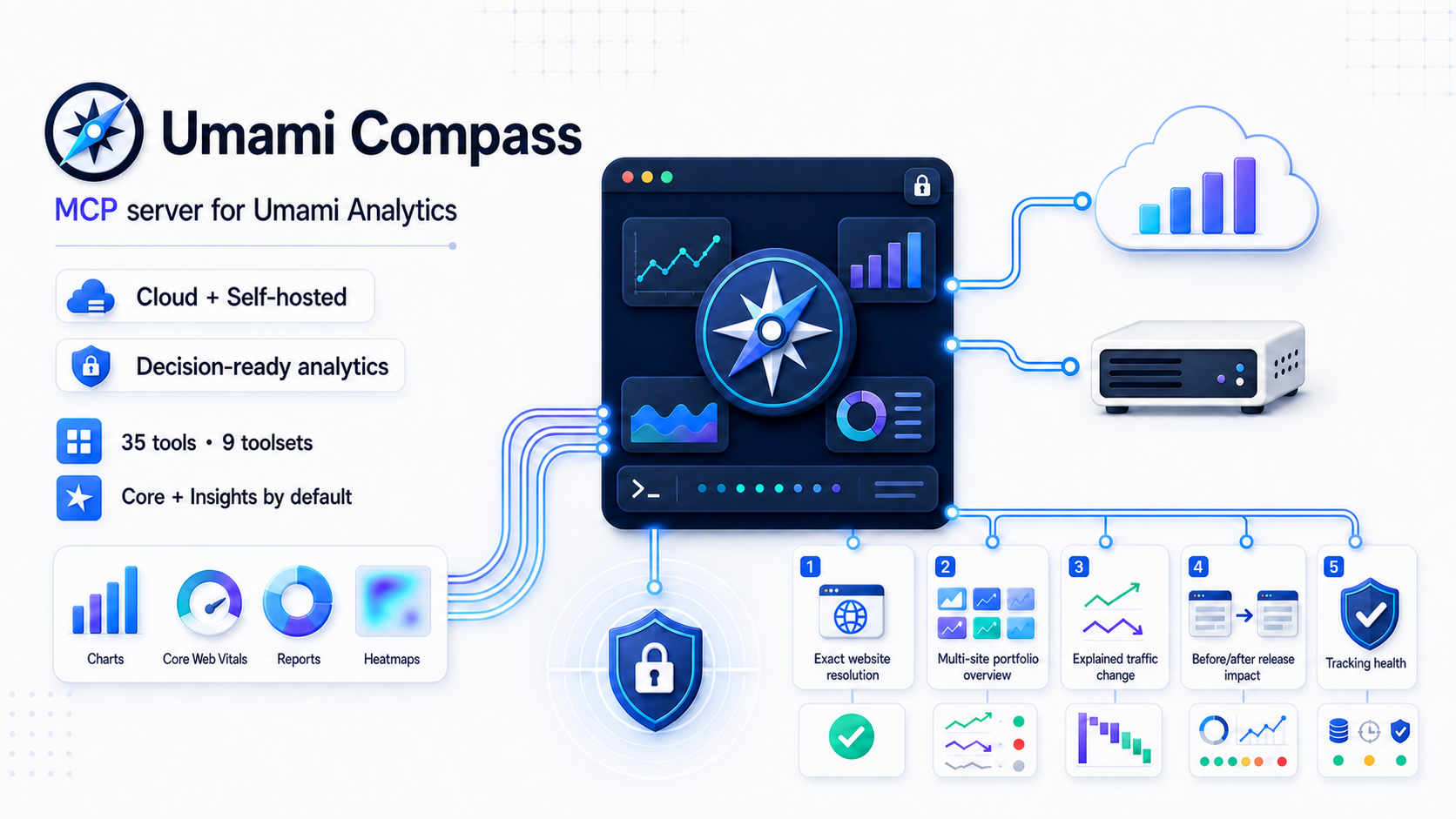
Umami Compass is a secure, read-only Model Context Protocol server for Umami Analytics. It gives MCP clients accurate Umami 3.2 analytics without exposing a database or allowing arbitrary network requests.
Version 0.5.1 is the current source release. See Compatibility before using it with older Umami versions.
The
npxexamples follow the stable npm release channel and check it whenever the MCP process starts. For source-based evaluation, clone this repository, runpnpm install --frozen-lockfile && pnpm build, and usenode /absolute/path/to/umami-compass/dist/cli.jsas the MCP command.
Why this project
Existing Umami MCP servers each cover part of the problem, but our July 2026 review found gaps around Umami 3.2 response correctness, Cloud authentication, safety boundaries, or extensibility. Umami Compass sets a higher, testable quality bar:
- Correct auth for both products:
x-umami-api-keyfor Umami Cloud and Bearer/login auth for self-hosted instances. - Umami 3.2-aware responses, including both
pageviewsandsessions, Core Web Vitals, funnels, journeys, attribution, retention, revenue, bounded heatmaps, and replay metadata. - Read-only by construction: every tool declares MCP safety annotations; no create, update, delete, raw HTML, or arbitrary URL tool exists.
- Defense in depth: fixed upstream origin, HTTPS policy, website and team allowlists, range/page/response-byte caps, request timeout, cancellation propagation, and redacted errors.
- Decision-ready insights: bounded traffic and performance portfolio overviews, traffic-change evidence, release-impact analysis, tracking-health audits, and website resolution without arbitrary API access.
- Agent-friendly output: machine-readable
structuredContent, a common status/range/truncation envelope, two resources, and six guided prompts. - Contributor-friendly architecture: endpoint modules, dependency-injected HTTP, a central access policy, ADRs, and real MCP integration tests.
See the dated landscape review for the evidence and methodology.
Quick start
Requirements: Node.js 22 or newer and an Umami identity with view-only access where possible.
The examples use the auto-updating stable launcher:
@latest selects the stable npm channel and --prefer-online makes npm check the registry even when package metadata is cached. npm still reuses the cached package when that exact release is already present. Updates take effect the next time the MCP process starts; an already running local server cannot replace itself.
Use umami-compass@next instead to opt into preview releases. For reproducible CI or centrally managed environments, pin an exact release and omit the online check, for example npx --yes umami-compass@0.5.1. Never use the preview channel for an unattended production setup.
Umami Cloud
With UMAMI_API_KEY and no URL, the API root defaults to https://api.umami.is/v1.
Self-hosted Umami
UMAMI_URL is an instance origin; /api is appended. Use UMAMI_API_URL instead when a reverse proxy exposes a custom, exact API root.
UMAMI_WEBSITE_IDS is an optional safety allowlist, not a credential. Replace the example UUID with a website ID from Umami (or from list_websites), separate multiple IDs with commas, or remove the variable to discover every website visible directly or through a team membership.
UMAMI_TEAM_IDS is a strict team boundary for discovery and direct website/report access. When it is set, user-owned websites without one of the selected team IDs are excluded. If UMAMI_WEBSITE_IDS is also set, a website must pass both allowlists.
Do not commit real credentials. Prefer a dedicated view-only Umami account and the client/OS secret store when available.
Tools
The least-privilege default enables core,insights: eight primitive aggregate tools plus seven decision-ready aggregate workflows. Row-level events, sessions, replay, heatmaps, and other more sensitive modules remain opt-in.
| Toolset | Tools | Default |
|---|---|---|
core | get_server_info, list_websites, get_website, get_website_stats, get_pageviews, get_metrics, get_active_visitors, get_website_date_range | Yes |
insights | resolve_website, get_portfolio_overview, analyze_performance_portfolio, explain_traffic_change, compare_traffic_series, analyze_release_impact, tracking_health_check | Yes |
events | list_events, get_event_stats, get_event_series | No |
sessions | list_sessions, get_session_stats, get_session, get_session_activity | No |
performance | get_web_vitals, get_performance_breakdown, compare_web_vitals, compare_performance_breakdown, get_performance_cross_tab, get_route_group_performance | No |
reports | Saved reports and segments plus goal, funnel, journey, retention, UTM, attribution, and multi-field breakdown reports | No |
revenue | get_revenue_stats, get_revenue_metrics | No |
replay | list_replays (metadata only; never raw rrweb payloads) | No |
heatmaps | get_heatmap (click/scroll pages and bounded detail points) | No |
Set UMAMI_TOOLSETS=all or a comma-separated subset. The default has 15 aggregate tools; all has 42. Multi-website insights are bounded to 50 websites with four concurrent website workers. High-cardinality report, performance, heatmap, channel fan-out, and activity results carry explicit limits and truncation metadata.
get_performance_breakdown requires at least 20 performance events per row by default for page, page-title, device, and browser rankings. This is an exploratory p75 quality guard, not a claim of statistical significance. Umami 3.2 calculates these counts with count(*), not count(metric), so Compass labels them as event counts and never presents them as metric-specific samples. Set minimumSampleCount explicitly to tighten the guard or lower it to 1 to include every otherwise valid row.
Umami 3.2 caps page, page-title, and browser candidates at 500 before Compass can apply the sample guard. Breakdown responses therefore report the effective minimum, excluded-row counts, candidate coverage, and whether that upstream cap may make the filtered ranking incomplete. If all complete candidates are undersized, emptyReason is insufficient_sample_size; if the candidate cap prevents that conclusion, dataStatus is unknown.
Successful tool responses preserve the existing data field and add a common meta envelope. Depending on the request it includes dataStatus, emptyReason, websiteId, requestedRange, and timezone. Truncation is split into responseTruncated for an incomplete primary result and sectionsTruncated for bounded nested sections; the aggregate truncated field remains for compatibility.
The server exposes umami://websites and the sanitized umami://capabilities resource. Website discovery returns only id, name, and domain; request get_website explicitly when detailed metadata is required. get_server_info returns the same local version, enabled toolsets, limits, and feature flags as a tool. Guided prompts cover an analytics report, weekly portfolio briefing, traffic investigation, release impact, tracking health, and conversion audit; each prompt is registered only when its required toolset is enabled. Scheduling a recurring briefing remains the MCP client's responsibility; the local stdio server does not run a background scheduler or send messages.
Performance analysis and upstream limits
Related MCP Servers
Reviews
No reviews yet — be the first to share how this listing worked for you.
Frequently Asked Questions about Umami Compass
AllMCPs Directory Badge
Showcase your server listing on GitHub or your project documentation. Embed this dynamic SVG badge to highlight official listing status and live engagement.
Badge Style:
Live Dynamic SVG Preview
Markdown (GitHub README)
[](https://allmcps.com/mcp/umami-compass)HTML Embed
<a href="https://allmcps.com/mcp/umami-compass"><img src="https://allmcps.com/api/badge/umami-compass?style=directory" alt="Umami Compass on AllMCPs" /></a>Technical Specs & Signals
CategoryDeveloper Tools
27Quality signal: Emerging · 27/100How this signal is calculated ▾
Server availabilityNot measured
Not scored for repo-hosted servers — we can't reach the running server, only its GitHub page. Hosted MCP endpoints are health-checked live.
Verified ownership8/20
Documentation & tools11/30
Adoption & activity1/15
Community engagement0/10
A guidance signal from public completeness & health data — not a user rating. New listings start lower and rise as they add docs, get verified, and grow adoption. Signals we can't observe for a listing are skipped, not counted against it.
Own this project?
This directory is pre-filled from public sources. Claim via GitHub README, site badge, or DNS TXT to unlock edit access and the Official badge and attach your website — proof is checked automatically, then reviewed by our team.
Free dofollow backlink: add your website and place the AllMCPs badge on it — no claim needed. We detect it automatically and keep it verified as long as the badge stays live.
Claim & get free dofollowShare & Embed
Add our SVG badge (dark/light directory styles) or embeddable widget to your site.