twittrapi-mcp – Twitter/X MCP server for Claude, Cursor and other AI agents


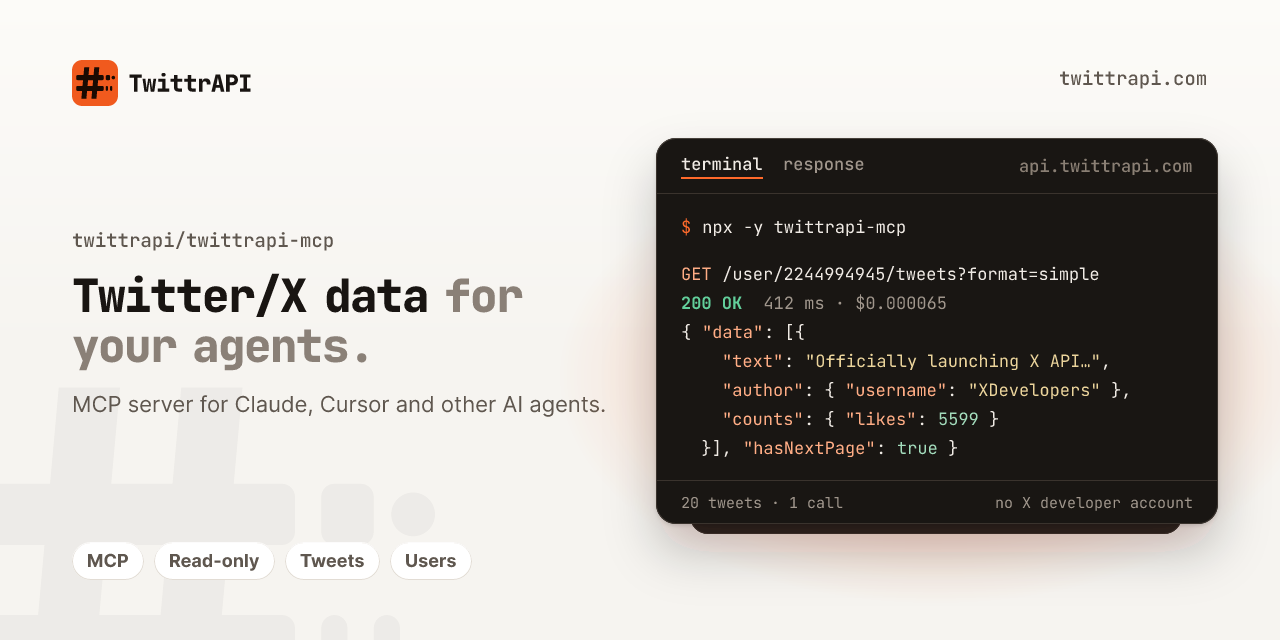
An MCP server for TwittrAPI, a REST API for public Twitter/X data: tweets, profiles, followers, search, lists and communities. It lets Claude, Cursor and other MCP clients read that data, from $0.065 per 1,000 calls and with no X developer account.
Get an API key: twittrapi.com/start · Pricing · Docs · Status · also available on RapidAPI
SDKs and integrations: Python · Node.js · Go · n8n · Make · Apify · LangChain · LlamaIndex · Agent skill · Examples
Not affiliated with X Corp.
Hosted server (no install)
Apps that support remote MCP servers can connect by URL instead (available with the hosted release; see twittrapi.com/docs/hosted-mcp):
https://mcp.twittrapi.com/mcp
| Client | Setup |
|---|---|
| Claude.ai / Claude Desktop | Settings > Connectors > Add custom connector, paste the URL, Connect, log in to TwittrAPI and allow access (OAuth) |
| ChatGPT | Settings > Apps & Connectors > Advanced settings > Developer mode, then Create with the URL and OAuth |
| Claude Code | claude mcp add --transport http twittrapi https://mcp.twittrapi.com/mcp (OAuth), or add --header "Authorization: Bearer $TWITTRAPI_API_KEY" |
| Cursor | {"mcpServers": {"twittrapi": {"url": "https://mcp.twittrapi.com/mcp", "headers": {"X-API-KEY": "${env:TWITTRAPI_API_KEY}"}}}} in mcp.json |
| VS Code | {"servers": {"twittrapi": {"type": "http", "url": "https://mcp.twittrapi.com/mcp"}}} in .vscode/mcp.json (OAuth) |
With OAuth the app never sees your API key; calls are billed to your balance like any other call. Connected apps are listed (and can be disconnected) in the dashboard under Connected apps.
What you need
- Node.js 20 or newer
- A TwittrAPI key, or a RapidAPI key subscribed to the Twitter AIO API
Every tool call is one billed API call on your account.
Install
Claude Code
claude mcp add twittrapi --env TWITTRAPI_API_KEY=your-key -- npx -y twittrapi-mcp
Claude Desktop
Open Settings > Developer > Edit Config and add this to claude_desktop_config.json:
{
  "mcpServers": {
    "twittrapi": {
      "command": "npx",
      "args": ["-y", "twittrapi-mcp"],
      "env": {
        "TWITTRAPI_API_KEY": "your-key"
      }
    }
  }
}
Restart Claude Desktop afterwards.
Cursor
Add this to ~/.cursor/mcp.json (all projects) or .cursor/mcp.json (one project):
{
  "mcpServers": {
    "twittrapi": {
      "command": "npx",
      "args": ["-y", "twittrapi-mcp"],
      "env": {
        "TWITTRAPI_API_KEY": "your-key"
      }
    }
  }
}
Other clients
Any client that can start a stdio server works. The command is npx -y twittrapi-mcp.
Environment variables
| Variable | Required | Description |
|---|---|---|
TWITTRAPI_API_KEY | one of the two keys | Your TwittrAPI key. Sent as the X-API-KEY header. |
RAPIDAPI_KEY | one of the two keys | RapidAPI key. Used only when TWITTRAPI_API_KEY is not set. |
RAPIDAPI_HOST | no | Host of your RapidAPI listing. Default twitter-aio.p.rapidapi.com. |
TWITTRAPI_BASE_URL | no | API base URL for the direct API. Default https://api.twittrapi.com. |
TWITTRAPI_RESPONSE_FORMAT | no | simple (default) or raw. See Response format. |
TWITTRAPI_X_COOKIE | no | Cookie of your own logged-in x.com session. Turns on the account tools together with TWITTRAPI_X_PROXY. |
TWITTRAPI_X_PROXY | no | Your proxy for the account tools, http://user:pass@host:port. |
TWITTRAPI_X_CHAT_PASSCODE | no | Your X Chat passcode. Adds send_dm and message text in list_dm_conversations. |
If neither key is set, the server still starts and lists its tools, but every call returns an error explaining how to set a key.
Using RapidAPI instead
If you bought access through RapidAPI, set RAPIDAPI_KEY instead of TWITTRAPI_API_KEY:
"env": { "RAPIDAPI_KEY": "your-rapidapi-key" }
Requests then go to https://twitter-aio.p.rapidapi.com with the x-rapidapi-key and
x-rapidapi-host headers. The tools and their output are the same.
Subscribed to another TwittrAPI listing on RapidAPI? Set its host:
"RAPIDAPI_HOST": "twttr.p.rapidapi.com".
Tools
These tools read public data and are always available. The account tools are added when you configure your X session.
| Tool | What it does |
|---|---|
get_user_by_username | Profile by handle, including the numeric user ID |
get_user_by_id | Profile by numeric user ID |
username_to_id | Resolve a handle to its user ID |
users_by_ids | Profiles for up to 500 user IDs at once |
get_user_tweets | A user's tweets |
get_user_tweets_and_replies | A user's tweets and replies |
get_user_media | A user's tweets with photos or videos |
get_followers | A user's followers |
get_following | Accounts a user follows |
get_verified_followers | A user's verified followers |
search_tweets | Search with X operators; Top, Latest, People, Photos or Videos |
get_tweet | A tweet and its reply thread |
get_tweet_retweets | Users who retweeted a tweet |
get_tweet_quotes | Tweets quoting a tweet |
get_list_details | List name, owner and counts |
get_list_tweets | Tweets from a list's members |
get_list_members | Members of a list |
get_community | Community details |
get_community_tweets | Tweets in a community |
search_communities | Find communities by keyword |
get_trends | Trending topics for a location (WOEID) |
get_trend_locations | Locations that have trends, with their WOEIDs |
The user timeline tools (get_user_tweets, get_followers and so on) accept either userId or
username.
Account tools
With TWITTRAPI_X_COOKIE and TWITTRAPI_X_PROXY set, the server also lists tools that act on
your own X account:
| Tool | What it does |
|---|---|
create_tweet | Post a tweet; optional quote (quoteUrl), poll (pollChoices) and reply limit |
reply_to_tweet | Reply to a tweet |
delete_tweet | Delete one of your tweets |
like_tweet, unlike_tweet | Like or unlike a tweet |
retweet, unretweet | Retweet or undo a retweet |
bookmark_tweet, unbookmark_tweet | Add or remove a bookmark |
follow_user, unfollow_user | Follow or unfollow (by userId or username) |
list_dm_conversations | Your DM inbox |
send_dm | Send a direct message (needs TWITTRAPI_X_CHAT_PASSCODE) |
create_list | Create a list |
add_list_member, remove_list_member | Add or remove a list member |
create_draft, list_drafts | Save a draft, list your drafts |
How to get the cookie and set up a proxy: twittrapi.com/docs/x-session.
The cookie needs auth_token and ct0; direct messages also need twid.
"env": {
  "TWITTRAPI_API_KEY": "your-key",
  "TWITTRAPI_X_COOKIE": "auth_token=...; ct0=...; twid=u%3D...",
  "TWITTRAPI_X_PROXY": "http://user:pass@host:port"
}
- The cookie and proxy stay in the server's configuration. They are not tool arguments, so the model never sees them, and they are never logged or returned in a result.
- Write tools are marked
readOnlyHint: false(deletions and undo actions alsodestructiveHint: true), so clients ask before running them. - Each call is one billed API call, like the read tools.
- Account tools are only available over stdio. HTTP mode and the hosted server do not offer them.
Response format
Tool results use the API's simple format by default:
flat camelCase JSON with a fixed schema ({"data": [...], "nextCursor": ..., "hasNextPage": ...}
for lists, {"data": {...}} for single objects). Tweets carry id, url, text, createdAt,
author, counts, media, quoted, retweetOf and a few more fields; users carry username,
name, description, counts and so on. That is about 60 % fewer tokens than X's raw GraphQL JSON.
To get the raw JSON instead (for cards, polls, edit history, community notes and other fields the simple format leaves out):
- per call: every tool takes an optional
formatargument,"simple"or"raw"; - for the whole server: set
TWITTRAPI_RESPONSE_FORMAT=raw(theformatargument still wins).
Output size and pagination
Raw responses can be several hundred KB. Every tool takes an optional max_chars argument
(default 50,000, range 1,000 to 1,000,000). Longer output is cut and ends with a
[TRUNCATED ...] marker.
Paginated tools print the cursor above the JSON, so truncation never removes it:
next_cursor: DAABCgABGZ...
Pass next_cursor as `cursor` to get the next page.

{"data":{...}}
On the last page the header reads next_cursor: none (last page, no more results). In the simple
format that is when hasNextPage is false. In the raw format it happens when the response has no
next cursor (empty likes timelines included), when X returns the cursor you just sent, or
when a page holds only cursors and no results.
Errors
API errors come back as tool errors with a short explanation, for example:
- 402: the account has no balance left
- 429: rate limit hit, wait before retrying
- 404: the user or tweet does not exist, is private or is suspended
- 5xx: temporary upstream problem
HTTP mode (remote hosting)
npx -y twittrapi-mcp --http --port 3333 --host 0.0.0.0
This serves a stateless Streamable HTTP
endpoint at /mcp and a health check at /health. The default host is 127.0.0.1. Every POST
gets its own server instance bound to the caller's credentials, so any number of instances can
run behind a load balancer without sticky sessions. GET /mcp answers 405 (no server-initiated
stream); the legacy SSE transport is not offered.
In HTTP mode the server does not use a key from its own environment. Each request carries the caller's credentials:
X-API-KEY: <key>orAuthorization: Bearer <key>for the direct APIx-rapidapi-key: <key>for RapidAPI, plusx-rapidapi-host: <host>for a listing other thantwitter-aio.p.rapidapi.com(must end in.p.rapidapi.com)Authorization: Bearer twa_at_...: a TwittrAPI OAuth access token (hosted mode, below)
The account tools are not offered in HTTP mode; TWITTRAPI_X_COOKIE and
TWITTRAPI_X_PROXY are ignored there. TWITTRAPI_BASE_URL and TWITTRAPI_RESPONSE_FORMAT are still read from the environment; callers
can pick the format per call with the format argument. Put the server behind HTTPS if it is
reachable from the internet.
Example client config for your own instance (Claude Code):
claude mcp add --transport http twittrapi https://your-host.example.com/mcp --header "X-API-KEY: your-key"
Hosted mode with OAuth
For clients that require OAuth (Claude.ai connectors, ChatGPT), the server acts as an OAuth 2.1 resource server and the TwittrAPI dashboard as the authorization server (dynamic client registration, PKCE S256, consent screen, rotating refresh tokens). The server:
- answers requests without credentials with
401andWWW-Authenticate: Bearer resource_metadata="<origin>/.well-known/oauth-protected-resource/mcp", scope="mcp"; - serves RFC 9728 metadata at
/.well-known/oauth-protected-resource/mcpand/.well-known/oauth-protected-resource, and relays the dashboard's RFC 8414 metadata at/.well-known/oauth-authorization-server; - checks each access token with the dashboard's internal introspection endpoint (shared secret),
caches valid results for up to
OAUTH_CACHE_SECONDS(30) and invalid ones for 5 s, and accepts only tokens whose audience isMCP_PUBLIC_URL; - calls the API with the key of the account behind the token. The key never reaches the client.
Invalid or revoked tokens get
401witherror="invalid_token"; if the dashboard cannot be reached the answer is503withRetry-After, so clients keep their tokens.
Environment (HTTP mode)
| Variable | Default | Description |
|---|---|---|
PORT, HOST | 3333, 127.0.0.1 | Listen address (the Docker image uses 3000, 0.0.0.0) |
TWITTRAPI_BASE_URL | https://api.twittrapi.com | Gateway the tools call |
TWITTRAPI_RESPONSE_FORMAT | simple | Default format of tool results |
MCP_PUBLIC_URL | – | Public URL of /mcp, e.g. https://mcp.twittrapi.com/mcp. Token audience. |
OAUTH_ISSUER | – | Authorization server, e.g. https://app.twittrapi.com |
OAUTH_INTROSPECTION_SECRET | – | Shared secret with the dashboard (32+ characters). OAuth is on when these three are set. |
OAUTH_INTROSPECTION_URL | $OAUTH_ISSUER/api/oauth/introspect | Internal URL of the introspection endpoint |
OAUTH_METADATA_URL | $OAUTH_ISSUER/.well-known/oauth-authorization-server | Where the relayed metadata is fetched |
OAUTH_CACHE_SECONDS | 30 | Cache for valid tokens (max 300). Revocations take effect within this time. |
MAX_CONCURRENCY_PER_KEY | 8 | Requests in flight per key and instance; more get 429 with Retry-After: 1. 0 turns it off. |
MAX_BODY_BYTES | 262144 | Larger request bodies get 413 |
REQUEST_TIMEOUT_MS | 90000 | Requests running longer get 504 |
ALLOWED_ORIGINS | – | Comma-separated Origin allowlist for browser clients (DNS rebinding protection) |
TRUST_PROXY | – | 1 to log the client IP from |
Logs are JSON lines on stdout, one per request: request id, client IP, auth kind
(api_key, rapidapi, oauth, none), a hashed key id (k_ + 12 hex characters), OAuth client
and account id, JSON-RPC method, tool name, status and duration. Keys and tokens are never logged.
Docker / Coolify
docker build -t twittrapi-mcp .
docker run -p 3000:3000 -e MCP_PUBLIC_URL=... -e OAUTH_ISSUER=... -e OAUTH_INTROSPECTION_SECRET=... twittrapi-mcp
In Coolify: build pack Dockerfile, port 3000, health check path /health, domain
mcp.twittrapi.com, and the variables above. Set OAUTH_INTROSPECTION_URL to the dashboard's
internal address when both run on the same server.
Development
npm install
npm run build
npm test
npm test builds first, then runs unit tests, a protocol test that starts the server over stdio
and HTTP against a local mock API, and tests of hosted mode (OAuth challenge and metadata, token
introspection and caching, audience check, limits, log redaction) against a fake dashboard.
To add or change a tool, edit src/endpoints.ts. Each entry has a name, description, API path and
zod parameter schemas. Every tool also gets max_chars and format. An entry can set a simplify
function to reshape the parsed JSON further; none do. Account tools live in src/actions.ts.
Try the server interactively with the MCP Inspector:
npx @modelcontextprotocol/inspector -e TWITTRAPI_API_KEY=your-key node dist/index.js
Support
Questions, bugs or a higher rate limit: email support@twittrapi.com or open an issue in this repository. Service status: twittrapi.com/status. News and changes: the TwittrAPI Telegram channel (link on the website).
License
MIT