Cognee README
The full upstream README, mirrored here for reference. Install config, tool schemas, adoption signals, and an original overview live on the Cognee listing page.
Cognee - The Open-Source AI Memory Platform for Agents
Demo . Docs . Learn More · Join Discord · Join r/AIMemory . Community Plugins & Add-ons






Cognee is the open-source AI memory platform that gives AI agents persistent long-term memory across sessions. Ingest data in any format, build a self-hosted knowledge graph, and let every agent recall, connect, and act with full context
🌐 This README is also available in:
Deutsch |
Español |
Français |
日本語 |
한국어 |
Português |
Русский |
中文
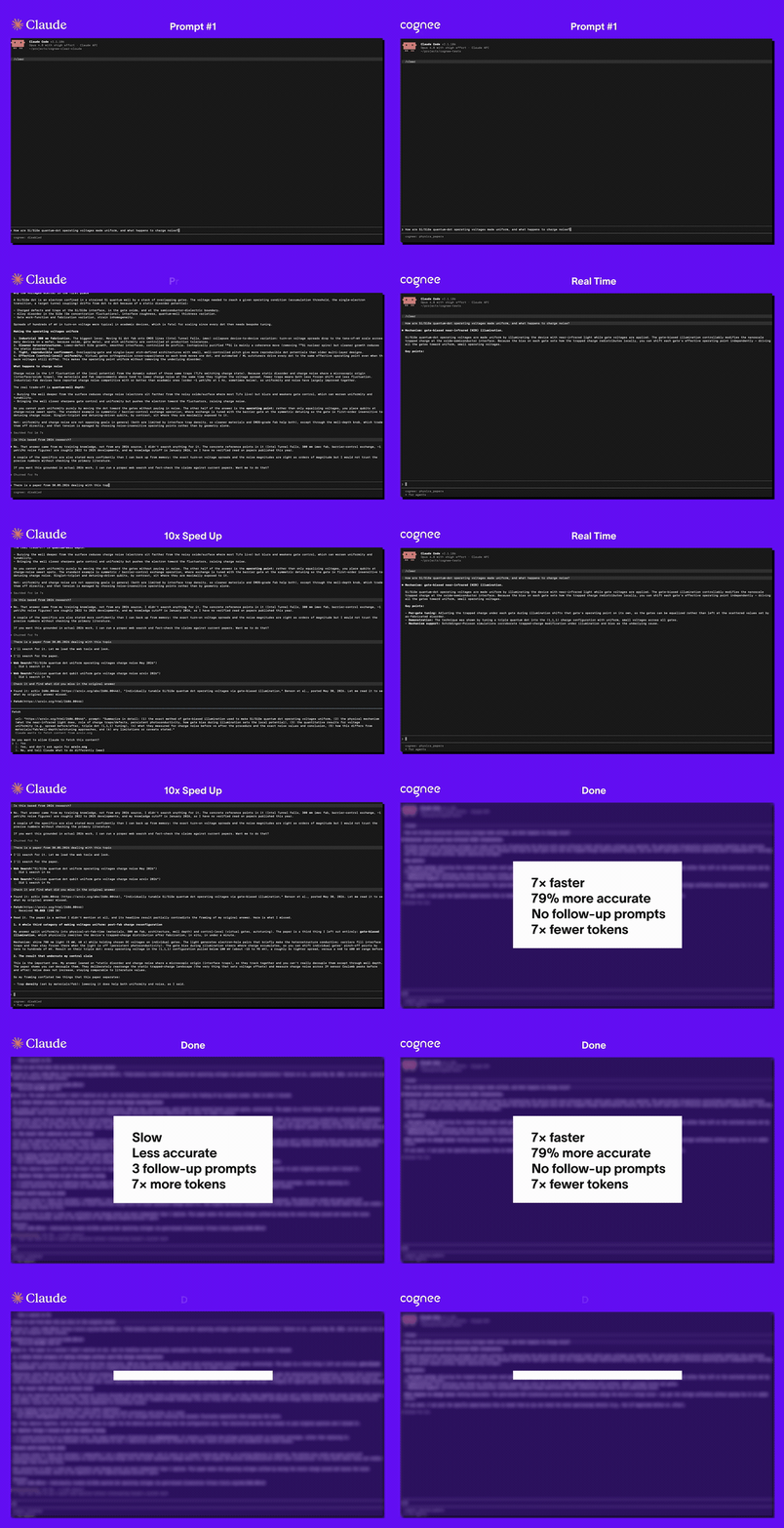
📄 Read the research paper: Optimizing the Interface Between Knowledge Graphs and LLMs for Complex Reasoning — Markovic et al., 2025
When to use Cognee
- Build a Company Brain. Bring documentation, conversations, tickets, code, and agent work into shared memory. Help your team and agents connect a decision to the discussion and implementation behind it. Explore Company Brain.
- Give agents memory across runs. Retain project context, past decisions, fixes, and learned rules. Distill useful session lessons into durable knowledge that another session can retrieve. Connect your agent.
- Ground agents in your domain. Structure memory around the entities and relationships your application needs, with custom data models and ontologies. Explore ontologies.
Choose your starting point
| I want to… | Start here |
|---|---|
| See a memory graph without an API key | Bundled demo |
| Build with text, code, and session memory | Python quickstart |
| Give an existing agent memory | Plugins and MCP |
| Run Cognee on my infrastructure | Deployment options |
| Use a managed service | Cognee Cloud |
Quickstart
Requires Python 3.10–3.14.
You can install Cognee with pip, uv, or your preferred Python package manager.
Try it without an API key
Step 2: Configure the LLM
Alternatively, create a .env file using our template.
The default uses OpenAI for language models and embeddings. Processing and generated answers make provider calls. See installation, other providers, or local Ollama models for other setups.
How Cognee works
Cognee builds connected memory from different sources. Text becomes entities, relationships, and searchable chunks; code becomes a graph of symbols and dependencies. Session distillation curates accepted lessons into permanent memory.
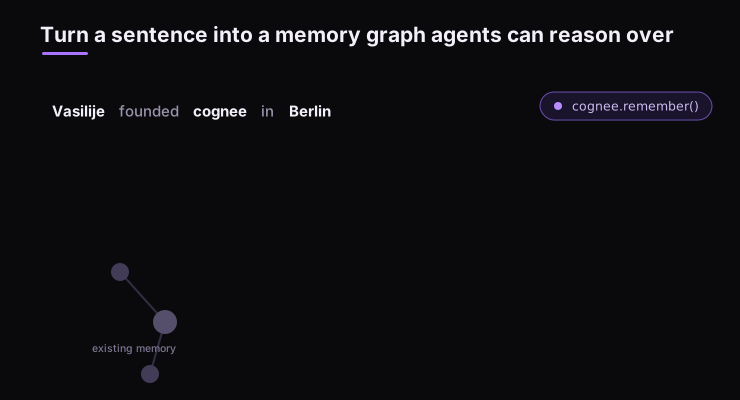
At query time, retrieval selects relevant graph, vector, or code context. Your application can inspect the retrieved evidence and use it to answer a question or continue an agent task.
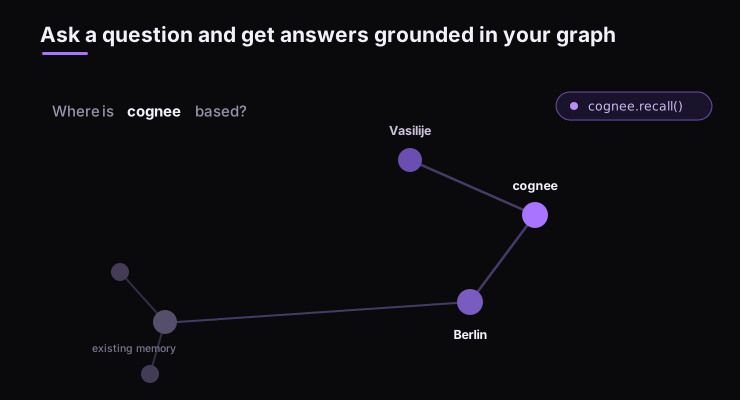
| Operation | What it does | Learn more |
|---|---|---|
remember | Store content or code in permanent memory, or in a session when a session ID is supplied. | Store memory |
recall | Retrieve context and answers, using automatic routing or a chosen search strategy. | Query memory |
improve | Enrich memory, apply feedback, and bridge session knowledge into the graph. | Improve memory |
forget | Remove a specific item or dataset. | Delete memory |
Explore the architecture and session lifecycle.
Connect your agent
Install the Claude Code plugin:
or Codex plugin
Make sure to enable hooks:
Follow the plugin setup guide to configure local or remote memory.
| Interface | Start here |
|---|---|
| Claude Code memory plugin | Install and configure the plugin |
| OpenClaw memory plugin | Install @cognee/cognee-openclaw |
| Cursor, Cline, and other MCP clients | Cognee MCP guide and server README |
| Python applications | Python API reference |
| TypeScript applications | TypeScript SDK |
| Rust applications | Cognee-RS |
| Applications using HTTP | REST API reference |
Browse the integrations repository for agent frameworks, plugins, and source connectors. Each guide describes its setup and memory capture behavior.
To inspect a local installation in the UI:
The UI launcher requires Node.js/npm; Docker is needed for its MCP service. See local UI setup.
Explore examples
- Build a small Company Brain from text, code, and session lessons.
- Import memory from Mem0, Letta, Zep, or Graphiti using the COGX exchange format.
- Run with local Ollama models, including a local embedding model.
- Visualize your knowledge graph and inspect its connections.
- Browse runnable examples for ingestion, sessions, feedback, and custom pipelines.
- Run the prebuilt API with Docker Compose or use the deployment templates.
- Explore community adapters and add-ons.
Deploy Cognee
For a local API demo using a prebuilt image, follow the minimal Docker Compose guide. It includes a persistent-volume configuration and explains the single-user demo settings.
To run the API, UI, and MCP server from a source checkout, clone this repository, enter its directory, copy .env.template to .env, and configure your providers. Then run:
The default ports are API 8000, UI 3000, and MCP 8001. For deployment beyond a local demo, configure authentication, persistent storage, and compatible backends using the permissions guide and deployment templates. Cognee Cloud provides the managed option.
Run the Whole Memory Layer on Postgres
Graph memory traditionally means operating a stack — a graph database for relationships, a vector database for embeddings, Redis for sessions, and a relational database for metadata — all deployed, secured, and paid for before an agent remembers anything. In cognee 1.0 you can run the entire memory layer on a single Postgres instance.
⚠️ Warning: Using Postgres as a graph store is currently a released as a demo feature. The production ready feature is available as a licenced product. Use it to demo keeping relational metadata, PGVector, and graph working together
Benchmarks and research
The BEAM evaluation measures conversational memory using synthetic long-context conversations and an LLM judge. The reported runs use Cognee's memory components with benchmark-specific data formatting, prompts, and retrieval configuration.
| BEAM context | Reported score (0–1) | Scope |
|---|---|---|
| 100K tokens | 0.79 | Fixed hybrid retrieval; four evaluation rounds over 20 questions from one held-out conversation. |
| 10M tokens | 0.67 | Exploratory result; question-type routing selected and scored on the same question set, averaged over five rounds. |
The two settings use different conversations, ingestion models, and retrieval-selection procedures. Read the methodology, models, limitations, and reproduction instructions before comparing these scores with other systems. The report also documents the remaining reproduction gap for the distributed 10M ingestion.
For the research behind Cognee's graph/LLM interface, see Optimizing the Interface Between Knowledge Graphs and LLMs for Complex Reasoning (Markovic et al., 2025).
Latest News
- Cognee comes with better incremental load
- Cognee now supports ingestion of multiple repositories at once
- Cognee now has better memory usage
- Cognee now has better conflict resolution
- Cognee now has ability to call external relational stores
- Cognee can now ingest from relational databases at scale
Community & Support
Contributing
We welcome contributions from the community! Your input helps make Cognee better for everyone. See CONTRIBUTING.md to get started.
Code of Conduct
We're committed to fostering an inclusive and respectful community. Read our Code of Conduct for guidelines.
Research & Citation
We recently published a research paper on optimizing knowledge graphs for LLM reasoning: