Scans MCP servers for prompt injection, data exfiltration, and privilege escalation.
Quick Install
Automated & IDE SetupCopy the AI prompt to install this server into Claude Code, Cursor, or another agent — or use 1-click editor setup below.
Not yet automatically verified
We haven't yet run this listing's install command through our automated sandbox check. This isn't a red flag — we're steadily working through the catalog.
Manual Client & Custom JSON ConfigExpand JSON ▾
Client Config & Setup
Choose your client or environment
Target File:
💡 Paste the JSON block into your client's configuration file under mcpServers, then restart the application.
Capabilities & Tool Schemas (5)
Inspect callable tools, capabilities, and parameters exposed to AI agents by ToolTrust Scanner.
tooltrust_scan_configScan all MCP servers in your `.mcp.json` or `~/.claude.json
tooltrust_scan_serverLaunch and scan a specific MCP server by command
tooltrust_scanner_scanScan a raw JSON blob of tool definitions
tooltrust_lookupLook up a server's trust grade from the ToolTrust Directory
tooltrust_list_rulesList all built-in security rules
Documentation Overview

ToolTrust Scanner
Static security scanner for MCP tool definitions
Trust grades (A–F) before your agent calls a tool — run as an MCP server, CLI, or CI check.


Every MCP tool your agent calls is an attack surface — prompt injection, data exfiltration, privilege escalation, supply-chain backdoors. ToolTrust scans tool definitions before your agent trusts them and assigns a trust grade (A–F) so you know the risk. ToolTrust is an MCP Server and a CLI/CI tool — not a host, gateway, or runtime proxy. Coverage is expanding beyond today’s MCP-focused workflows; skills and additional agent tool formats are on the roadmap.
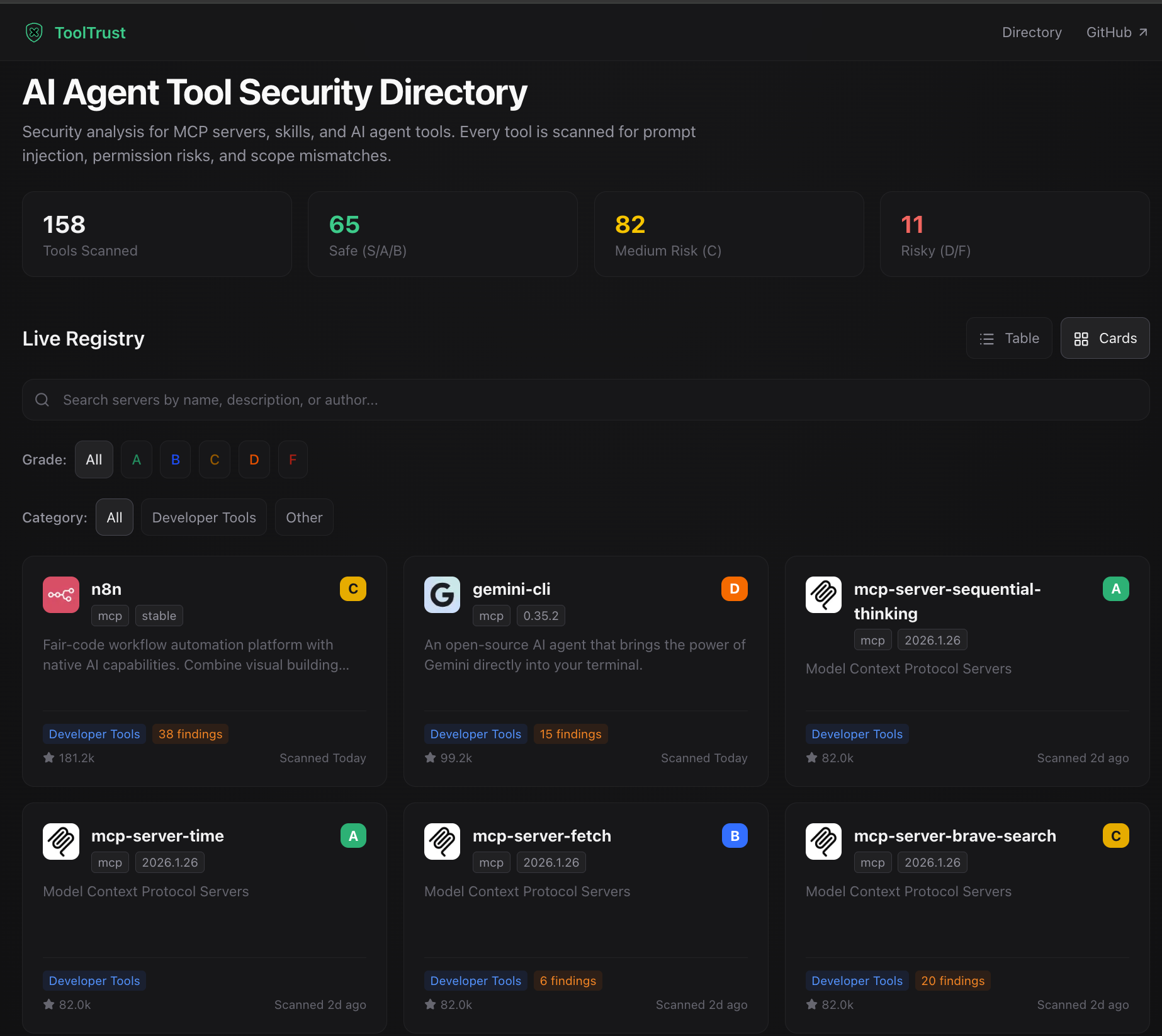
Browse the live ToolTrust Directory — trust grades and scan-backed reports before you install.
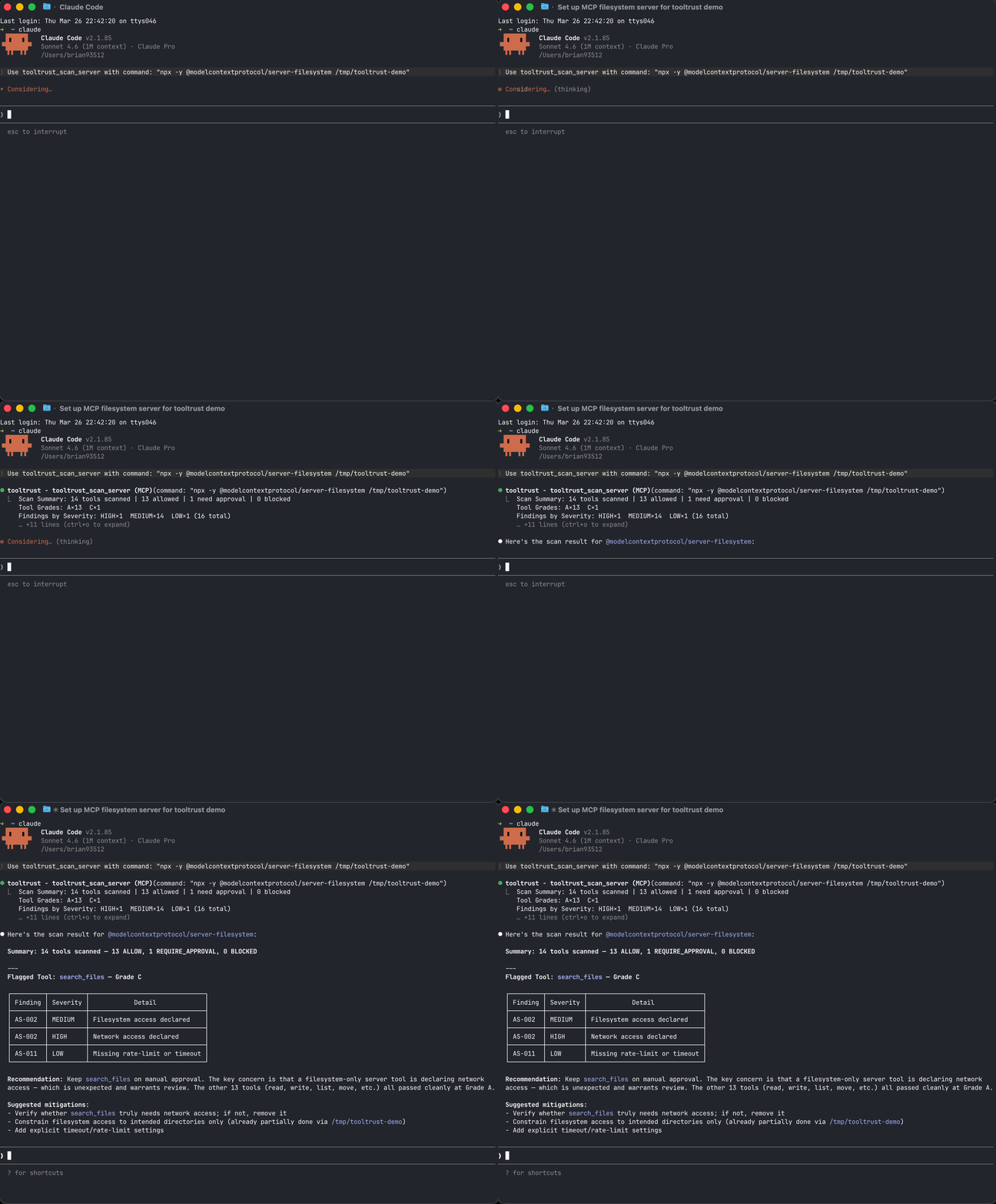
MCP demo: run a full config scan from your agent.
Scan your setup in 30 seconds
Add ToolTrust as an MCP server and let your agent audit its own tools (stdio transport — no network listener; your host launches it as a subprocess):
Then ask your agent: "Run tooltrust_scan_config"
It reads your MCP config, connects to each server in parallel, scans every tool, and returns a risk report with grades and enforcement decisions — all in seconds.
Or use the CLI:
Example snapshot (research cohort)
The public ToolTrust Directory holds current grades and aggregates as scanning scales. One published research pass illustrates the shape of the problem — 207 MCP servers, 3,235 tools — not an exhaustive count of everything we scan today:
| Metric | Count |
|---|---|
| MCP servers in cohort | 207 |
| Individual tools analyzed | 3,235 |
| Total security findings | 3,613 |
| Servers with at least one finding | 145 (70%) |
| Servers with a clean Grade A | 22 (10%) |
| Servers with arbitrary code execution | 16 |
Only 10% of servers in that cohort had a clean Grade A. See tooltrust.dev for up-to-date directory-wide results (and use this table only as a labeled snapshot).
🔍 What it catches
ToolTrust runs 16 static tool-definition rules in this repo (AS-001–AS-011, AS-013–AS-017) plus 2 source-scan rules for embedded MCP implementations (AS-018, AS-019). AS-012 (tool drift) is evaluated in the ToolTrust Directory when new scan results are compared to previous runs.
| ID | Severity | Detects |
|---|---|---|
| 🛡️ AS‑001 | Critical | Tool Poisoning — Adversarial prompts hidden in tool descriptions (ignore previous instructions, <INST>) |
| 🔑 AS‑002 | High/Low | Permission Surface — exec, network, db, fs beyond stated purpose; over-broad input schema |
| 📐 AS‑003 | High | Scope Mismatch — Tool name contradicts its permissions (e.g. read_config with exec) |
| 📦 AS‑004 | High/Critical | Supply Chain CVEs — Known CVEs in bundled dependencies via OSV |
| 🔓 AS‑005 | High | Privilege Escalation — admin/:write OAuth scopes; sudo/impersonate in descriptions |
| ⚡ AS‑006 | Critical | Arbitrary Code Execution — evaluate_script, _evaluate suffix, execute javascript, page.evaluate() patterns |
| ℹ️ AS‑007 | Info | Insufficient Tool Data — Tool lacks a valid description or schema |
| 🚨 AS‑008 | Critical | Known Compromised Package — Offline embedded blacklist of confirmed supply-chain attacks (LiteLLM 1.82.7/1.82.8, Trivy v0.69.4-v0.69.6, Langflow <1.9.0, Axios 1.14.1/0.30.4). Zero-latency, no network required. |
| 🔤 AS‑009 | Medium | Typosquatting — Tool name within edit-distance 2 of a well-known MCP tool, suggesting impersonation |
| 🗝️ AS‑010 | Medium | Secret Handling — Input params accepting API keys/passwords; credentials logged insecurely |
| ⚡ AS‑011 | Low | DoS Resilience — No rate-limit, timeout, or retry config on network/exec tools |
| 🔄 AS‑012 | High | Rug-Pull — Tool set changed between scans of the same version without a version bump (directory pipeline only) |
| 👥 AS‑013 | High/Medium | Tool Shadowing — Duplicate or near-duplicate tool name hijacks calls intended for a trusted tool |
| ℹ️ AS‑014 | Info | Dependency Inventory Unavailable — MCP server exposed neither metadata.dependencies nor a repo_url, so supply-chain coverage is limited and must be treated as incomplete |
| ⚠️ AS‑015 | Medium/High | Suspicious NPM Lifecycle Script — npm dependency publishes preinstall / postinstall / similar install-time scripts; severity rises for remote-fetch or inline-execution patterns |
| 🚨 AS‑016 | Critical | Suspicious NPM IOC Dependency — published npm metadata or install-time scripts reference a known malicious IOC package, domain, URL, or reviewed script pattern such as plain-crypto-js, even if the top-level package name is new |
| ⚠️ AS‑017 | Medium | Suspicious Data Exfiltration Description — tool description explicitly suggests sending user data, content, or conversation history to external / remote endpoints, without classifying it as prompt injection |
| ℹ️ AS‑018 | Info | Embedded MCP Server Detected — source-level MCP SDK usage was found, but tools could not be enumerated from a manifest or live handshake, so manual review is still required |
| 🔓 AS‑019 | High | Unauthenticated MCP Route Exposure — embedded MCP HTTP routes expose the same handler without equivalent authentication middleware |
Full rule details: docs/RULES.md
How it works
- Parse — Connects to a live MCP server (or reads a JSON file) and extracts every tool definition
- Analyze — Runs tool-definition rules against each tool's name, description, schema, and permissions; source scans add embedded MCP implementation checks
- Grade — Assigns a numeric risk score and letter grade (A–F) per tool
- Enforce — Maps each grade to a gateway policy:
ALLOW,REQUIRE_APPROVAL, orBLOCK
Pure static analysis. No LLM calls. No data leaves your machine (except optional CVE lookups). Runs in milliseconds. Deterministic and reproducible.
Install
MCP tools
When running as an MCP server, ToolTrust exposes these tools to your agent:
| Tool | What it does | Data access |
|---|---|---|
tooltrust_scan_config | Scan all MCP servers in your .mcp.json or ~/.claude.json | Reads local config; spawns each server as subprocess |
tooltrust_scan_server | Launch and scan a specific MCP server by command | Runs user-supplied command as subprocess (stdio) |
tooltrust_scanner_scan | Scan a raw JSON blob of tool definitions | In-memory only; no subprocess or network |
tooltrust_lookup | Look up a server's trust grade from the ToolTrust Directory | Network request to ToolTrust Directory API |
tooltrust_list_rules | List all built-in security rules | Local catalog only |
CI / GitHub Actions
Block risky MCP servers in your pipeline:
Deployment and security
For deployment, use the install paths in Install or the workflow example in CI / GitHub Actions. For vulnerability reporting and disclosure policy, see docs/SECURITY.md.
Scan-before-install gate
Never add an untrusted MCP server to your config again:
Related MCP Servers
Adoption & maintenance
Factual signals from GitHub, npm, and our automated checks — not a rating.
GitHub stars
19
Stargazers on the source repository.
npm downloads
2.9M
Package downloads in the last 30 days.
Last commit
3d ago
Most recent push to the default branch.
Tools exposed
5
Callable tools this server registers over MCP.
Reviews
No reviews yet — be the first to share how this listing worked for you.
Frequently Asked Questions about ToolTrust Scanner
AllMCPs Directory Badge
Showcase your server listing on GitHub or your project documentation. Embed this dynamic SVG badge to highlight official listing status and live engagement.
Badge Style:
Live Dynamic SVG Preview
Markdown (GitHub README)
[](https://allmcps.com/mcp/tooltrust-scanner)HTML Embed
<a href="https://allmcps.com/mcp/tooltrust-scanner"><img src="https://allmcps.com/api/badge/tooltrust-scanner?style=directory" alt="ToolTrust Scanner on AllMCPs" /></a>Technical Specs & Signals
CategoryDeveloper Tools
11/16 checks healthy over the last 45d
55Quality signal: Good · 55/100How this signal is calculated ▾
Server availabilityNot measured
Not scored for repo-hosted servers — we can't reach the running server, only its GitHub page. Hosted MCP endpoints are health-checked live.
Verified ownership7/20
Documentation & tools24/30
Adoption & activity10/15
Community engagement0/10
A guidance signal from public completeness & health data — not a user rating. New listings start lower and rise as they add docs, get verified, and grow adoption. Signals we can't observe for a listing are skipped, not counted against it.
Supply-chain signal
2 high-severity advisories on record for this package. Most advisories affect transitive dependencies and may not be exploitable in this server's actual usage — this is a directional signal, not a security audit.
Critical 0High 2Medium 0Low 0
Scanned 1d ago via OSV.dev · @modelcontextprotocol/server-filesystem (npm)
Own this project?
This directory is pre-filled from public sources. Claim via GitHub README, site badge, or DNS TXT to unlock edit access and the Official badge — proof is checked automatically, then reviewed by our team.
Free dofollow backlink: add your website and place the AllMCPs badge on it — no claim needed. We detect it automatically and keep it verified as long as the badge stays live.
Claim & get free dofollowShare & Embed
Add our SVG badge (dark/light directory styles) or embeddable widget to your site.