AllMCPs
BrowseBestCategoriesStackCompareToolsGuidesBlog Log in Submit MCP

Stay in the loop

Get new MCP servers and top picks in your inbox.

AllMCPs

The open directory for discovering and installing Model Context Protocol servers.

Explore

  • Browse servers
  • Best MCP servers
  • Categories
  • MCP clients
  • Agent prompts
  • Stack Builder
  • Compare servers
  • Tags index
  • Submit a server
  • Pricing

Learn

  • Guides hub
  • What is MCP?
  • Install guide
  • Troubleshooting
  • Security
  • Blog
  • Blog RSS

Tools

  • All tools
  • Config generator
  • Config validator
  • MCP playground
  • OpenAPI β†’ MCP
  • Badge generator

For agents

  • API docs
  • Trust & traffic
  • llms.txt β†— (opens in a new tab)
  • Catalog JSON β†— (opens in a new tab)
  • Remote MCP β†— (opens in a new tab)

Company

  • About
  • Contact
  • X (@AllMCPs) β†— (opens in a new tab)
  • GitHub β†— (opens in a new tab)
  • Terms
  • Privacy
AllMCPs VerifiedAllMCPs VerifiedFeatured on Nick LaunchesFeatured on Nick LaunchesLaunch Llama NewsletterLaunch Llama NewsletterVerified DR - allmcps.comVerified DR - allmcps.comFeatured on SaaSGrowFeatured on SaaSGrowFeatured on Twelve ToolsFeatured on Twelve ToolsFeatured on Saaspa.geFeatured on Saaspa.geFeatured on Findly.toolsFeatured on Findly.toolsFeatured on Startup FameFeatured on Startup FameFeatured on LaunchKiwiFeatured on LaunchKiwiFeatured on ScrollLaunchFeatured on ScrollLaunchFeatured on DailyPingsFeatured on DailyPingsFazier badgeFazier badgeFeatured on NewTool.siteFeatured on NewTool.siteFeatured on saasfame.comFeatured on saasfame.comDR Checker - Domain RatingDR Checker - Domain RatingListed on Turbo0Listed on Turbo0Launched on LaunchBoard - Product Launch PlatformLaunched on LaunchBoard - Product Launch PlatformList on SimilarlabsList on Similarlabshttps://codetrendy.comhttps://codetrendy.comListed on DevTool.ioFeatured on BuildlistFeatured on BuildlistAllMCPs VerifiedAllMCPs VerifiedFeatured on Nick LaunchesFeatured on Nick LaunchesLaunch Llama NewsletterLaunch Llama NewsletterVerified DR - allmcps.comVerified DR - allmcps.comFeatured on SaaSGrowFeatured on SaaSGrowFeatured on Twelve ToolsFeatured on Twelve ToolsFeatured on Saaspa.geFeatured on Saaspa.geFeatured on Findly.toolsFeatured on Findly.toolsFeatured on Startup FameFeatured on Startup FameFeatured on LaunchKiwiFeatured on LaunchKiwiFeatured on ScrollLaunchFeatured on ScrollLaunchFeatured on DailyPingsFeatured on DailyPingsFazier badgeFazier badgeFeatured on NewTool.siteFeatured on NewTool.siteFeatured on saasfame.comFeatured on saasfame.comDR Checker - Domain RatingDR Checker - Domain RatingListed on Turbo0Listed on Turbo0Launched on LaunchBoard - Product Launch PlatformLaunched on LaunchBoard - Product Launch PlatformList on SimilarlabsList on Similarlabshttps://codetrendy.comhttps://codetrendy.comListed on DevTool.ioFeatured on BuildlistFeatured on Buildlist
Β© 2026 Jackalope Digital LLC. All rights reserved.
  1. Home
  2. πŸ’» Developer Tools
  3. Tapp
T
Health: Not checked yetWe have not completed a health check for this listing yet.Last checked 8/11/2026, 12:21:22 AM

Tapp

Enrichment pendingWe haven’t run our AI enrichment pass on this listing yet, so the overview, use cases, and FAQ below may be sparse or missing. We work through the catalog over time β€” check back soon.
View Repository

Autonomous QA for iOS + web β€” agents get a deterministic ship/no-ship verdict, no test code

Quick Install

Automated & IDE Setup

Copy the AI prompt to install this server into Claude Code, Cursor, or another agent β€” or use 1-click editor setup below.

Add to CursorAdd to VS Code
Manual Client & Custom JSON ConfigExpand JSON β–Ύ

Install Config Generator

Choose your client
claude_desktop_config.json
{
  "mcpServers": {
    "tapp": {
      "command": "npx",
      "args": [
        "-y",
        "tapp"
      ]
    }
  }
}

πŸ’‘ Paste into ~/Library/Application Support/Claude/claude_desktop_config.json (macOS) or %APPDATA%\Claude\claude_desktop_config.json (Windows)

Install Directory Badge Claim listing AlternativesπŸ’» More in Developer Tools

Documentation Overview

tapp β€” ship with proof

CI npm npm downloads license Install in Cursor Install in VS Code

Tapp is the release-contract and evidence layer for teams shipping agent-authored applications. It turns a repository and real product into an observed UI Map, a compact reviewed deterministic suite, and an inspectable merge decision.

Coding agents can write the code, and (with Playwright & friends) they can even drive the app. What nobody gives them is judgment: did it actually work? tapp explores your app like a user β€” no test code, no app changes β€” detects what's broken, and commits to a verdict your merge queue can trust: ready, caution, or blocked, with evidence.

Three platforms, one judgment layer:

  • iOS β€” the missing Playwright for iOS. tapp is hands and judgment: a generic XCUITest harness drives any app on the simulator via the accessibility surface. Native β€” no Appium, no WebDriverAgent.
  • Android β€” black-box native driving through ADB + UIAutomator. Install an APK, target its application id, and run the same QA, committed Flows, evidence, and regression gate. The app does not link a Tapp SDK.
  • Web (beta) β€” built on Playwright. Your agent already has browser hands; tapp adds the autonomous exploration, the deterministic detectors (uncaught exceptions, failed requests, dead buttons, broken links, placeholder href="#" links, error pages), and the same verdict.
Code
you:    "Add a logout button to the settings screen"
agent:  *writes the Swift*
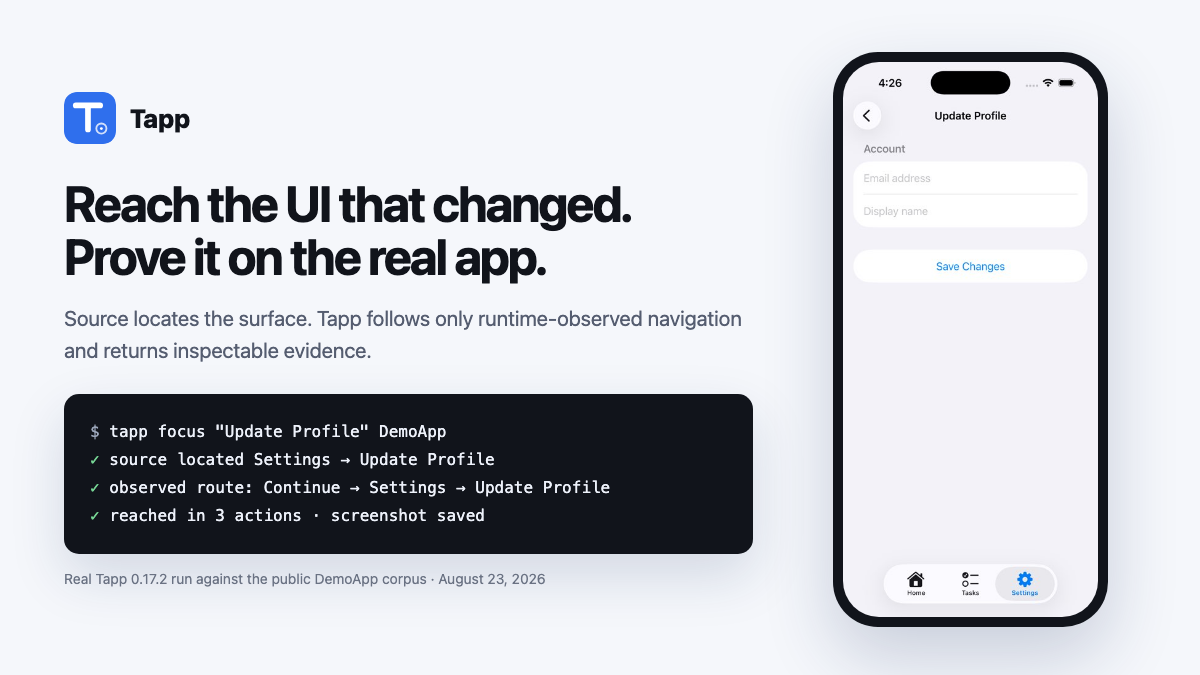
agent:  *tapp: builds, opens the app, navigates to Settings, screenshots it*
agent:  "Done β€” and here it is working on the simulator: [screenshot]"

Quickstart for coding agents

Requirements: Node β‰₯ 18. iOS needs macOS + Xcode; Android needs adb plus a connected emulator/device; web needs Playwright + Chromium.

From the app repository, let the agent see the current screen and then ask for a release verdict:

Terminal
npx -y @aarwitz/tapp open   # builds/launches as needed; prints a screenshot path + screen summary
npx -y @aarwitz/tapp qa     # explores the real app; prints verdict, findings, and evidence report

Claude Code can read the saved image with its file-reading tool; Codex can open it with view_image. The agent should report what the screenshot proves, preserve Tapp's exact ready/caution/blocked verdict, and link the HTML evidence report. No server, account, config file, test code, API key, or bundle id is required for this loop.

The product, executable, and package leaf are all Tapp: npm distributes it as @aarwitz/tapp, while the installed command remains tapp.

To bootstrap maintained release infrastructure, preview the repository model and grounded plan before Tapp writes anything:

Terminal
npx -y @aarwitz/tapp init . --dry-run --json-out /tmp/tapp-init.json
# Build/start the detected web target, ground the first UI Map, then stop it.
npx -y @aarwitz/tapp init . --explore --platform web
# Or build/install the detected Xcode target, ground the map, and persist the validated scheme.
npx -y @aarwitz/tapp init . --explore --platform ios --target .
# Or connect to an already-running owned URL:
npx -y @aarwitz/tapp init . --explore --platform web --url http://127.0.0.1:4173
# If the app has roles/accounts, bind names once; values stay in local/CI secrets.
npx -y @aarwitz/tapp actor set alice . --role member --session isolated \
  --credential email=ALICE_EMAIL --credential password=ALICE_PASSWORD
# Review-only path: tapp init . β†’ tapp plan show β†’ tapp plan review --approve ...

# After approved drafts replay and are promoted, establish the selected target's baseline
# through the ordinary full gate, then generate the reviewable GitHub workflow.
npx -y @aarwitz/tapp baseline create . --platform web
npx -y @aarwitz/tapp ci install .

The baseline command writes only after autonomous QA and every selected deterministic suite pass conclusively. It stores .tapp/baselines/<platform>/<target-id>.json; the generated workflow uses that exact target identity so two apps on the same platform never share a baseline. ci install writes .github/workflows/tapp.yml plus .tapp/ci.json, refuses unresolved build configuration and existing-file collisions, and never commits, pushes, enables branch protection, or creates GitHub resources. Review and pin the generated Tapp release reference to its immutable commit SHA before production.

Every verb takes whatever you have: nothing (auto-detects the repo you're in, or the app already on the simulator), a repo directory, a path/to/App.app, or a bundle id:

Terminal
npx -y @aarwitz/tapp open [target]   # launch the app β†’ screen summary + screenshot file
npx -y @aarwitz/tapp tree [target]   # accessibility tree of the current screen
npx -y @aarwitz/tapp shot            # screenshot the booted simulator
npx -y @aarwitz/tapp apps            # what's installed on the simulator (names + bundle ids)
npx -y @aarwitz/tapp build [dir]     # just build + install (scheme auto-detected)

Web (beta): npx -y @aarwitz/tapp qa http://localhost:3000 (one-time setup: npm i -g playwright && npx playwright install chromium)

Focused web inspection waits briefly for loading states to settle. If a consent or location modal blocks the screen, dismiss it and wait for the content you care about in the same package-only call:

Terminal
npx -y @aarwitz/tapp open https://example.com --tap "Not now" --wait-for "Dashboard"
npx -y @aarwitz/tapp tree https://example.com --tap "Not now" --wait-for "Dashboard" --json

Android:

Terminal
npx -y @aarwitz/tapp qa path/to/app-debug.apk --platform android --app-id com.acme.app
npx -y @aarwitz/tapp open com.acme.app --platform android

Optional but recommended (prebuilds the test harness so the first run is fast):

Terminal
npx -y @aarwitz/tapp install    # ~2 min, one time
npx -y @aarwitz/tapp doctor     # verify Xcode / simulators / toolchain

Optional browser workspace

npx -y @aarwitz/tapp app . opens a local Release Studio for people who want visual repository onboarding, release-plan review, and CI preparation. It is not required for the coding-agent open/qa workflow.

MCP hookup (optional)

The MCP server adds the two things a CLI can't do: screenshots inline in your agent's context (the model literally sees the screen) and the interactive session loop (tap β†’ read tree β†’ type, with the app staying open between actions).

Claude Code:

Terminal
claude mcp add tapp -- npx -y @aarwitz/tapp mcp

Cursor / VS Code (Copilot) β€” add to ~/.cursor/mcp.json (Cursor) or .vscode/mcp.json (VS Code):

config.json
{
  "servers": {
    "tapp": { "type": "stdio", "command": "npx", "args": ["-y", "@aarwitz/tapp", "mcp"] }
  }
}

Codex CLI β€” add to ~/.codex/config.toml:

toml
[mcp_servers.tapp]
command = "npx"
args = ["-y", "@aarwitz/tapp", "mcp"]

Any other MCP client: stdio command npx -y @aarwitz/tapp mcp.

Then ask your agent:

"Run tapp qa on my app β€” is it ship-ready?" "Open com.mycompany.app on the simulator and screenshot the home screen." "Log in with test@example.com, drive to checkout, and record it as a replayable test."

What the agent gets

ToolWhat it does
πŸ‘tapp_open_appSee a screen β€” launch the app, return screenshot + accessibility tree. Seconds.
πŸ“Έtapp_screenshotWhatever's on the sim right now, as an inline image.
🌳tapp_ui_treeThe accessibility tree of the current screen (ids, labels, hittability).
πŸ•Ήtapp_session_start/act/endInteractive driving β€” the Playwright loop. App launches once; each act (tap/type/swipe/back/wait) returns the fresh tree.
πŸ§ͺtapp_run_qaAutonomous QA β€” explores with no authored test, returns {verdict, releaseScore, findings[]} (releaseScore is null for exploratory web). Takes appBundleId (iOS), androidAppId (Android), or url (web).
🧭tapp_initRepository import β€” detect targets; optionally explore a real surface; persist the shared UI Map; construct the evidence-classified model and grounded release plan.
πŸ‘€tapp_actor_configActor/session setup β€” store roles, isolation/provisioning, and environment-variable names without accepting or persisting credential values.
βœ…tapp_release_planRelease-plan lifecycle β€” inspect, approve/reject/defer, generate, real-target validate, and explicitly promote proposed guarantees without silent test edits.
🚦tapp_ci_setupBaseline and CI setup β€” import a conclusive target baseline or render/install the same reviewable target-aware workflow as the CLI.
πŸ—ΊοΈtapp_ui_mapPersistent UI Map β€” build, inspect, merge, and diff observed states, controls, transitions, provenance, and coverage.
🧩tapp_taskReusable deterministic Tasks β€” validate and compile shared actions such as signIn against the UI Map; replay stays keyless.
πŸ“œtapp_release_contractBusiness-level release contracts β€” validate, compile, or run typed guarantees composed from Tasks and named actors.
πŸ“‹tapp_pr_planPR-aware evolution β€” select reviewed contracts, schedule bounded changed-surface exploration, and explicitly adopt observed coverage proposals without silent rewrites.
πŸ”tapp_flow_run / flow_save / flow_generateDeterministic E2E execution (Flows) β€” raw steps or reusable Task calls replay with exact assertions.
πŸ‘₯tapp_scenario_runMulti-actor system tests β€” isolated named browser sessions verify cross-account state with deterministic assertions. No AI at replay time.
πŸ“±tapp_list_simulators / boot_simulator / install_appSimulator + app management.
🩺tapp_health, tapp_capture*, tapp_parse_markersDiagnostics and capture history.

Full agent playbook: AGENTS.md β€” ships inside the package so agents can read it too. Application-model and import contract: docs/application-model.md. The desktop Coverage view reads the same .tapp/application-model.json, .tapp/release-plan.json, and .tapp/ui-map.json, including explicit proposal review; it does not maintain a separate product model. Map nodes identify both the real launch entry and the deterministic per-platform navigation root used for bounded changed-surface replay.

The verdict you can trust

Adaptive exploration, deterministic judgment. Exploration is adaptive β€” two runs may traverse different paths through your app. Judgment is deterministic: the same evidence trace always produces the same findings and verdict β€” no LLM variability in the decision loop. PR gating keys on the regression diff (stable finding signatures vs. a baseline), so it reacts to what changed, not to run-to-run path variance. For critical user journeys, committed Tasks and Flows provide the stable CI suite: reusable semantic actions, exact assertions, condition-based waits, fresh launch state, bounded timeouts, and evidence on failure. We call this flake-resistant, not magically flake-freeβ€”backend outages, unstable test data, and poorly identified controls can still make any E2E test fail.

Native has a heuristic release score; exploratory web does not. The native 0–100 number comes from fixed deductions and is not calibrated probability. Web reports deterministic findings, advisory budget-capped control probes, and concrete coverage instead of compressing those unlike signals into a scalar. Committed Flows, Tasks, contracts, and baseline regressions provide the web merge decision.

tapp_run_qa explores like a user β€” accessibility surfaces on iOS/Android and a real browser on web β€” and detects crashes, failed sign-ins, dead buttons, stuck loading screens, error surfaces, navigation loops, and dead ends (plus, on web: uncaught JS exceptions, failed/5xx requests, broken links and assets, and visible placeholder links with no destination). The verdict is deterministic (no LLM in the run loop) and honest:

  • blocked β€” a release-blocking issue was found.
  • caution β€” issues to review, or the run couldn't see enough.
  • ready β€” genuinely explored with no detected blockers in the checks that ran. A shallow run is never ready β€” if the app crashed on launch or a login wall blocked exploration, you get inconclusive: true, not a false pass. Absence of findings is not a pass.

Web beta presents a ready result as AUTOMATED CHECKS COMPLETE, not β€œship-ready,” and displays no scalar score. Exhaustive checks on each exercised page drive the verdict; sampled control probes remain visible findings but are advisory. The report explicitly excludes content/claim accuracy, privacy and API data minimization, brand/SEO consistency, and subjective visual credibility. Those require reviewed contracts, privacy review, or human/vision judgment; an exploratory crawl must not imply they were validated.

For a business guarantee such as β€œevery coach is insured,” use a deterministic app-owned verifier endpoint that returns success only when the invariant holds, then require that status and the customer-visible claim in a release contract. The current DSL does not yet read arbitrary JSON response bodies or compare a cross-origin API payload directly with page copy; use a verifier or an explicit CI preflight rather than assuming autonomous QA inferred the guarantee.

Apps behind a login? Pass testEmail/testPassword (typed into the login form automatically), appLaunchArgs (e.g. ["--uitesting"] if your app supports a bypass), or explicit loginSteps for custom login UIs.

CI gate

The same engine runs as a merge gate β€” explore on every PR, replay committed release contracts, Flows, and multi-actor Scenarios, diff findings against the last conclusive default-branch run, fail on regressions, post a sticky PR comment, and upload screenshots, the recording, and machine-readable JSON:

yaml
# .github/workflows/tapp.yml
name: Tapp release gate
on:
  pull_request:
  push:
    branches: [main] # refreshes the automatic baseline after merges

permissions:
  actions: read
  contents: read
  pull-requests: write

concurrency:
  group: tapp-${{ github.ref }}
  cancel-in-progress: true

jobs:
  tapp:
    runs-on: macos-15
    timeout-minutes: 45
    steps:
      - uses: actions/checkout@v4
      - uses: aarwitz/tapp@main # pin to the newest release tag for production
        with:
          project: MyApp.xcodeproj # or MyApp.xcworkspace
          scheme: MyApp

On pull requests, the Action automatically reads the complete changed-file set from GitHub, retaining old and new paths for renames. It always runs critical/policy.always contracts, adds contracts related through reviewed source ownership, the UI Map, and transitive Task composition, and records skipped contracts and coverage gaps in tapp-pr-plan.json. A selected contract that does not execute blocks the merge. Set pr-selection: "false" only when intentionally running the full contract set.

Changed weakly covered surfaces are not limited to direct web URLs. Reviewed Task source ownership can compile one bounded native target (or up to five web targets) through observed UI Map edges, with condition waits and stable target evidence. Missing or failed targets make the run inconclusive; Tapp does not guess a path from a screen name.

The first successful, conclusive run on main seeds a repository-scoped Actions cache and a 90-day baseline artifact. Both are keyed by platform and stable application-model target id. Pull requests automatically restore it and fail only on new high/critical findings or broken Flowsβ€”not pre-existing debt. No baseline commit or PAT is required. If you prefer a reviewed, durable baseline, run tapp baseline create and commit the generated .tapp/baselines/<platform>/<target-id>.json; tapp ci install wires its explicit path into the corresponding job. The legacy .tapp/baseline.json is still recognized. Automatic baseline restore and the PR comment need actions: read and pull-requests: write as shown above. Secrets are unavailable to workflows from forks, so auth-gated apps should either use a non-secret UI-testing launch argument or skip the gate for untrusted forks.

Already build the simulator app in another job, or use another CI provider? The portable command accepts that .app, detects its bundle id, writes report artifacts, and exits non-zero when the gate fails:

Terminal
npx -y @aarwitz/tapp ci --app path/to/MyApp.app \
  --project-dir . --pr-base origin/main --pr-head HEAD \
  --target-key target_ios_myapp \
  --pr-plan-out tapp-pr-plan.json \
  --baseline path/to/last-main-report.json \
  --json-out tapp-report.json --md-out tapp-report.md

See the self-test at .github/workflows/tapp-gate-example.yml for Flows, auth inputs, and other controls. GitHub-hosted iOS runs require a macOS runner; the first run also builds the XCUITest harness, so budget roughly 5–10 minutes depending on app size.

Android CI runs on Linux with an emulator/device already connected. The Action can build the APK or accept a prebuilt one:

yaml
- uses: aarwitz/tapp@main
  with:
    platform: android
    android-app-id: com.acme.app
    android-project: android
    android-task: :app:assembleDebug
    flows: android/.tapp/flows/*.yml

For web, pass platform: web plus web-target: and Tapp uses the application model to run its lockfile-backed install/build, start a detected package script or read-only static server, wait for readiness, gate it, and stop it even on failure. Pass url: instead for an already-running owned environment. Add scenarios: .tapp/scenarios/*.yml to gate isolated cross-account journeys; see docs/scenarios.md. Automatic baselines are isolated by platform and target, so two same-platform apps are never compared.

The hosted service is under development and is not currently offered for customer repositories. Do not upload private code or credentials to an old preview. The retained cloud prototype is not the production SaaS boundary. Use the local Release Studio and the portable GitHub Action in infrastructure you control until the new account, tenant authorization, private evidence, and isolated-worker boundary passes security review.

Make your repo agent-verified

Drop this into your repo's AGENTS.md (read by Codex, Cursor, Copilot, Devin, Zed, …) so your agent proves its UI work instead of claiming it:

markdown
## Verifying UI changes
This repo uses tapp (https://github.com/aarwitz/tapp) to verify UI work on a real app surface
(iOS simulator, Android emulator/device, or a browser for web). After any UI change, run `npx -y @aarwitz/tapp open` from the
repo root (it finds and builds the Xcode project itself) and look at the screenshot it saves as
proof. Before declaring a feature done, run `npx -y @aarwitz/tapp qa` (or `qa <url>` for web) and
report the ship/no-ship verdict. A change is not "done" until it has been seen working.
(If the tapp MCP server is connected, the tapp_* tools do the same with inline screenshots β€”
tapp_build builds + installs the app and returns the bundle id for tapp_run_qa.)

How it works

Every driver speaks one protocol: structured OCQA_* markers (state, actions, issues, transitions) that the judgment layer parses into trees, screenshots, findings, and the verdict. On iOS, a generic XCUITest harness attaches to any app by bundle id β€” no SDK or app code changes β€” and acts through the accessibility tree. On Android, ADB + UIAutomator provide the same black-box driver contract. On web (beta), a deterministic Playwright crawler does the same in a real browser. Same detectors' spirit, same dedup, same regression gate, same honest verdict. Core exploration, evidence collection, and verdict calculation run entirely locally β€” no telemetry, nothing phones home. Optional AI features are explicit: finding enrichment requires TAPP_ENABLE_REMOTE_AI=1 (an ambient API key alone never changes data handling), and AI flow generation / assert_ai only run when you invoke them; these send selected metadata (screen names, finding titles) to your configured model provider. Runtime configuration uses TAPP_* environment variables. Repository artifacts live under .tapp/, and desktop run configuration uses .tapp.yml. Existing .autotap/, .autotap.yml, and AUTOTAP_* inputs remain readable as migration fallbacks; when both names exist, Tapp uses the canonical one. Rename the old directory/config in your next reviewed repository changeβ€”no secrets or evidence formats need to be rewritten.

Committed Flow replay, recording a driven session, autonomous exploration, exact assertions, regression comparison, and CI gating require no API key and no coding agent at runtime. AI is only an optional authoring/enrichment layer (tapp_flow_generate, assert_ai, finding enrichment).

The first tool call builds the harness once (~2 min, cached in ~/.tapp; rebuilt automatically if you switch simulators). All captures land in ~/.tapp/captures/.

Desktop status

The macOS cockpit is frozen as a supported native interface and parity floor; it still reads the canonical Application Model, release plan, and UI Map in Coverage. Its older import/build path is not yet a thin client of the shared product-operation layer, so new product work is converging in the browser without deleting or reducing the desktop experience.

License

MIT

Related MCP Servers

View all in Developer Tools View all alternatives
  • Mcp logoMcp

    MCP server for Web Bluetooth on iOS Safari: scaffolding, UUID lookup, extension detection.

    πŸ’» Developer Tools0 views
    Compare vs Mcp β†’
  • Claude Task Master logoClaude Task Master

    AI-powered task management system for AI-driven development. Features PRD parsing, task expansion, multi-provider support (Claude, OpenAI, Gemini, Perplexity, xAI), and selective tool loading for optimized context usage.

    πŸ’» Developer Tools7 views
    Compare vs Claude Task Master β†’
  • A
    Ai Netcafe

    Compare LLM cost & latency on one prompt, translate PDF keeping layout, cited research, make PPTX

    πŸ’» Developer Tools0 views
    Compare vs Ai Netcafe β†’
  • M
    Mcp

    Workix hub catalog plus freelance digest/search and proposal helpers for AI agents

    πŸ’» Developer Tools0 views
    Compare vs Mcp β†’

Frequently Asked Questions about Tapp

Add the following block to your claude_desktop_config.json under mcpServers: "mcpServers": { "tapp": { "command": "npx", "args": ["-y", "tapp"] } }

AllMCPs Directory Badge

Full Badge Customizer

Showcase your server listing on GitHub or your project documentation. Embed this dynamic SVG badge to highlight official listing status and live engagement.

Badge Style:
Live Dynamic SVG PreviewTapp AllMCPs Directory Badge

Markdown (GitHub README)
[![AllMCPs](https://allmcps.com/api/badge/tapp?style=directory)](https://allmcps.com/mcp/tapp)
HTML Embed
<a href="https://allmcps.com/mcp/tapp"><img src="https://allmcps.com/api/badge/tapp?style=directory" alt="Tapp on AllMCPs" /></a>

Technical Specs & Signals

CategoryπŸ’»Developer Tools
More technical detailsExpand β–Ύ
TransportSTDIO
RuntimeNode.js
0/4 checks healthy over the last 6h
Views0
Unique ViewsTotal visits recorded for this listing page on AllMCPs.
Installs0
Installs & Copy ActionsTotal times users copied install commands or configuration snippets for this server.
npm downloads10/mo
Monthly npm DownloadsAverage monthly package installs recorded from npm registry statistics.
28Quality signal: Emerging Β· 28/100How this signal is calculated β–Ύ
Server availabilityNot measured

Not scored for repo-hosted servers β€” we can't reach the running server, only its GitHub page. Hosted MCP endpoints are health-checked live.

Verified ownership8/20
Documentation & tools11/30
Adoption & activity2/15
Community engagement0/10

A guidance signal from public completeness & health data β€” not a user rating. New listings start lower and rise as they add docs, get verified, and grow adoption. Signals we can't observe for a listing are skipped, not counted against it.

β˜… FeaturedMoxie Docs MCP logo

Moxie Docs MCP

MCP & Agent Skills for Automated Documentation, and codebase conventions + context

Explore Server β†’

Own this project?

This directory is pre-filled from public sources. Claim via GitHub README, site badge, or DNS TXT to get the verified badge and attach your website.

Free dofollow backlink: after claiming, verify your product site and place a dofollow AllMCPs badge β€” we recheck it stays live.

Claim & get free dofollow

Share & Embed

Add our SVG badge (dark/light directory styles) or embeddable widget to your site.

Explore more

More in πŸ’» Developer Tools β†’Best MCP servers for Developers β†’Alternatives to Tapp β†’Install in Claude DesktopInstall in CursorInstall in VS Code