Tableau Graphql MCP vs Microcharts
A side-by-side look at the Tableau Graphql MCP and Microcharts MCP servers: transport, auth, tools, quality signals, and the config to install either one in Claude, Cursor, Windsurf or VS Code.
Verdict: choose Tableau Graphql MCP for data visualization work as a local process; choose Microcharts for data visualization as a local process. You can also run both side by side in one mcpServers block.
Which MCP server should you choose?
 Choose Tableau Graphql MCP when
- You need dedicated capabilities in the Data Visualization domain.
- You prefer a local stdio subprocess transport.
- You have the keys it needs:
TABLEAU_SERVER, TABLEAU_SITE_CONTENT_URL, TABLEAU_PAT_NAME, TABLEAU_PAT_SECRET, TABLEAU_AUTH_TOKEN, TABLEAU_COOKIE, TABLEAU_TIMEOUT, TABLEAU_API_VERSION. - You want tools like
graphql_query, introspect_schema, lineage_examples.
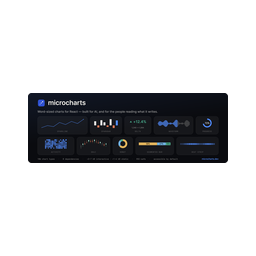 Choose Microcharts when
- You need dedicated capabilities in the Data Visualization domain.
- You prefer a local stdio subprocess transport.
- Its auth model fits you: No auth required.
- You want tools like
find_microchart, get_microchart, render_microchart.
Feature & specification comparison
Rows where the two servers differ are marked.
| Spec | ||
|---|---|---|
| Category | Data Visualization | Data Visualization |
| Quality signal | 57/100 · Good | 69/100 · Great |
| Install command | Confirmed | Confirmed |
| Transport | Local subprocess (stdio) | Local subprocess (stdio) |
| Auth | Not declared | No auth required |
| Pricing | Not declared | Free |
| Required env vars | TABLEAU_SERVERTABLEAU_SITE_CONTENT_URLTABLEAU_PAT_NAMETABLEAU_PAT_SECRETTABLEAU_AUTH_TOKENTABLEAU_COOKIETABLEAU_TIMEOUTTABLEAU_API_VERSION | None listed |
| Verified owner | Community listing | Community listing |
| GitHub stars | 1 | 204 |
| Directory activity | 2 views 0 installs 0 upvotes | 4 views 0 installs 0 upvotes |
| Tools | 7 | 3 |
| Full listing | View Tableau Graphql MCP | View Microcharts |
Tools & capabilities
Tableau Graphql MCP tools 7
graphql_queryRun ANY read-only GraphQL query against the Tableau Metadata API. This is the general-purpose tool; use it for any lineage question. Returns {"data": ..., "errors": ...}. The Metadata API is a GraphQL graph of Tableau content (workbooks, sheets, dashboards, datasources, fields) and, with the Data Management add-on, physical assets (databases, tables, columns) and their upstream/downstream lineage. How to write a correct query: - Filters are EXACT and case-sensitive: `filter: {name: "X"}` or `filter: {nameWithin: ["X","Y"]}` (nameWithin is the only multi/OR match; there is NO substring or regex). - Every list field has a `<name>Connection` variant with `first`/`offset`/`after` + `pageInfo` (page size max 1000). Keep one query under ~20,000 nodes; narrow filters and page. - Fields is an interface; branch with `__typename` and inline fragments (`... on ColumnField { columns { name } }`, `... on CalculatedField { formula }`). - Reach a field's owning workbook via `datasource { ... on EmbeddedDatasource { workbook { name } } }`. - `downstream*` fields (downstreamWorkbooks/Owners, external tables/columns) need Data Management (Tableau Catalog) and are often empty otherwise; then resolve via core lineage (referencedByFields -> sheets -> workbook), or just call the `where_used` tool. Entry points include: workbooks, sheets, dashboards, publishedDatasources, embeddedDatasources, fields, columnFields, calculatedFields, columns, databaseTables, customSQLTables, databases, flows, tableauUsers, dataQualityWarnings. Call `lineage_examples` for ready-made query templates and a schema cheat-sheet, or `introspect_schema` to inspect any type's exact fields. Read-only: mutation and subscription operations are rejected. If a query exceeds the ~20,000-node limit, the response is flagged with `partial_results: true` and a `warning` (it does NOT auto-page an arbitrary query) so you never mistake a truncated result for a complete one.introspect_schemaIntrospect the live Metadata API GraphQL schema (introspection is enabled). With no argument: returns every Query entry point (with its args) and the full list of type names. With `type_name` (e.g. "Column", "Workbook", "DatabaseTable", "CalculatedField"): returns that type's fields, their result types, and args, so you can write a correct query against exactly what this server exposes.lineage_examplesReturn a schema cheat-sheet and a library of curated lineage questions with their correct GraphQL queries (+ example variables). Read this before composing a `graphql_query`. Categories: impact, provenance, calc, datasource, search, inventory, governance, ownership. Pass one to filter; omit to get them all. Each example has: question, graphql, variables, notes.where_usedFind which workbooks (and published datasources) USE the given names, the common 'where is this used / impact analysis' question, resolved robustly. `names` are EXACT, case-sensitive names of any of: a Snowflake/DB column, a Tableau field or alias, or a database table. Pass several to check them in one call. Results group by workbook, showing how each matched (column / field / whole table, with schema and source table) and which worksheets use it. This uses CORE lineage (referencedByFields -> field.sheets -> workbook, and field.datasource -> workbook), so it works even without the Data Management add-on where `downstreamWorkbooks` is empty. For other shapes of question, use `graphql_query`.impact_analysisFull transitive (MULTI-HOP) downstream impact of a column, field, or table. Returns every field that directly OR indirectly depends on it, and all affected sheets, dashboards, workbooks, plus the de-duplicated set of OWNERS to notify before a change. This is the "what breaks if I change/drop this?" tool. Unlike `where_used` (one core-lineage hop), it follows the whole dependency chain — a calc built on a calc built on the column is included. `name` is exact and case-sensitive. Workbooks are derived from downstream sheets/dashboards (the flat downstreamWorkbooks edge is unreliable). If it returns nothing on a site without Data Management, the transitive lineage may not be indexed there — use `where_used` for the direct references.search_contentFind content whose NAME contains `term` (case-insensitive SUBSTRING). Use this when you only know part of a name, since every other tool and the Metadata API filter are exact-match. Searches workbooks, published datasources, and database tables by default. Pass `types` to choose from: "workbook", "datasource", "table", "field", "column". Returns matches grouped by type. It pages through content client-side, so on a very large site it scans the first ~1200 of each type and says so in `note`; once you know the exact name, prefer `graphql_query` or `where_used`.server_infoReport the connected Tableau environment: server URL, site, product & REST API version, which Metadata API endpoint is in use, the auth method, and whether external-asset (Data Management / Catalog) lineage appears available. Good first call to confirm the connection and understand what lineage depth to expect.
Microcharts tools 3
find_microchartRank microcharts chart types against a plain-language question about data ("is it trending?", "error budget", "part to whole"). Returns candidates with the reason each matched. Start here when you know the question, not the chart.get_microchartFull wiring detail for one chart by slug: import paths, its props plus the shared props, data shape, best/avoid guidance, a copy-runnable example, and `sample` — the example as JSON props you can pass straight to render_microchart.render_microchartRender a chart to a finished, self-contained SVG (styles embedded) plus its generated alt text — for surfaces that can't run React. Pass the series as `data`; put other props (value, target, curve, color, width) in `props`. Each chart takes its own data shape — get_microchart returns a valid `sample` to adapt.
Ready-to-paste client configs
Paste either block (or both) into your client config, e.g. claude_desktop_config.json or ~/.cursor/mcp.json. We only show a config when the install command is confirmed.
Tableau Graphql MCP
{
  "mcpServers": {
    "tableau-graphql-mcp": {
      "command": "uvx",
      "args": [
        "tableau-graphql-mcp"
      ],
      "env": {
        "TABLEAU_SERVER": "YOUR_TABLEAU_SERVER_HERE",
        "TABLEAU_SITE_CONTENT_URL": "YOUR_TABLEAU_SITE_CONTENT_URL_HERE",
        "TABLEAU_PAT_NAME": "YOUR_TABLEAU_PAT_NAME_HERE",
        "TABLEAU_PAT_SECRET": "YOUR_TABLEAU_PAT_SECRET_HERE",
        "TABLEAU_AUTH_TOKEN": "YOUR_TABLEAU_AUTH_TOKEN_HERE",
        "TABLEAU_COOKIE": "YOUR_TABLEAU_COOKIE_HERE",
        "TABLEAU_TIMEOUT": "YOUR_TABLEAU_TIMEOUT_HERE",
        "TABLEAU_API_VERSION": "YOUR_TABLEAU_API_VERSION_HERE"
      }
    }
  }
}
Microcharts
{
  "mcpServers": {
    "ganapativs-microcharts": {
      "command": "npx",
      "args": [
        "-y",
        "@microcharts/mcp"
      ]
    }
  }
}
Frequently asked questions
Tableau Graphql MCP is categorized under Data Visualization and uses a local stdio subprocess. Microcharts belongs to Data Visualization and uses a local stdio subprocess. Pick Tableau Graphql MCP for data visualization work and Microcharts for data visualization.
Copy the mcpServers block from the config section on this page into your client's config (for example claude_desktop_config.json or ~/.cursor/mcp.json), then fully restart the client.
Tableau Graphql MCP has no declared pricing — check the project's own site. Microcharts is listed as free. Auth: no auth required. If a server needs environment variables such as API keys, define them under the env key in your client's MCP config.
Yes. MCP clients support multiple servers: add tableau-graphql-mcp and ganapativs-microcharts as separate keys in the same mcpServers object, and your assistant will call tools from either one.
On AllMCPs, Tableau Graphql MCP has a quality signal of 57/100 (Good) with 2 views, 0 installs and 1 GitHub stars. Microcharts has 69/100 (Great) with 4 views, 0 installs and 204 GitHub stars.