AllMCPs
BrowseBestCategoriesStackCompareToolsGuidesBlog Log in Submit MCP

Stay in the loop

Get new MCP servers and top picks in your inbox.

AllMCPs

The open directory for discovering and installing Model Context Protocol servers.

Explore

  • Browse servers
  • Best MCP servers
  • Categories
  • MCP clients
  • Agent prompts
  • Stack Builder
  • Compare servers
  • Tags index
  • Submit a server
  • Pricing

Learn

  • Guides hub
  • What is MCP?
  • Install guide
  • Troubleshooting
  • Security
  • Blog
  • Blog RSS

Tools

  • All tools
  • Config generator
  • Config validator
  • MCP playground
  • OpenAPI → MCP
  • Badge generator

For agents

  • API docs
  • Trust & traffic
  • llms.txt ↗ (opens in a new tab)
  • Catalog JSON ↗ (opens in a new tab)
  • Remote MCP ↗ (opens in a new tab)

Company

  • About
  • Contact
  • X (@AllMCPs) ↗ (opens in a new tab)
  • GitHub ↗ (opens in a new tab)
  • Terms
  • Privacy
AllMCPs VerifiedAllMCPs VerifiedFeatured on Nick LaunchesFeatured on Nick LaunchesLaunch Llama NewsletterLaunch Llama NewsletterVerified DR - allmcps.comVerified DR - allmcps.comFeatured on SaaSGrowFeatured on SaaSGrowFeatured on Twelve ToolsFeatured on Twelve ToolsFeatured on Saaspa.geFeatured on Saaspa.geFeatured on Findly.toolsFeatured on Findly.toolsFeatured on Startup FameFeatured on Startup FameFeatured on LaunchKiwiFeatured on LaunchKiwiFeatured on ScrollLaunchFeatured on ScrollLaunchFeatured on DailyPingsFeatured on DailyPingsFazier badgeFazier badgeFeatured on NewTool.siteFeatured on NewTool.siteFeatured on saasfame.comFeatured on saasfame.comDR Checker - Domain RatingDR Checker - Domain RatingListed on Turbo0Listed on Turbo0Launched on LaunchBoard - Product Launch PlatformLaunched on LaunchBoard - Product Launch PlatformList on SimilarlabsList on Similarlabshttps://codetrendy.comhttps://codetrendy.comListed on DevTool.ioFeatured on BuildlistFeatured on BuildlistAllMCPs VerifiedAllMCPs VerifiedFeatured on Nick LaunchesFeatured on Nick LaunchesLaunch Llama NewsletterLaunch Llama NewsletterVerified DR - allmcps.comVerified DR - allmcps.comFeatured on SaaSGrowFeatured on SaaSGrowFeatured on Twelve ToolsFeatured on Twelve ToolsFeatured on Saaspa.geFeatured on Saaspa.geFeatured on Findly.toolsFeatured on Findly.toolsFeatured on Startup FameFeatured on Startup FameFeatured on LaunchKiwiFeatured on LaunchKiwiFeatured on ScrollLaunchFeatured on ScrollLaunchFeatured on DailyPingsFeatured on DailyPingsFazier badgeFazier badgeFeatured on NewTool.siteFeatured on NewTool.siteFeatured on saasfame.comFeatured on saasfame.comDR Checker - Domain RatingDR Checker - Domain RatingListed on Turbo0Listed on Turbo0Launched on LaunchBoard - Product Launch PlatformLaunched on LaunchBoard - Product Launch PlatformList on SimilarlabsList on Similarlabshttps://codetrendy.comhttps://codetrendy.comListed on DevTool.ioFeatured on BuildlistFeatured on Buildlist
© 2026 Jackalope Digital LLC. All rights reserved.
  1. Home
  2. 💻 Developer Tools
  3. Òtítọ́
Ò
Health: Not checked yetWe have not completed a health check for this listing yet.Last checked 8/10/2026, 11:47:22 PM

Òtítọ́

Enrichment pendingWe haven’t run our AI enrichment pass on this listing yet, so the overview, use cases, and FAQ below may be sparse or missing. We work through the catalog over time — check back soon.
View RepositoryVisit Website

Deterministic local repository context, impact analysis, and merge-readiness evidence for AI agents.

Quick Install

Automated & IDE Setup

Copy the AI prompt to install this server into Claude Code, Cursor, or another agent — or use 1-click editor setup below.

Add to CursorAdd to VS Code
Manual Client & Custom JSON ConfigExpand JSON ▾

Install Config Generator

Choose your client
claude_desktop_config.json
{
  "mcpServers": {
    "t-t": {
      "command": "npx",
      "args": [
        "-y",
        "t-t"
      ]
    }
  }
}

💡 Paste into ~/Library/Application Support/Claude/claude_desktop_config.json (macOS) or %APPDATA%\Claude\claude_desktop_config.json (Windows)

Install Directory Badge Claim listing Alternatives💻 More in Developer Tools

Documentation Overview

Òtítọ́

Local-first context and merge evidence for coding agents: turn AI-generated changes into trusted commits.

CI npm license: MIT node

otito demo

otito

text
  ___ _____ ___ _____ ___
 / _ \_   _|_ _|_   _/ _ \
| | | || |  | |  | || | | |
| |_| || |  | |  | || |_| |
 \___/ |_| |___| |_| \___/

An agent's output is bounded by two things: the model and the harness around it. The harness includes the prompts, the context it's given, the codebase it works in, and the gates it must pass before code merges. You don't control the model. You control the harness, and a tighter harness lets a cheaper model do the same work with fewer wasted tokens.

Òtítọ́ is that harness layer. It is local-first, deterministic, and model-agnostic: it discovers repositories, builds local indexes, generates task-aware context before an agent edits, scores how much a change actually touches, and gates merge readiness. It works the same way every time, with no server, no account, and no code leaving the machine. Because it depends on software fundamentals rather than any one model, the harness you build today keeps working as models change underneath it.

Trusted agent workflow

New in v1.6.0: staged validation receipts, cross-repository workspace receipts, role-aware impact, and host guidance for Gemini and Kimi.

text
Request -> context -> scoped change -> exact validation -> review evidence -> human decision

Otito helps the agent understand and bound a task before editing, then gives the maintainer evidence to decide whether to trust the result. A passing local gate is never an automatic merge approval: hosted CI, GitHub review, CODEOWNERS, and the human release decision remain separate authorities.

It does not try to replace opensrc, code-structure, Daytona, or Harnss. It gives developers and coding agents a single CLI that can:

Deterministic merge gates are the differentiated core. This is the human-in-the-loop checkpoint that a model cannot grade for itself:

  • score merge readiness for local changes and pull requests with one review_gate tool (gate on the CLI)
  • execute a protected validation plan against the exact staged tree and retain a bounded receipt of its outcomes
  • bind staged web, API, and shared-contract changes into one workspace receipt
  • resolve CODEOWNERS to required reviewers and surface owner-decision warnings
  • check branch-protection expectations and required checks before merge
  • generate actionable PR review context from git diffs and optional GitHub comments

Local-first context feeds the gates:

  • inspect a repository
  • discover and index local repositories
  • maintain a local catalog and search across it
  • generate task-aware context packets before an agent plans or edits
  • generate AST-backed JSON-first code maps for agents
  • generate a setup/validation/runtime harness for a repo
  • produce Markdown or JSON reports
  • estimate context-token size for generated artifacts
  • run an MCP server for agent hosts with a persisted per-user index cache that never dirties an inspected repository
  • expose simple agent-friendly tool metadata
  • check tool availability
  • generate TypeScript structure HTML through code-structure
  • search dependency source through opensrc

Documentation

The published MkDocs site is a practical discovery and delivery guide:

  • Home
  • Executive Summary
  • Context Foundation
  • MCP and Agent Workflows
  • Contributor Governance
  • Release Readiness
  • Trust-Layer Demo
  • Builder-Founder Operating Loop
  • Harness Thesis & Agent Experience
  • Tutorials Integration (Codespaces)
  • Convergence Thesis & Score
  • Usage & Performance Dashboard
  • Determinism Thesis & Harness Boundary
  • Dual-Mode Thesis & Complementary Stack
  • Prompt Determinism Thesis & Settings Trap
  • Glossary

Read it at:

text
https://bashbop.github.io/otito/

Quick Start

Code maps use the TypeScript compiler for JS/TS and dedicated language extractors for Go, C#, Python, Java, Ruby, and Rust (see src/lib/code-map/ast-languages.js). Optional external tools are only needed for dependency-source lookup and HTML structure reports.

Install the published package from npm:

Terminal
npm install -g @bashbop/otito
otito doctor
otito index ~/projects --discover
otito context "add a new MCP tool" --path .

You can also run a command without a global install:

Terminal
npx -y @bashbop/otito doctor

For source development:

bash
git clone https://github.com/BASHBOP/otito.git
cd otito
npm ci
npm run ci
node src/cli.js doctor

The current release is available through npm, GitHub Releases, and the MCP Registry as io.github.BASHBOP/otito.

bash
otito repo . --json
otito discover ~/projects --depth 2 --json
otito index ~/projects --discover
otito catalog
otito search "events controller"
otito context "add a new MCP tool" --path .
otito impact . "add a new MCP tool" --top 12
otito ax . "add a new MCP tool"
otito map . --json
otito harness . --out .otito/harness.md
otito pr . --base origin/main --out .otito/pr-review.md
otito review . --request "add a new MCP tool" --base origin/main
otito gate . --staged --base origin/main
otito gate . --staged --run-validation
otito mcp
otito report . --out .otito/report.md
otito workspace /path/to/web /path/to/api --out .otito/workspace.md
otito workspace-gate /path/to/web /path/to/api --request "ship the product change" --out .otito/workspace-gate.md

Optional external tools:

Terminal
npm install -g opensrc code-structure

Then:

bash
otito deps zod --query parse
otito structure . --out .otito/structure.html

Usage Examples

GoalCommandOutput
Inspect one repootito repo . --jsonRepo facts, scripts, languages, entrypoints, and git state
Build a code mapotito map . --jsonSource files, domains, imports, exports, symbols, and routes
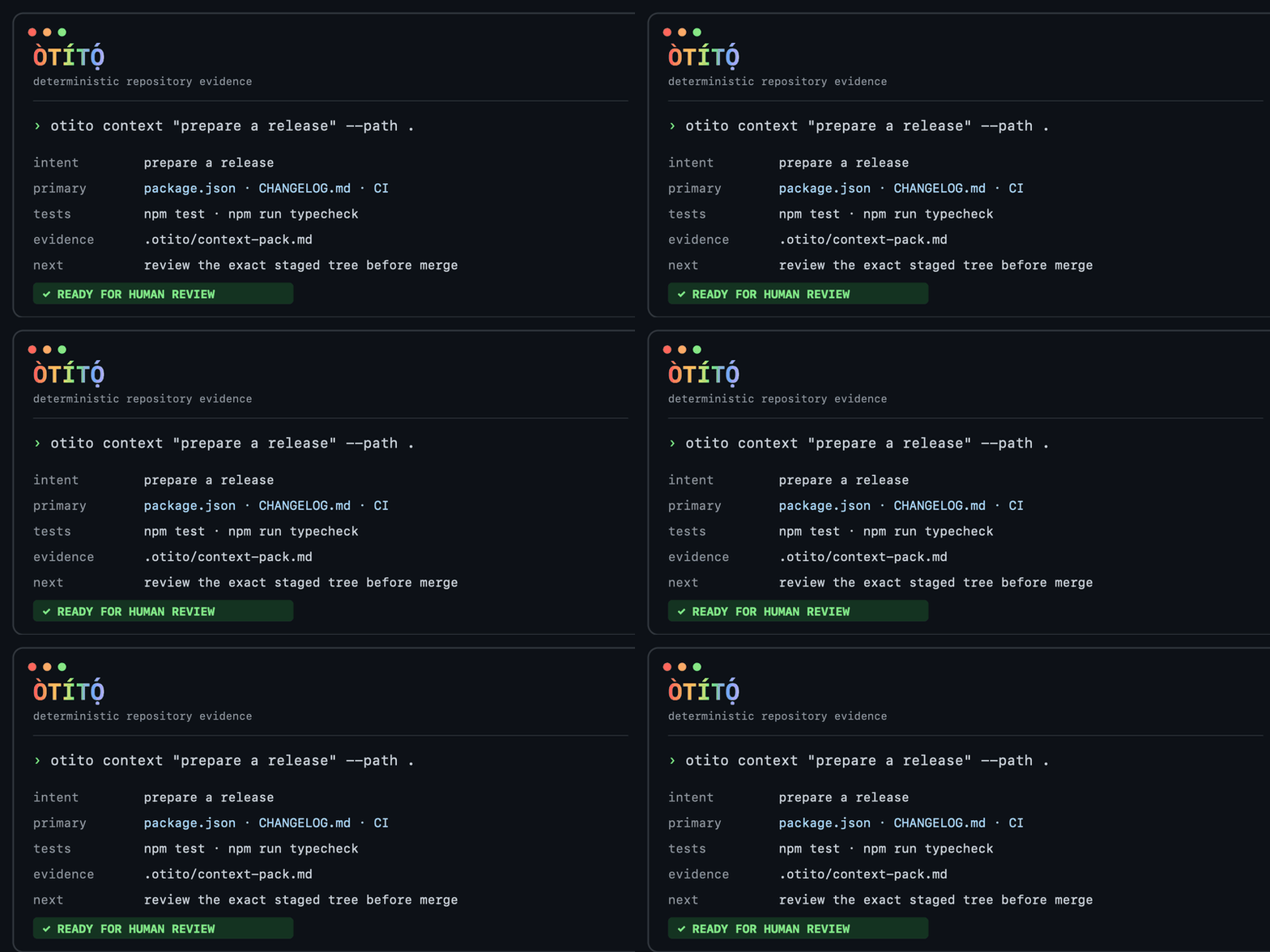
Prepare task contextotito context "add a new MCP tool" --path .Primary files, related files, tests, patterns, and validation commands
Generate an agent harnessotito harness . --out .otito/harness.mdSetup, validation, runtime, and context commands
Gate an exact staged changeotito gate . --staged --run-validationVersioned validation outcomes bound to the staged Git tree
Gate a product changeotito workspace-gate ../web ../api --request "ship change"One receipt across staged repositories
Review local changesotito pr . --base origin/main --out .otito/pr-review.mdChanged files, risk prompts, review targets, and test hints
Index local projectsotito index ~/projects --discoverExternal per-user indexes plus a local catalog
Search indexed reposotito search "events controller"Ranked matches across paths, domains, routes, imports, exports, and symbols
Run the MCP serverotito mcpStdio MCP server exposing otito tools
Track usage & performanceotito dashboardSelf-contained HTML from an opt-in local usage log (off by default)
Help improve Otitootito telemetry share onSeparately opt into a minimal anonymous usage event; no prompts, paths, repo data, or source content

For Codex, Claude Desktop, VS Code, Cursor, Gemini CLI, Kimi Code, Grok handoff guidance, and generic stdio client snippets, see MCP and Agent Workflows.

otito vs alternatives

ApproachStrengthsWhere otito differs
Sourcegraph / Cody contextPowerful hosted code search and embedding-based context across an orgotito is local-first and deterministic: no server, no account, no code leaves the machine, and the same query always yields the same packet
Hand-written CLAUDE.md / rules filesCurated, intent-rich guidanceHand-written context goes stale; otito regenerates context from the actual code (symbols, imports, routes, tests) on every run and complements a short CLAUDE.md
grep / ripgrepFast, universal text matchingotito ranks whole files by task intent across paths, symbols, exports, and tests, then adds patterns and validation commands. The result is a context packet, not a list of matching lines

Quality Gates

Use the full gate before opening a pull request or publishing a release:

Terminal
npm run ci

The gate runs:

  • npm run format:check
  • npm run lint
  • npm run typecheck
  • npm run version:check
  • npm test
  • npm run test:coverage
  • npm run eval:accuracy
  • npm run eval:harness
  • npm run audit
  • npm run smoke

Coverage currently gates source files at 70% lines, 60% branches, and 75% functions. Generated artifacts under .otito/ are ignored by git, linting, and formatting; keep durable reports there instead of committing them.

The v1.1.0 harness execution evaluation runs only vetted install, test, typecheck, and build commands against committed fixtures. It disables install lifecycle scripts, applies timeouts, and never executes inferred commands from a customer repository.

otito follows Semantic Versioning. Pull requests should identify whether they are no-version-impact, patch, minor, or major changes; maintainers apply the final package version during release.

For longer trust-layer work, use the Builder-Founder Operating Loop to keep every session tied to context, focused changes, visible gates, human decisions, and durable evidence.

Contributing

Contributions are welcome. Start with CONTRIBUTING.md, open an issue or draft PR for substantial changes, and run npm run ci before requesting review.

All code changes must be reviewed by a maintainer/code owner before merge. The protected main branch requires maintainer approval, passing quality gates, and resolved PR conversations.

Common Workflows

Agent repo harness:

bash
otito harness . --out .otito/harness.md
otito map . --json

Local discovery, indexing, catalog, and search:

bash
otito discover ~/projects --depth 2
otito index ~/projects --discover
otito catalog
otito search "submit rsvp"

Task-aware agent context:

bash
otito context "add a new MCP tool" --path . --json
otito context "add a new MCP tool" --path . --out .otito/context-pack.md

PR review harness:

bash
otito pr . --base origin/main --out .otito/pr-review.md
otito pr . --number 123 --comment

Merge gate (gate is the canonical v2 command; pass / pass-pr remain as legacy aliases):

bash
otito gate . --base origin/main          # local gate (no GitHub)
otito gate . --staged --base origin/main # staged-path evidence, suitable for pre-commit hooks
otito gate . --staged --run-validation   # run the base-committed validation plan against the exact staged tree
otito gate . --base origin/main --request "update the greeting" --min-convergence 80
otito converge "update the greeting" --path . --base HEAD --staged --json # exact change-subject receipt
otito gate --pr 123 --path .             # GitHub PR gate via gh

In staged mode, changed-path, risk, secret and convergence evidence use the exact Git index tree. Exact-subject source analysis streams raw Git blobs and fails closed above 5,000 source files or 64 MiB. --run-validation additionally executes only a versioned plan from otito.gate.json in the selected base commit against an isolated copy of that staged tree. It records commands, exit outcomes and output hashes in a separate validation receipt; it never records raw output. Supported package-manager script forms include direct and run invocations for npm, pnpm, Yarn, Bun, and Corepack-wrapped commands. Their selected-base script identity is pinned, so a staged manifest cannot replace them with a no-op. Other base-committed commands remain valid policy commands; adding a new package-manager script form requires the same pinning semantics and regression coverage. Validation starts with a scrubbed environment and isolated home; only explicitly allowlisted variables pass through. The source snapshot is exact, while a linked local node_modules directory is explicitly reported as not attested in this first increment. Release and optional analyzer checks still inspect the working tree and remain outside that receipt.

Create the policy in the protected base branch before asking the gate to execute it:

config.json
{
  "version": 1,
  "validation": {
    "environment": { "allow": ["TEST_DATABASE_URL"] },
    "commands": [{ "id": "unit", "command": "npm test", "timeoutSeconds": 300 }]
  }
}

environment.allow is optional. Use it only for the specific variables a protected validation plan requires; values are never recorded in the receipt.

Multi-repo product context:

bash
otito workspace ../web ../api --out .otito/workspace.md
otito workspace-gate ../web ../api --base origin/main --request "ship Audience Studio preview" --out .otito/workspace-gate.md

workspace-gate creates one parent receipt across two or more staged repositories. It binds each repository's exact base, parent and staged-tree identity, changed-file scope, local-gate checks, and any validation receipt. All repositories must have a staged subject before the parent receipt is issued.

GitHub Actions bootstrap:

bash
otito init /path/to/target-repo

Local Ollama review:

bash
otito harness . --out .otito/harness.md

{
  echo "Use this repo harness to explain the project and suggest the next best engineering task."
  echo
  cat .otito/harness.md
} | ollama run qwen3:8b --think false --hidethinking --nowordwrap

Local Ollama PR review:

bash
otito pr . --base origin/main --out .otito/pr-review.md

{
  echo "Review this PR context. Focus on bugs, missing tests, and risky changes."
  echo
  cat .otito/pr-review.md
} | ollama run qwen3:8b --think false --hidethinking --nowordwrap

Commands

doctor

Checks the local runtime and optional external tools.

bash
otito doctor --json

install / i

Prints install commands and current binary status. From a local checkout, --global runs npm install -g .; --link runs npm link.

bash
otito install
otito i
otito install --global
otito install --json

After installation, use otito as the command.

repo <path>

Inspects repo shape: files, package metadata, languages, package managers, scripts, likely entrypoints, git metadata, and ignored-heavy directories.

bash
otito repo . --json

Git repositories are scanned through git ls-files --cached --others --exclude-standard so ignored files do not pollute harness context. Plain directories fall back to the built-in walker.

discover <root...>

Discovers repository roots under one or more local directories without indexing them.

bash
otito discover ~/projects --depth 2
otito discover . --json

Discovery stops at directories with common repo markers such as package.json, .git, pyproject.toml, go.mod, Cargo.toml, and Package.swift.

index <repo...>

Generates per-user external indexes and adds repositories to the local catalog. The inspected repositories are not modified.

bash
otito index .
otito index ~/projects --discover
otito index . --catalog /tmp/otito-catalog.json --json

The default catalog path is ~/.otito/catalog.json. Set OTITO_CATALOG or pass --catalog to use a different file.

catalog

Lists repositories currently indexed in the local catalog.

bash
otito catalog
otito catalog --json

search <query>

Searches indexed local repositories by path, domain, kind, route, controller path, imports, exports, and symbols.

bash
otito search "events controller"
otito search "submit rsvp" --limit 10
otito search "api client" --offline --json

By default, search refreshes repo indexes when fingerprints change. Use --offline to read only the stored external indexes.

context <query>

Generates a local context-engine packet for a task. The packet includes inferred intent, primary files, related files, matching tests, implementation patterns, validation commands, conflicts, source evidence, and token estimates.

bash
otito context "add a new MCP tool" --path . --json
otito context "add a new CLI command" --path . --out .otito/context-pack.md

Use this before handing work to a coding agent. It is deterministic and local-first: it relies on repo indexes, code maps, import relationships, tests, and harness commands rather than an external model.

harness <path>

Generates a repo harness with setup commands, validation scripts, runtime scripts, context commands, focus areas, and estimated context-token usage.

bash
otito harness . --out .otito/harness.md
otito harness . --json

Use this as the first artifact an agent or CI workflow reads before touching code.

init <path>

Scaffolds otito into another repository.

bash
otito init /path/to/target-repo
otito init /path/to/target-repo --force
otito init /path/to/target-repo --no-workflow
otito init /path/to/target-repo --tool-repo BASHBOP/otito --tool-ref main

Generated files:

  • .otito/README.md
  • .github/workflows/otito-ci.yml

The generated workflow runs on pull requests and commit pushes. Pull request runs generate the report, upload an artifact, and create or update a sticky PR comment. Push runs generate and upload the report artifact without commenting.

structure <path>

Runs code-structure against TypeScript files.

bash
otito structure . --pattern "app/**/*.tsx" --out .otito/structure.html

If code-structure is missing, the command returns an install hint instead of failing mysteriously. If it is not installed globally but npx is available, otito can run it through npx --yes code-structure.

deps <package>

Uses opensrc path <package> to resolve dependency source and optionally search it.

bash
otito deps zod --query parse --limit 20

report <path>

Generates a shareable developer report.

bash
otito report .
otito report . --out .otito/report.md
otito report . --json

The default output is formatted for terminal reading and ends with estimated token usage. Use --out for the Markdown artifact or --json for structured data.

workspace <repo...>

Generates one product-level report across related repos.

bash
otito workspace /path/to/web /path/to/api --out .otito/workspace.md
otito workspace /path/to/web /path/to/api --json

pr <path>

Generates a PR review context pack from local git diff metadata, code-map classification, review targets, targeted review prompts, risk flags, suggested verification commands, estimated tokens, and optional GitHub PR comments.

bash
otito pr . --base origin/main --out .otito/pr-review.md
otito pr . --number 123 --comment

Useful flags:

  • --base <ref>: compare from a specific base ref. Defaults to PR base, upstream, origin/main, or main.
  • --head <ref>: compare to a specific head ref. Defaults to HEAD.
  • --number <n>: enrich with gh pr view metadata and review comments.
  • --github: ask gh to infer the PR from the current branch.
  • --comment: create or update a sticky GitHub PR comment using gh.

GitHub Actions

This repo includes .github/workflows/otito-ci.yml. The workflow installs dependencies, runs npm run ci, then generates PR or push review context as an uploaded artifact. Use otito init /path/to/target-repo to scaffold an Otito review workflow into another repository.

mcp

Starts a stdio MCP server exposing otito as agent-callable tools. MCP repo-map lookups use an external per-user cache with a file fingerprint, refresh when files change, and never write into the inspected repository.

The server is published in the MCP Registry as io.github.BASHBOP/otito.

bash
otito mcp

When wiring it into an MCP host (Claude Desktop, Claude Code, Codex CLI, Cursor, etc.):

config.json
{
  "mcpServers": {
    "otito": {
      "command": "npx",
      "args": ["-y", "@bashbop/otito", "mcp"]
    }
  }
}

If you prefer a globally installed binary:

config.json
{
  "mcpServers": {
    "otito": {
      "command": "otito",
      "args": ["mcp"]
    }
  }
}

Ollama can provide the local model, but it does not call MCP tools by itself. To use otito through MCP with a local model, use an MCP-capable agent client that supports Ollama as the model provider and configure the otito server above.

Òtítọ́ exposes 13 MCP tools for repository inspection, context, impact, review, and merge evidence.

ToolPurpose
repo_inspectInspect repository shape, scripts, package managers, entrypoints, and git state
repo_mapCompact JSON code map, filterable by domain, kind, and route
repo_indexGenerate external indexes + catalog entries; dryRun:true discovers read-only
repo_searchSearch the catalog; omit query to return the catalog listing
context_packBuild a task-aware context packet
change_impactRank files most likely to own a plain-English change request
agent_experienceScore Agent Experience (AX 0–100): changeability, containment, guardrails, clarity
convergence_scoreScore intent vs. execution (0–100) with an exact change-subject receipt
review_contextDiff/comment review context (no verdict)
review_gatePASS/WARN/FAIL merge gate: local without pr, GitHub PR gate with pr
review_verdictComposite verdict: impact + review_context + review_gate
workspace_reportProduct-level report across multiple repos
repo_harnessSetup, validation, runtime, and context commands for an agent or CI harness

matrix

Prints the tool evaluation matrix for Greploop, code-structure, opensrc, Daytona, and Harnss.

agent-tools

Prints JSON or Markdown metadata derived from the canonical MCP tool catalog, keeping CLI and MCP integrations aligned.

Strategy

Wrap first. Measure pain. Build only the missing pieces.

This keeps the project useful quickly while leaving room to replace weak adapters with owned implementations later.


Part of the toolchain

otito is one of four tools that form a deterministic trust layer for AI-assisted development. Each uses static analysis to answer a question people keep handing to an LLM.

  • otito (this tool), for context: what does this change actually touch?
  • tieline, for contracts: did the front end and back end quietly stop agreeing?
  • bouncer, for compliance: could you defend this to Ofcom?
  • aiglare, for governance: where can the model do something you can't undo?

More at segunolumbe.com. static analysis, never the model.

Related MCP Servers

View all in Developer Tools View all alternatives
  • C
    Codealive Mcp

    Semantic code search and analysis from CodeAlive for AI assistants and agents.

    💻 Developer Tools0 views
    Compare vs Codealive Mcp →
  • M
    MCP Repo Mapper

    Deterministic repository structure mapping for onboarding agents.

    💻 Developer Tools0 views
    Compare vs MCP Repo Mapper →
  • A
    Ai Netcafe

    Compare LLM cost & latency on one prompt, translate PDF keeping layout, cited research, make PPTX

    💻 Developer Tools0 views
    Compare vs Ai Netcafe →
  • Claude Task Master logoClaude Task Master

    AI-powered task management system for AI-driven development. Features PRD parsing, task expansion, multi-provider support (Claude, OpenAI, Gemini, Perplexity, xAI), and selective tool loading for optimized context usage.

    💻 Developer Tools7 views
    Compare vs Claude Task Master →

Frequently Asked Questions about Òtítọ́

Add the following block to your claude_desktop_config.json under mcpServers: "mcpServers": { "t-t": { "command": "npx", "args": ["-y", "Òtítọ́"] } }

AllMCPs Directory Badge

Full Badge Customizer

Showcase your server listing on GitHub or your project documentation. Embed this dynamic SVG badge to highlight official listing status and live engagement.

Badge Style:
Live Dynamic SVG PreviewÒtítọ́ AllMCPs Directory Badge

Markdown (GitHub README)
[![AllMCPs](https://allmcps.com/api/badge/t-t?style=directory)](https://allmcps.com/mcp/t-t)
HTML Embed
<a href="https://allmcps.com/mcp/t-t"><img src="https://allmcps.com/api/badge/t-t?style=directory" alt="Òtítọ́ on AllMCPs" /></a>

Technical Specs & Signals

Category💻Developer Tools
More technical detailsExpand ▾
TransportSTDIO
RuntimeNode.js
0/4 checks healthy over the last 6h
Views0
Unique ViewsTotal visits recorded for this listing page on AllMCPs.
Installs0
Installs & Copy ActionsTotal times users copied install commands or configuration snippets for this server.
28Quality signal: Emerging · 28/100How this signal is calculated ▾
Server availabilityNot measured

Not scored for repo-hosted servers — we can't reach the running server, only its GitHub page. Hosted MCP endpoints are health-checked live.

Verified ownership8/20
Documentation & tools12/30
Adoption & activity1/15
Community engagement0/10

A guidance signal from public completeness & health data — not a user rating. New listings start lower and rise as they add docs, get verified, and grow adoption. Signals we can't observe for a listing are skipped, not counted against it.

★ Spotlight Slot

Feature Your MCP Server

Get maximum visibility for your server across our directory, search results, and detail pages.

Spotlight Your Server

Own this project?

This directory is pre-filled from public sources. Claim via GitHub README, site badge, or DNS TXT to get the verified badge.

Free dofollow backlink: after claiming, verify your product site and place a dofollow AllMCPs badge — we recheck it stays live.

Claim & get free dofollow

Share & Embed

Add our SVG badge (dark/light directory styles) or embeddable widget to your site.

Explore more

More in 💻 Developer Tools →Best MCP servers for Developers →Alternatives to Òtítọ́ →Install in Claude DesktopInstall in CursorInstall in VS Code