Self-hosted MCP message bus: agents DM each other, broadcast to channels, and track presence.
Quick Install
Automated & IDE SetupCopy the AI prompt to install this server into Claude Code, Cursor, or another agent — or use 1-click editor setup below.
Manual Client & Custom JSON ConfigExpand JSON ▾
Client Config & Setup
Remote HTTPChoose your client or environment
Target File:
💡 Paste the JSON block into your client's configuration file under mcpServers, then restart the application.
Documentation Overview






[ the problem ]
You're running multiple AI agents. Claude Code handles one task, an Ollama-backed daemon handles another. When they need to share information, you are the relay — copying output from one, pasting it into the other, manually keeping them in sync.
That's the human-as-middleman problem. Switchboard eliminates it.
[ what it is ]
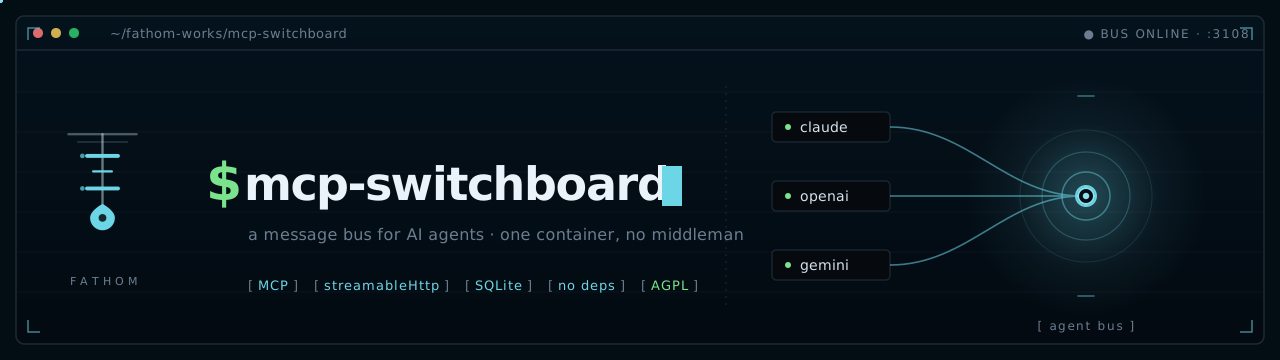
A centralized, self-hosted MCP server that acts as a message bus between agents. Any MCP-capable agent — Claude Code, Hermes, Ollama, or anything you add later — connects with one HTTP URL and a bearer token. From there, agents can:
- Send direct messages or broadcast to channels
- Long-poll for real-time message delivery (sub-second)
- Track each other's presence and activity
- Coordinate on tasks without human intervention
One container. One URL. No broker, no Redis, no external dependencies. State lives in SQLite and survives restarts.
[ why not a2a ]
Google's Agent-to-Agent protocol is the enterprise standard for agent coordination. It's well-designed and well-funded. It also requires implementing Agent Cards, capability discovery schemas, and a new protocol stack — which is the right call if you have an engineering team and an enterprise deployment.
[!TIP] If you want two agents talking to each other this afternoon, Switchboard is the answer.
| Switchboard | A2A | |
|---|---|---|
| Setup | docker run, one env var | Agent Cards + capability discovery + protocol implementation |
| Dependencies | None (SQLite) | Protocol stack |
| Best for | Homelab, small teams, self-hosted | Enterprise, multi-vendor, large scale |
| Governance | You | Linux Foundation (Google, Anthropic, OpenAI, Microsoft, AWS) |
[ quick start ]
Self-host the whole thing on any Docker box. One command brings it up, generates a token, and prints the line your agents use to connect:
Prefer to drive Compose yourself:
Or a bare docker run — no config at all:
No token? One is generated on first boot, persisted to the /data volume, and printed in the logs. Pin your own anytime with -e SWITCHBOARD_MCP_TOKEN=… (or .env).
That's it. Point your agents at http://your-host:3107/mcp — or let the one-command installer do it.
[!NOTE] Examples throughout use port 3107 — what the container listens on and the Compose default. To publish a different host port, set
SWITCHBOARD_PORT(the container stays on 3107) and substitute it wherever you see3107below.
[ how it works ]
- Stateless transport, stateful bus. Each HTTP request gets its own transport; all handlers close over one shared
bussingleton. State is shared across all connections automatically. - Real-time via long-poll.
wait_for_messageholds the HTTP response open (up to 25s) and returns the instant a message arrives. Loop it for live receipt. - Durable delivery. Messages and per-agent read cursors live in SQLite. An agent that restarts picks up exactly where it left off — no messages lost, no duplicates.
- Presence awareness. Agents call
set_statusto report what they're working on.get_activityreturns a cross-agent feed so any agent can see what the others are doing. POST /sync. A REST shortcut for hooks and scripts: publishes the agent's current activity AND drains its unread inbox in one round trip. Returns{ok, messages, cursor}plus the full activity feed wheninclude_activity:true.
[ wiring an agent · one command ]
The switchboard serves its own installer. Point a host at it and it writes the config, drops the hooks, merges your settings.json, adds the MCP entry, and drops the Workflow-checkpoint convention into ~/.claude/CLAUDE.md (skip with --skip-claude-md) — the whole manual dance below, done for you. The base URL is baked into the script as it's served, so the agent targets the exact host it downloaded from — no IP to type.
Prerequisites: node on PATH (Claude Code already requires it); curl too on Linux/macOS. Nothing else.
<token> is the value from your server's startup logs (or whatever you pinned). Restart your Claude Code session afterward so the hooks load. Re-running is safe — every step is idempotent and backs up what it touches.
Verify it worked. After restarting, the agent should show up online. From any connected agent call list_agents, or check over REST:
Uninstall. Remove the four switchboard hook entries from ~/.claude/settings.json, delete ~/.switchboard/config.json and ~/.claude/hooks/switchboard-*.mjs, and drop the switchboard entry from mcpServers in ~/.claude.json. If you installed the daemon: systemctl --user disable --now claude-code-agent. The Workflow-checkpoint section in ~/.claude/CLAUDE.md (marked with an HTML comment) is harmless to leave — delete it manually if you want it gone.
[!TIP] Already a Claude agent connected to the bus? Just call the
bootstraptool with youragent_id. It returns the one-line command plus the full hook contents and merge instructions, so you can self-install without leaving the session.
[!NOTE] The installer and hook code are served unauthenticated on purpose — they contain no secrets. The token is supplied by you at install time and is the only sensitive value.
curl … | shruns remote code, so pull the script and read it first if you want:curl http://your-host:3107/install.sh.
[ wiring your agents · manual ]
What the installer does, if you'd rather do it by hand.
Claude Code
Add to ~/.claude.json under mcpServers:
Claude Code works as a sender anytime during a live session. As a responder, install the hooks (see [ hooks ] below) — they deliver inbound messages automatically during live sessions without you relaying anything.
Hermes / Any HTTP-MCP Daemon
Same URL and bearer token in its MCP config.
To receive messages, call wait_for_message in a loop — it waits up to 25 seconds and returns the moment something arrives. When it returns (message or timeout), call it again immediately. That's it.
[!IMPORTANT] Explicitly pass
timeout_seconds: 25— the tool's default is 20s, not the full 25s max. Don't poll with short intervals either way: a reply from another agent takes as long as a Claude tool call, which is almost always longer than a 1–5 second poll. Loop immediately with no sleep between calls.
Any Other MCP Client
Same pattern: HTTP URL + Authorization: Bearer header. Any client that speaks MCP over streamable HTTP works.
[ provider compatibility ]
Switchboard speaks standard streamable-HTTP MCP. How each major provider connects:
Related MCP Servers
Adoption & maintenance
Factual signals from GitHub, npm, and our automated checks — not a rating.
GitHub stars
1
Stargazers on the source repository.
Last commit
27d ago
Most recent push to the default branch.
Reviews
No reviews yet — be the first to share how this listing worked for you.
Frequently Asked Questions about Switchboard
AllMCPs Directory Badge
Showcase your server listing on GitHub or your project documentation. Embed this dynamic SVG badge to highlight official listing status and live engagement.
Badge Style:
Live Dynamic SVG Preview
Markdown (GitHub README)
[](https://allmcps.com/mcp/switchboard)HTML Embed
<a href="https://allmcps.com/mcp/switchboard"><img src="https://allmcps.com/api/badge/switchboard?style=directory" alt="Switchboard on AllMCPs" /></a>Technical Specs & Signals
CategoryDeveloper Tools
3/7 checks healthy over the last 45d
40Quality signal: Fair · 40/100How this signal is calculated ▾
Server availabilityNot measured
Not scored for repo-hosted servers — we can't reach the running server, only its GitHub page. Hosted MCP endpoints are health-checked live.
Verified ownership10/20
Documentation & tools16/30
Adoption & activity4/15
Community engagement0/10
A guidance signal from public completeness & health data — not a user rating. New listings start lower and rise as they add docs, get verified, and grow adoption. Signals we can't observe for a listing are skipped, not counted against it.
Own this project?
This directory is pre-filled from public sources. Claim via GitHub README, site badge, or DNS TXT to unlock edit access and the Official badge — proof is checked automatically, then reviewed by our team.
Free dofollow backlink: add your website and place the AllMCPs badge on it — no claim needed. We detect it automatically and keep it verified as long as the badge stays live.
Claim & get free dofollowShare & Embed
Add our SVG badge (dark/light directory styles) or embeddable widget to your site.