databasessqlschemamemoryread-only
Persists SQL schema annotations, foreign-key relationships, and searchable notes across AI sessions with read-only database access.
Quick Install
Automated & IDE SetupCopy the AI prompt to install this server into Claude Code, Cursor, or another agent — or use 1-click editor setup below.
Not yet automatically verified
We haven't yet run this listing's install command through our automated sandbox check. This isn't a red flag — we're steadily working through the catalog.
Manual Client & Custom JSON ConfigExpand JSON ▾
Client Config & Setup
Choose your client or environment
Target File:
💡 Paste the JSON block into your client's configuration file under mcpServers, then restart the application.
Overview
Use cases
Annotate status codes and enum values once for reuse in later sessions
Record and query foreign-key relationships when generating JOINs
Search persistent notes about tables and columns
Inspect production databases without allowing write statements
Key features
Persistent per-database SQLite knowledge stores
Table and column annotations
Foreign-key relationship graph
Searchable database notes
PostgreSQL, MySQL, MSSQL, and SQLite support
Static SQL checks and transaction rollback for read-only enforcement
Capabilities & Tool Schemas
Inspect callable tools, capabilities, and parameters exposed to AI agents by Amnesic.
Extracted Tool Capabilities
Persistent per-database SQLite knowledge stores
Table and column annotations
Foreign-key relationship graph
Searchable database notes
PostgreSQL, MySQL, MSSQL, and SQLite support
Static SQL checks and transaction rollback for read-only enforcement
Documentation Overview
amnesic — the MCP server with the most ironic name in the registry




Your database's institutional memory, as an MCP server. The name is ironic — it remembers everything.
"The MCP server with the most ironic name in the registry. It's anything but amnesic — it remembers your database so your AI doesn't have to."
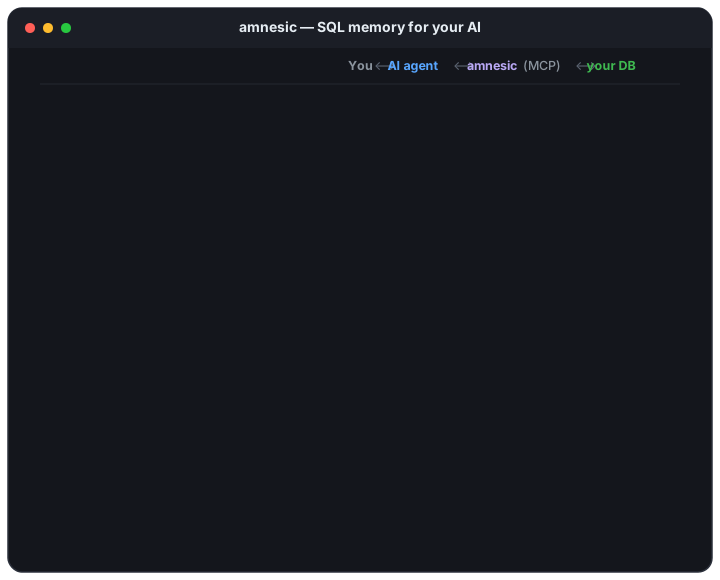
Most database MCP servers are query executors: they connect, introspect, run SQL, and forget. amnesic is a semantic memory — it accumulates what your schema means (what status = 3 is, which columns are really foreign keys, what that legacy table is for) and hands it to every future session automatically. Think data catalog, minus the platform, the ingestion pipeline, and the invoice. Where amnesic fits ↓
Works with Claude Code · Claude Desktop · Cursor · VS Code · Cline · Windsurf — any MCP-compatible client.
Available on Official MCP Registry · Claude Code plugin marketplace
👋 Using amnesic? Say hi in the adopters thread — download counts can't tell me what's actually being used, and it directly shapes what gets built next.
🔒 Read-only by design. amnesic refuses to execute
INSERT,UPDATE,DELETE,DROP,TRUNCATE,ALTER,CREATE,EXEC,MERGE,GRANT,REVOKE— and any write statement smuggled inside aWITHCTE. Two layers of defense: static SQL analysis rejects the statement before connecting, and every query runs inside a transaction that is immediately rolled back. Safe to point at prod. Details ↓
The problem
Every session with an AI starts cold. You spend the first few minutes re-explaining what tables exist, what a status column value of 3 means, which FK connects orders to users. Then the session ends, and you do it all over again tomorrow.
amnesic fixes this. It gives your AI a persistent SQLite knowledge store — one per database — that survives across sessions. Annotate a status enum once; every future session sees those labels automatically. Discover FK relationships once; every future JOIN query uses that graph.
The knowledge is also portable and outlives your access to the database. When you rotate off a project, amnesic export hands the next developer everything you taught it — years of "oh, that column actually means…" that would otherwise leave with you.
Where amnesic fits
The database MCP ecosystem splits into two camps, and amnesic is deliberately in neither.
Query executors — DBHub, Postgres MCP Pro, Google's MCP Toolbox, and the vendor servers (Supabase, Neon). They introspect live, run SQL, and some go deep on performance — Postgres MCP Pro does genuine index tuning and PgHero-style health checks. They are excellent at this. They are also stateless: every session re-learns your schema from scratch, and nothing they return can tell you what a column means, because the database doesn't know either.
Enterprise catalogs — DataHub, Atlan, Cube, AtScale. These do hold semantic context: glossaries, column descriptions, ownership, lineage. They're also a platform commitment — metadata ingestion, a service to run, usually a paid tier. Worth it at company scale; wildly disproportionate for one developer who needs to remember what six status codes mean in a legacy MSSQL database nobody will ever onboard to a catalog.
amnesic is the third thing: catalog-grade semantic memory at query-executor setup cost. pipx install, one TOML file, a local SQLite file per database. No platform, no ingestion, no server to run.
Honest comparison
| amnesic | Query executors | Enterprise catalogs | |
|---|---|---|---|
| Semantic context (what a value means) | ✅ persistent, yours | ❌ none | ✅ platform-managed |
| Survives across sessions | ✅ | ❌ | ✅ |
| Portable / outlives DB access | ✅ export/import | ❌ | ⚠️ platform-bound |
| Setup cost | one command | one command | ingestion pipeline |
| Live schema freshness | ⚠️ cached, manual refresh | ✅ always live | ⚠️ ingestion lag |
| Execution plans / index tuning | ❌ | ✅ (Postgres MCP Pro) | ❌ |
| Lineage / ownership / governance | ❌ | ❌ | ✅ |
| Works on legacy schemas with no FK constraints | ✅ annotate them yourself | ❌ nothing to introspect | ⚠️ needs ingestion |
Use a query executor instead of amnesic if you want execution plans, index recommendations, or database health diagnostics — that's not amnesic's job and adding it would make it a worse version of a tool that already exists.
Use amnesic alongside one. They compose: nothing stops you running both. amnesic holds the meaning; they hold the machinery.
The rows marked ⚠️ above are known gaps with open issues — see Roadmap ↓.
Quickstart (90 seconds)
⚡ Try it without credentials. Run
amnesic init --demoinstead — it adds a self-contained SQLite sample DB (e-commerce schema: customers / products / orders with FKs and an enum column) so you can exercise every tool in under a minute. Great for a first look before pointing amnesic at a real database.
The wizard asks which database type you're connecting to and tells you the one command to run if its driver isn't installed yet — you never need to guess extras up front.
The wizard:
- Asks for your database type, host, and credentials
- Tests the connection before saving anything
- Stores the password securely in
~/.config/amnesic/.env(chmod 600) - Writes the connection block to
~/.config/amnesic/connections.toml
Then add amnesic to your AI client and restart.
Don't have pipx? Or prefer uv / plain pip?
Install pipx (one-time):
Or use uv (single-binary alternative — fast, no Python required):
Or plain pip (installs into your active Python env):
Whichever you pick,
amnesic initasks which database you'll connect to and prints the one extra command to install that driver — no need to commit to extras up front.
After install, amnesic --help works from any terminal.
Where amnesic stores things
| File | macOS / Linux | Windows |
|---|---|---|
| Config | ~/.config/amnesic/connections.toml | %APPDATA%\amnesic\connections.toml |
| Secrets | ~/.config/amnesic/.env (chmod 600) | %APPDATA%\amnesic\.env (user profile ACL) |
| Knowledge | ~/.config/amnesic/knowledge_<name>.db | %APPDATA%\amnesic\knowledge_<name>.db |
Set $AMNESIC_HOME (or $XDG_CONFIG_HOME on Linux) to override the location.
Adding more connections later
Setting and rotating passwords
amnesic init and amnesic add save your password automatically — for the typical setup flow, you never need to think about this section.
Use set-secret when you need to change a stored password later — IT rotated it, you mistyped it during setup, or you're hand-editing the config.
What's the variable name? It's the env var your connections.toml references for that connection's password. The wizard auto-generates these as <CONNECTION_NAME_UPPERCASE_WITH_UNDERSCORES>_PASSWORD:
| Connection name | Generated env var |
|---|---|
orders.prod | ORDERS_PROD_PASSWORD |
analytics | ANALYTICS_PASSWORD |
drive.staging | DRIVE_STAGING_PASSWORD |
To see the exact name your config uses, check ~/.config/amnesic/connections.toml — anything inside ${...} is the variable to pass to set-secret.
Under the hood: writes (or replaces) the line in ~/.config/amnesic/.env, sets file permission to chmod 600 (only your user can read it), preserves all other entries.
Managing connections and knowledge
Knowledge accumulates per connection in a local SQLite file. These commands let you move it between machines and clean up:
Related MCP Servers
Adoption & maintenance
Factual signals from GitHub, npm, and our automated checks — not a rating.
GitHub stars
3
Stargazers on the source repository.
npm downloads
76
Package downloads in the last 30 days.
Last commit
10d ago
Most recent push to the default branch.
Directory activity
2 views
Config copies, upvotes, and views on AllMCPs.
Reviews
No reviews yet — be the first to share how this listing worked for you.
Frequently Asked Questions about Amnesic
AllMCPs Directory Badge
Showcase your server listing on GitHub or your project documentation. Embed this dynamic SVG badge to highlight official listing status and live engagement.
Badge Style:
Live Dynamic SVG Preview
Markdown (GitHub README)
[](https://allmcps.com/mcp/surajkgoyal-amnesic)HTML Embed
<a href="https://allmcps.com/mcp/surajkgoyal-amnesic"><img src="https://allmcps.com/api/badge/surajkgoyal-amnesic?style=directory" alt="Amnesic on AllMCPs" /></a>