
Stayput
Your files stay put.
Free, open-source tools for images, PDFs, video and audio that run entirely in your browser.
Your files are not uploaded, there are no accounts or file size caps beyond what your device can hold, and it works offline after one visit (the AI-model tools need one online run to download their model).
Open stayput.dev · Tools · Verify the claim · How it works · MCP server · Privacy


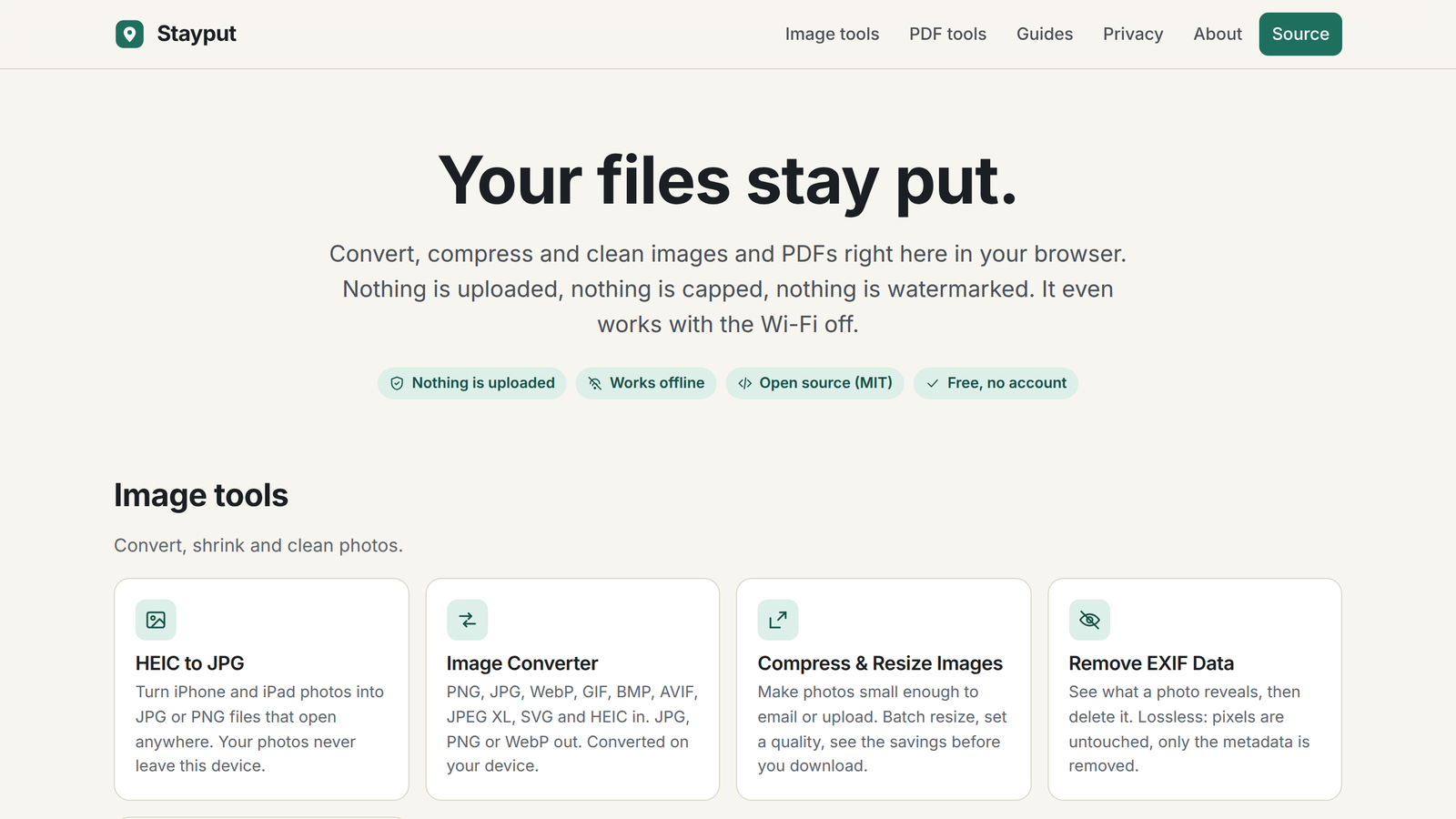
Convert HEIC photos from an iPhone, merge, split, sign and compress PDFs, shrink images and strip GPS and EXIF data. Every tool is a static page and a bit of JavaScript and WebAssembly that does the work in your tab. There is no server that could receive your files.
Open the network tab. Your files never appear in it.
That is the whole pitch, and you can check it in three ways:
- Watch the network. Open your browser's developer tools (F12, or Cmd-Option-I on a Mac), pick the Network tab, open any tool and drop a file. You will see requests for the page's own code, the site's own decoder files on the pages that need them, and one anonymous page count. You will never see a request carrying your file, because there is nowhere for it to go. Every tool page also counts its own requests after you add files and shows you the list.
- Turn the network off. Load a tool, switch to airplane mode, and use it. It keeps working, because after one visit the site is cached by a service worker and the work happens in your tab.
- Read the code. This repository is the site. It builds to static HTML, CSS and JavaScript with no backend; the deploy has no server-side code at all. The privacy page lists every request the site makes.
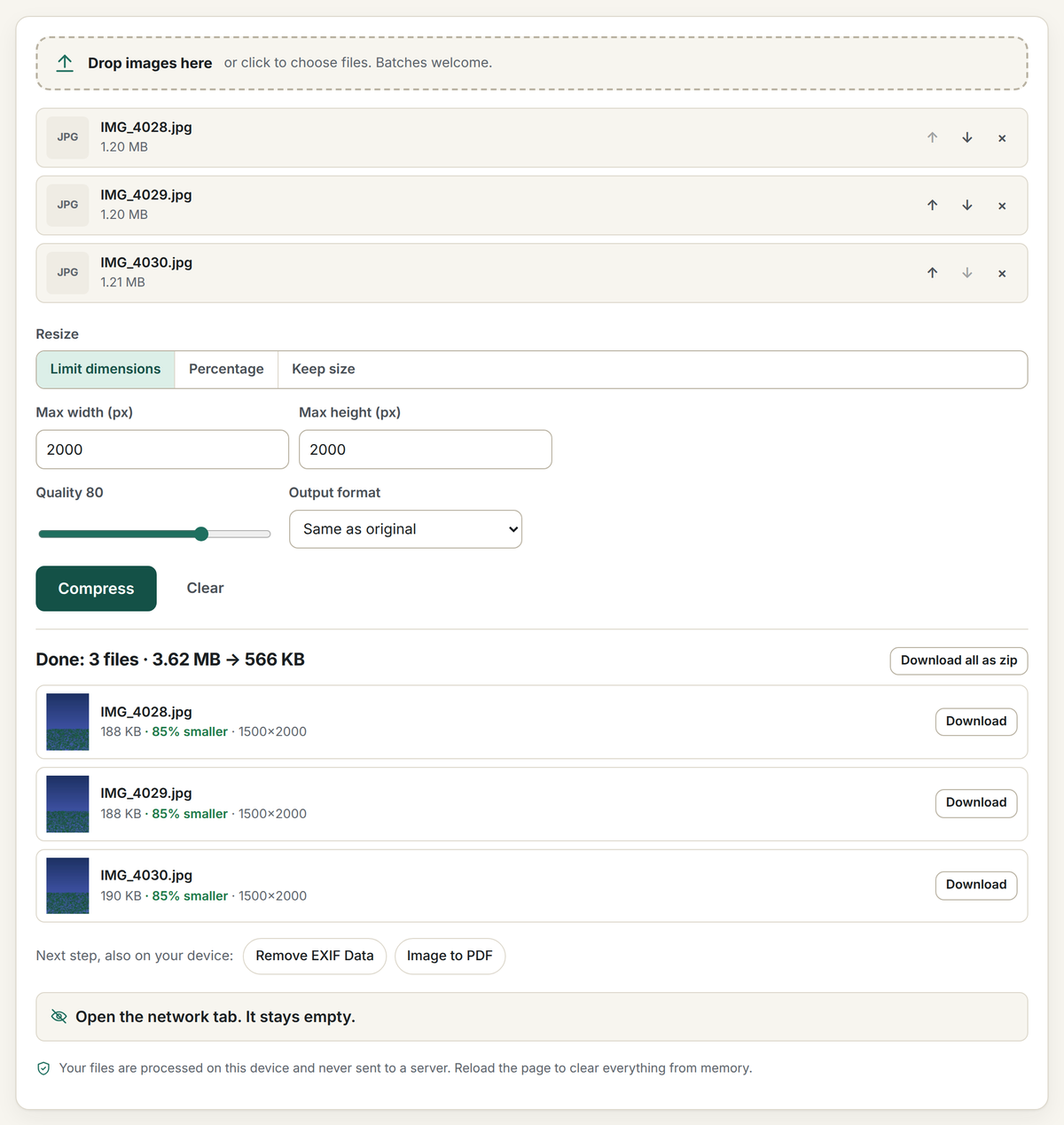
Tools
| Images | PDFs |
|---|---|
| HEIC to JPG or PNG (batch, keep or drop EXIF) | Merge PDF |
| Convert images (PNG, JPG, WebP, AVIF, JPEG XL, HEIC, SVG in; JPG, PNG, WebP out) | Split PDF / extract pages |
| Compress and resize images (plus Compress PNG, transparency kept, Compress GIF, Resize GIF and Crop GIF) | Compress PDF (lossless cleanup, image recompression, or flatten) |
| Remove EXIF and GPS data (image data unchanged; sideways JPGs re-encoded only with Apply orientation on) | Rotate PDF pages |
| Crop image (ratios, exact pixels, circle) |
Plus dedicated pages for the jobs people search for: image conversions such as HEIC to PNG, PNG to JPG, WebP to PNG, AVIF to JPG and JXL to PNG; tool presets such as JPG to PDF, PDF to JPG, Combine PDF, Resize image, Crop to circle and Remove location from photos; and guides that answer the question behind the tool ("is it safe to merge PDFs online?", "how do I remove location data from photos?").
MCP server
Stayput also ships as a local Model Context Protocol server, stayput-mcp, so an LLM client can call the same PDF and photo tools as tool calls, still with no network access and no uploads:
{ "mcpServers": { "stayput": { "command": "npx", "args": ["-y", "stayput-mcp"] } } }
See mcp/README.md for the full tool list, or stayput.dev/mcp.
How it works
The site is a static Astro build: one page per tool, a shared tool shell, and a TypeScript module per tool that does the work in the tab. The MCP server (above) is the one part of this repo that does run as a local process; everything else described below is the browser-only website.
- HEIC decoding: heic-to, a WebAssembly build of libheif, served by the site itself from
/vendor/(copied out of node_modules at build time byscripts/vendor.mjs). The request fetches only the decoder; no image data is sent. - PDF editing: pdf-lib for merge, split, rotate, reorder, page numbers (standard fonts, nothing embedded), signature stamps, image embedding and rewriting image streams.
- PDF to Word: pdf.js reads the positioned text runs;
src/lib/pdftext.tsrebuilds lines, paragraphs and headings andsrc/lib/docx.tswrites a minimal Office Open XML document with fflate. Text and structure only, no layout. - PDF rendering: pdf.js (legacy build for wide browser support) on a dedicated web worker.
- Image resize and encode: the canvas API, with stepped downscaling for sharp results.
- Encrypted PDFs: many PDFs carry "owner" encryption with an empty user password (statements, forms with printing restrictions). pdf-lib cannot read those streams, so every PDF tool first checks the trailer for
/Encryptand, when found, runs qpdf compiled to WebAssembly (@neslinesli93/qpdf-wasm, served from/vendor/and loaded only when needed) to strip the encryption in the tab. Files with a user password prompt for it once; outputs are written without encryption. Seesrc/lib/unlock.ts. - AVI decoding: most video runs on your browser's WebCodecs through Mediabunny. For old formats the browser cannot read, the page loads a decoder built from FFmpeg's libraries (LGPL) only when you convert such a file. Today that is AVI (Xvid and DivX 4+, Motion JPEG; MP3, MP2, AC-3, PCM sound) and 3GP (H.263 and MPEG-4 picture, AMR sound; builds in
vendor-builds/libav-3gp/, workersrc/lib/threegp-decode.worker.ts). The decoder is libav.js 6.10.9.0 with a short component list; the build script, the list and the patent-expiry evidence for each codec are in and . The built files are committed and copies them to ; the conversion runs in a module worker (), and the file never leaves the tab.
There is no backend and no cookies. See /privacy for the full statement.
Development
Requirements: Node 22+.
npm install
npm run dev              # http://localhost:4321
npm run build            # static output in dist/
npm run check-links      # fail on any broken internal link in dist/ (--external also checks outbound links)
node scripts/serve.mjs   # serve dist/ locally with clean URLs and the production headers
npm run check            # Astro and TypeScript checks
Tests
End-to-end tests drive every tool in headless Chromium with generated fixtures (JPEG with EXIF and GPS, PNG, WebP, HEIC, multi-page PDFs, plus static encrypted and offset-box PDFs under tests/fixtures/static), then check the downloaded outputs. One test also asserts the privacy claim directly: after files are added, no request leaves the page except the stubbed analytics call. The local server (scripts/serve.mjs) applies the site's production headers, so tests run under the production Content-Security-Policy and a violation shows up as a console error.
pip install pillow pillow-heif            # once, for fixture generation
python3 tests/fixtures/make-fixtures.py && node tests/fixtures/make-pdf.mjs
npx playwright install chromium           # once
npm run build && npm test
Set PLAYWRIGHT_CHROMIUM_PATH=/path/to/chrome to use a preinstalled browser.
Social images
public/og.png and public/og/<slug>.png are rendered from the page copy by node scripts/make-og.mjs (headless Chromium). Re-run it after changing a tool's heading or tagline and commit the result.
Sitemap dates
Every sitemap URL has a real <lastmod>, and tool and guide structured data carries the same dateModified. The dates live in src/data/lastmod/, one small file per page (path, date and a content hash), so two branches that add pages never touch the same file, so builds never depend on git history, which Vercel and CI clones don't have. After you change a tool, pair, preset, guide or static page, run node scripts/lastmod.mjs: pages whose content hash changed get today's date and new pages are added. Commit the result. tests/lastmod.spec.ts runs node scripts/lastmod.mjs --check, so CI fails if you forget. Guides use their own updated field as the date, and the check also fails when a guide changes without it moving forward.
After each production deploy, scripts/indexnow.mjs pings IndexNow with only the pages whose lastmod entry differs from the previous commit. node scripts/indexnow.mjs --all resubmits every page (the workflow's manual run does this); --dry-run lists what would be sent.
Adding a tool
- Add an entry to
src/data/tools.ts(slug, SEO copy, steps, FAQ) and a paragraph tosrc/data/engine.tssaying what actually runs in the tab. These feed the home page, footer, sitemap, service worker, structured data and social image. - Create
src/pages/tools/<slug>.astrousingToolLayoutand put the option controls in theoptionsslot. - Create
src/tools/<slug>.ts, callcreateShell({ process })fromsrc/lib/shell.ts, and return the output files. - Add a test to
tests/tools.spec.ts, then runnode scripts/make-og.mjs.
A format-pair landing page ("WebP to PNG") is just an entry in src/data/pairs.ts; the page, its social image and its sitemap entry are generated. A preset landing page for any other tool ("JPG to PDF", "Combine PDF") is an entry in src/data/presets.ts naming the base tool and its option defaults; the base tool's option controls live in src/components/options/ so the tool page and its presets share one copy. A guide is an entry in src/data/guides.ts (sections, FAQ, the tools it points to); copy supports [text](https://github.com/keenanlk/stayput/blob/HEAD/path) links and **bold**. Run node scripts/make-og.mjs after adding any of these.
See CONTRIBUTING.md for the ground rules, the main one being that no change may make a file leave the browser.
Support
Stayput is free and needs no account, no ads. If it saved you a subscription and you want to say thanks, the repository has a GitHub Sponsors link; sponsorship helps cover running costs (domain, hosting and the stats server).
License
MIT. See LICENSE. Third-party libraries keep their own licenses: heic-to (LGPL-3.0, loaded as a separate module at runtime), FFmpeg's libraries via libav.js (LGPL-2.1-or-later, loaded as a separate module at runtime), qpdf (Apache-2.0, loaded as a separate module at runtime), @jsquash/jxl and @jsquash/avif (Apache-2.0, loaded as separate modules at runtime), pdf-lib (MIT), pdf.js (Apache-2.0), fflate (MIT), UTIF.js and pako (MIT), Astro (MIT). The Caveat font in public/fonts is under the SIL Open Font License 1.1 (see public/fonts/OFL-Caveat.txt).