saga-mcp



Your coding agent loses the plan between sessions. You come back tomorrow and it has no idea which
of the five things you agreed on are done, which one is blocked on which, or why you rejected the
second approach — because the plan lived in the context window, or in a TODO.md nobody updates.
saga-mcp gives the agent a real tracker instead: a SQLite file in your project holding projects, epics, tasks, subtasks, dependencies, comments, notes and decisions, exposed as 41 MCP tools. The agent writes to it as it works and reads it back when it returns. No accounts, no external service, no network calls — the database is a file you own.
Install
Add saga-mcp to your MCP client. The same block works for Claude Code (.mcp.json in your
project), Claude Desktop (claude_desktop_config.json), and any other MCP client:
{
  "mcpServers": {
    "saga": {
      "command": "npx",
      "args": ["-y", "saga-mcp"],
      "env": { "DB_PATH": "/absolute/path/to/your/project/.tracker.db" }
    }
  }
}
Restart the client. DB_PATH is the only required setting; the file and its schema are created on
first use. Prefer a global install? npm install -g saga-mcp, then use saga-mcp as the command
instead of npx.
Tested on Node 20, 22 and 24, on Linux, macOS and Windows.
Settings
| Variable | Required | Description |
|---|---|---|
DB_PATH | Yes | Path to the .tracker.db SQLite file. Created on first use. |
SAGA_PROJECT | No | Scope every tool to one project, by id or name. Set this per repo when several repos share one database. |
SAGA_DESCRIPTION_LOCK | No | on_progress locks a task's description the moment work starts on it. Off by default. See keeping agents on the rails. |
SAGA_TOOLS | No | full (default) lists all 41 tools. core lists only the 13 an ordinary tracking session needs, saving ~4,300 tokens per session. See token cost. |
No API keys, no accounts, no external services.
Your first session
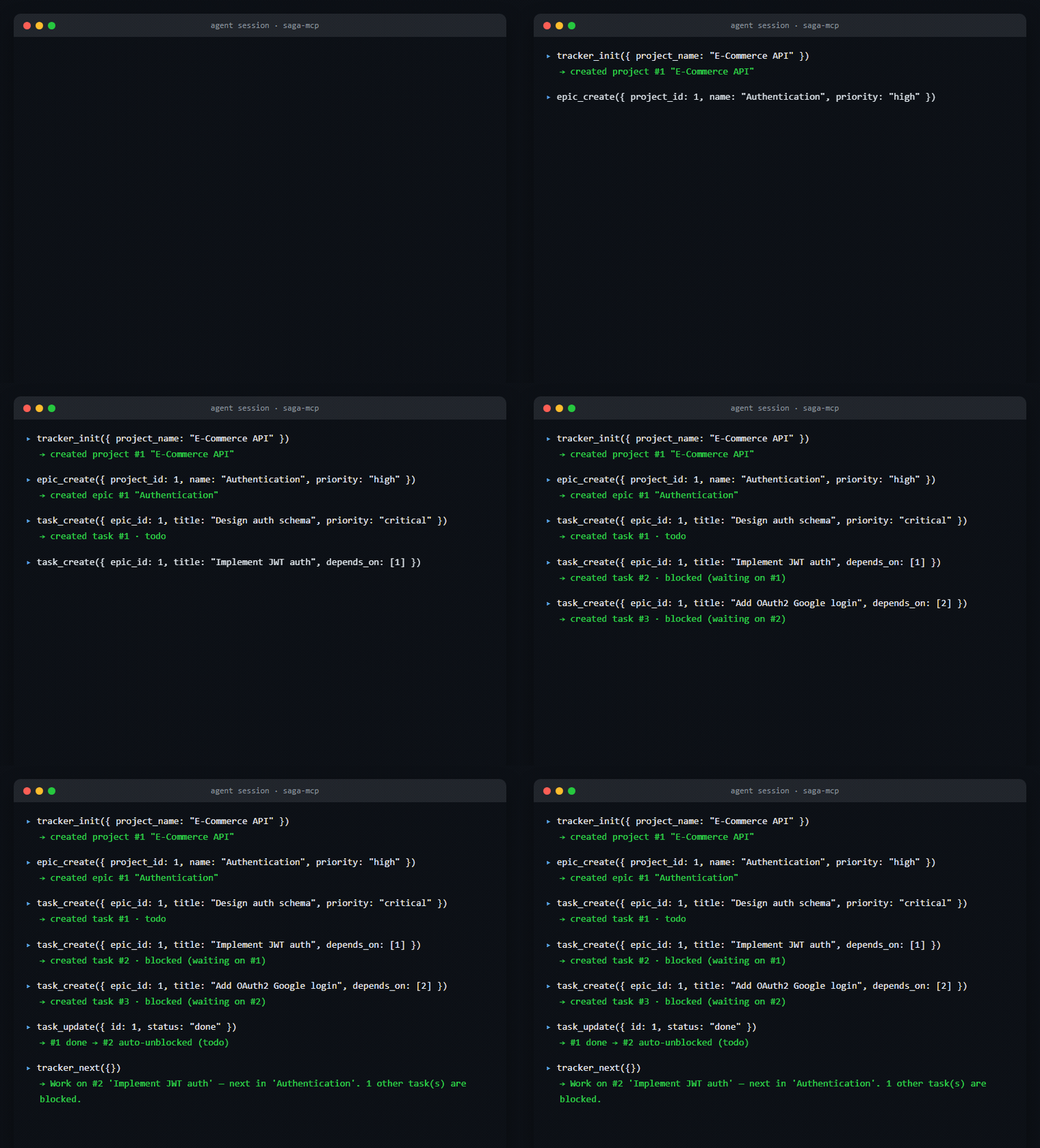
You: "Set up tracking for the e-commerce API and plan out auth."
tracker_init({ project_name: "E-Commerce API" })
epic_create({ project_id: 1, name: "Authentication", priority: "high" })
task_create({ epic_id: 1, title: "Design auth schema", priority: "critical" })
task_create({ epic_id: 1, title: "Implement JWT auth", depends_on: [1] })
task_create({ epic_id: 1, title: "Add OAuth2 Google login", depends_on: [2] })
Tasks 2 and 3 come back blocked — their dependencies aren't done. Finish task 1 and task 2 unblocks itself. That whole exchange, actually run against saga-mcp:
Next session, you: "Where were we?"
tracker_next({})
  -> Work on #1 'Design auth schema' — critical priority, in the active epic
     'Authentication'. 2 other task(s) are blocked.
One recommendation with the reason. For the whole picture instead, tracker_dashboard({}) returns
stats, epics, blocked and overdue tasks, recent activity and notes, with a summary on top.
And when you would rather look than ask, saga-web puts the same database in a browser:

What you get
- The next thing to do — one recommendation with its reason, at a third the cost of the dashboard
- Real sequencing — dependencies that auto-block and auto-unblock, a manual order the tools respect, and cycles refused rather than deadlocked
- Guards against agent drift — a lockable description, and prerequisites enforced on write rather than merely reported
- A web UI —
saga-webserves the same database in a browser, read and write - Templates — reusable task sets with
{variable}substitution, editable in place - Archiving and soft delete — get finished work out of the context you pay for, reversibly
- Forgiving input — a smaller model sending an array as a JSON string doesn't silently collapse your batch into one record
- One file, many projects — per-repo databases or one shared file
- A full audit trail — every mutation logged with old and new values, and nothing an agent removes is unrecoverable
- 41 tools with MCP safety annotations on every one, and a tiered surface when you want a smaller context bill
Asking what to do next
tracker_dashboard hands an agent everything and leaves it to reason. tracker_next answers the
question:
tracker_next()
  -> Work on #12 'Write the adapter' — already in progress, high priority, in the
     active epic 'Provider swap'. Next step: implement. Also overdue: #18 'Renew cert'.
     3 other task(s) are blocked.
One recommendation with the reason, the next unfinished subtask inside it, a couple of alternatives, and anything overdue or blocked. About a third the size of the dashboard.
The ordering rule worth knowing: continuing beats starting. A task already in progress outranks an untouched one that is overdue or higher priority, because abandoning work in flight just leaves two things unfinished — the overdue work is named in the summary instead. Blocked tasks are never recommended, archived epics and removed tasks are skipped, and subtask dependencies decide which step comes next inside the chosen task.
When nothing is actionable it says what to unblock rather than returning an empty answer:
Nothing is actionable: all 4 remaining task(s) are blocked.
Unblocking #7 'the keystone' would release 3 of them.
Ordering and dependencies
A deliberate order wins over a guess. task_list sorts by priority until someone arranges an
epic, and from then on it follows the arrangement:
task_reorder({ epic_id: 2, ordered_ids: [8, 5, 6] })
task_list({ epic_id: 2 })                        // 8, 5, 6 — the plan, in order
task_list({ epic_id: 2, sort_by: "priority" })   // priority, if that is what you want
Priority is a reasonable guess about what matters; a sequence someone wrote down is not a guess. An agent handed a plan should start at the beginning of it, not at whichever step happens to be marked critical.
Nothing changes for epics nobody has arranged — those sort by priority exactly as before, and an
explicit sort_by is always obeyed literally.
Anything omitted from ordered_ids keeps its relative position at the end. sort_order runs
ascending — lower sorts first — and a task created after an arrangement has no place in it, so it
lands at the end rather than the front. In the web UI you can drag tasks into place inside an epic.
Task dependencies auto-block and auto-unblock:
task_update({ id: 9, depends_on: [8] }) // 9 becomes blocked while 8 is open
Re-evaluation runs whenever a blocker's doneness changes in either direction, so reopening a finished blocker blocks its dependents again, and clearing the last dependency releases them. Circular dependencies are refused with the loop named, for tasks and subtasks alike — anything in a cycle would be blocked forever. The web UI shows a banner at the top of a blocked task naming what it waits on, with a picker to add or remove dependencies.
Keeping agents on the rails
Two guards for the ways an agent goes wrong on a long task.
A locked description. Agents sometimes rewrite a task's description to record progress, when
they meant to add a comment — and the spec you agreed on is gone. Lock it and task_update refuses:
task_lock_description({ id: 12 })
task_update({ id: 12, description: "..." })
  -> Task 12's description is locked and was not changed. Record progress with
     comment_add instead, or unlock it in the web UI if the description is genuinely wrong.
Everything else about the task stays editable — the point is to protect the spec, not freeze the
task. The lock cannot be cleared as a side effect of an ordinary task_update; it takes a
deliberate task_lock_description call or the lock toggle in the web UI, and both are logged.
This is a guard against confusion, not an adversarial control: an agent that is told to unlock still can. It turns a silent overwrite into a visible, reversible decision.
Locking each task by hand does not scale across a plan, so SAGA_DESCRIPTION_LOCK=on_progress
does it for you: a task locks as work starts on it — when it moves to in_progress, review or
done, or is created there. It is off unless you set it, since it changes what an agent is
allowed to do.
"env": { "DB_PATH": "…", "SAGA_DESCRIPTION_LOCK": "on_progress" }
It sets the same flag task_lock_description sets, rather than second-guessing every write. So
one mechanism governs the field: unlock a task and it stays unlocked, whatever its status does
next. blocked is not "started" — a task waiting on a dependency has not been worked on, and
dependencies move tasks in and out of that status on their own.
Subtask order and dependencies. New subtasks are appended in order rather than all landing at
position 0, subtask_reorder sets the order in one call (or drag them in the UI), and a subtask
can wait on its siblings:
subtask_update({ id: 8, depends_on: [5, 6] })    // 8 waits for 5 and 6
subtask_update({ id: 4, blocks: [5, 6, 7, 8] })  // a bug that holds up the rest
Reads carry depends_on and blocked, and the block is enforced on write: starting or
finishing a subtask whose prerequisites are unmet is refused, and so is completing a task whose
checklist is still open.
subtask_update({ id: 8, status: "in_progress" })
  -> Subtask 8 cannot be started — it waits on #5 'write the parser' (todo).
     Finish those first, or pass force: true to override deliberately (the override is logged).
force: true is the way past, for when a person has decided the blocker no longer applies. It
works on subtask_update, task_update and task_batch_update, and every override is written to
the activity log naming what was skipped. The web UI asks for confirmation and then sends it.
The distinction that matters is between an agent quietly ignoring a blocker and someone choosing to
override one. Dependencies stay within one task — a checklist item waiting on something under a
different task is a task-level dependency, and task_update depends_on already models that.
Comments as a decision trail
comment_add({ task_id: 5, content: "Investigated root cause: CORS headers missing on preflight" })
comment_add({ task_id: 5, content: "Fixed by adding OPTIONS handler. Tested with curl." })
task_update({ id: 5, status: "done" })
Comments persist across sessions — next time an agent calls task_get(5), it sees the full thread.
If a comment turns out to be wrong, retract it without losing the trail:
comment_delete({ id: 12, reason: "Root cause was wrong — it was a proxy timeout", deleted_by: "pranab" })
The row stays in the database and in the activity log. comment_list and task_get skip it,
comment_list({ task_id: 5, include_deleted: true }) shows it with its reason, and
comment_restore({ id: 12 }) brings it back. Nothing an agent removes is unrecoverable.
Templates
A reusable set of tasks with {variable} placeholders, filled in when applied:
template_create({
  name: "feature_workflow",
  tasks: [
    { title: "Design {feature} API",       priority: "critical", estimated_hours: 2 },
    { title: "Implement {feature}",        priority: "high",     estimated_hours: 8 },
    { title: "Write tests for {feature}",  priority: "high",     estimated_hours: 4 }
  ]
})

template_apply({ template_id: 1, epic_id: 2, variables: { feature: "user auth" } })
// -> "Design user auth API", "Implement user auth", "Write tests for user auth"
Templates are editable in place, which matters because the id is what template_apply refers
to — recreating one breaks anything holding it:
template_update({ id: 1, name: "Feature rollout" })                  // tasks untouched
template_update({ id: 1, tasks: [{ title: "Design {feature}" }] })   // name untouched
template_list({ include_tasks: true })                               // see what one creates
Task definitions are checked when written rather than when applied, so a bad priority or a missing title is refused up front instead of failing later against an epic you have already chosen. Templates live in the database as a whole, not inside one project.
The Templates tab shows what each one creates, and the {placeholders} it will ask for:

Getting old work out of the way
An epic list that is mostly finished work, and tasks an agent created that should have been subtasks, are context you pay for on every call.
epic_archive({ id: 4 })            // the epic and its tasks drop out of listings
task_delete({ id: 12, reason: "should have been a subtask" })
Archiving is deliberately not the cancelled status: cancelled means "we decided not to do
this", while most of what you want to archive is completed. Archived epics and their tasks
disappear from epic_list, tracker_dashboard, task_list and tracker_search — including the
statistics, not just the lists — and come back with include_archived. In the web UI both the
Overview and the Epics tab archive an epic, hide archived ones by default, and share one
show-archived switch.
Nothing vanishes silently. The dashboard says what it left out:
Hidden: 2 archived epic(s) and 1 removed task(s) — pass include_archived to include them.
task_delete is the same soft delete comments have, restricted to tasks still in todo: anything
further along has comments, time tracking and an activity log that removing it would strand, and a
task other tasks depend on is refused outright so nothing is left blocked forever. The row is kept,
task_restore brings it back, and tracker_export includes archived and removed rows because a
backup that omits things is not a backup.
Forgiving input
Smaller models routinely send an array parameter as a string containing JSON. Every array-taking tool accepts that, so a batch does not silently collapse into one record:
subtask_create({ task_id: 3, titles: '["Write it","Test it"]' })   // 2 subtasks
subtask_create({ task_id: 3, titles: "- Write it\n- Test it" })    // 2 subtasks
task_batch_update({ ids: "[4,5]", status: "done" })                // both tasks
task_create({ epic_id: 1, title: "x", tags: "billing, urgent" })   // 2 tags
Coercion stops where intent becomes ambiguous. A comma inside a title is left alone —
"Design the API, then implement it" is one subtask, not two — while a comma in a tag or an id
list is a separator, because neither can contain one. Anything genuinely unusable is refused with a
message naming what arrived and what was wanted, rather than a leaked ids.map is not a function.
What comes back matches what went in. tags, metadata and source_ref live in JSON text
columns, and every response decodes them at the boundary, so a tag list reads as ["billing", "urgent"] rather than the escaped string "[\"billing\",\"urgent\"]" an agent cannot use.
One database, many projects
saga-mcp works either way: a .tracker.db per repo (portable, keeps unrelated work apart), or one
shared database that every repo points at.
The shared setup needs one extra thing. projects is the top-level table, so a shared file holds
several projects — but task_list, note_list, activity_log and tracker_search read across the
whole file unless told otherwise. An agent in repo B would see repo A's tasks. Set SAGA_PROJECT
per repo and each agent sees only its own:
{
  "mcpServers": {
    "saga": {
      "command": "npx",
      "args": ["-y", "saga-mcp"],
      "env": {
        "DB_PATH": "/Users/you/saga/central.tracker.db",
        "SAGA_PROJECT": "Payments platform"
      }
    }
  }
}
SAGA_PROJECT takes a project id or a project name (case-insensitive), and fails on startup with
the list of real projects if it matches neither. Every scoped tool also accepts an explicit
project_id argument, which wins over the environment variable.
| Setup | What to set | Result |
|---|---|---|
| One database per repo | DB_PATH | Nothing to scope — one project per file |
| Shared database, per-repo agents | DB_PATH + SAGA_PROJECT | Each agent sees only its project |
| Shared database, one agent over everything | DB_PATH | Tools read across all projects |
With neither SAGA_PROJECT nor a project_id, tracker_dashboard falls back to the first project
in the file and says so — the response carries other_projects and the summary explains that the
project was a guess, rather than silently reporting on the wrong repo.
The web UI is unaffected either way: its project switcher lists every project in the database, and each tab is scoped to the selected one.
Web UI
Everything above is agent-facing. saga-web puts the same database in a browser — for the times
when reviewing a spec an agent just wrote, or fixing one field by hand, is faster than another
prompt.
npx -p saga-mcp saga-web ./.tracker.db --open
Or against a database you already point your MCP server at:
saga-web --db ~/saga/central.tracker.db --port 8080
| Option | Default | Description |
|---|---|---|
--db <path> | $DB_PATH | Database to open. A positional path works too. |
--port <n> | first free from 4319 | Omit it and saga-web takes the first free port, so one instance per project just works. --port N binds exactly N and fails if taken; --port 0 lets the OS choose. Also SAGA_WEB_PORT. |
--host <addr> | 127.0.0.1 | Bind address. Local-only by default. |
--read-only | off | Serve the UI with every editing control removed. |
--open | off | Open the UI in your default browser. |
Six tabs:
- Overview — stats, per-epic progress, blocked and overdue tasks
- Board — kanban across the five task statuses; drag a card to change its status

- Epics — the full Epic → Task → Subtask tree, which is the fastest way to review a spec an agent just wrote. Blocked tasks carry a ⛔ naming what they wait on, finished ones are struck through, and tasks drag into order. Epics read the same way — bold while in progress, struck through once completed or cancelled — and each one archives from here as well as the Overview

- Notes — decisions, context and blockers
- Templates — every template with the tasks it creates and the
{placeholders}it uses; edit the details, edit the task list, apply it to an epic, or delete it - Activity — the complete change history
And throughout:
- Task drawer — edit any field, comment, remove or restore a comment, lock the description, drag subtasks into order, and set which subtasks wait on which. Each subtask has one control carrying its whole state (todo / in progress / done, or blocked), and the drawer resizes by dragging its edge. Its Refresh/Edit/Close row stays pinned to the top however far you scroll, as a long form keeps its Save button in view

- Markdown — descriptions, comments and notes render headings, tables, lists, code and links. Agent-written content is escaped before any markdown rule runs, so raw HTML can never reach the page, and only http/https/mailto links are followed
- Project switcher — every project in the database, so one central
.tracker.dbcovers all your repos; every tab, including Activity, is scoped to the selected project - Shareable, refreshable URLs — the open project, tab and task live in the address bar, so a browser refresh puts you back where you were and back/forward move between tasks. A ⟳ button in the task drawer re-reads that task without a page reload, for picking up what an agent just wrote
Writes from the UI call the same handlers the MCP tools do, so edits you make by hand are
validated identically and land in the same activity log as the agent's — an agent calling
tracker_dashboard after you fix something sees the fix and how it happened.
A few deliberate limits: it binds to 127.0.0.1 unless you ask otherwise, it has no authentication
(don't put it on a shared network), and it will not create a database — point it at one your MCP
server already uses. Separate .tracker.db files are not yet aggregated into one view; a single
database with multiple projects is.
Token cost
The tool list is context every session pays before any work happens, and list responses are context it pays again on every call. Both are kept deliberately small:
- Responses are compact JSON — no pretty-print indentation, which measured 20-27% of every response
task_listrows omit nulls andmetadata, and truncate descriptions to 120 characters (calltask_getfor a task's full text) — 19-39% smaller depending on how long your descriptions runactivity_logomits null columns and the row id (no tool takes one) — about 27% smallertracker_searchreturns previews rather than whole records — about 47% smaller; follow up withtask_getornote_listfor the full textSAGA_TOOLS=coredrops the listed surface from ~7,200 tokens to ~2,900
note_list deliberately keeps full note content — it is the retrieval tool, not a preview.
Set SAGA_TOOLS=core when an agent only tracks work; leave it unset when you want templates,
import/export, session diffs and the rest discoverable. Tools left off the list still work when
called by name — core shrinks what is advertised, not what exists.
The core thirteen: tracker_init, tracker_next, tracker_dashboard, project_list,
epic_create, epic_list, task_create, task_list, task_get, task_update, subtask_create,
note_save, comment_add.
Every tool description is held to a byte budget in the test suite, so the surface cannot grow by accretion: adding a tool means trimming prose elsewhere or justifying the increase.
Tool reference
Getting started
| Tool | Description | Annotations |
|---|---|---|
tracker_init | Initialize tracker and create first project | readOnly: false, idempotent: true |
tracker_next | What to work on next, with the reason and what is blocked | readOnly: true |
tracker_dashboard | Full project overview with natural language summary | readOnly: true |
Projects
| Tool | Description | Annotations |
|---|---|---|
project_create | Create a new project | readOnly: false |
project_list | List projects with completion stats | readOnly: true |
project_update | Update project (archive to soft-delete) | readOnly: false, idempotent: true |
Epics
| Tool | Description | Annotations |
|---|---|---|
epic_create | Create an epic within a project | readOnly: false |
epic_list | List epics with task counts | readOnly: true |
epic_update | Update an epic | readOnly: false, idempotent: true |
epic_archive | Archive/unarchive an epic, hiding it and its tasks from listings | readOnly: false, idempotent: true |
Tasks
| Tool | Description | Annotations |
|---|---|---|
task_create | Create a task with optional dependencies | readOnly: false |
task_list | List/filter tasks; follows a manual arrangement when one exists | readOnly: true |
task_get | Get task with subtasks, notes, comments, and dependencies | readOnly: true |
task_update | Update task (auto-logs, auto-blocks/unblocks) | readOnly: false, idempotent: true |
task_batch_update | Update multiple tasks at once | readOnly: false, idempotent: true |
task_reorder | Set the order of an epic's tasks | readOnly: false, idempotent: true |
task_lock_description | Lock/unlock a description so agents can't rewrite it | readOnly: false, idempotent: true |
task_delete | Remove a todo task (soft delete, restorable) | readOnly: false, idempotent: true |
task_restore | Restore a removed task | readOnly: false, idempotent: true |
Subtasks
| Tool | Description | Annotations |
|---|---|---|
subtask_create | Create subtask(s) — supports batch | readOnly: false |
subtask_update | Update title/status/position; depends_on and blocks set ordering | readOnly: false, idempotent: true |
subtask_reorder | Set the order of a task's subtasks in one call | readOnly: false, idempotent: true |
subtask_delete | Delete subtask(s) — supports batch | destructive: true, idempotent: true |
Comments
| Tool | Description | Annotations |
|---|---|---|
comment_add | Add a comment to a task (threaded discussion) | readOnly: false |
comment_list | List comments on a task (removed ones hidden unless include_deleted) | readOnly: true |
comment_delete | Remove a comment — soft delete, row kept for audit | readOnly: false, idempotent: true |
comment_restore | Restore a removed comment | readOnly: false, idempotent: true |
Templates
| Tool | Description | Annotations |
|---|---|---|
template_create | Create a reusable task template with {variable} placeholders | readOnly: false |
template_list | List templates; include_tasks shows what each one creates | readOnly: true |
template_update | Edit a template in place — name, description or tasks | readOnly: false, idempotent: true |
template_apply | Apply template to create tasks with variable substitution | readOnly: false |
template_delete | Delete a template | destructive: true, idempotent: true |
Notes
| Tool | Description | Annotations |
|---|---|---|
note_save | Create or update a note (upsert) | readOnly: false |
note_list | List notes with filters | readOnly: true |
note_search | Full-text search across notes | readOnly: true |
note_delete | Delete a note | destructive: true, idempotent: true |
Search, history and transfer
| Tool | Description | Annotations |
|---|---|---|
tracker_search | Cross-entity search (projects, epics, tasks, notes) | readOnly: true |
activity_log | View change history with filters | readOnly: true |
tracker_session_diff | What changed since a timestamp — call at session start | readOnly: true |
tracker_export | Export full project as nested JSON (includes dependencies and comments) | readOnly: true |
tracker_import | Import project from JSON (matching export format) | readOnly: false |
How it works
Everything lives in a single SQLite file. The schema is created on first use, and existing databases are migrated in place when you upgrade — there is no migration step to run.
Project
  └── Epic (feature/workstream)
        └── Task (unit of work)
              ├── Subtask (checklist item)
              ├── Comment (discussion thread)
              └── Dependencies (blocked by other tasks)
Note types
Notes replace scattered markdown files. Each note has a type:
| Type | Use case |
|---|---|
general | Free-form notes |
decision | Architecture/design decisions |
context | Conversation context for future sessions |
meeting | Meeting notes |
technical | Technical details, specs |
blocker | Blockers and issues |
progress | Progress updates |
release | Release notes |
Activity log
Every create, update and delete is recorded, with the old and new value:
{
  "summary": "Task 'Fix CORS issue' status: blocked -> done",
  "action": "status_changed",
  "entity_type": "task",
  "entity_id": 15,
  "field_name": "status",
  "old_value": "blocked",
  "new_value": "done",
  "created_at": "2026-02-21T18:30:00"
}
That log is what makes the soft deletes safe and the time tracking automatic — hours are computed from it rather than entered by hand.
Privacy
saga-mcp is a fully local, offline tool. It does not collect user data, send anything to external servers, require internet access after installation, or use analytics or telemetry of any kind.
All data is stored exclusively in the local SQLite file specified by DB_PATH. Uninstalling
saga-mcp and deleting the .tracker.db file removes all traces.
Development
git clone https://github.com/spranab/saga-mcp.git
cd saga-mcp
npm install
npm run build
DB_PATH=./test.db npm start

# the web UI against the same database
node dist/web/index.js ./test.db --open

npm test     # 359 unit and integration tests, no network
npm run e2e  # release gate: packs a tarball, installs it, drives the real binaries
npm test runs against the built output. npm run e2e is the gate that matters before a release:
it packs the tarball that would actually be published, installs it somewhere else, and drives both
binaries over real stdio — 106 checks, including an upgrade from an older database.
Releasing
Publishing to npm is irreversible — a version number can never be reused — so it is the last step, and it is triggered by publishing a GitHub release, not by pushing a tag.
# 1. bump the version in package.json, manifest.json and server.json, then merge
# 2. tag it. Nothing is published yet.
git tag -a v1.19.0 -m "v1.19.0 — ..." && git push origin v1.19.0

# 3. verify the tagged build: this packs the tarball that would be published
#    and drives it end to end, including an upgrade from an older database.
npm run e2e

# 4. publish the release. This fires the publish workflow.
gh release create v1.19.0 --notes-file notes.md
The workflow re-runs the suite against the tagged commit, refuses a tag that does not match
package.json, refuses a version already on npm, and sends a GitHub pre-release to the next
dist-tag so it never becomes what npm install saga-mcp gives people. A failed publish can be
retried against the same tag with gh workflow run "Publish to npm" -f tag=v1.19.0.
Support
- Issues: https://github.com/spranab/saga-mcp/issues
- Repository: https://github.com/spranab/saga-mcp
Bug reports that come with a reproduction are worth a great deal here — several of the sharper behaviours above exist because someone reported that the obvious thing was wrong.
Related projects
Part of a set of agent infrastructure built by one person, meant to be used together:
- yantrikdb-mcp — persistent cognitive memory for the same agent: what it learned, not what it planned.
- brainstorm-mcp — multi-model debate before you commit a plan to the tracker.
- swarmcode — real-time channel between Claude Code instances on different machines.
- truenas-mcp — 278 TrueNAS SCALE actions behind one hierarchical tool.
- mcpier — self-hosted MCP control plane that keeps API keys off your clients.
- discord-mcp — 30+ Discord actions (messages, roles, moderation, threads) behind one hierarchical tool.
- icantmarket-mcp — browse, ask about, and review products on icantmarket from the same client.
- tier — adapts a tool list to the model behind it, so small models still pick the right one.
License
MIT