Capture screenshots, detect visual regressions between page versions, and analyze with AI.
Quick Install
Automated & IDE SetupCopy the AI prompt to install this server into Claude Code, Cursor, or another agent — or use 1-click editor setup below.
Not yet automatically verified
We haven't yet run this listing's install command through our automated sandbox check. This isn't a red flag — we're steadily working through the catalog.
Manual Client & Custom JSON ConfigExpand JSON ▾
Client Config & Setup
Choose your client or environment
Target File:
💡 Paste the JSON block into your client's configuration file under mcpServers, then restart the application.
Capabilities & Tool Schemas (3)
Inspect callable tools, capabilities, and parameters exposed to AI agents by Snapshot Site.
screenshotCallable MCP tool function
analyzeCallable MCP tool function
compareCallable MCP tool function
Documentation Overview
Snapshot Site MCP




Official MCP server for the Snapshot Site API
Tools
screenshotanalyzecompare
These tools are annotated for MCP clients as:
- read-only
- idempotent
- open-world
They also include richer titles, category metadata, and example intents to improve tool selection in Claude Desktop and Cursor.
Two ways to connect
Hosted, with OAuth — point your client at https://mcp.snapshot-site.com/mcp
and sign in. There is no local process to run and no API key in your client
config; the server resolves your account from the OAuth session.
Local, with an API key — run the package yourself over stdio and provide
SNAPSHOT_SITE_API_KEY. The server calls the Snapshot Site API directly.
Either way, calls count against the same plan quota as direct API calls. Nothing is metered differently because it came through MCP.
Credentials
The hosted server needs no credential — you sign in through OAuth and the server resolves your account from the session. Skip this section unless you run the server yourself over stdio.
For local stdio mode you need a Snapshot Site API key.
-
Sign up for a Snapshot Site Console account.
-
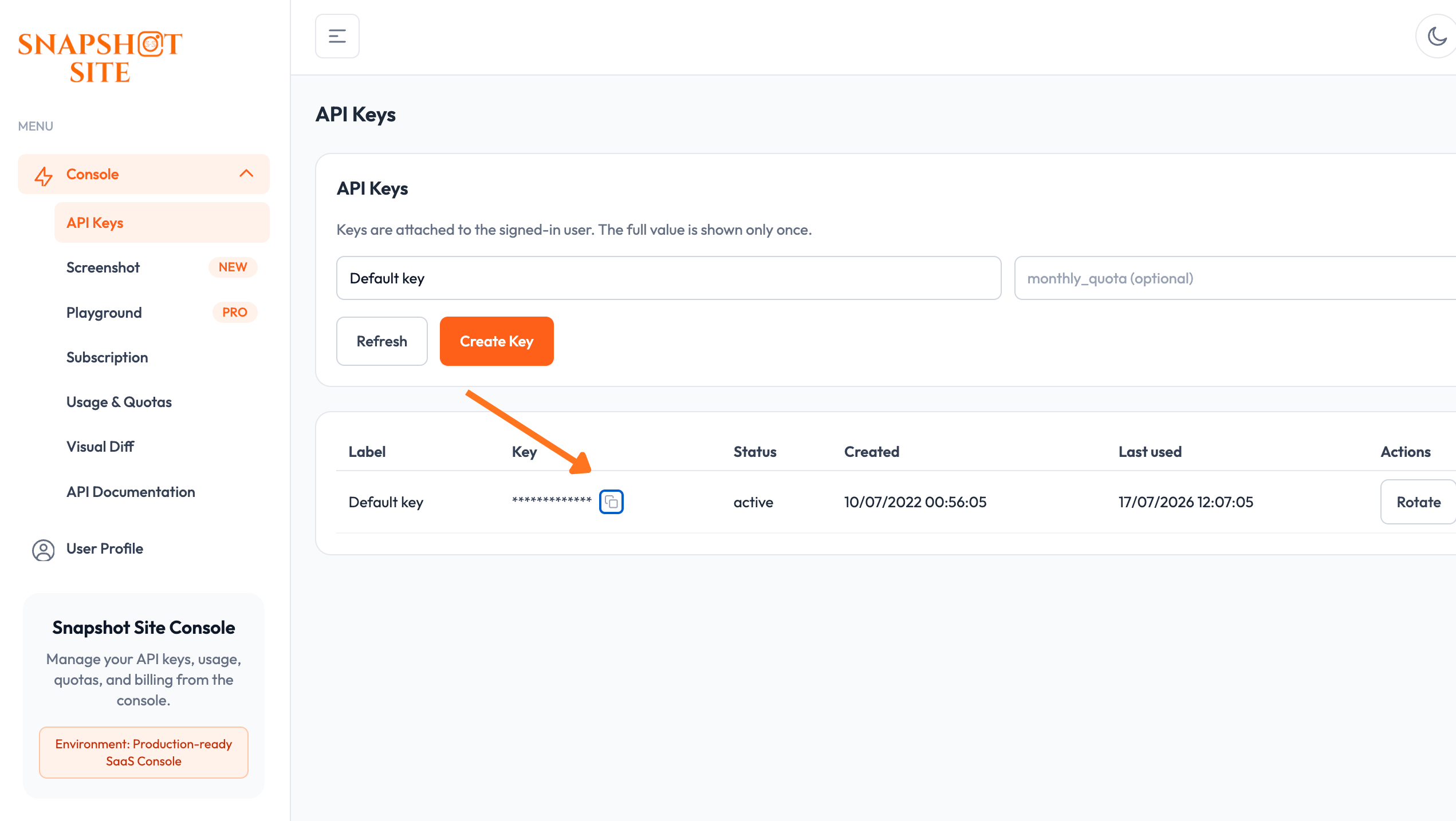
Create an API key on the API Keys page.
-
Pass the key to the server as the
SNAPSHOT_SITE_API_KEYenvironment variable. -
Leave
SNAPSHOT_SITE_BASE_URLat its default (https://api.prod.ss.snapshot-site.com) unless you're pointed at a self-hosted or staging instance.
Compatibility
Requires Node.js 20.9 or later. Built against @modelcontextprotocol/sdk v1.28
and tested with Claude Desktop and Cursor over stdio, and with any client that
speaks the streamable HTTP transport against the hosted endpoint.
Usage
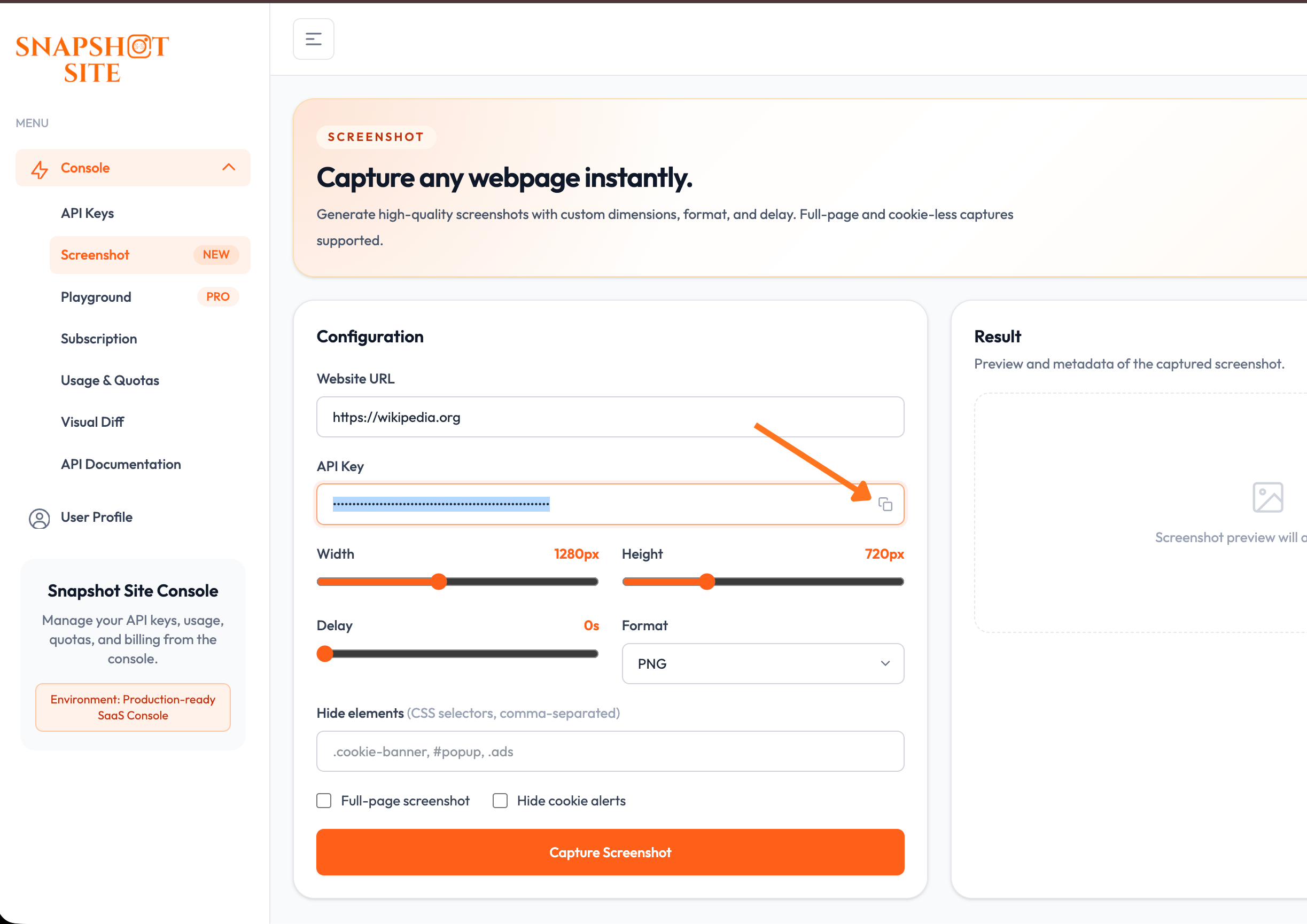
Not sure which options to use? Preview a capture and its parameters in the Screenshot console playground before wiring them into a tool call.
OAuth discovery flow
What a client does when connecting to the hosted server:
The server then validates the token against the issuer and resolves the account it belongs to before running the tool.
Verifying the deployment
Manual vs implicit client_id
- The
client_idis only needed for the authorization step. - If your client cannot discover that
client_idbeforehand, enter it manually in the connector UI. - It cannot be injected later once the OAuth flow has started.
- The server can publish an experimental implicit mode by exposing a
preferred_client_idin/.well-known/oauth-protected-resource. - Clients that read this metadata may then skip the manual entry. Clients that ignore the field still require a manual
client_id.
Environment
Build
Local stdio mode
Claude Desktop configuration
Cursor configuration
Remote HTTP mode
This package also supports a hosted MCP endpoint for clients using mcp-remote.
Start the HTTP server:
or:
Environment variables:
Remote client configuration with direct API key header:
The hosted server is stateless. Each request authenticates with x-snapshotsiteapi-key, which makes the service safe to run on multiple replicas without session affinity.
Zitadel / OAuth
The remote HTTP server also supports OAuth bearer tokens validated against an OIDC issuer such as Zitadel.
Environment variables:
In bearer-token mode, the MCP server validates the incoming access token against the issuer JWKS and then uses the server-side Snapshot Site API key to call the backend API.
It also exposes and proxies:
so MCP clients can discover the authorization server metadata automatically.
When OIDC_DISCOVERY_CLIENT_ID is set, the protected resource metadata also includes:
This is an experimental compatibility hint for clients that can infer the OAuth public client automatically. Manual client_id entry remains the reliable fallback.
The MCP server also exposes a lightweight registration_endpoint compatibility shim at:
This shim currently returns the preconfigured public PKCE client instead of provisioning a brand-new Zitadel client per installation. It validates and reflects the redirect_uris requested by the client, as long as they are valid HTTPS URLs. It is meant to improve compatibility with clients that expect DCR-style discovery, while keeping the existing manual flow as fallback.
Related MCP Servers
Adoption & maintenance
Factual signals from GitHub, npm, and our automated checks — not a rating.
GitHub stars
1
Stargazers on the source repository.
Last commit
1mo ago
Most recent push to the default branch.
Tools exposed
3
Callable tools this server registers over MCP.
Reviews
No reviews yet — be the first to share how this listing worked for you.
Frequently Asked Questions about Snapshot Site
AllMCPs Directory Badge
Showcase your server listing on GitHub or your project documentation. Embed this dynamic SVG badge to highlight official listing status and live engagement.
Badge Style:
Live Dynamic SVG Preview
Markdown (GitHub README)
[](https://allmcps.com/mcp/snapshot-site)HTML Embed
<a href="https://allmcps.com/mcp/snapshot-site"><img src="https://allmcps.com/api/badge/snapshot-site?style=directory" alt="Snapshot Site on AllMCPs" /></a>Technical Specs & Signals
CategoryDeveloper Tools
11/12 checks healthy over the last 46d
49Quality signal: Fair · 49/100How this signal is calculated ▾
Server availabilityNot measured
Not scored for repo-hosted servers — we can't reach the running server, only its GitHub page. Hosted MCP endpoints are health-checked live.
Verified ownership10/20
Documentation & tools24/30
Adoption & activity3/15
Community engagement0/10
A guidance signal from public completeness & health data — not a user rating. New listings start lower and rise as they add docs, get verified, and grow adoption. Signals we can't observe for a listing are skipped, not counted against it.
Supply-chain signal
No high-severity advisories surfaced by our automated scan.
Critical 0High 0Medium 0Low 0
Scanned 3d ago via OSV.dev · snapshot-site-mcp-http (npm)
Own this project?
This directory is pre-filled from public sources. Claim via GitHub README, site badge, or DNS TXT to unlock edit access and the Official badge — proof is checked automatically, then reviewed by our team.
Free dofollow backlink: add your website and place the AllMCPs badge on it — no claim needed. We detect it automatically and keep it verified as long as the badge stays live.
Claim & get free dofollowShare & Embed
Add our SVG badge (dark/light directory styles) or embeddable widget to your site.