Sidebutton vs Uimax MCP
A side-by-side look at the Sidebutton and Uimax MCP MCP servers: transport, auth, tools, quality signals, and the config to install either one in Claude, Cursor, Windsurf or VS Code.
Verdict: choose Sidebutton for browser automation work as a local process; choose Uimax MCP for browser automation as a local process. You can also run both side by side in one mcpServers block.
Which MCP server should you choose?
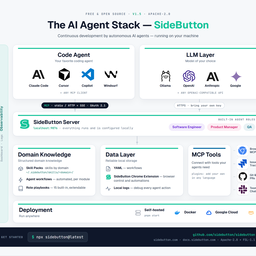 Choose Sidebutton when
- You need dedicated capabilities in the Browser Automation domain.
- You prefer a local stdio subprocess transport.
- You want tools like
run_workflow, get_run_log, list_workflows.
 Choose Uimax MCP when
- You need dedicated capabilities in the Browser Automation domain.
- You prefer a local stdio subprocess transport.
- You want tools like
review_ui, verify_fixes, compare_sites.
Feature & specification comparison
Rows where the two servers differ are marked.
| Spec | ||
|---|---|---|
| Category | Browser Automation | Browser Automation |
| Quality signal | 52/100 · Good | 53/100 · Good |
| Install command | Confirmed | Confirmed |
| Transport | Local subprocess (stdio) | Local subprocess (stdio) |
| Auth | Not declared | Not declared |
| Pricing | Not declared | Not declared |
| Required env vars | None listed | None listed |
| Verified owner | Community listing | Community listing |
| GitHub stars | 5 | 10 |
| Directory activity | 0 views 0 installs 0 upvotes | 1 views 0 installs 0 upvotes |
| Tools | 29 | 37 |
| Full listing | View Sidebutton | View Uimax MCP |
Tools & capabilities
Sidebutton tools 29
run_workflowExecute a workflow by IDget_run_logGet execution log for a runlist_workflowsList all available workflowsget_workflowGet workflow YAML definitionlist_run_logsList recent workflow executionspublish_artifactPublish evidence (screenshots, reports) from a sessionget_browser_statusCheck browser extension connectioncapture_pageCapture selectors from current pagenavigateNavigate browser to URLsnapshotGet page accessibility snapshotclickClick an elementtypeType text into an element- +17 more on the listing page
Uimax MCP tools 37
review_uiThe main tool.** Full automated pipeline: screenshot + Lighthouse + axe-core + performance + SEO + code analysis + Report Card (A+-F letter grades) + expert review methodology. Auto-saves to review history.verify_fixesNew in v0.9.0.** Re-run the full audit after applying fixes. Compares against the previous review and shows a before/after Report Card with grade transitions, resolved issue count, and verdict (improved/regressed/mixed). Closes the review-fix-verify loop.compare_sitesNew in v0.9.0.** Competitive benchmarking — audit two URLs side-by-side. Returns screenshots of both sites plus a comparison Report Card with grades for Accessibility, Performance, SEO, and weighted Overall score.quick_reviewFast design-only review. Screenshot + focused design methodology. No code analysis or performance audit.export_reportGenerate a standalone HTML report with everything embedded. Now includes Report Card grade cards and SEO section. Dark themed, zero dependencies. Share with your team.screenshotCapture a high-resolution PNG screenshot of any URL.responsive_screenshotsScreenshots at mobile (375px), tablet (768px), and desktop (1440px) viewports.check_dark_modeCompare light mode vs dark mode (emulated). Returns both screenshots + difference percentage.compare_screenshotsPixel-level diff using `pixelmatch`. Returns both screenshots + red-highlighted diff image + exact pixel difference %.semantic_compareAI-powered visual comparison.** Captures before/after + pixel diff, returns structured methodology for Claude to evaluate whether changes match the intended design request.lighthouse_auditFull Google Lighthouse audit — Performance, Accessibility, Best Practices, SEO scores + failing audits.seo_auditNew in v0.8.0.** Dedicated SEO audit checking 18 signals: meta title/description, heading hierarchy, Open Graph, Twitter cards, structured data (JSON-LD), canonical URLs, image alt text, viewport meta, lang attribute, and more. Weighted scoring by impact.- +25 more on the listing page
Ready-to-paste client configs
Paste either block (or both) into your client config, e.g. claude_desktop_config.json or ~/.cursor/mcp.json. We only show a config when the install command is confirmed.
Sidebutton
{
  "mcpServers": {
    "sidebutton": {
      "command": "npx",
      "args": [
        "-y",
        "sidebutton@latest"
      ]
    }
  }
}
Uimax MCP
{
  "mcpServers": {
    "uimax-mcp": {
      "command": "npx",
      "args": [
        "-y",
        "uimax-mcp"
      ]
    }
  }
}
Frequently asked questions
Sidebutton is categorized under Browser Automation and uses a local stdio subprocess. Uimax MCP belongs to Browser Automation and uses a local stdio subprocess. Pick Sidebutton for browser automation work and Uimax MCP for browser automation.
Copy the mcpServers block from the config section on this page into your client's config (for example claude_desktop_config.json or ~/.cursor/mcp.json), then fully restart the client.
Sidebutton has no declared pricing — check the project's own site. Uimax MCP has no declared pricing — check the project's own site. If a server needs environment variables such as API keys, define them under the env key in your client's MCP config.
Yes. MCP clients support multiple servers: add sidebutton and uimax-mcp as separate keys in the same mcpServers object, and your assistant will call tools from either one.
On AllMCPs, Sidebutton has a quality signal of 52/100 (Good) with 0 views, 0 installs and 5 GitHub stars. Uimax MCP has 53/100 (Good) with 1 views, 0 installs and 10 GitHub stars.