Sessy — Amazon SES observability logo

Sessy — Amazon SES observability

Read-only SES event search, delivery timelines, bounce diagnostics, and aggregate email statistics through MCP.

Install Sessy — Amazon SES observability

Pick your client, then add it in one click or paste the config.

Streamable HTTP (Remote)
Server URL
https://your-sessy-host/mcp

Remote servers are added in the app, not the config file: Customize → Connectors → Add custom connector, then paste this URL.

Overview

Sessy — Amazon SES observability MCP server connects AI coding agents to email data from a self-hosted Sessy instance over the /mcp HTTP endpoint. It supports event searches, message delivery timelines with bounce details, aggregate delivery statistics, source management, and SES wiring lookups. Reach for it when an agent needs to investigate Amazon SES delivery behavior or help configure a new application without modifying email records.

Use cases

  • Search SES events for a message or delivery issue
  • Inspect a message timeline and bounce diagnostics
  • Pull aggregate delivery statistics
  • Create or rename a Sessy source
  • Retrieve SES wiring details for a new application

Key features

  • MCP endpoint at /mcp
  • Read-only email event access
  • Message delivery timelines
  • Bounce diagnostics
  • Aggregate delivery statistics
  • SES wiring details

Security & health

What it can reach and how reliably it runs — from our own checks, not the maintainer’s claims.

ActiveLast checked 1d ago

Recent health check succeeded.

7/7 checks healthy over the last 35d

Adoption & maintenance

Factual signals from GitHub, npm, and our automated checks — not a rating.

GitHub stars942Stargazers on the source repository.
Last commit1d agoMost recent push to the default branch.
Directory activity1 viewsConfig copies, upvotes, and views on AllMCPs.

How Sessy — Amazon SES observability works

What Sessy — Amazon SES observability does

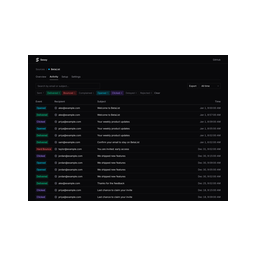
Sessy — Amazon SES observability adds an MCP endpoint to a self-hosted Sessy deployment, allowing compatible AI coding agents to query Amazon SES-related email data. Sessy’s web application provides visibility into deliveries, bounces, complaints, opens, clicks, and other email activity; the MCP interface exposes a subset of that information for agent workflows.

The email data exposed through MCP is read-only. Agents can search events, inspect an individual message’s delivery history, review bounce diagnostics, and retrieve aggregate statistics. They can also create and rename sources and obtain the SES configuration details needed to connect another application, including the webhook URL, configuration set name, and topic names.

How it works

The MCP endpoint is available at /mcp on the Sessy host. An agent authenticates with an API key created from Sessy’s API keys page, sending it as a bearer token. The repository gives a Claude Code example using HTTP transport and the instance URL, followed by an Authorization header.

This arrangement is useful for incident investigation and operational questions: an agent can locate relevant events, follow a message through its delivery timeline, examine a bounce, or compare aggregate results. Configuration tasks can use the source-management and SES-wiring capabilities, while retention changes and source deletion remain in the web interface rather than the MCP API.

Setup and configuration

Run a Sessy instance before connecting an agent. The documented Docker deployment publishes port 80, sets SECRET_KEY_BASE, optionally disables SSL for the container setup, and mounts the Rails storage volume. Docker, Kamal, and Dokku deployment paths are documented by the project, and a separate guide covers AWS SES configuration.

After deployment, create an API key in the web UI and follow the connection instructions at /docs/mcp on that instance. For a direct HTTP connection, use the /mcp URL and pass the key as a bearer token. If the host is behind Cloudflare or another CDN with bot protection, exempt /mcp from managed challenges; otherwise MCP client requests can fail.

HTTP Basic authentication does not authenticate this endpoint. MCP uses API keys, and enabling HTTP Basic later does not revoke keys that already exist, so review the API keys page after changing access controls.

Tools and capabilities

Sessy — Amazon SES observability provides capabilities for:

  • Searching email events.
  • Inspecting a message’s complete delivery timeline.
  • Reviewing bounce diagnostics.
  • Pulling aggregate delivery statistics.
  • Creating and renaming sources.
  • Fetching SES wiring details, including webhook, configuration set, and topic names.

These operations support read-only email investigation plus limited source and setup administration.

Limitations and notes

The MCP interface does not provide retention-setting controls or source deletion; those actions remain available in Sessy’s web UI. Access also depends on a reachable self-hosted instance and a valid API key. CDN bot protection must allow the /mcp path, and HTTP Basic credentials cannot replace MCP API-key authentication.

The repository describes the hosted version as still in development. Its self-hosting instructions and MCP connection model apply to an instance you operate. The project is released under the O'Saasy License, with separate licensing noted for some subdirectories such as the Claude and Cursor plugin packages.

Reviews

No reviews yet — be the first to share how it worked for you.

Frequently Asked Questions about Sessy — Amazon SES observability

Sessy — Amazon SES observability is an MCP server that connects AI coding agents to a self-hosted Sessy instance and Amazon SES email data. Its main tools search events, inspect message delivery timelines with bounce diagnostics, retrieve aggregate statistics, manage sources, and fetch SES wiring details.

Run a Sessy instance first, then create an API key in its web UI and connect an MCP client to the instance’s `/mcp` endpoint. The project documents Docker, Kamal, and Dokku deployment options; its Docker example sets `SECRET_KEY_BASE` and mounts persistent storage.

Use a Sessy API key as a bearer token in the `Authorization` header. Create the key on the instance’s API keys page, then follow `/docs/mcp`; HTTP Basic authentication is not used by the MCP endpoint.

Yes, Cursor is named as a supported AI coding agent in the project documentation. Connect it to the Sessy host’s `/mcp` HTTP endpoint and provide an API key as bearer-token authentication.

Bot protection can block MCP clients, so exempt the `/mcp` path from Cloudflare managed challenges or equivalent CDN bot protection. The endpoint still requires a valid Sessy API key.

Related MCP servers

Add a badge to your READMEShow it’s listed — live SVG, Markdown or HTML.

AllMCPs Directory Badge

Full Badge Customizer

Showcase your server listing on GitHub or your project documentation. Embed this dynamic SVG badge to highlight official listing status and live engagement.

Badge Style:
Live Dynamic SVG PreviewSessy — Amazon SES observability AllMCPs Directory Badge

Markdown (GitHub README)
[![AllMCPs](https://allmcps.com/api/badge/sessy-amazon-ses-observability?style=directory)](https://allmcps.com/mcp/sessy-amazon-ses-observability)
HTML Embed
<a href="https://allmcps.com/mcp/sessy-amazon-ses-observability"><img src="https://allmcps.com/api/badge/sessy-amazon-ses-observability?style=directory" alt="Sessy — Amazon SES observability on AllMCPs" /></a>
