Build, version and render resumes as PDFs from Claude or any MCP client.
Quick Install
Automated & IDE SetupCopy the AI prompt to install this server into Claude Code, Cursor, or another agent — or use 1-click editor setup below.
One-click editor setup isn’t available for this listing yet — we don’t have a confirmed install command, and we’d rather show nothing than point your editor at the wrong package or host. Follow the project’s own setup instructions, linked above.
Manual Client & Custom JSON ConfigExpand JSON ▾
No confirmed setup config for this listing yet. We only publish a config block when the install details come from the project itself — its README, its docs, or a verified owner. We haven’t found those for ResuStack, and we’d rather show nothing than a guess you’d paste into your client. Follow the project’s own setup instructions for the current steps.
Documentation Overview
ResuStack
ResuStack is an AI resume builder. Import a PDF or your LinkedIn profile, pick one of 14 designs, and edit by form or by chat — in the browser, or straight from Claude through its MCP server. Every change is reversible, and the PDF you download is rendered from the same template as the live preview.
🔗 Live: resustackapp.com
✨ Features
Resume builder
- PDF & LinkedIn import — upload an existing resume or a LinkedIn PDF; AI extracts and structures it
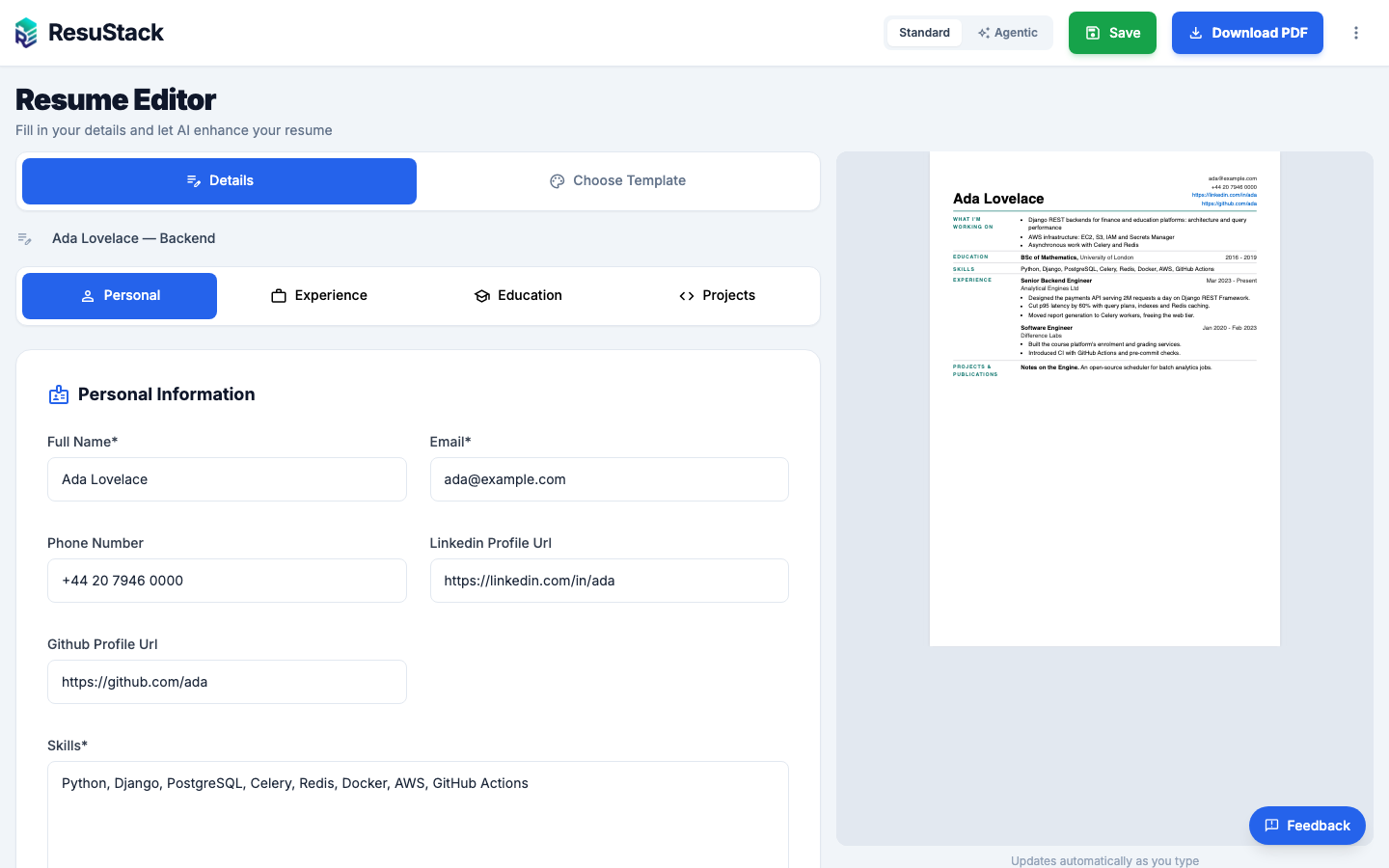
- Split-pane editor — the form on the left, a live preview on the right, with page breaks where the PDF will break
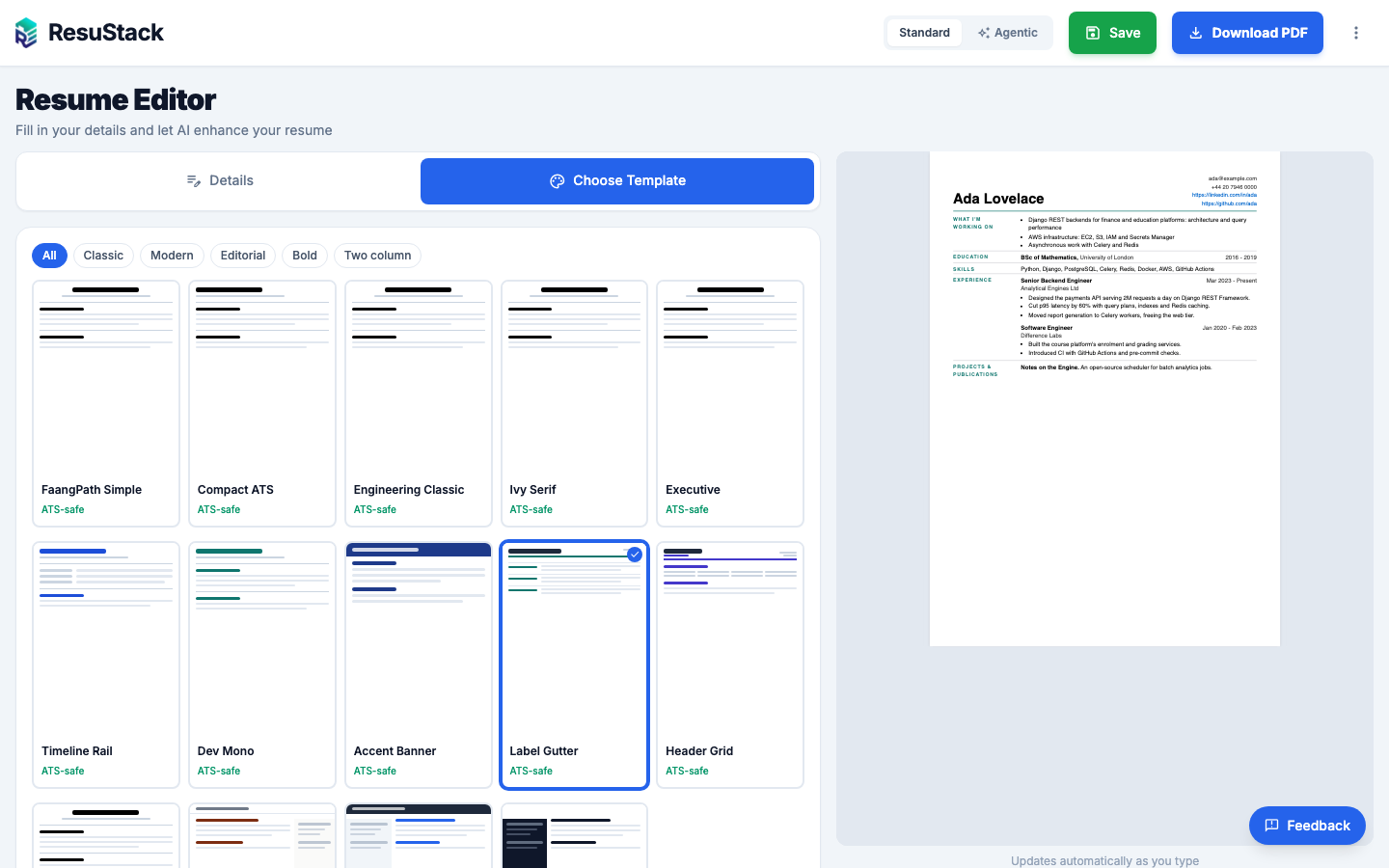
- 14 designs on 6 layouts — single column, banner, label gutter, header grid, left sidebar and right rail; ATS-safe designs are marked, and switching keeps your content
- English and Turkish resumes — headings, "Present", month names and degree phrasing print in the language the resume is written in
- "What I'm working on" — an optional section above Education, shown only when you tick it
- Sign in with Google — or with a username and password; email sign-ups confirm their address before using the AI features
- PDF export — rendered with WeasyPrint from the same template the preview uses
AI
- One-click enhance — rewrites experience and project descriptions into stronger bullet points
- Analyze and compare — score a resume and see where it is weak, or compare two versions
- Guided build — build a resume step by step through questions
Agentic mode
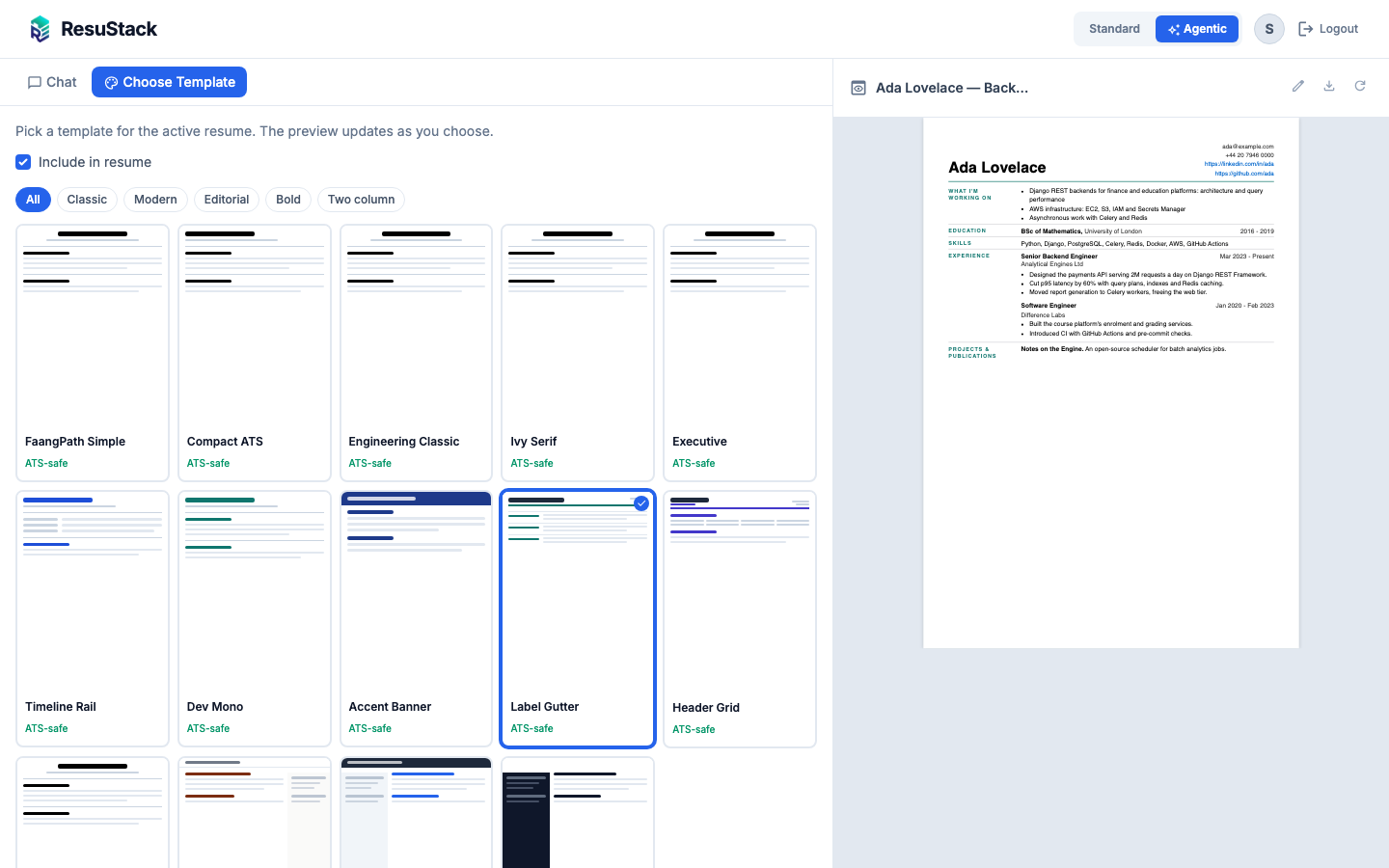
- Edit by chatting — "Make my last role sound more senior"; the agent uses tools, streams its progress and asks for approval before destructive actions
- Template pane — pick a design for the active resume without leaving the chat
- Undo — revert the last change from the conversation
Change history
- A restore point before every save and every AI or MCP edit
- Diff any version against the current one, and restore it — on every plan
Job applications
- Match a resume against a job posting and tailor a version for it
- Track applications, each with a snapshot of the exact resume you sent; clone a snapshot back into an editable resume
Language versions
- Translate a resume in place, or create a translated copy linked to the original
🤖 Use ResuStack from Claude (MCP)
ResuStack is a Model Context Protocol server. Claude — or any MCP client with Streamable HTTP and custom headers — writes the resume; ResuStack stores it, versions it and renders it.
1. Create a token. Sign in, open Profile → API token, and create one. It is shown once; replacing it revokes the old one. The Profile page also shows the endpoint address to use.
2. Add the server. With Claude Code:
Authentication is a bearer token only; session cookies are not accepted on this endpoint.
3. Ask. "List my resumes", "Switch my CV to the Label Gutter design and give me the PDF", "Fill What I'm working on from what we did this month."
Tools
| Tool | What it does |
|---|---|
list_resumes | Resumes on the account: id, title, language, template |
get_resume | The full stored content of one resume |
create_resume | Create a resume from structured content |
update_resume | Replace a resume's content (read it first — this is a replace, not a merge) |
set_focus_areas | Set only the "What I'm working on" section; the rest of the resume is untouched |
list_templates | The designs, with a description and whether each is ATS-safe |
set_template | Change a resume's design |
render_pdf | A download link for the PDF — single use, expires in 10 minutes |
check_quota | What the account has left this month |
Prompts
| Prompt | What it does |
|---|---|
focus_areas_from_my_work | Has the client's model summarise the work you have actually done — from the conversations it can see — into a few lines, show them to you, and save them with set_focus_areas only after you approve |
Safety rules
- Every write takes a restore point first; you can undo it on the website
- There is no delete tool — removing a resume stays on the website, where a person clicks
- Every query is scoped to the token's owner
- Rate limited per account
Listing in the MCP Registry
server.json at the repository root describes the server for the official MCP Registry as com.resustackapp/resustack. Publishing under that name requires proving ownership of resustackapp.com with a file served at /.well-known/mcp-registry-auth:
-
Generate a key pair locally. Never commit
key.pem(it is in.gitignore): -
Print the proof record and set it as the
MCP_REGISTRY_AUTHenvironment variable in Dokploy, then redeploy: -
Check it is live:
-
Log in and publish from the repository root:
Bump version in server.json (and SERVER_INFO in mcp_server/protocol.py) for each new listing.
📸 Screenshots
Editor — form, live preview and the template pane
Choosing a design
Agentic mode
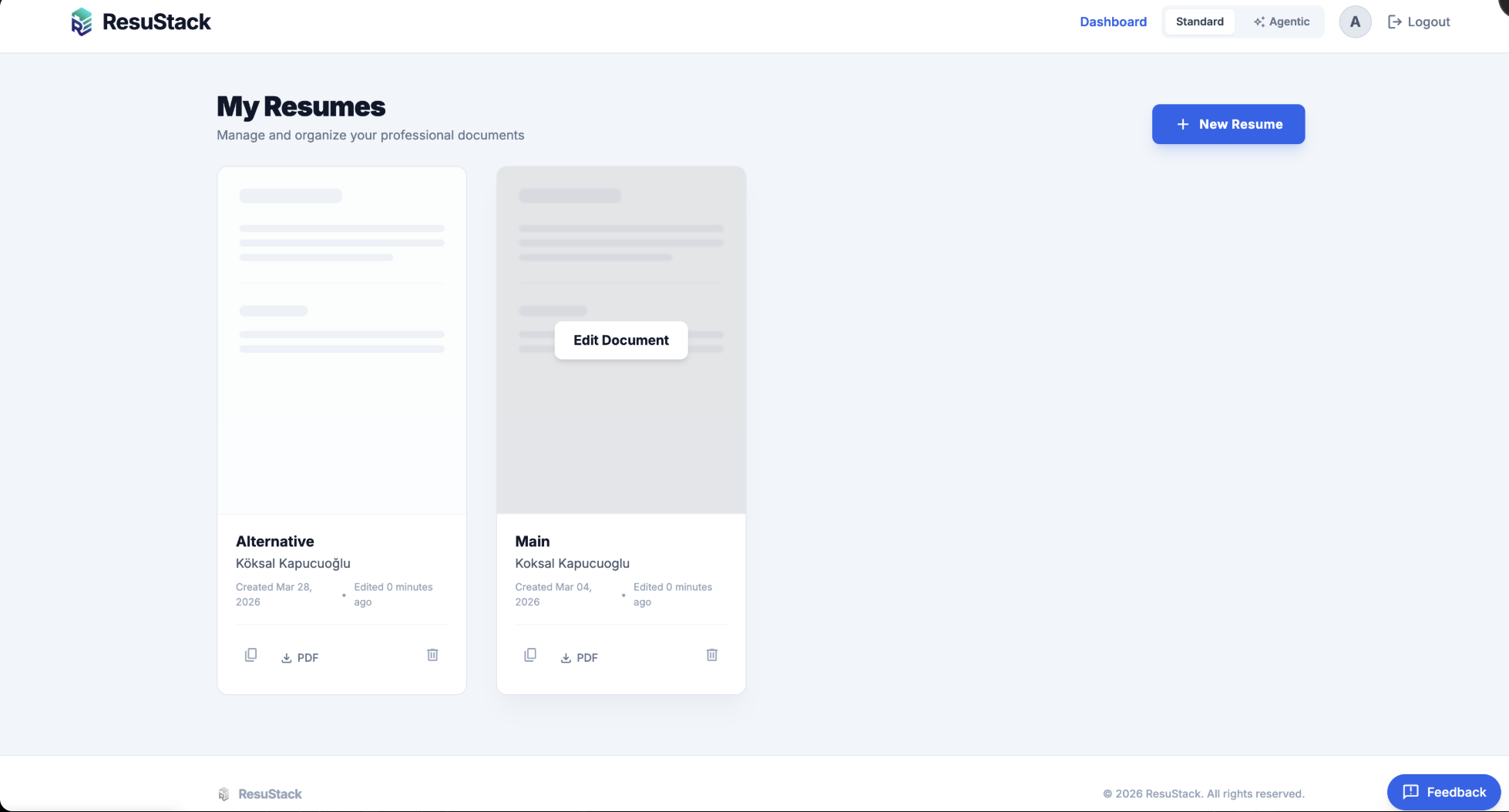
Dashboard
💳 Plans
Free to start. Pro is a one-time purchase for a period — no subscription.
| Free plan | Limit |
|---|---|
| Resumes | 3 |
| PDF or LinkedIn imports | 2 / month |
| AI enhancements | 10 / month |
| PDF downloads | 5 / month |
| Agent chat messages | 10 / month |
| Tracked applications | 3 |
| Restore points per resume | 5 |
Pro removes these limits. Current prices are on the pricing page. Limits live in FREE_TIER_LIMITS in core/settings.py.
🚀 Running locally
Prerequisites
- Docker & Docker Compose
- An OpenAI API key
1. Clone and configure
| Variable | Description | Example |
|---|---|---|
OPENAI_API_KEY | OpenAI API key | sk-proj-... |
SECRET_KEY | Django secret key | any long random string |
DEBUG | Debug mode | True |
ALLOWED_HOSTS | Allowed hosts | localhost,127.0.0.1 |
POSTGRES_DB / POSTGRES_USER / POSTGRES_PASSWORD | Database credentials | postgres |
POSTGRES_HOST / POSTGRES_PORT | Database address | db / 5432 |
EMAIL_HOST_USER / EMAIL_HOST_PASSWORD | SMTP credentials for password resets and email verification; for Gmail, an app password | you@gmail.com / app password |
EMAIL_HOST / EMAIL_PORT / EMAIL_USE_TLS / EMAIL_USE_SSL | SMTP server; defaults to Gmail (smtp.gmail.com, 587, TLS). For implicit TLS on 465, set EMAIL_USE_SSL=True | smtp.gmail.com / 587 / True / False |
DOWNLOAD_LINK_MAX_AGE | Seconds a signed PDF link stays valid (optional) | 600 |
GOOGLE_OAUTH_CLIENT_ID / GOOGLE_OAUTH_CLIENT_SECRET | Google sign-in; the button stays hidden until both are set (optional) | from Google Cloud Console |
DEFAULT_FROM_EMAIL | Sender for account emails; defaults to EMAIL_HOST_USER (optional) | ResuStack <you@gmail.com> |
MCP_REGISTRY_AUTH | MCP Registry domain proof served at /.well-known/mcp-registry-auth (optional, public key only) | v=MCPv1; k=ed25519; p=... |
PAYMENT_STATUS | coming_soon shows plans without taking payment; live enables checkout | coming_soon |
PAYMENT_PROVIDER, PAYMENT_WEBHOOK_SECRET, CHECKOUT_URL_*, PRODUCT_ID_* | Payment provider settings (optional) |
2. Start
The app runs at http://localhost:8000.
3. Run the tests
WeasyPrint and OpenAI are mocked in the unit tests; no API calls are made.
☁️ Deployment
Production runs on Dokploy. Every push to main triggers a deploy through a GitHub webhook: Dokploy builds the Dockerfile, and entrypoint.sh runs migrate and collectstatic before starting Gunicorn. Traefik handles HTTPS.
Setting it up on a new server:
- Install Dokploy:
curl -sSL https://dokploy.com/install.sh | sh - Open
http://YOUR_SERVER_IP:3000and create an admin account - Create a project → add an Application → connect this GitHub repository
- Add a PostgreSQL service in the same project
- Set the environment variables (see
.env.prod.example) and the domain, then deploy
Notes:
- Leave Dokploy's Run Command empty — the Dockerfile's
ENTRYPOINTdoes everything - Behind Cloudflare's proxy, set Dokploy's domain encryption to None and Cloudflare SSL to Full
- The image installs the fonts the resume designs use; nothing is fetched at render time
docker-compose.prod.yml and the Caddyfile are kept for self-hosting without Dokploy; they are not what production uses.
🔑 Google sign-in
Sign-in with Google uses django-allauth. ResuStack's own login, sign-up and password pages stay in charge; allauth adds only the Google flow.
Related MCP Servers
Reviews
No reviews yet — be the first to share how this listing worked for you.
Frequently Asked Questions about ResuStack
AllMCPs Directory Badge
Showcase your server listing on GitHub or your project documentation. Embed this dynamic SVG badge to highlight official listing status and live engagement.
Badge Style:
Live Dynamic SVG Preview
Markdown (GitHub README)
[](https://allmcps.com/mcp/resustack)HTML Embed
<a href="https://allmcps.com/mcp/resustack"><img src="https://allmcps.com/api/badge/resustack?style=directory" alt="ResuStack on AllMCPs" /></a>