Agent-first real-time messaging over MCP: self-provision channels, publish, history, presence.
Quick Install
Automated & IDE SetupCopy the AI prompt to install this server into Claude Code, Cursor, or another agent — or use 1-click editor setup below.
Manual Client & Custom JSON ConfigExpand JSON ▾
Client Config & Setup
Choose your client or environment
Target File:
💡 Paste the JSON block into your client's configuration file under mcpServers, then restart the application.
Documentation Overview
oddsockets




Real-time messaging for coding agents — pub/sub, presence and history your agent provisions itself, from the command line.
Prototype in one command. Ship the same channels to production — no rewrite.
Your agent can write the app but can't give it a real-time backbone without you stopping to wire up a messaging service. oddsockets is the CLI the agent runs itself: one install, and it signs up, mints its own key, and starts publishing and subscribing to live channels — the same channels that carry your production traffic. Zero dependencies.
Works with: Claude Code · Cursor · Cline · Windsurf · Aider · Codex · any terminal
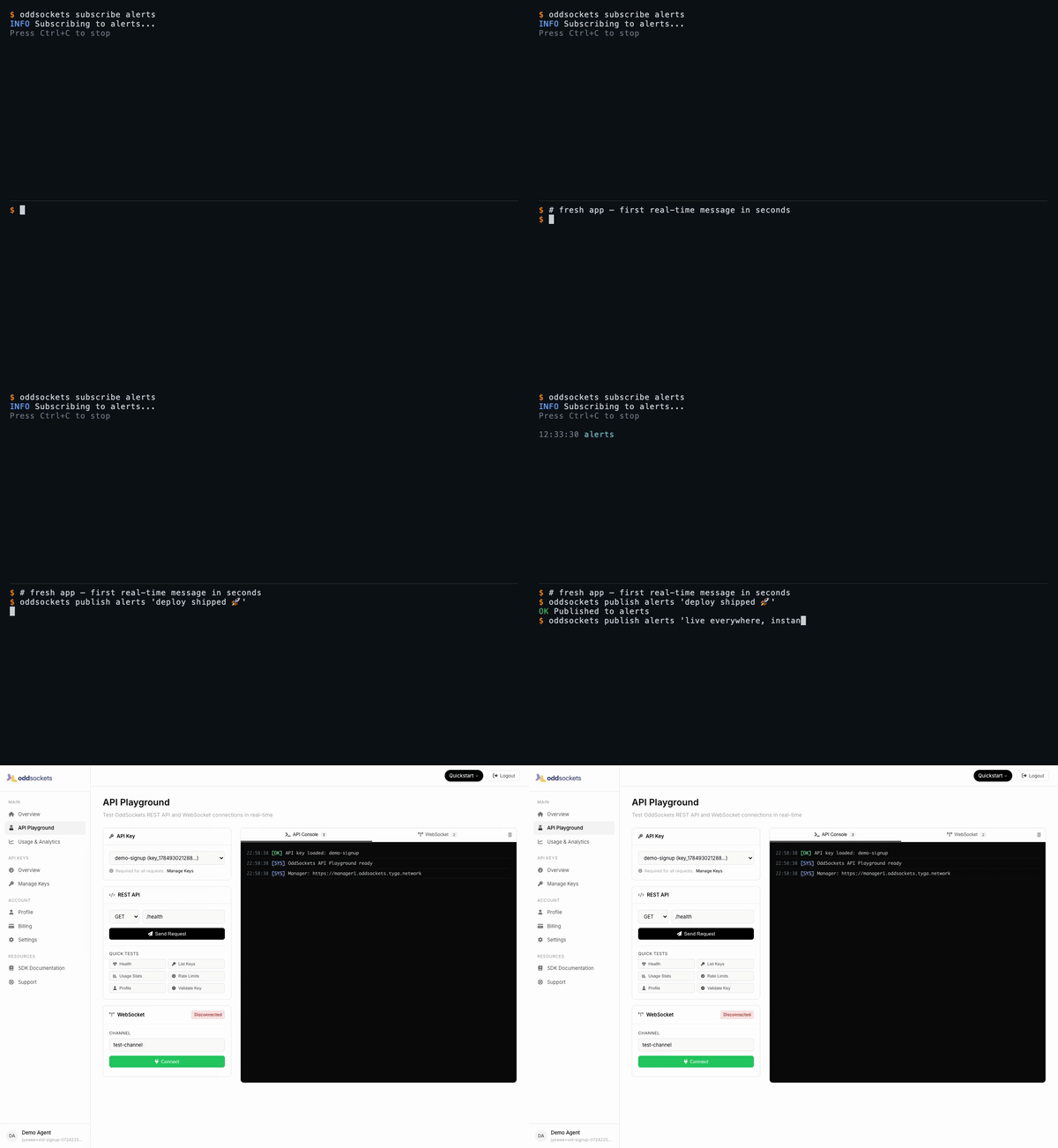
Signup to your first real-time message in 60 seconds — watch the full demo.
See it live
Each demo below is a real CLI session — a throwaway account, a real key, real messages over the live cluster — stitched to the developer dashboard showing that same traffic. Click any tab for the full-res video.
| Signup → first message | Live pub/sub | Who's online | Agent integration |
|---|---|---|---|
| 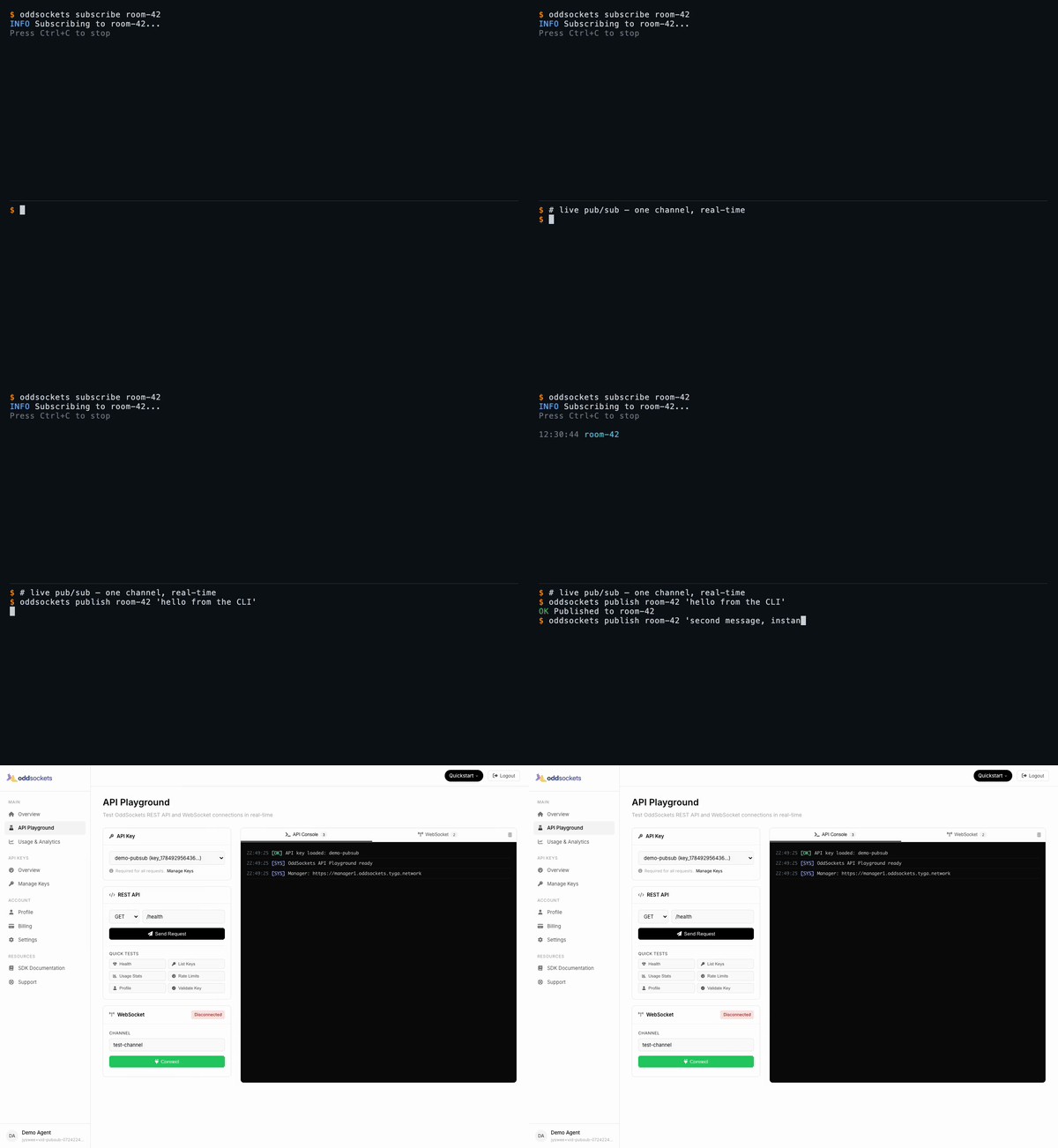 | 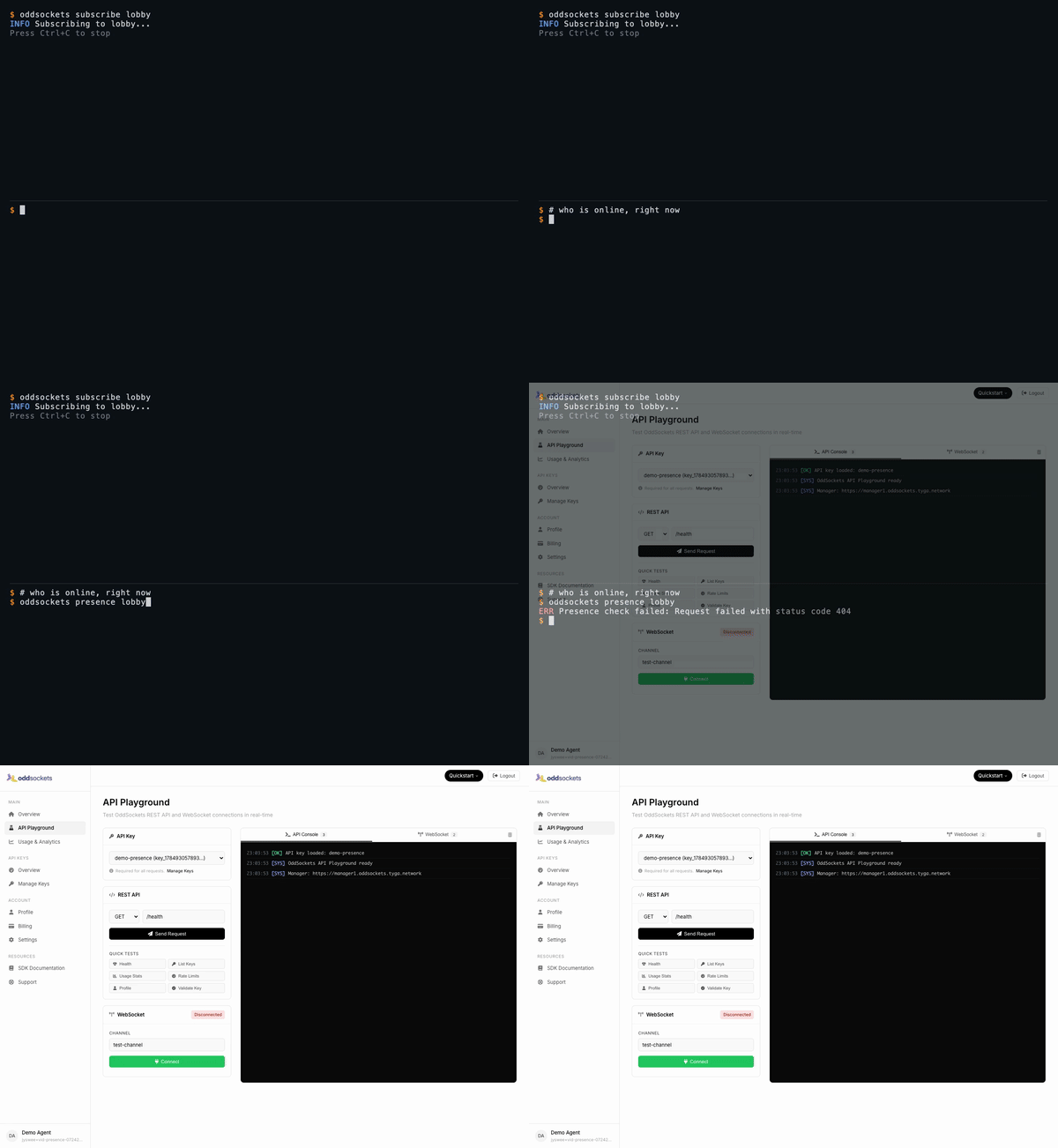 | 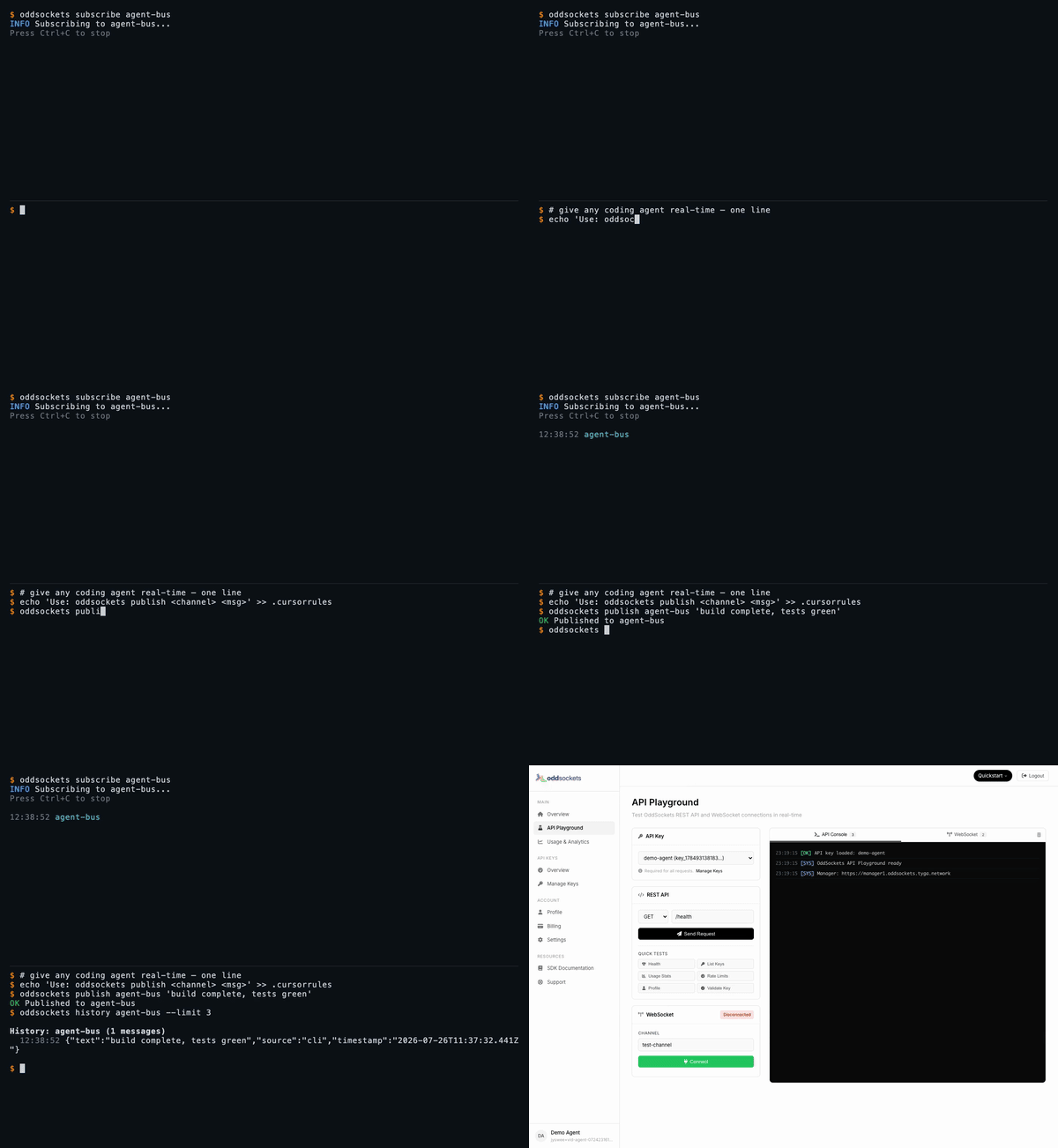 |
| Fresh app, first message in seconds | One channel, two messages, instant | Live member list | publish + history in one line |
Watch the full set on oddsockets.com →
Install
Quick Start
Pub/sub — one channel, real-time
The core primitive: publish to a channel, subscribe to tail it live. Every subscriber gets every message the instant it lands — no polling, no queue to run.
Presence — who's online, right now
Ask any channel who's connected. Presence is tracked server-side and updates in real time as clients join and leave.
History — replay what you missed
Channels keep a rolling message history, so a client that connects late (or your agent after a context reset) can catch up.
Agent Integration
Add to your CLAUDE.md, .cursorrules, .clinerules, or .windsurfrules:
MCP Server (remote)
Prefer tools over a CLI? No install needed — point Claude Web, Claude Desktop, Cursor, Cline, Windsurf, Raycast, or any MCP client at our hosted server and your agent gets 12 native tools: publish, history, presence, channels and API-key management.
No key yet? Connect keyless and call oddsockets_get_started, then oddsockets_signup to self-provision an app and mint your own key — then reconnect with the Bearer header to unlock every tool. Same account, same channels as the CLI.
Commands
Setup
| Command | Description |
|---|---|
oddsockets signup <app> [--email x] [--local] | Sign up, get instant API key |
oddsockets login --key KEY [--local] | Save existing API key |
oddsockets logout [--local] | Clear config |
oddsockets me | Account info + plan |
oddsockets status | Cluster health + platform stats |
Messaging
| Command | Description |
|---|---|
oddsockets publish <channel> "message" | Publish message |
oddsockets publish <channel> --file data.json | Publish from file |
oddsockets subscribe <channel> | Live tail (Ctrl+C to stop) |
oddsockets history <channel> [--limit 10] | Message history |
oddsockets presence <channel> | Channel members |
Channels
| Command | Description |
|---|---|
oddsockets channels | List channels |
oddsockets channel create <name> | Create channel |
oddsockets channel delete <name> | Delete channel |
API Keys
| Command | Description |
|---|---|
oddsockets keys | List API keys |
oddsockets key create "name" | Create new key |
oddsockets key revoke <id> | Revoke key |
Admin (superadmin)
Operator commands for running the whole platform from the CLI — fleet monitoring, tenant/key provisioning, session and security management. Credentials span three planes; save them once with oddsockets admin login (manager analytics key, worker dashboard basic-auth, and the tenant superadmin key). Every command supports --json for scripting, and the live monitors support --watch.
| Command | Description |
|---|---|
oddsockets admin login [--key K] [--tenant-key T] [--worker-url U --dashboard-pass P] | Save credentials for any plane |
oddsockets admin config | Show configured planes (redacted) |
oddsockets admin fleet [--watch] [--interval N] | Fleet health + per-worker traffic table |
oddsockets admin telemetry [--watch] | Live fleet telemetry (no key needed) |
oddsockets admin worker <id> [--watch] | Per-worker deep metrics (dashboard plane) |
oddsockets admin worker <id> <section> | One worker dashboard panel (all for every panel) |
oddsockets admin worker drain <id> --confirm | Deregister/drain a worker from the LB |
oddsockets admin worker redis-toggle <id> --confirm | Flip a worker's redis adapter |
oddsockets admin disk [--watch] | Manager disk cards (summary/usage/io) |
oddsockets admin cache [--watch] | Manager apikey cache hit-rate stats |
oddsockets admin analytics [mau|dau] [<apiKeyId>] [--watch] | MAU/DAU top tenants + per-key rollups |
oddsockets admin analytics history <apiKeyId> | 30-day MAU/DAU trend (dashboard charts) |
oddsockets admin session stats [--watch] | Sticky-session stats + per-worker counts |
oddsockets admin session get <id> | Inspect one session |
oddsockets admin session reassign <id> --confirm | Move a session off its worker |
oddsockets admin session cleanup --confirm | Purge stale sessions |
oddsockets admin apikey mint <name> [--plan P] | Provision a connectable tenant key |
oddsockets admin users [--worker URL] [--status S] | Live connected users (worker plane) |
oddsockets admin security status | Blocked + whitelisted IPs |
oddsockets admin security whitelist <ip> | Whitelist an IP (also unblocks it) |
oddsockets admin security block <ip> --confirm | Block an IP at the manager edge |
oddsockets admin security clear --confirm | Clear all blocked IPs |
Worker dashboard sections (admin worker <id> <section>): stats, channels, connections, telemetry, messages, recent, threads, dms, notifications, reactions, files, presence, receipts, disk, redis, or all.
Flags
--json— Machine-readable JSON output (every command)--key KEY— Override API key for one command--local— Use project-local config (.oddsockets/)--watch— Live-refresh admin monitors (fleet/worker/session/analytics)--interval N— Refresh interval in seconds for--watch(default 5)--confirm— Required for destructive admin ops (drain, block, cleanup, …)--help— Help
Config Priority
--keyflagODDSOCKETS_API_KEYenvironment variable.oddsockets/config.jsonin project directory~/.oddsockets/config.jsonin home directory
Pricing
7-day free trial on every plan. Card required (secure Stripe checkout), nothing charged during the trial — cancel before it ends and you pay nothing. Agents and the CLI get a 48-hour keyless window to prototype before a key is needed. Plans from $29/mo. Details.
SDKs
Related MCP Servers
Reviews
No reviews yet — be the first to share how this listing worked for you.
Frequently Asked Questions about Remote MCP
AllMCPs Directory Badge
Showcase your server listing on GitHub or your project documentation. Embed this dynamic SVG badge to highlight official listing status and live engagement.
Badge Style:
Live Dynamic SVG Preview
Markdown (GitHub README)
[](https://allmcps.com/mcp/remote-mcp)HTML Embed
<a href="https://allmcps.com/mcp/remote-mcp"><img src="https://allmcps.com/api/badge/remote-mcp?style=directory" alt="Remote MCP on AllMCPs" /></a>Technical Specs & Signals
CategoryCommunication
36Quality signal: Fair · 36/100How this signal is calculated ▾
Server availabilityNot measured
Not scored for repo-hosted servers — we can't reach the running server, only its GitHub page. Hosted MCP endpoints are health-checked live.
Verified ownership10/20
Documentation & tools11/30
Adoption & activity6/15
Community engagement0/10
A guidance signal from public completeness & health data — not a user rating. New listings start lower and rise as they add docs, get verified, and grow adoption. Signals we can't observe for a listing are skipped, not counted against it.
Own this project?
This directory is pre-filled from public sources. Claim via GitHub README, site badge, or DNS TXT to unlock edit access and the Official badge — proof is checked automatically, then reviewed by our team.
Free dofollow backlink: add your website and place the AllMCPs badge on it — no claim needed. We detect it automatically and keep it verified as long as the badge stays live.
Claim & get free dofollowShare & Embed
Add our SVG badge (dark/light directory styles) or embeddable widget to your site.