Redis MCP vs Dbx
A side-by-side look at the Redis MCP and Dbx MCP servers: transport, auth, tools, quality signals, and the config to install either one in Claude, Cursor, Windsurf or VS Code.
Verdict: choose Redis MCP for databases work as a local process; choose Dbx for databases as a local process. You can also run both side by side in one mcpServers block.
Which MCP server should you choose?
 Choose Redis MCP when
- You need dedicated capabilities in the Databases domain.
- You prefer a local stdio subprocess transport.
- You have the keys it needs:
UPSTASH_REDIS_REST_URL, UPSTASH_REDIS_REST_TOKEN, UPSTASH_REDIS_TCP_URL, REDIS_URL. - You want tools like
redis_run_commands, redis_search_docs.
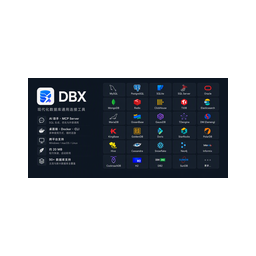 Choose Dbx when
- You need dedicated capabilities in the Databases domain.
- You prefer a local stdio subprocess transport.
Feature & specification comparison
Rows where the two servers differ are marked.
| Spec | ||
|---|---|---|
| Category | Databases | Databases |
| Quality signal | 55/100 · Good | 53/100 · Good |
| Install command | Confirmed | Confirmed |
| Transport | Local subprocess (stdio) | Local subprocess (stdio) |
| Auth | Not declared | Not declared |
| Pricing | Not declared | Free |
| Required env vars | UPSTASH_REDIS_REST_URLUPSTASH_REDIS_REST_TOKENUPSTASH_REDIS_TCP_URLREDIS_URL | None listed |
| Verified owner | Community listing | Community listing |
| GitHub stars | 0 | 27,629 |
| Directory activity | 2 views 0 installs 0 upvotes | 6 views 0 installs 0 upvotes |
| Tools | 2 | Not listed |
| Full listing | View Redis MCP | View Dbx |
Tools & capabilities
Redis MCP tools 2
redis_run_commandsRun one or more Redis commands against an Upstash Redis database (this server is ONLY for Upstash Redis). Commands are sent over HTTP/REST or native TCP depending on how the target database is configured — you don't choose the transport. By default multiple commands run as a pipeline: each returns its own result/error, and one failure does not abort the others. Set transaction:true to run them atomically (MULTI/EXEC). For discovery prefer SCAN over KEYS, and use TYPE to inspect a key. A valid command that fails (e.g. WRONGTYPE) returns a per-command error while the rest of the pipeline still runs; a malformed/unknown command can cause the whole request to be rejected. Upstash Redis Search runs through THIS tool via SEARCH.* commands (SEARCH.LISTINDEXES/CREATE/QUERY/AGGREGATE/COUNT/DESCRIBE) — NOT RediSearch's FT.*; filters/aggregations are JSON strings. If you don't know the index name, run SEARCH.LISTINDEXES first; then SEARCH.DESCRIBE <index> for field names/types, and call redis_search_docs for syntax. Three gotchas: (1) a filter applies to ALL indexed documents unless you scope it, e.g. {"type":"story"} — an empty {} counts every type; (2) a plain text value like {"title":"x"} does fuzzy/smart matching, so for an exact word or adjacent phrase use {"title":{"$phrase":"x"}}; (3) add SELECT <n> field... to a query to return only the fields you need instead of whole documents.redis_search_docsLook up **Upstash Redis** documentation — any command, feature, option, or syntax. Covers the whole Upstash Redis surface: core Redis commands, the REST API, pipelines/transactions, and Upstash-specific features. This INCLUDES Upstash Redis Search — the SEARCH.* full-text family (SEARCH.CREATE / SEARCH.QUERY / SEARCH.AGGREGATE / SEARCH.COUNT / ...), whose JSON-based index schema and query syntax are Upstash-specific and DIFFER from Redis Labs' RediSearch FT.*, so they are unlikely to be in your training data — verify them here. Reach for this whenever you're unsure about a command, option, or syntax, and ALWAYS before writing a SEARCH.* command. Pass a natural-language query.
Dbx tools
No tool names declared yet. Check the project README from the listing page.
Ready-to-paste client configs
Paste either block (or both) into your client config, e.g. claude_desktop_config.json or ~/.cursor/mcp.json. We only show a config when the install command is confirmed.
Redis MCP
{
  "mcpServers": {
    "redis-mcp": {
      "command": "npx",
      "args": [
        "-y",
        "@upstash/redis-mcp"
      ],
      "env": {
        "UPSTASH_REDIS_REST_URL": "YOUR_UPSTASH_REDIS_REST_URL_HERE",
        "UPSTASH_REDIS_REST_TOKEN": "YOUR_UPSTASH_REDIS_REST_TOKEN_HERE",
        "UPSTASH_REDIS_TCP_URL": "YOUR_UPSTASH_REDIS_TCP_URL_HERE",
        "REDIS_URL": "YOUR_REDIS_URL_HERE"
      }
    }
  }
}
Dbx
{
  "mcpServers": {
    "dbx": {
      "command": "npx",
      "args": [
        "-y",
        "@dbx-app/mcp-server"
      ]
    }
  }
}
Frequently asked questions
Redis MCP is categorized under Databases and uses a local stdio subprocess. Dbx belongs to Databases and uses a local stdio subprocess. Pick Redis MCP for databases work and Dbx for databases.
Copy the mcpServers block from the config section on this page into your client's config (for example claude_desktop_config.json or ~/.cursor/mcp.json), then fully restart the client.
Redis MCP has no declared pricing — check the project's own site. Dbx is listed as free. If a server needs environment variables such as API keys, define them under the env key in your client's MCP config.
Yes. MCP clients support multiple servers: add redis-mcp and dbx as separate keys in the same mcpServers object, and your assistant will call tools from either one.
On AllMCPs, Redis MCP has a quality signal of 55/100 (Good) with 2 views, 0 installs and 0 GitHub stars. Dbx has 53/100 (Good) with 6 views, 0 installs and 27,629 GitHub stars.