MCP server to run JMeter tests and analyze results with metrics, bottleneck detection, and reports.
Quick Install
Automated & IDE SetupCopy the AI prompt to install this server into Claude Code, Cursor, or another agent — or use 1-click editor setup below.
Not yet automatically verified
We haven't yet run this listing's install command through our automated sandbox check. This isn't a red flag — we're steadily working through the catalog.
Manual Client & Custom JSON ConfigExpand JSON ▾
Client Config & Setup
Choose your client or environment
Target File:
💡 Paste the JSON block into your client's configuration file under mcpServers, then restart the application.
Overview
Use cases
Execute JMeter tests in non-GUI mode for automated performance testing
Launch JMeter GUI for test development and debugging
Analyze JMeter JTL result files to extract performance metrics
Identify performance bottlenecks and error-prone endpoints
Generate visualizations and HTML reports of test results
Key features
Run JMeter tests in GUI and non-GUI modes
Parse XML and CSV JTL files with streaming support
Calculate overall, endpoint-specific, and time series metrics
Detect slow endpoints, errors, and response time anomalies
Provide performance improvement recommendations
Create visual graphs and comprehensive HTML reports
Capabilities & Tool Schemas
Inspect callable tools, capabilities, and parameters exposed to AI agents by Jmeter MCP Server.
Extracted Tool Capabilities
Run JMeter tests in GUI and non-GUI modes
Parse XML and CSV JTL files with streaming support
Calculate overall, endpoint-specific, and time series metrics
Detect slow endpoints, errors, and response time anomalies
Provide performance improvement recommendations
Create visual graphs and comprehensive HTML reports
Documentation Overview
🚀 JMeter MCP Server
This is a Model Context Protocol (MCP) server that allows executing JMeter tests through MCP-compatible clients and analyzing test results.
[!IMPORTANT] 📢 Looking for an AI Assistant inside JMeter? 🚀 Check out Feather Wand
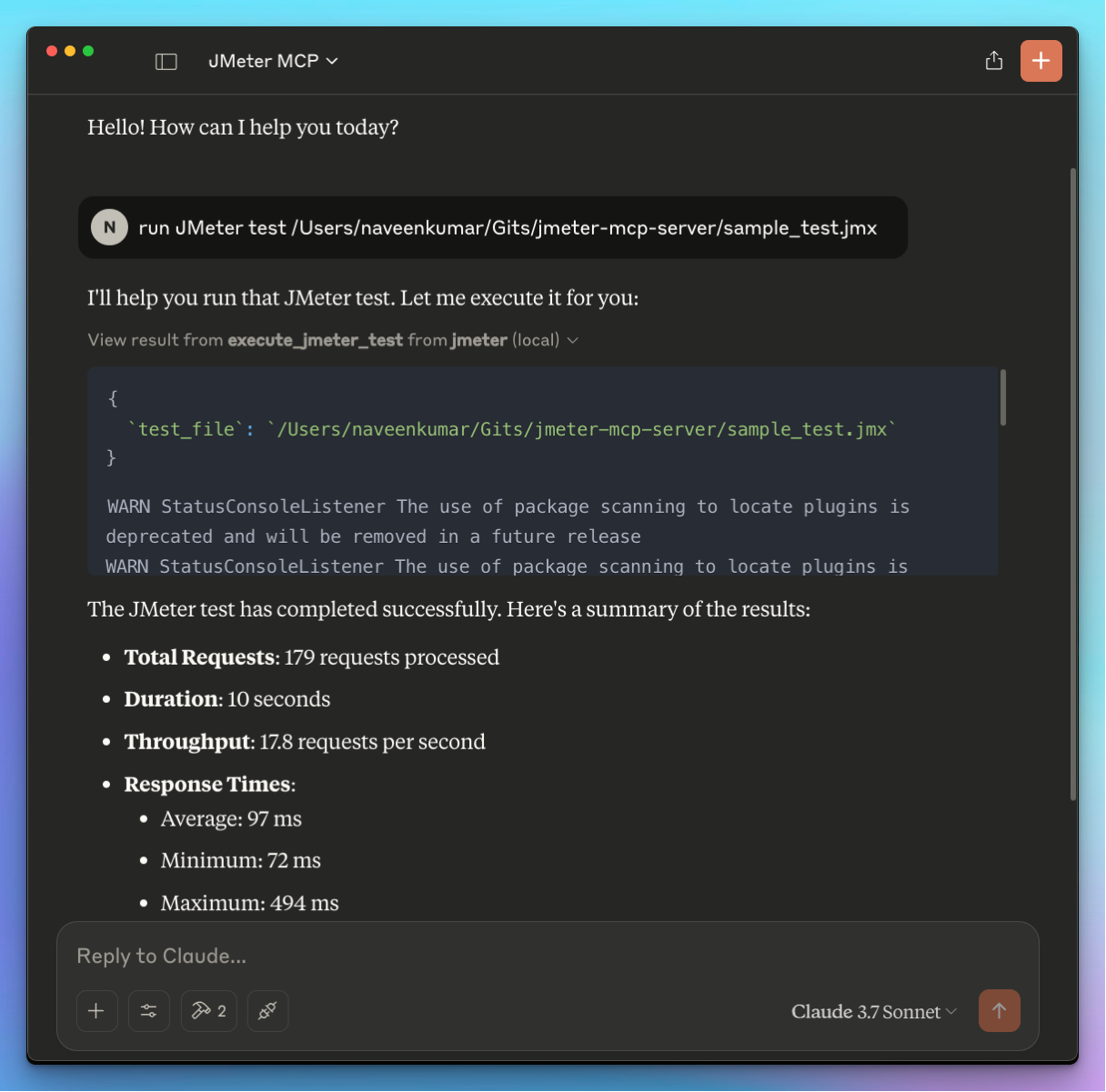
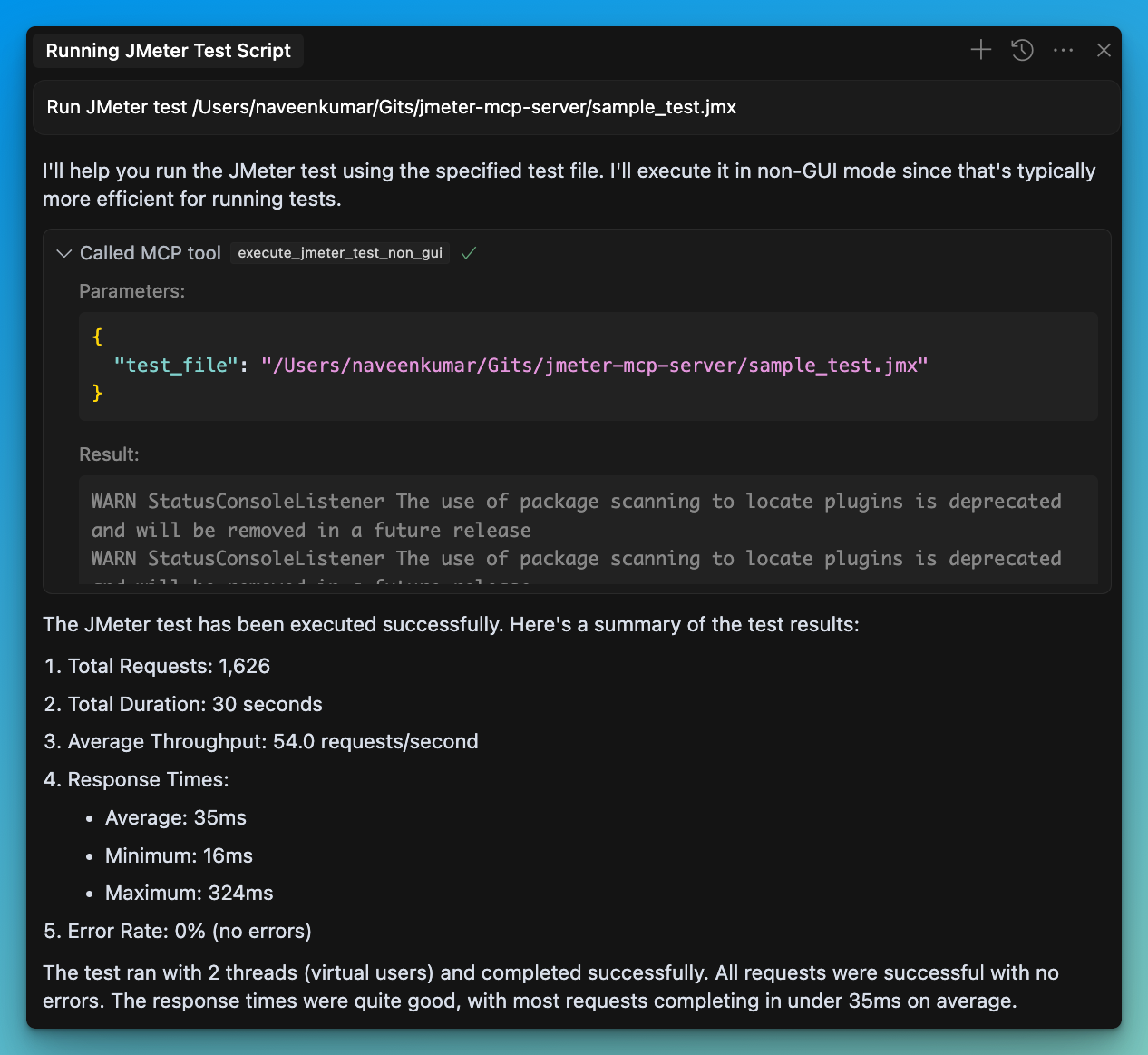
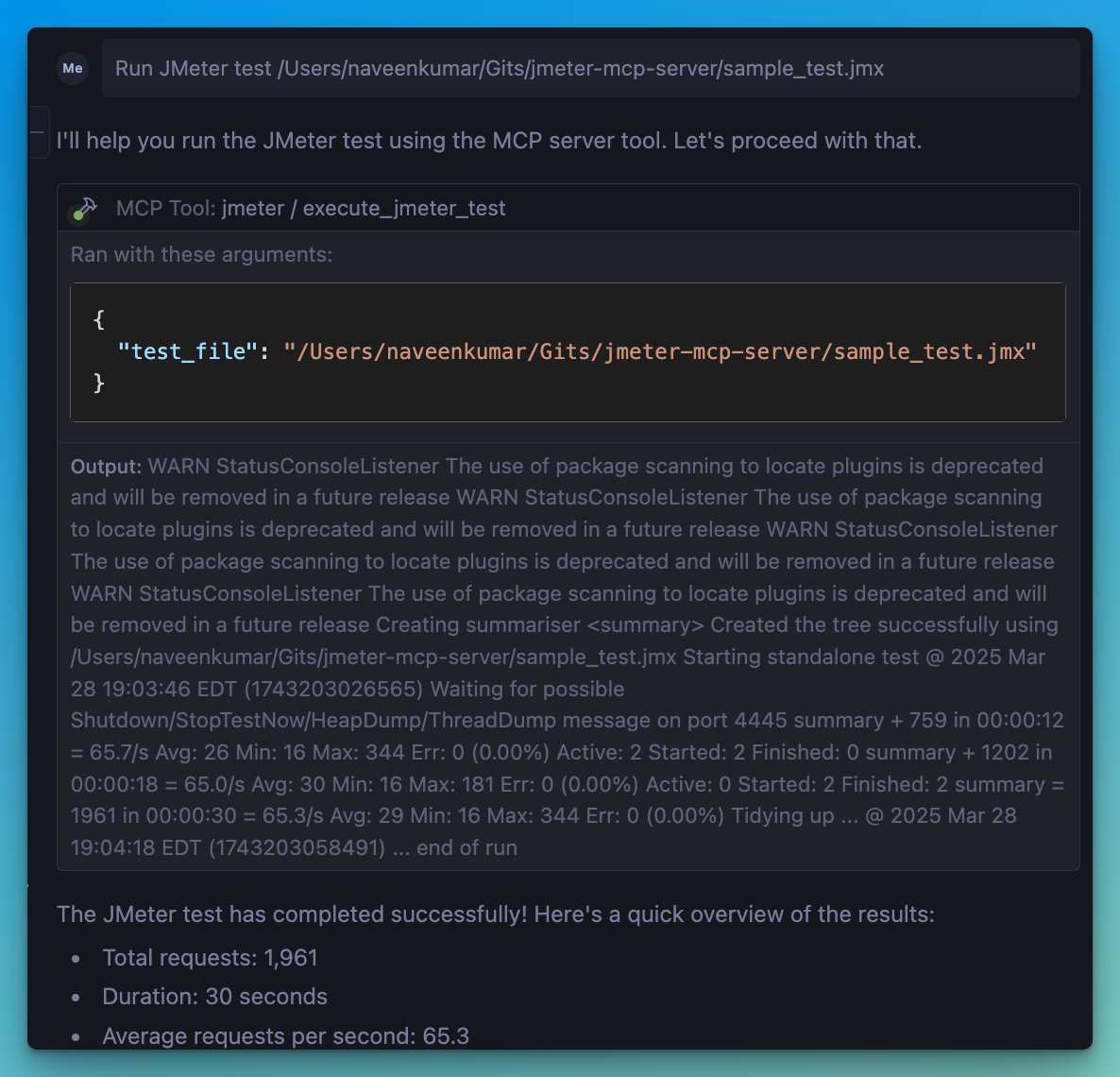
📋 Features
JMeter Execution
- 📊 Execute JMeter tests in non-GUI mode
- 🖥️ Launch JMeter in GUI mode
- 📝 Capture and return execution output
- 📊 Generate JMeter report dashboard
Test Results Analysis
- 📈 Parse and analyze JMeter test results (JTL files)
- 📊 Calculate comprehensive performance metrics
- 🔍 Identify performance bottlenecks automatically
- 💡 Generate actionable insights and recommendations
- 📊 Create visualizations of test results
- 📑 Generate HTML reports with analysis results
🛠️ Installation
Local Installation
-
Install
uv: -
Ensure JMeter is installed on your system and accessible via the command line.
⚠️ Important: Make sure JMeter is executable. You can do this by running:
- Install required Python dependencies:
- Configure the
.envfile, refer to the.env.examplefile for details.
💻 MCP Usage
-
Connect to the server using an MCP-compatible client (e.g., Claude Desktop, Cursor, Windsurf)
-
Send a prompt to the server:
- MCP compatible client will use the available tools:
JMeter Execution Tools
- 🖥️
execute_jmeter_test: Launches JMeter in GUI mode, but doesn't execute test as per the JMeter design - 🚀
execute_jmeter_test_non_gui: Execute a JMeter test in non-GUI mode (default mode for better performance)
Test Results Analysis Tools
- 📊
analyze_jmeter_results: Analyze JMeter test results and provide a summary of key metrics and insights - 🔍
identify_performance_bottlenecks: Identify performance bottlenecks in JMeter test results - 💡
get_performance_insights: Get insights and recommendations for improving performance - 📈
generate_visualization: Generate visualizations of JMeter test results
🏗️ MCP Configuration
Add the following configuration to your MCP client config:
✨ Use Cases
Test Execution
- Run JMeter tests in non-GUI mode for better performance
- Launch JMeter in GUI mode for test development
- Generate JMeter report dashboards
Test Results Analysis
- Analyze JTL files to understand performance characteristics
- Identify performance bottlenecks and their severity
- Get actionable recommendations for performance improvements
- Generate visualizations for better understanding of results
- Create comprehensive HTML reports for sharing with stakeholders
🛑 Error Handling
The server will:
- Validate that the test file exists
- Check that the file has a .jmx extension
- Validate that JTL files exist and have valid formats
- Capture and return any execution or analysis errors
📊 Test Results Analyzer
The Test Results Analyzer is a powerful feature that helps you understand your JMeter test results better. It consists of several components:
Parser Module
- Supports both XML and CSV JTL formats
- Efficiently processes large files with streaming parsers
- Validates file formats and handles errors gracefully
Metrics Calculator
- Calculates overall performance metrics (average, median, percentiles)
- Provides endpoint-specific metrics for detailed analysis
- Generates time series metrics to track performance over time
- Compares metrics with benchmarks for context
Bottleneck Analyzer
- Identifies slow endpoints based on response times
- Detects error-prone endpoints with high error rates
- Finds response time anomalies and outliers
- Analyzes the impact of concurrency on performance
Insights Generator
- Provides specific recommendations for addressing bottlenecks
- Analyzes error patterns and suggests solutions
- Generates insights on scaling behavior and capacity limits
- Prioritizes recommendations based on potential impact
Visualization Engine
- Creates time series graphs showing performance over time
- Generates distribution graphs for response time analysis
- Produces endpoint comparison charts for identifying issues
- Creates comprehensive HTML reports with all analysis results
📝 Example Usage
Related MCP Servers
Adoption & maintenance
Factual signals from GitHub, npm, and our automated checks — not a rating.
GitHub stars
73
Stargazers on the source repository.
npm downloads
2.6k
Package downloads in the last 30 days.
Last commit
1y ago
Most recent push to the default branch.
Directory activity
1 views
Config copies, upvotes, and views on AllMCPs.
Reviews
No reviews yet — be the first to share how this listing worked for you.
Frequently Asked Questions about Jmeter MCP Server
AllMCPs Directory Badge
Showcase your server listing on GitHub or your project documentation. Embed this dynamic SVG badge to highlight official listing status and live engagement.
Badge Style:
Live Dynamic SVG Preview
Markdown (GitHub README)
[](https://allmcps.com/mcp/qainsights-jmeter-mcp-server)HTML Embed
<a href="https://allmcps.com/mcp/qainsights-jmeter-mcp-server"><img src="https://allmcps.com/api/badge/qainsights-jmeter-mcp-server?style=directory" alt="Jmeter MCP Server on AllMCPs" /></a>