Nutrient Document Engine MCP Server
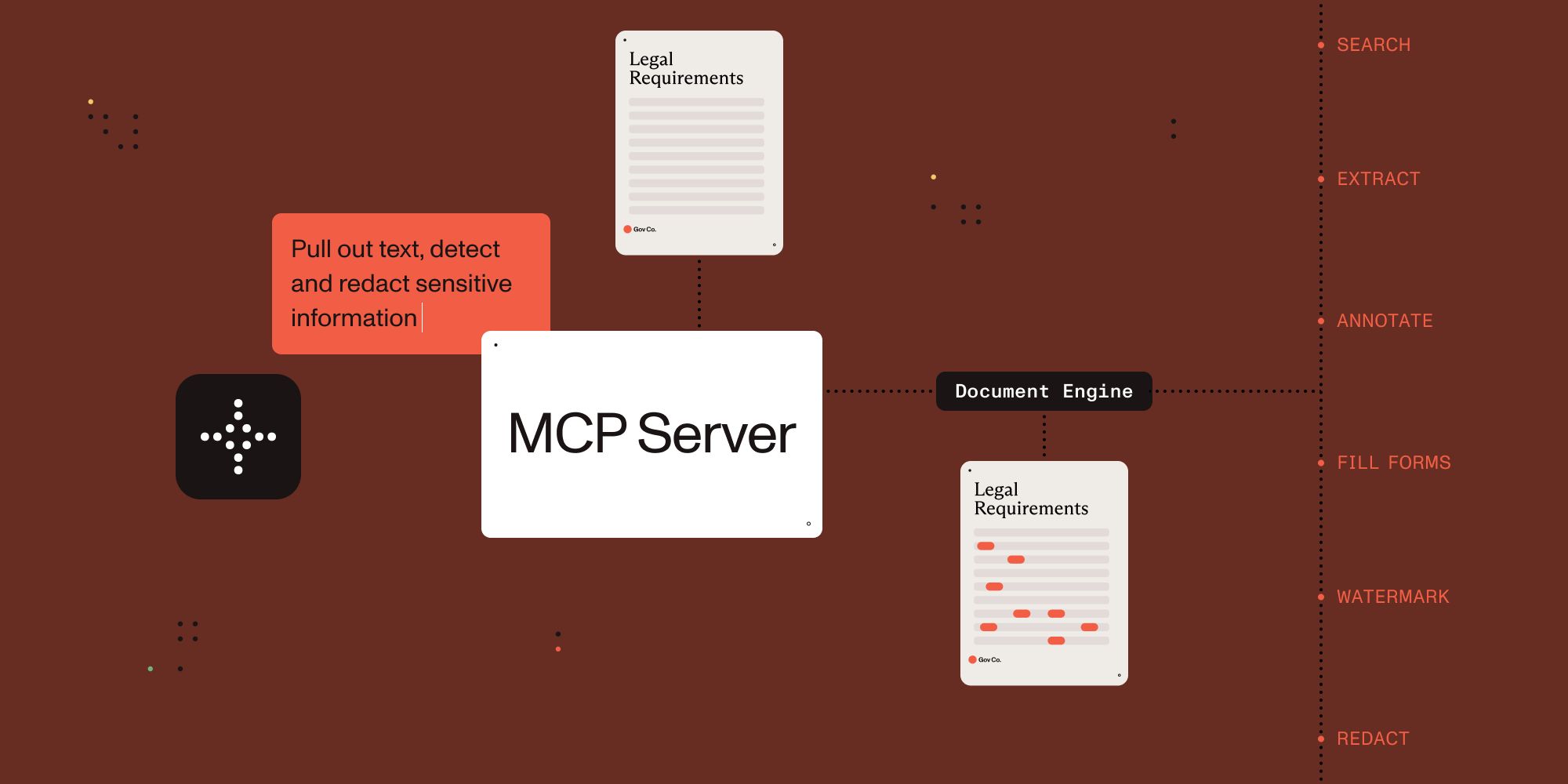

Connect AI agents to document processing.
This MCP server exposes document processing capabilities through natural language, supporting both direct human interaction and AI agent tool calling.
Which MCP Server Should I Use?
| Server | Best for | Deployment | Core capabilities |
|---|---|---|---|
| Nutrient DWS MCP Server | Cloud document workflows | Nutrient-hosted API (API key) | Convert, OCR, redact, sign, extract, watermark, automation |
| Nutrient Document Engine MCP Server | Self-hosted document workflows | On-prem/private cloud | Document processing with deployment control and data residency |
You are in the Document Engine MCP Server repo. Choose this when you need self-hosted/on-prem document workflows and deployment control.
- Ecosystem overview: Nutrient AI Infrastructure
- Product landing page: Nutrient MCP Server
Example Conversations
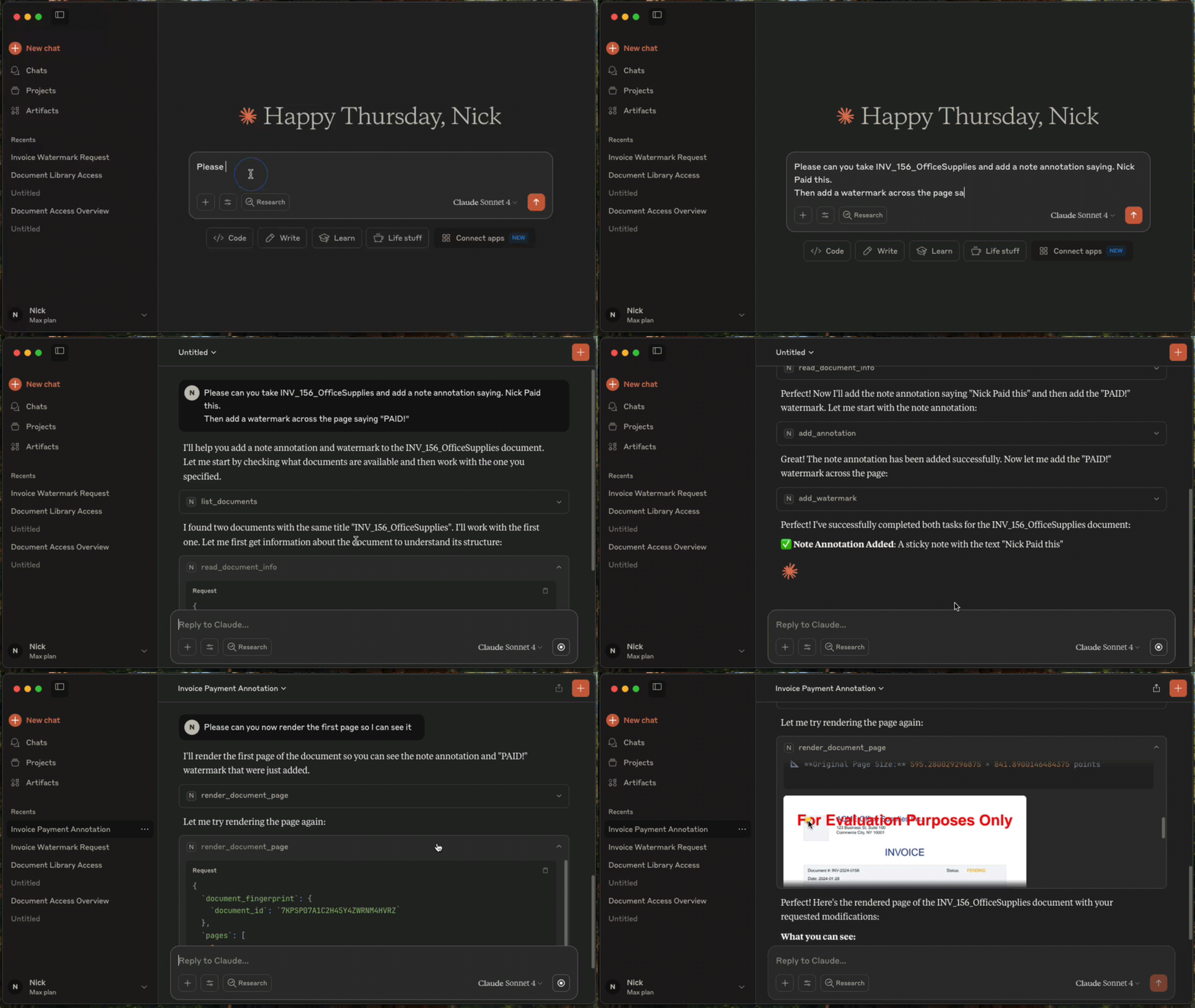
Once configured, you (or your agent) can interact with documents through natural language:
You: "What documents do I have available?"
AI: "I can see you have 3 documents: annual-report.pdf, contract-draft.pdf, and tax-form-2023.pdf. Would you like me to analyze any of these?"
You: "Extract all the names and phone numbers from these invoices"
AI: "I found 12 contacts: John Smith (555-0123), Sarah Johnson (555-0456)..."
You: "Redact all social security numbers from these tax forms"
AI: "I've identified and redacted 3 SSNs across 2 documents. The redacted versions are ready."
You: "Split this 50-page contract into separate sections"
AI: "I've split the contract into 5 sections: Terms (pages 1-8), Payment (pages 9-15)..."
Setup with Claude Desktop
Prerequisites
- Claude Desktop - Download from Anthropic.
- Docker Compose - Download from Docker. For running Nutrient Document Engine locally.
- Node.js 18+ - This MCP server runs via
npx.
Licensing
Nutrient Document Engine runs with an evaluation license by default. Please see Removing Evaluation Limitations section on how to remove the evaluation limitations.
1. Start Nutrient Document Engine
Open a terminal window, then run:
git clone https://github.com/PSPDFKit/nutrient-document-engine-mcp-server.git
cd nutrient-document-engine-mcp-server
docker-compose up -d
2. Connect Claude Desktop
Add this to your Claude Desktop config (Settings → Developer → Edit Config):
{
  "mcpServers": {
    "nutrient-document-engine": {
      "command": "npx",
      "args": ["-y", "@nutrient-sdk/document-engine-mcp-server"],
      "env": {
        "DASHBOARD_USERNAME": "admin",
        "DASHBOARD_PASSWORD": "password",
        "DOCUMENT_ENGINE_BASE_URL": "http://localhost:5000",
        "DOCUMENT_ENGINE_API_AUTH_TOKEN": "secret"
      }
    }
  }
}
3. Restart Claude Desktop
4. Upload and Process Documents
- Open your web browser and go to http://localhost:5100/dashboard.
- Upload the documents you want to work with by using the drag-and-drop interface.
- Switch back to Claude Desktop and ask questions like: "List my documents and extract text from the contract"
HTTP Transport Security
The optional HTTP transport binds to 127.0.0.1 by default. A non-loopback MCP_HOST requires
MCP_HTTP_AUTH_TOKEN; the server refuses to start without a nonempty token. Clients must send the
token on every /mcp request as Authorization: Bearer <token>. If a token is set for a loopback
HTTP server, /mcp requires it there too. This token does not protect /health or /dashboard;
dashboard access uses DASHBOARD_USERNAME and DASHBOARD_PASSWORD.
# Local-only HTTP transport; no MCP bearer token required.
MCP_TRANSPORT=http npx @nutrient-sdk/document-engine-mcp-server

# Network-accessible HTTP transport; bearer authentication is required.
MCP_TRANSPORT=http MCP_HOST=0.0.0.0 MCP_HTTP_AUTH_TOKEN=replace-with-a-secret \
  npx @nutrient-sdk/document-engine-mcp-server
The default stdio transport is unchanged and never requires MCP_HTTP_AUTH_TOKEN.
Features
This MCP server provides document processing tools in these areas:
Content Access: Extract text, search documents, render pages as images, extract form data and table structures.
Document Editing: Split documents, add watermarks, duplicate documents, fill PDF forms.
Security: Create and apply redactions for sensitive data using preset patterns (SSNs, credit cards, etc.) or custom regex.
Annotations: Add, read, and delete document annotations including highlights, notes, and stamps.
System: Document discovery, metadata retrieval, and health monitoring.
Use with Other AI Platforms
This MCP server works with any AI platform that supports the Model Context Protocol:
- Claude Desktop - Quick setup with the configuration above.
- LangGraph - Integrate with LangGraph agents for complex workflows.
- OpenAI APIs - Connect through MCP-compatible frameworks.
- Custom agents - Any MCP-compatible AI system.
Examples and Documentation
Examples
- LangGraph Document Processing - Workflow examples for contract processing, form filling, and report generation.
- OpenAI Agents SDK Document Processing - Workflow examples for contract processing, form filling, and report generation.
- Document Chat Interface - Web application with React and LangGraph.
- Procurement AI Agent - An AI Agent written with Langgraph.js, that classifies and collates POs, invoices, and payment documents into groups and flags for human review
Documentation
- Configuration Guide - Environment variables, transport modes, dashboard.
- Features Reference - Detailed description of all document processing tools.
- Evaluation Framework - Testing and benchmarking tools.
Removing Evaluation Watermarks and Limitations
Document Engine runs in evaluation mode with limitations by default. To remove them:
- Contact Sales to purchase a license from Nutrient
- Configure your license by setting the
ACTIVATION_KEYenvironment variable in your Docker Compose configuration or Document Engine setup - Restart Document Engine to apply the license
For detailed licensing configuration, see the Document Engine licensing guide.
Server Based Document Engine Setups
On-Premise Installation: Follow the Nutrient Document Engine installation guide.
Managed Cloud: Use a hosted Document Engine instance - setup guide.
Contributing
We welcome contributions! See CONTRIBUTING.md for development setup, testing guidelines, and how to submit pull requests.
License
MIT License - see LICENSE file for details.