Prism Coder vs RAWThink
A side-by-side look at the Prism Coder and RAWThink MCP servers: transport, auth, tools, quality signals, and the config to install either one in Claude, Cursor, Windsurf or VS Code.
Verdict: choose Prism Coder for knowledge & memory work as a local process; choose RAWThink for knowledge & memory as a local process. You can also run both side by side in one mcpServers block.
Which MCP server should you choose?
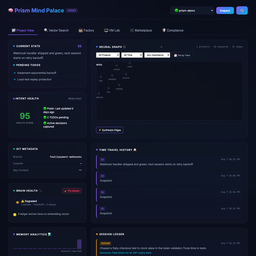 Choose Prism Coder when
- You need dedicated capabilities in the Knowledge & Memory domain.
- You prefer a local stdio subprocess transport.
- Its auth model fits you: No auth required.
- You want tools like
brave_web_search, brave_web_search_code_mode, brave_local_search.
 Choose RAWThink when
- You need dedicated capabilities in the Knowledge & Memory domain.
- You prefer a local stdio subprocess transport.
- You want tools like
search_thoughts, get_session, store_thought.
Feature & specification comparison
Rows where the two servers differ are marked.
| Spec | ||
|---|---|---|
| Category | Knowledge & Memory | Knowledge & Memory |
| Quality signal | 69/100 · Great | 49/100 · Fair |
| Install command | Confirmed | Confirmed |
| Transport | Local subprocess (stdio) | Local subprocess (stdio) |
| Auth | No auth required | Not declared |
| Pricing | Freemium | Not declared |
| Required env vars | None listed | None listed |
| Verified owner | Community listing | Community listing |
| GitHub stars | 157 | 0 |
| Directory activity | 0 views 0 installs 0 upvotes | 0 views 0 installs 0 upvotes |
| Tools | 53 | 11 |
| Full listing | View Prism Coder | View RAWThink |
Tools & capabilities
Prism Coder tools 53
brave_web_searchPerforms a web search using the Brave Search API, ideal for general queries, news, articles, and online content. Use this for broad information gathering, recent events, or when you need diverse web sources. Supports pagination, content filtering, and freshness controls. Maximum 20 results per request, with offset for pagination.brave_web_search_code_modePerforms a web search using the Brave Search API, and then runs a custom JavaScript code string against the RAW API RESPONSE in a secure QuickJS sandbox. This drastically reduces context window usage by only returning the output of your script. Use this for broad information gathering, recent events, or when you need diverse web sources and only need specific parts of the result. Your script should read the 'DATA' global variable (a JSON string of the API response), process it, and use console.log() to print the desired output.brave_local_searchSearches for local businesses and places using Brave's Local Search API. Best for queries related to physical locations, businesses, restaurants, services, etc. Returns detailed information including: - Business names and addresses - Ratings and review counts - Phone numbers and opening hours Use this when the query implies 'near me' or mentions specific locations. Automatically falls back to web search if no local results are found.brave_local_search_code_modePerforms a local search using Brave APIs, and then runs a custom JavaScript code string against the RAW API RESPONSE in a secure QuickJS sandbox. This reduces context window usage by only returning the output of your script. Use this for local/business lookups when you only need specific fields from large local payloads. Your script should read the 'DATA' global variable (a JSON string payload) and use console.log() to print the desired output.code_mode_transformA universal code-mode transformer. Takes RAW TEXT or JSON output from ANY MCP tool (GitHub, Firecrawl, chrome-devtools, camoufox, codegraphcontext, videoMcp, arxiv, etc.) and runs a custom JavaScript code string against it in a secure QuickJS sandbox. Use this as a second step after calling any tool that returns large payloads — pass the raw output as 'data' and a JS extraction script as 'code'. Your script reads the 'DATA' global variable (a string of the tool output) and uses console.log() to print only the fields you need. NEW in v2.1: Pass 'template' instead of 'code' for instant extraction. Available templates: github_issues, github_prs, jira_tickets, dom_links, dom_headings, api_endpoints, slack_messages, csv_summary. Example: { data: '<raw JSON>', template: 'github_issues' } — no custom code needed.brave_answersReturns direct AI answers grounded in Brave Search using Brave AI Grounding. Uses an OpenAI-compatible chat completions endpoint and is best for concise answer generation with live web grounding.gemini_research_paper_analysisPerforms in-depth analysis of research papers using Google's Gemini-2.0-flash model. Ideal for academic research, literature reviews, and deep understanding of scientific papers. Can extract key findings, provide critical evaluation, summarize complex research, and place papers within the broader research landscape. Best for long-form academic content that requires expert analysis.prism_inferRun local inference using the saved coding backend preference. Explicit local_backend overrides it. oMLX uses authenticated loopback oMLX for text-only code/reviewer drafts, without Ollama/cloud substitution or final sign-off. Owns model selection across 27B / 9B / 4B / 2B using an explicit `model_ceiling` or the caller's `task_complexity`, then validates loaded memory size, model context, entitlements, installed models, and free RAM at call time. Falls through to the Synalux portal Gemini 3.6 Flash cloud fallback only when local is unviable or refused and the plan allows cloud; `cloud_fallback: false` forbids it. When `project` is provided, loads the dashboard-configured quick/standard/deep handoff and bounded history as untrusted historical context for a memory-aware local worker. Use this for code generation, summarisation, classification, or any synth task you would otherwise hand to the cloud model — it costs $0 when the local hit succeeds. For a FOLLOW-UP to an earlier prism_infer answer, pass the accepted prior turns as `messages` (paid plans): without them the worker answers the follow-up from nothing and fabricates. Every entitlement-resolved result reports `multi_turn` (your plan's caps) and `history_turns` (what was sent); the crisis intercept reports only `history_turns`. A behaviour-plan request also reports `clinical_sections` — how many required sections were found and which were not. That is a structural census, never a clinical endorsement: a section can be present and still be wrong, and a credentialed BCBA decides whether a plan is adequate. History over the plan's caps is refused (history_over_plan_cap), never trimmed; a free plan or a host with no portal is refused (multi_turn_not_in_plan). Hosts that compact large schemas may drop parameter text, so the contract lives here.session_bootstrapIMPORTANT: On the first user turn of every conversation, including a greeting, call this tool exactly once before any user-facing response, passing the user's verbatim first message as {prompt: "<first user message>"}. The prompt is matched against prompt_keywords ON-DEVICE to load symptom-triggered skills on turn one; it is used for routing only and never leaves the machine. Pass {} only when there is no user message. Do not substitute session_load_context for this startup call. This starts a Prism-backed conversation without host hooks. Prism reads the dashboard's Auto-Load Projects, Context Depth (quick/standard/deep), developer name, and default role, then returns the greeting and correctly scoped prior-session context. Emit no preamble. Print the complete tool result verbatim as the entire first-turn startup display, before any optional answer. Do not summarize, paraphrase, rename headings, reformat, or omit any returned section. Preserve its order and line content. For a greeting-only prompt, stop after the verbatim startup display. Do not guess or pass a project or depth. Prism returns a stable conversation_id on the trailing <prism_session /> line; reuse it for session_save_ledger, session_save_handoff, and session_detect_drift throughout this conversation without adding it to the visible greeting. This is the first-turn startup call only: if a later save is refused with context_not_loaded, recover with session_load_context for that save's project and conversation_id, then retry the save once, rather than repeating this startup display.session_route_promptCall this at the START of any turn where the user states a NEW task, changes the kind of work, or reports a defect — passing their verbatim message as {prompt: "..."} and the skills you already have as {loaded: [...]}. session_bootstrap routes only the first turn of a conversation; this routes every turn after it, so a long session still picks up the skills its current work requires. The prompt is matched ON-DEVICE against the same table and the same account-scoped frontmatter triggers; it never leaves the machine. Calling it is cheap: when nothing new matches it returns a single line, and anything named in `loaded` is never returned again. When it does return skills, read and follow them before doing the work — they are the rules for the task at hand, not background. It also checks bounded implementation requests for Factory. Supply the current project, working_directory, files_involved and test_command when known. When prism_factory_route recommends session_start_pipeline, call it automatically with recommended_args, then report the pipeline id and monitor it. Routing itself does not execute code. Skip it only for follow-ups within work you have already routed.skill_saveSave a skill at one of three scopes: local (this machine only, works signed out), user (your account — follows you to every machine), or team (a workspace — delivered to its members; owner/admin only, optionally targeted with assign_to). Default when signed in is USER; team is never a default. Content must be a SKILL.md body with frontmatter (name, description). To make the skill load automatically when a prompt matches, add prompt_triggers to the frontmatter — a list of up to 5 case-insensitive regexes. They stay as private as the skill itself (matching happens on-device; scoped skills cannot use the public routing table): prompt_triggers: - "\\binvoice\\b.{0,20}\\bsubmit\\b"skill_manageManage scoped skills and platform-skill activation. Actions: list (your skills, team skills, releases); delete (remove a user/team/local skill — the final content is archived locally first); release (deactivate a PLATFORM skill you never use, freeing host catalog budget — per user, or per team by admins); restore (re-activate a released platform skill; lossless).- +41 more on the listing page
RAWThink tools 11
search_thoughtsHybrid search. `mode="overview"` gives one line per sessionget_sessionFull content of a session by IDstore_thoughtSave a quick note as a qnotereindexRe-index the vault into Qdrantsearch_nodesBounded. Filters by `domain` and `entity_type`; reports `total_matched` and `truncatedopen_nodesSpecific entities with their relationsread_graphWhole graph, paginated, with a summary moderecordEntities, relations and observations in one validated, atomic callrecord_decisionA decision with its rejected alternativesreviseMark observations superseded, link what replaced theminvalidate_observationsBelief revision without the relation link
Ready-to-paste client configs
Paste either block (or both) into your client config, e.g. claude_desktop_config.json or ~/.cursor/mcp.json. We only show a config when the install command is confirmed.
Prism Coder
{
  "mcpServers": {
    "prism-coder": {
      "command": "npx",
      "args": [
        "-y",
        "prism-mcp-server"
      ]
    }
  }
}
RAWThink
{
  "mcpServers": {
    "rawthink": {
      "command": "uvx",
      "args": [
        "rawthink-mcp"
      ]
    }
  }
}
Frequently asked questions
Prism Coder is categorized under Knowledge & Memory and uses a local stdio subprocess. RAWThink belongs to Knowledge & Memory and uses a local stdio subprocess. Pick Prism Coder for knowledge & memory work and RAWThink for knowledge & memory.
Copy the mcpServers block from the config section on this page into your client's config (for example claude_desktop_config.json or ~/.cursor/mcp.json), then fully restart the client.
Prism Coder is listed as freemium — a free tier with paid plans. Auth: no auth required. RAWThink has no declared pricing — check the project's own site. If a server needs environment variables such as API keys, define them under the env key in your client's MCP config.
Yes. MCP clients support multiple servers: add prism-coder and rawthink as separate keys in the same mcpServers object, and your assistant will call tools from either one.
On AllMCPs, Prism Coder has a quality signal of 69/100 (Great) with 0 views, 0 installs and 157 GitHub stars. RAWThink has 49/100 (Fair) with 0 views, 0 installs and 0 GitHub stars.