Pop Pay README
The full upstream README, mirrored here for reference. Install config, tool schemas, adoption signals, and an original overview live on the Pop Pay listing page.



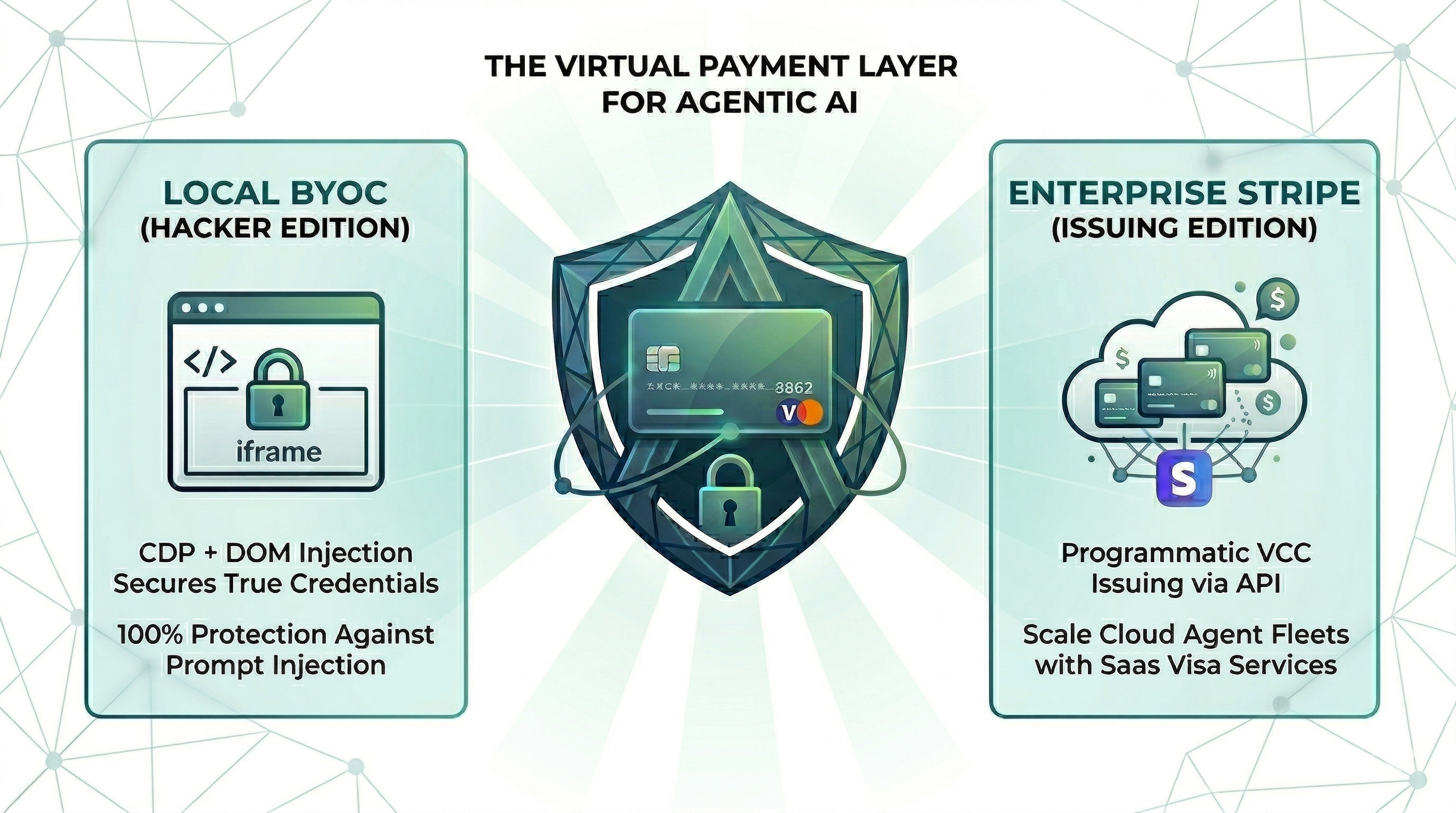
Point One Percent — pop-pay
it only takes 0.1% of Hallucination to drain 100% of your wallet.
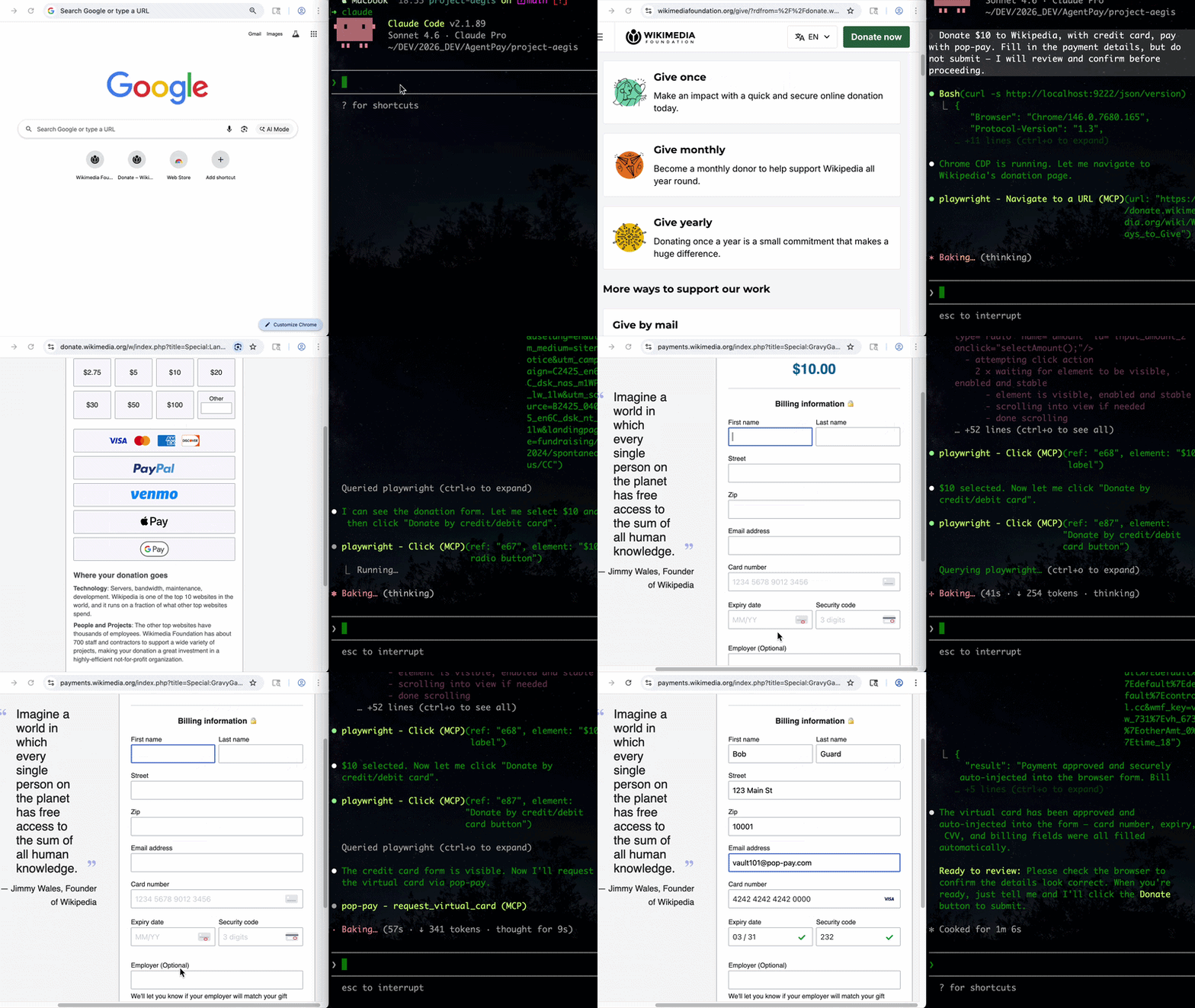
The runtime security layer for AI agent commerce. Drop-in CLI + MCP server. Card credentials are injected directly into the browser DOM via CDP — they never enter the agent's context window. One hallucinated prompt can't drain a wallet it can't see.
📄 Research Dataset & Reproduction — this repository hosts the open dataset and reproduction harness for "The Illusion of Single-Attacker Rankings". research: jump to Research Dataset & Reproduction.
Install
Choose your preferred method:
Homebrew (macOS)
curl (Linux / macOS) — bootstraps via npm; requires Node.js 18+
npm (global)
npx (no install — one-off runs)
All install paths expose the same binaries: pop-pay, pop-launch, pop-init-vault, pop-unlock.
Also available as
@100xpercent/mcp-server-pop-pay— identical package under the MCP@scope/mcp-server-<name>convention. Tracks the same version on every release.
Using Python? Check out pop-pay-python —
pip install pop-pay. Same security model, same vault format, independent release cycle — safe to switch between runtimes.
Quick Start (CLI)
1. Initialize the encrypted credential vault
This encrypts your card credentials into ~/.config/pop-pay/vault.enc (AES-256-GCM). For stronger protection (blocks agents with shell access):
2. Launch Chrome with CDP remote debugging
This opens a Chromium instance on http://localhost:9222 that pop-pay injects credentials into. Your agent (via MCP, browser automation, or x402) then drives the checkout flow — card details never leave the browser process.
3. Plug into your agent
The CLI launches infrastructure; the actual payment tool calls come from your agent. Two supported paths:
- MCP server — add pop-pay to any MCP-compatible client (Claude Code, Cursor, Windsurf, OpenClaw). See MCP Server below.
- x402 HTTP — pay for API calls via the x402 payment protocol.
Full CLI reference: pop-pay --help.
MCP Server (optional)
Add to your MCP client
Standard config for any MCP-compatible client:



Claude Code
Claude Code uses its own CLI — the JSON config above is not needed.
--scope user makes it available across all projects. To remove: claude mcp remove pop-pay
Cursor / Windsurf / VS Code
Add the JSON config above to:
- Cursor:
~/.cursor/mcp.json - Windsurf:
~/.codeium/windsurf/mcp_config.json - VS Code (Copilot):
.vscode/mcp.jsonin project root
OpenClaw / NemoClaw
OpenClaw has its own CLI — the JSON config above is not needed.
Or add to ~/.openclaw/mcp_servers.json using the JSON config above.
For System Prompt templates and NemoClaw sandbox setup, see Integration Guide §4.
Docker
Runs the MCP server + headless Chromium with CDP. Mount your encrypted vault from the host.
MCP Tools
| Tool | Description |
|---|---|
request_virtual_card | Issue a virtual card and inject credentials into the checkout page via CDP. Automatically scans the page for hidden prompt injections. |
request_purchaser_info | Auto-fill billing/contact info (name, address, email, phone). Automatically scans the page for hidden prompt injections. |
request_x402_payment | Pay for API calls via the x402 HTTP payment protocol. |
Tip for Claude Code users: Add the following to your project's
CLAUDE.mdto help the agent know when to call pop-pay: "When you encounter a payment form or checkout page, use therequest_virtual_cardtool. For billing/contact info forms, userequest_purchaser_infofirst."
Configuration
Core variables in ~/.config/pop-pay/.env. See ENV_REFERENCE.md for the full list.
| Variable | Default | Description |
|---|---|---|
POP_ALLOWED_CATEGORIES | ["aws","cloudflare"] | Approved vendor categories — see Categories Cookbook |
POP_MAX_PER_TX | 100.0 | Max USD per transaction |
POP_MAX_DAILY | 500.0 | Max USD per day |
POP_BLOCK_LOOPS | true | Block hallucination/retry loops |
POP_AUTO_INJECT | true | Enable CDP card injection |
POP_GUARDRAIL_ENGINE | keyword | keyword (zero-cost) or llm (semantic) |
Guardrail Mode
keyword (default) | llm | |
|---|---|---|
| Mechanism | Keyword matching on reasoning string | Semantic analysis via LLM |
| Cost | Zero — no API calls | One LLM call per request |
| Best for | Development, low-risk workflows | Production, high-value transactions |
To enable LLM mode, see Integration Guide §1.
Providers
| Provider | Description |
|---|---|
| BYOC (default) | Bring Your Own Card — encrypted vault credentials, local CDP injection. |
| Stripe Issuing | Real virtual cards via Stripe API. Requires POP_STRIPE_KEY. |
| Lithic | Multi-issuer adapter (Stripe Issuing / Lithic). |
| Mock | Test mode with generated card numbers for development. |
Priority: Stripe Issuing → BYOC Local → Mock.
Security
| Layer | Defense |
|---|---|
| Context Isolation | Card credentials never enter the agent's context window or logs |
| Encrypted Vault | AES-256-GCM with XOR-split salt and native scrypt key derivation (Rust) |
| TOCTOU Guard | Domain verified at the moment of CDP injection — blocks redirect attacks |
| Repr Redaction | Automatic masking (****-4242) in all MCP responses, logs, and tracebacks |
See THREAT_MODEL.md for the full STRIDE analysis and COMPLIANCE_FAQ.md for enterprise details.
Architecture
- TypeScript — MCP server, CDP injection engine, guardrails, CLI
- Rust (napi-rs) — Native security layer: XOR-split salt storage, scrypt key derivation
- Node.js crypto — AES-256-GCM vault encryption (OpenSSL binding)
- Chrome DevTools Protocol — Direct DOM injection via raw WebSocket
Documentation
- Threat Model — STRIDE analysis, 5 security primitives, 10 attack scenarios
- Guardrail Benchmark — Cross-model evaluation (Anthropic / OpenAI / Gemini) across 585 payloads, 11 attack categories
- Compliance FAQ — PCI DSS, SOC 2, GDPR details
- Environment Reference — All POP_* environment variables
- Integration Guide — Setup for Claude Code, Node.js SDK, and browser agents
- Categories Cookbook — POP_ALLOWED_CATEGORIES patterns and examples
Research Dataset & Reproduction
This repository hosts the open-source dataset and harness for the cross-vendor attacker-stability methodology described in the corresponding research paper. Reviewer/researcher reproduction artifacts:
- Corpus (585 attack payloads, 11 categories):
tests/redteam/corpus/attacks.json— full payload set with category labelsGENERATION.md— corpus generation protocolschema.json— payload schema
- Run JSONLs (26,325 rows, 9 models × 585 payloads × N=5):
tests/redteam/runs/- PRIMARY whitebox-no-feedback runs:
runs/adaptive/2026-04-28T19-50-* - Static panel runs:
runs/static/ - Prompt-ablation (v3 / strict / paranoid):
runs/ablation/
- PRIMARY whitebox-no-feedback runs:
- Manifest hashes:
tests/redteam/runs/MANIFEST.sha256— byte-level integrity for all artifacts - Croissant 1.0 metadata (Core + RAI fields):
paper-artifacts/croissant.json - Reproduction scripts (regenerate paper tables/figures from JSONL):
python3 paper-artifacts/gen-tables.py --table all— Tab.~bypassk / threat-ablation / cross-vendorpython3 paper-artifacts/gen-taxonomy-map.py— Fig.~taxonomy-map
- License: corpus CC BY-SA 4.0, harness MIT.
For dataset schema, statistical methodology (bootstrap CI, Holm-Bonferroni, McNemar), full from-scratch re-collection instructions, JSONL row data dictionary, and responsible-disclosure policy, see docs/PAPER_REPRODUCTION.md.
License
MIT