Playwright E2E MCP vs Strata
A side-by-side look at the Playwright E2E MCP and Strata MCP servers: transport, auth, tools, quality signals, and the config to install either one in Claude, Cursor, Windsurf or VS Code.
Verdict: choose Playwright E2E MCP for browser automation work as a local process; choose Strata for browser automation as a local process. You can also run both side by side in one mcpServers block.
Which MCP server should you choose?
 Choose Playwright E2E MCP when
- You need dedicated capabilities in the Browser Automation domain.
- You prefer a local stdio subprocess transport.
- You have the keys it needs:
PW_MCP_STORAGE_STATE. - You want tools like
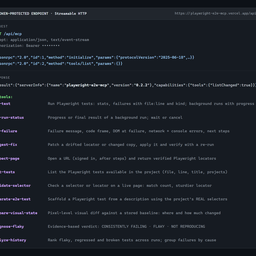
run-test, get-run-status, get-failure.
 Choose Strata when
- You need dedicated capabilities in the Browser Automation domain.
- You prefer a local stdio subprocess transport.
- You want tools like
browser_close, browser_resize, browser_console_messages.
Feature & specification comparison
Rows where the two servers differ are marked.
| Spec | ||
|---|---|---|
| Category | Browser Automation | Browser Automation |
| Quality signal | 61/100 · Good | 65/100 · Great |
| Install command | Confirmed | Confirmed |
| Transport | Local subprocess (stdio) | Local subprocess (stdio) |
| Auth | Not declared | Not declared |
| Pricing | Free | Not declared |
| Required env vars | PW_MCP_STORAGE_STATE | None listed |
| Verified owner | Community listing | Community listing |
| GitHub stars | 0 | 5,821 |
| Directory activity | 1 views 0 installs 0 upvotes | 1 views 0 installs 0 upvotes |
| Tools | 12 | 25 |
| Full listing | View Playwright E2E MCP | View Strata |
Tools & capabilities
Playwright E2E MCP tools 12
run-testRun the project's Playwright tests: stats plus each failure's file:line, kind and message. Diagnoses missing installs, dead dev servers, syntax errors, crashes and timeouts (kills the tree, keeps partial results). Reports progress; background: true returns a run id for long suites. Runs are recorded for analyze-history.get-run-statusProgress (tests done/total, failures so far) or the final result of a run-test background run; the result becomes the last run for get-failure. waitSeconds waits; cancel stops it. Default: the latest run.get-failureAnalyze one failure from the most recent run-test execution: full message and code frame, expected vs actual, stack trace, failed network requests (4xx/5xx and dead endpoints), console errors, failure kind (assertion/timeout/browser-crash/syntax/config/server-unreachable) and concrete next steps. Use run-test first.suggest-fixPatch a failure from the last run: a drifted locator is matched against the DOM at failure (trace, or live url) and replaced with one proven unique; changed copy gets the new expected text. Returns a diff and confidence; apply: true writes it, re-runs the test and reverts if still red. Refuses when the element is truly missing (app bug).inspect-pageOpen a URL headlessly and return its elements with Playwright locators proven unique on the page (role + name first), CSS selectors, visibility, text and console messages. storageState/headers open it signed in; actions click/fill first to reach a state. view 'locators' is the compact map.list-testsList the Playwright tests available in the project (file, line, full title, projects), with optional filtering. Uses `playwright test --list` when Playwright works and falls back to a source scan when the install or config is broken, reporting why.validate-selectorCheck a CSS selector, Playwright selector or locator (getByRole/getByTestId…, .first(), .filter()) on a live page: validity, match count (actions need exactly 1), sample matches and a sturdier verified locator for each. Accepts storageState/headers/actions.audit-accessibilityRun axe-core on a live page (WCAG 2.2 AA by default) and return violations worst first, each with the offending elements as verified Playwright locators, the fix, and a regression check to paste into a spec. Accepts storageState/headers/actions to audit pages behind a login or after a step.generate-e2e-testScaffold a Playwright test from a description using the project's REAL selectors. Scans the agent's recent file changes (git working tree / last commit, mtime fallback), extracts data-testid / role / label / placeholder / id locators with their source locations, optionally cross-checks them against the live page, writes a ready-to-run spec, and returns next steps.compare-visual-stateVisual regression check: screenshot a live page (or element), compare it to a stored baseline, and report how many pixels changed, WHERE they changed (bounding regions), and the average color shift ("blue → red"). First call saves the baseline; later calls compare. Writes a red-highlighted diff image for review.diagnose-flakyRepeat failing tests with retries disabled and return a per-test, evidence-based verdict: CONSISTENTLY FAILING (real bug), FLAKY (pass/fail counts, error-signature variance, duration spread) or NOT REPRODUCING. Runs all repetitions in one process by default. `isolate: true` also re-runs the failures with one worker to tell parallelism bugs (shared state) from flakiness inside the test; `order: true` (Playwright 1.64+) runs the files in random orders to catch tests that depend on what ran before them. Defaults to the tests that failed in the most recent run.analyze-historyAnalyze the local run history (.playwright-e2e-mcp/history.jsonl, written by every run): 'flaky' ranks tests that flip pass/fail and lists broken or regressed ones; 'patterns' groups failures by cause; 'test' shows one test's timeline.
Strata tools 25
browser_closeClose the pagebrowser_resizeResize the browser windowbrowser_console_messagesReturns all console messagesbrowser_handle_dialogHandle a dialogbrowser_emulate_mediaEmulate CSS media features for the page, for example switch between the light and dark color scheme. Omitted parameters are left unchanged; null clears an override.browser_evaluateEvaluate JavaScript expression on page or elementbrowser_file_uploadUpload one or multiple filesbrowser_dropDrop files or MIME-typed data onto an element, as if dragged from outside the page. At least one of "paths" or "data" must be provided.browser_findSearch the accessibility snapshot of the current page for text or a regular expression. Returns matching snapshot nodes with a few lines of surrounding context (like search snippets), each shown under its path from the root of the tree, which is cheaper than capturing the whole snapshot when you only need to locate an element and its ref.browser_fill_formFill multiple form fieldsbrowser_press_keyPress a key on the keyboardbrowser_typeType text into editable element- +13 more on the listing page
Ready-to-paste client configs
Paste either block (or both) into your client config, e.g. claude_desktop_config.json or ~/.cursor/mcp.json. We only show a config when the install command is confirmed.
Playwright E2E MCP
{
  "mcpServers": {
    "playwright-e2e-mcp": {
      "command": "npx",
      "args": [
        "-y",
        "playwright-e2e-mcp"
      ],
      "env": {
        "PW_MCP_STORAGE_STATE": "YOUR_PW_MCP_STORAGE_STATE_HERE"
      }
    }
  }
}
Strata
{
  "mcpServers": {
    "strata": {
      "command": "npx",
      "args": [
        "-y",
        "@playwright/mcp@latest"
      ]
    }
  }
}
Frequently asked questions
Playwright E2E MCP is categorized under Browser Automation and uses a local stdio subprocess. Strata belongs to Browser Automation and uses a local stdio subprocess. Pick Playwright E2E MCP for browser automation work and Strata for browser automation.
Copy the mcpServers block from the config section on this page into your client's config (for example claude_desktop_config.json or ~/.cursor/mcp.json), then fully restart the client.
Playwright E2E MCP is listed as free. Strata has no declared pricing — check the project's own site. If a server needs environment variables such as API keys, define them under the env key in your client's MCP config.
Yes. MCP clients support multiple servers: add playwright-e2e-mcp and strata as separate keys in the same mcpServers object, and your assistant will call tools from either one.
On AllMCPs, Playwright E2E MCP has a quality signal of 61/100 (Good) with 1 views, 0 installs and 0 GitHub stars. Strata has 65/100 (Great) with 1 views, 0 installs and 5,821 GitHub stars.
