webhookstunnelingencryptionpipeline-tracingdeveloper-tools
Self-hosted encrypted webhook tunnels with request inspection, replay, pipeline tracing, and built-in MCP access.
Quick Install
Automated & IDE SetupCopy the AI prompt to install this server into Claude Code, Cursor, or another agent — or use 1-click editor setup below.
One-click editor setup isn’t available for this listing yet — we don’t have a confirmed install command, and we’d rather show nothing than point your editor at the wrong package or host. Follow the project’s own setup instructions, linked above.
Manual Client & Custom JSON ConfigExpand JSON ▾
No confirmed setup config for this listing yet. We only publish a config block when the install details come from the project itself — its README, its docs, or a verified owner. We haven’t found those for pipepie/pipepie, and we’d rather show nothing than a guess you’d paste into your client. Follow the project’s own setup instructions for the current steps.
Overview
Use cases
Expose a local HTTP or TCP service through a self-hosted tunnel
Inspect captured webhook headers, bodies, and metadata
Replay webhook requests during development or debugging
Trace correlated AI provider webhook pipelines
Manage tunnels and request data from an MCP-compatible client
Key features
Noise NK end-to-end encryption
HTTP and TCP tunnels with optional stable subdomains
Webhook logs, inspection, replay, and dashboard access
Automatic tracing for Replicate, fal.ai, RunPod, Modal, OpenAI, and MCP webhooks
Built-in MCP server with 13 tools
Multi-tunnel YAML configuration and multi-account support
Capabilities & Tool Schemas
Inspect callable tools, capabilities, and parameters exposed to AI agents by Pipepie.
Extracted Tool Capabilities
Noise NK end-to-end encryption
HTTP and TCP tunnels with optional stable subdomains
Webhook logs, inspection, replay, and dashboard access
Automatic tracing for Replicate, fal.ai, RunPod, Modal, OpenAI, and MCP webhooks
Built-in MCP server with 13 tools
Multi-tunnel YAML configuration and multi-account support
Documentation Overview
Pipepie
Self-hosted, encrypted tunnel for webhooks, AI pipelines, and local development. End-to-end Noise encryption, pipeline tracing, web dashboard.
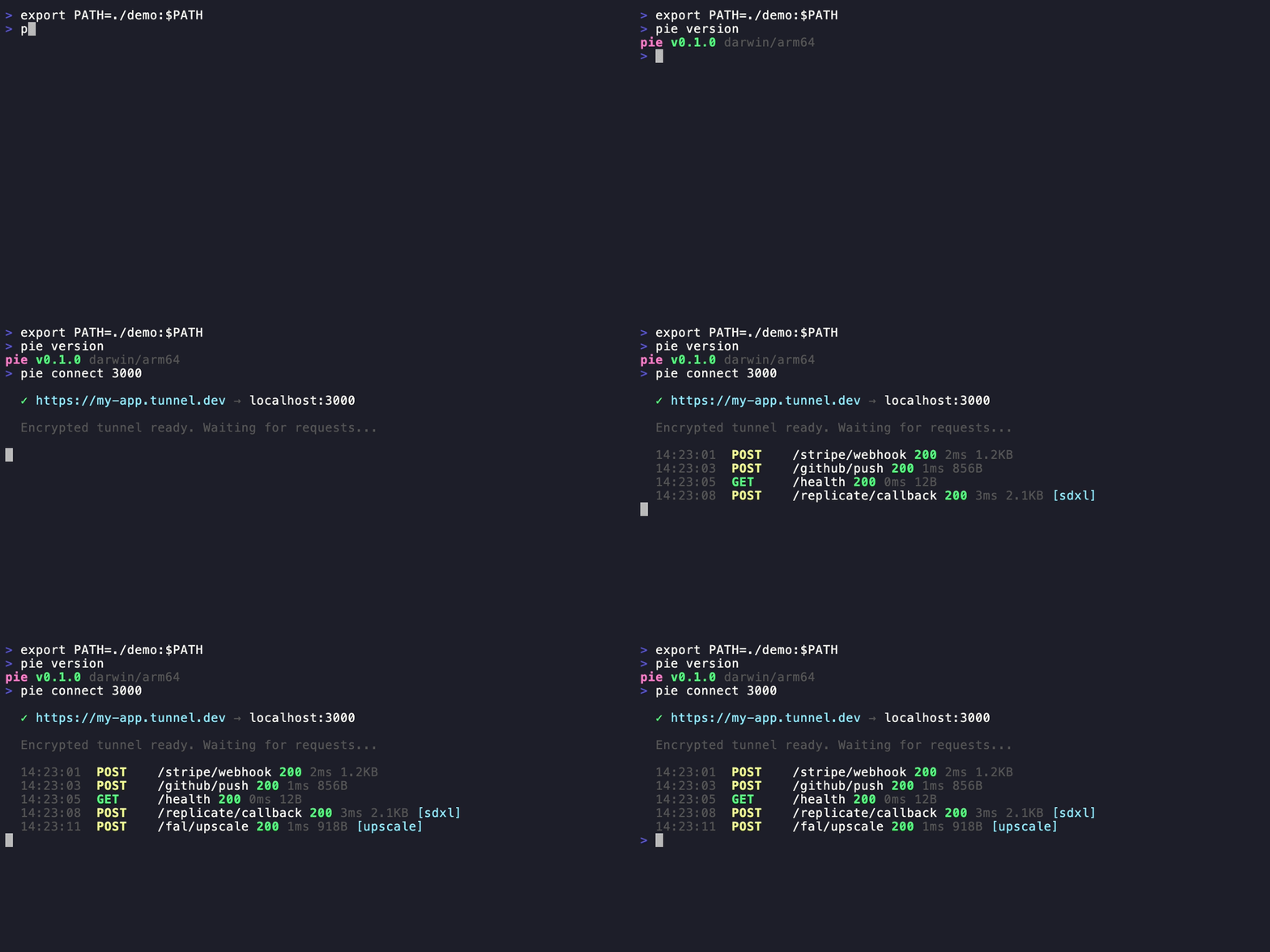
Why Pipepie?
- End-to-end encrypted — Noise NK protocol. The relay server never sees your data.
- AI-first — auto-detects Replicate, fal.ai, RunPod, Modal, OpenAI webhooks. Pipeline tracing with timeline visualization.
- Self-hosted — your server, your domain, your data. No vendor lock-in.
- Fast — 577 req/s parallel, 2ms overhead. Protobuf + zstd + yamux.
- MCP server built-in —
pie mcpgives Claude, Cursor, and AI tools direct access to tunnels, requests, and pipeline traces. - Beautiful CLI — Dracula theme, interactive forms, 17 commands.
- Zero-config start —
pie setupon server,pie loginon client, done.
Install
Quick Start
Server (your VPS, one time)
Interactive wizard handles DNS, firewall, TLS (Let's Encrypt auto or Cloudflare), nginx detection, systemd service — everything.
Client (your dev machine)
AI Tool Presets
Features
Tunneling
Webhook Inspection
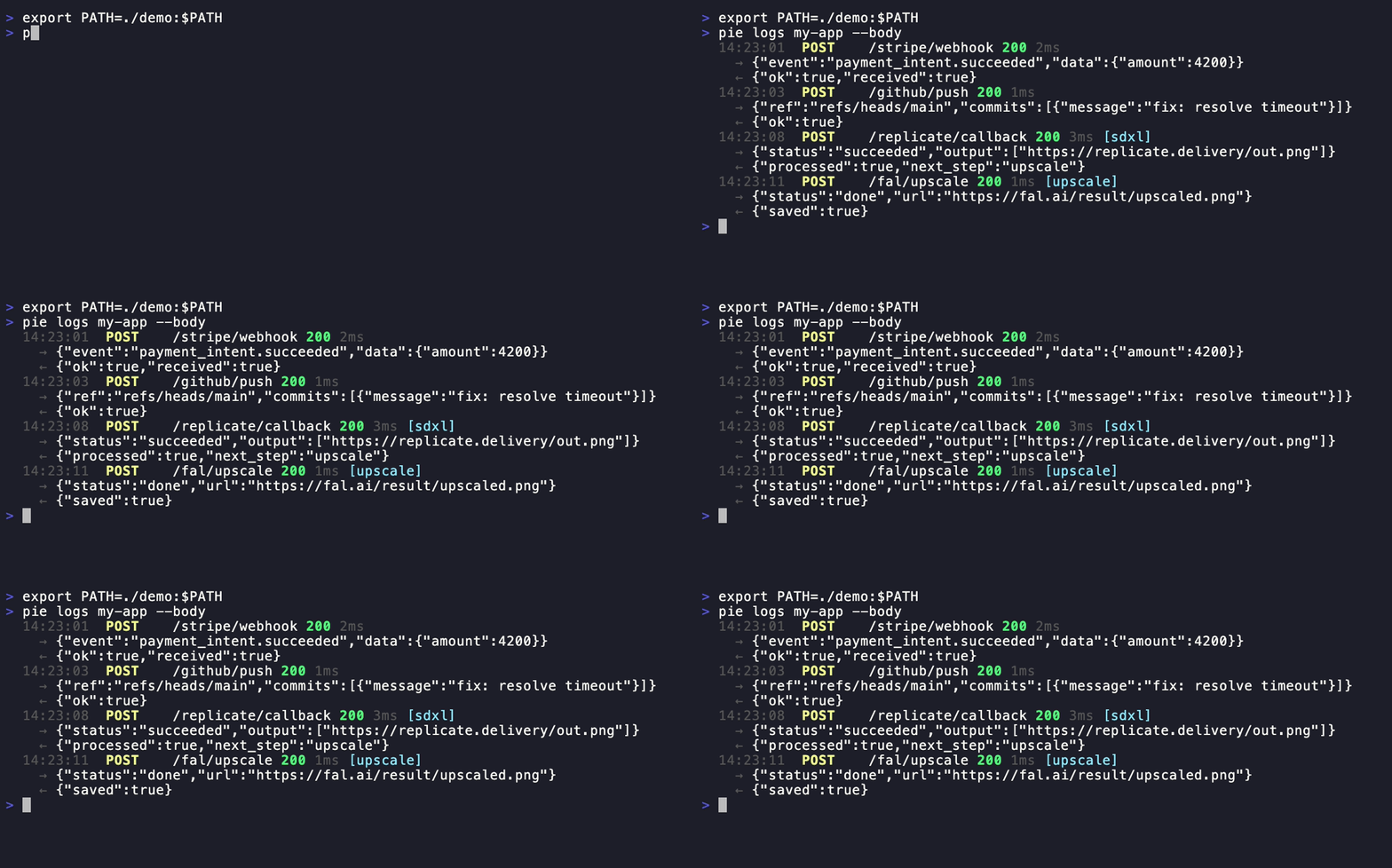
AI Pipeline Tracing
Pipepie auto-detects webhooks from AI providers — no configuration needed:
| Provider | Detection | What's extracted |
|---|---|---|
| Replicate | webhook-id header + payload | Job ID, status, predict_time |
| fal.ai | x-fal-signature header | Request ID, status |
| RunPod | UPPERCASE status in payload | Run ID, execution time |
| Modal | call_id in payload | Call ID, status |
| OpenAI | batch_ prefix in ID | Batch ID, model |
| MCP | JSON-RPC 2.0 method field | Tool name, call ID |
Webhooks from the same pipeline are auto-correlated into traces:
Or use headers for manual correlation:
Multi-Service Config
Multi-Account
Server Management

Architecture
Noise NK — server authenticated by public key. Know the key = have access. yamux — multiplexed streams, no head-of-line blocking. Protobuf — binary wire format, ~10x smaller than JSON. zstd — bodies >1KB auto-compressed. SSE/streaming — pass-through without buffering (Vercel AI SDK, Ollama compatible).
MCP Server (Claude, Cursor, AI tools)
Pipepie includes a built-in Model Context Protocol server. Your AI tools can inspect webhooks, replay requests, manage tunnels, and debug pipelines — directly from the chat.
Claude Desktop / Cursor config
Add to claude_desktop_config.json or Cursor MCP settings:
13 tools available:
| Tool | What it does |
|---|---|
overview | Dashboard with all tunnels, stats, success rates |
list_tunnels | All registered tunnels with online/offline status |
tunnel_status | Check if a specific tunnel is online |
connect | Start a tunnel (e.g. port 3000 → public URL) |
disconnect | Stop a running tunnel |
active_tunnels | List tunnels running in this session |
list_requests | Recent webhook requests for a tunnel |
inspect_request | Full request details: headers, body, response |
replay_request | Re-send a captured webhook |
pipeline_traces | AI pipeline execution traces |
trace_timeline | Step-by-step timeline for a trace |
create_tunnel | Register a new subdomain |
delete_tunnel | Remove a tunnel and its data |
CLI Reference
| Command | Description |
|---|---|
pie connect [port] | Create a tunnel |
pie connect --tcp [port] | TCP tunnel |
pie connect --ollama | Ollama preset |
pie connect --comfyui | ComfyUI preset |
pie connect --n8n | n8n preset |
pie connect --tma | Telegram Mini App preset |
pie login | Add server connection |
pie logout | Remove account |
pie account | List & switch accounts |
pie dashboard | Open web UI in browser |
pie status | Show tunnels and activity |
pie logs [name] | Stream requests |
pie inspect [id] | Full request details |
pie replay [id] | Replay a webhook |
pie traces [name] | Pipeline trace timelines |
pie up | Multi-tunnel from pipepie.yaml |
pie setup | Server setup wizard |
pie server | Start relay server |
pie doctor | Diagnose server config |
pie mcp | Start MCP server for AI tools |
pie update | Self-update to latest |
pie version | Version + update check |
Performance
| Metric | Result |
|---|---|
| Latency | 2ms overhead |
| Sequential | 119 req/s |
| Parallel (20 workers) | 577 req/s |
| 1MB body | 16ms |
What makes Pipepie different
- Self-hosted & open source — your infrastructure, your data, no third-party traffic inspection
- End-to-end encrypted — Noise NK protocol, the relay server never sees plaintext
- AI-native — auto-detects 6 providers, pipeline tracing, MCP support
- Complete toolkit — tunneling + inspection + replay + dashboard in one binary
- Free forever — no bandwidth limits, no session timeouts, no paid tiers for core features
License
AGPL-3.0 — free to use, modify, and self-host. If you modify and offer as a service, you must open-source your changes.
Related MCP Servers
Adoption & maintenance
Factual signals from GitHub, npm, and our automated checks — not a rating.
GitHub stars
8
Stargazers on the source repository.
Last commit
5mo ago
Most recent push to the default branch.
Directory activity
2 views
Config copies, upvotes, and views on AllMCPs.
Reviews
No reviews yet — be the first to share how this listing worked for you.
Frequently Asked Questions about Pipepie
AllMCPs Directory Badge
Showcase your server listing on GitHub or your project documentation. Embed this dynamic SVG badge to highlight official listing status and live engagement.
Badge Style:
Live Dynamic SVG Preview
Markdown (GitHub README)
[](https://allmcps.com/mcp/pipepie-pipepie)HTML Embed
<a href="https://allmcps.com/mcp/pipepie-pipepie"><img src="https://allmcps.com/api/badge/pipepie-pipepie?style=directory" alt="Pipepie on AllMCPs" /></a>