Phonebook vs Ios Agent Skill
A side-by-side look at the Phonebook and Ios Agent Skill MCP servers: transport, auth, tools, quality signals, and the config to install either one in Claude, Cursor, Windsurf or VS Code.
Verdict: choose Phonebook for developer tools work as a local process; choose Ios Agent Skill for developer tools as a local process. You can also run both side by side in one mcpServers block.
Which MCP server should you choose?
 Choose Phonebook when
- You need dedicated capabilities in the Developer Tools domain.
- You prefer a local stdio subprocess transport.
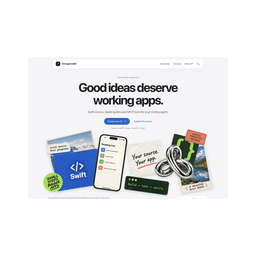 Choose Ios Agent Skill when
- You need dedicated capabilities in the Developer Tools domain.
- You prefer a local stdio subprocess transport.
- You want tools like
list_system_integrations, get_system_integration, scaffold_system_integration.
Feature & specification comparison
Rows where the two servers differ are marked.
| Spec | ||
|---|---|---|
| Category | Developer Tools | Developer Tools |
| Quality signal | 47/100 · Fair | 65/100 · Great |
| Install command | Confirmed | Confirmed |
| Transport | Local subprocess (stdio) | Local subprocess (stdio) |
| Auth | Not declared | Not declared |
| Pricing | Not declared | Not declared |
| Required env vars | None listed | None listed |
| Verified owner | Community listing | Community listing |
| GitHub stars | 13 | 39 |
| Directory activity | 0 views 0 installs 0 upvotes | 0 views 0 installs 0 upvotes |
| Tools | Not listed | 81 |
| Full listing | View Phonebook | View Ios Agent Skill |
Tools & capabilities
Phonebook tools
No tool names declared yet. Check the project README from the listing page.
Ios Agent Skill tools 81
list_system_integrationsUse this when adding or reviewing Apple integrations. List supported Apple system integration workflows, conditional permissions and verification limits.get_system_integrationUse this when adding or reviewing Apple integrations. Get a supported integration’s APIs, guide routes, operations, permissions and device verification requirements.scaffold_system_integrationUse this when adding or reviewing Apple integrations. Return a reusable Swift file preview for a supported system integration. Read-only: never writes or overwrites project files. iOS 17+ starter; app-specific wiring and device tests required.review_system_integrationsUse this when adding or reviewing Apple integrations. Review concrete API usage, selected privacy configuration and entitlements; reuse App Intents checks. Unknown target/configuration is reported, not treated as missing.check_apple_permissionsUse this when adding or reviewing Apple integrations. Report required versus detected privacy keys for concrete API operations. Picker-only Photos, Maps coordinates and system sharing do not imply broad data access.check_apple_capabilitiesUse this when adding or reviewing Apple integrations. Check selected entitlements separately from usage descriptions for concrete HealthKit, Apple Pay, CloudKit and push usage. Associated-domain provisioning needs manual verification.recommend_system_integrationsUse this when adding or reviewing Apple integrations. Suggest verification of integrations already evidenced in source. Does not recommend unrelated features or infer product requirements.xcode_mcp_statusDiscover Xcode MCP bridge, handshake and capabilities; discovery does not prove authorization. Use before generating Apple API code.xcode_mcp_toolsDiscover actual Xcode tools, schemas, resources and prompts with category hints; unknown tools remain visible. Use before generating Apple API code.apple_docs_statusDiscover installed Xcode, SDKs and local Apple documentation; does not prove bridge authorization. Use before generating Apple API code.apple_docs_frameworksList frameworks present in installed SDKs, grouped by SDK. Use before generating Apple API code.apple_docs_platform_supportInspect dynamically installed SDK/platform inventory; not API availability. Use before generating Apple API code.- +69 more on the listing page
Ready-to-paste client configs
Paste either block (or both) into your client config, e.g. claude_desktop_config.json or ~/.cursor/mcp.json. We only show a config when the install command is confirmed.
Phonebook
{
  "mcpServers": {
    "phonebook": {
      "command": "npx",
      "args": [
        "-y",
        "@stag-build/phonebook"
      ]
    }
  }
}
Ios Agent Skill
{
  "mcpServers": {
    "ios-agent-skill": {
      "command": "npx",
      "args": [
        "-y",
        "ios-agent-mcp@latest"
      ]
    }
  }
}
Frequently asked questions
Phonebook is categorized under Developer Tools and uses a local stdio subprocess. Ios Agent Skill belongs to Developer Tools and uses a local stdio subprocess. Pick Phonebook for developer tools work and Ios Agent Skill for developer tools.
Copy the mcpServers block from the config section on this page into your client's config (for example claude_desktop_config.json or ~/.cursor/mcp.json), then fully restart the client.
Phonebook has no declared pricing — check the project's own site. Ios Agent Skill has no declared pricing — check the project's own site. If a server needs environment variables such as API keys, define them under the env key in your client's MCP config.
Yes. MCP clients support multiple servers: add phonebook and ios-agent-skill as separate keys in the same mcpServers object, and your assistant will call tools from either one.
On AllMCPs, Phonebook has a quality signal of 47/100 (Fair) with 0 views, 0 installs and 13 GitHub stars. Ios Agent Skill has 65/100 (Great) with 0 views, 0 installs and 39 GitHub stars.