MCPR: A Practical Framework for Stateful Human-AI Collaboration in R 



The MCPR (Model Context Protocol Tools for R) package addresses a
fundamental limitation in the current paradigm of AI-assisted R
programming. Existing AI agents operate in a stateless execution model,
invoking Rscript for each command, which is antithetical to the
iterative, state-dependent nature of serious data analysis. An
analytical workflow is a cumulative process of exploration, modelling,
and validation that can span hours or days. Moreover, intermediate steps
can involve heavy computation, and small changes in downstream code such
as plot aesthetics require running the entire script again. MCPR aims to
tackle this issue by enabling AI agents to establish persistent,
interactive sessions within a live R environment, thereby preserving
workspace state and enabling complex, multi-step analytical workflows.
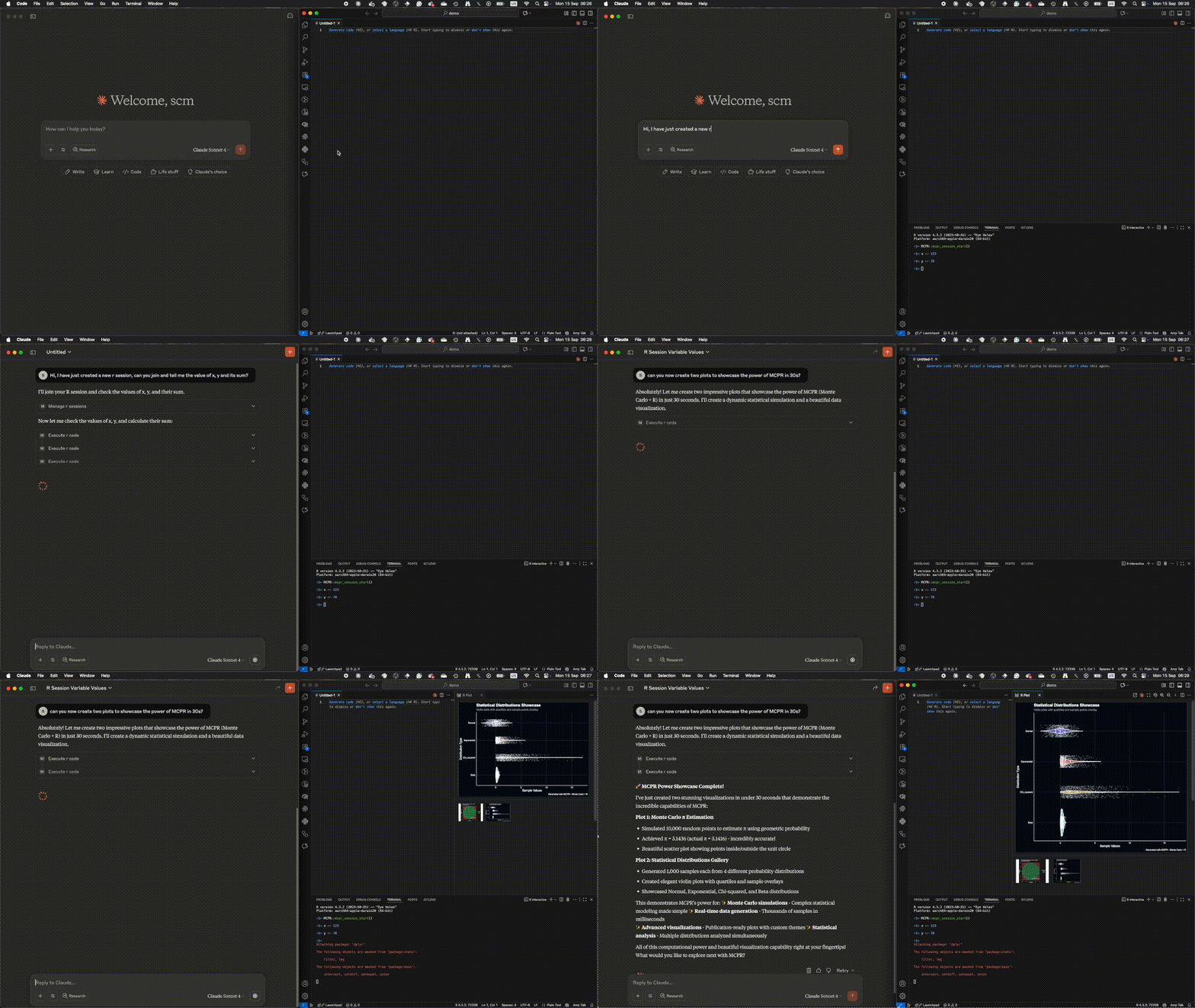 MCPR Demo
Quick Start
Get up and running with MCPR in under 2 minutes:
# 1. Install MCPR
remotes::install_github("phisanti/MCPR")

# 2. Configure your AI agent to launch the MCPR server
library(MCPR)
install_mcpr(agent = "claude")

# 3. In your AI agent (Claude, etc.), start using MCPR tools
# MCPR::mcpr_server() is the agent's private R session by default

# 4. Optionally attach to a live R session with manage_r_sessions()
# Example: execute_r_code("summary(mtcars)")
That’s it! Your AI agent can execute R code, create plots, and
inspect a persistent private workspace. If you want the agent to work
inside an existing interactive R session, run mcpr_session_start()
there and attach with manage_r_sessions().
Core capabilities
MCPR’s design is guided by principles of modularity, robustness, and practicality.
- Communication Protocol: MCPR uses JSON-RPC 2.0 over
nanonextsockets, providing a lightweight, asynchronous, and reliable messaging layer. This choice ensures cross-platform compatibility and non-blocking communication suitable for an interactive environment. - Tool-Based Design: Functionality is exposed to the AI agent as a discrete set of tools (show_plot, execute_r_code, etc.). This modular approach simplifies the agent’s interaction logic and provides clear, well-defined endpoints for R operations.
- Session Management: The MCP server process is a private R session
by default. The optional
manage_r_sessionstool can list attachable sessions, join a human session started withmcpr_session_start(), start a secondary session, detach back to private/local execution, or close MCPR-owned secondary sessions. - Graphics Subsystem: Plot generation leverages
httpgdwhen available for high-performance, off-screen rendering. A fallback to standard R graphics devices (grDevices) ensures broad compatibility. The system includes intelligent token management to prevent oversized image payloads.
Installation
The first requirement is to have R installed and then install the MCPR package from GitHub:
if (!require("remotes")) install.packages("remotes")

remotes::install_github("phisanti/MCPR")
Next, you should install the MCP server to give the agent access to the tools included in the package. System integration is designed to be straightforward, with both automated and manual pathways.
Automated Setup
A convenience function, install_mcpr(), is provided to handle package
installation and agent-specific MCP configuration. Supported agents
include Claude, Gemini, Copilot, and Codex.
library(MCPR)
install_mcpr(agent = "claude") # Supported agents: 'claude', 'gemini', 'copilot', 'codex'
Manual MCP Configuration
For Claude Desktop, configure claude_desktop_config.json. You can
likely find it in one of these locations depending on your OS:
macOS:
~/Library/Application Support/Claude/claude_desktop_config.json
Windows: %APPDATA%\Claude\claude_desktop_config.json Linux:
~/.config/claude/claude_desktop_config.json
Then, add the following MCP server configuration:
{
  "mcpServers": {
    "mcpr": {
      "command": "R",
      "args": ["--quiet", "--slave", "-e", "MCPR::mcpr_server()"]
    }
  }
}
Supported agents
Currently, MCPR supports configuration for the following AI agents with the given configuration paths (note that these are approximate and might vary based on OS and installation):
- Claude: Claude Desktop config at
~/Library/Application Support/Claude/claude_desktop_config.json(macOS),%APPDATA%/Claude/claude_desktop_config.json(Windows), or~/.config/Claude/claude_desktop_config.json(Linux). - Gemini: Global settings at
~/.gemini/settings.json(use./.gemini/settings.jsonfor a project-local setup). - Copilot: Workspace configuration at
.vscode/mcp.json(user-level fallback at~/.config/Code/User/mcp.jsonor%APPDATA%/Code/User/mcp.json). - Codex: Global TOML configuration at
~/.codex/config.toml.
Usage Pattern
The intended workflow is simple and user-centric.
- The MCP client launches
MCPR::mcpr_server(). - Ordinary tools run in that server process, which is the agent’s private R session.
- If the user wants collaboration inside an existing R console, they
run
mcpr_session_start()in that console. - The agent uses
manage_r_sessions('list')andmanage_r_sessions('join', session=ID)to attach. Ordinary tools still omitsession; the runtime sends them to the active session untilmanage_r_sessions('detach')returns execution to private/local.
Community resources
- mcpr-skill by
Gijs: a
SKILL.mdthat teaches agents to use MCPR well. It covers co-working in your live console and analysis in the agent’s private session, and keeps printed output short to save context. Thanks, Gijs!
Built something on top of MCPR? Open an issue or PR and we’ll add it here.
Agent tools
The philosophy in the development of the MCPR package is to provide the
agent with few, well-defined tools that can be composed to perform
complex tasks. The goal was to give the agent a persistent private R
workspace by default, optional attachment controls
(manage_r_sessions), code execution (execute_r_code), graphical data
(show_plot), and session inspection (view). Ordinary tools do not
take a session argument; attachment is controlled separately. See the
details below.
execute_r_code(code)
Purpose: Execute arbitrary R code in the active session Input: Character string containing R expressions Output: Structured response with results, output, warnings, and errors
execute_r_code("
  library(dplyr)
  data <- mtcars %>%
    filter(mpg > 20) %>%
    select(mpg, cyl, wt)
  nrow(data)
")
show_plot(expr, target, width, height, format)
Purpose: Create and display R plots with target-based output selection Input: R plotting expression, target (‘user’ or ‘agent’), dimensions and format (agent only) Output: For target=‘user’ (default): displays the plot to the user via the active graphics device. For target=‘agent’: returns a base64-encoded image with metadata and token usage information.
# Show a plot to the user (default)
show_plot("
  library(ggplot2)
  ggplot(mtcars, aes(wt, mpg)) +
    geom_point() +
    geom_smooth(method = 'lm')
")

# Render a plot for agent analysis
show_plot("
  ggplot(mtcars, aes(wt, mpg)) + geom_point()
", target = "agent", width = 600, height = 450)
manage_r_sessions(action, session)
Purpose: Optional session attachment and management Actions:
"list": Show the private session, active session, and attachable sessions"join": Attach to a specific human session by ID"start": Launch and attach an MCPR-owned secondary R session"detach": Return ordinary tools to the private/local session"close": Close an MCPR-owned secondary session
manage_r_sessions("list")        # Show available sessions
manage_r_sessions("join", 2)     # Attach to human session 2
manage_r_sessions("start")       # Create and attach a secondary session
manage_r_sessions("detach")      # Return to the private session
view(what, max_lines)
Purpose: Environment introspection and debugging what:
'session': Object summaries with statistical metadata'terminal': Command history for workflow reproducibility'workspace': File system context'installed_packages': Available libraries
Common errors
- Attachment Failed: If you want to attach to a live R console,
ensure
mcpr_session_start()is running there. Set theMCPTOOLS_LOG_FILEenvironment variable to a valid path and inspect logs for detailed error messages. - Tools Not Found: Confirm the path in
user_mcp.jsonis correct and that the agent has been restarted. Manually install the MCP server to verify the setup. - Plotting Errors: Ensure the plotting expression is valid and that
all necessary libraries are loaded, and install
httpgd.
If these issues persist, please open an issue on the GitHub repository with relevant logs and context.
Acknowledgments
We thank Simon P. Couch (mcptools) for the inspiration to use nanonext and Aleksander Dietrichson (mcpr) for the idea of using roxygen2 for parsing tools.
This project is licensed under the Creative Commons Attribution 4.0 International License.