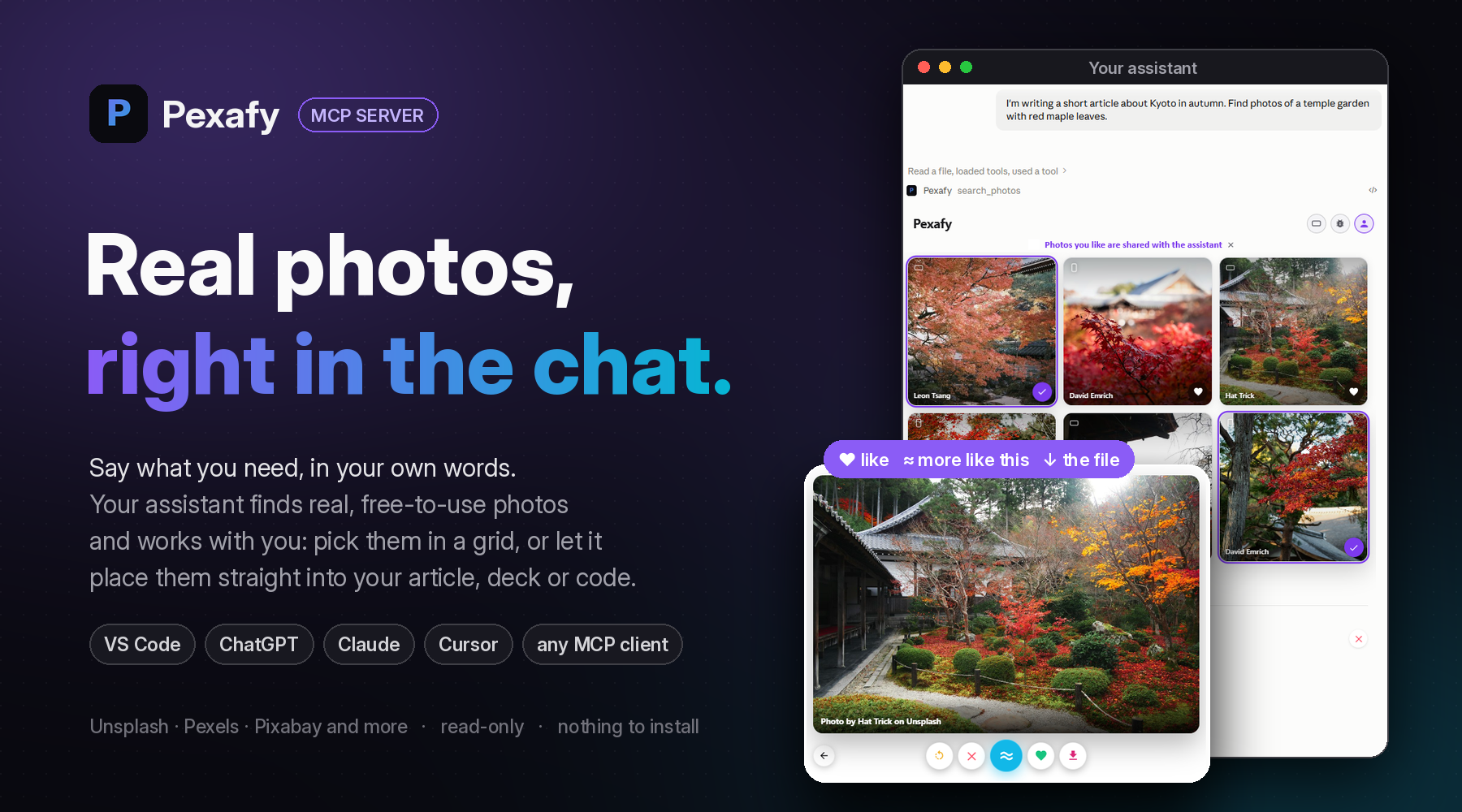




Ask for a photo the way you would describe it to a person.
Get real, free-to-use photographs back, inside the conversation, credits included.




Ask. Choose together. Put them to work.
🗣️ Ask, in your own wordsTell your assistant what you are working on, the way you would tell a colleague: “I'm writing a short article about Kyoto in autumn. Find photos of a temple garden with red maple leaves.” It writes the search; Pexafy matches the scene, not tags. |
🤝 Choose togetherSixteen photographs come back. Open one large, swipe, heart the keepers, press ≈ for more like it: your picks go back to the assistant, in your order. Or simply answer in words: “the third one, but wider”. |
🚀 Put them to workThe assistant carries on with them: the article with its photos in place, the slide, the landing page, the post. Each photograph keeps its licence and the credit line to display, and comes as an image file when the work needs one. |
With the grid, or without it
| In a chat that draws it | In an agent, a terminal or a script |
|---|---|
| ChatGPT, Claude, VS Code, Cursor. The photographs appear as a grid in the conversation. You see them, open them, like them; the assistant works from what you picked. | Claude Code, Codex, any MCP client. Each result arrives as a link with its licence and credit line. The assistant chooses, fetches the file and places it in your Markdown, HTML, slides or CMS. |
Add it in 30 seconds
| Where | How |
|---|---|
| VS Code | Install in VS Code, or code --add-mcp '{"name":"pexafy","type":"http","url":"https://mcp.pexafy.com/mcp"}' |
| ChatGPT | Add Pexafy from ChatGPT's plugin directory |
| Claude | Customize → Connectors → Add custom connector, then https://mcp.pexafy.com/mcp |
| Claude Code | claude mcp add --transport http pexafy https://mcp.pexafy.com/mcp |
| Cursor | Add to Cursor |
| Any MCP client | Streamable HTTP at https://mcp.pexafy.com/mcp |
Nothing to install, no API key to paste. In VS Code, Cursor and other editors you can search right away, without an account. ChatGPT and Claude ask you to sign in to Pexafy once; a free account is enough.
Five tools, all read-only
| Tool | What it does |
|---|---|
search_photos | Photographs described in one sentence, in any language, optionally only landscape, portrait or square. |
search_photos_by_image | Photographs that look like a picture (a link, an upload) or like a Pexafy photo: “like this, but at night”. |
get_photo_file_by_photo_id | One photograph as an image file, up to 1280 px wide, with its credit line. |
get_grid_selected_photos | The photographs you liked in the grid, in the order you chose. |
connect_account | Links your Pexafy account, right from the conversation. |
Where the photos come from
Pexafy searches its own index of millions of free-to-use photographs, collected from stock libraries such as Unsplash, Pexels and Pixabay. Every photograph is indexed by meaning, so a whole scene in one sentence beats a list of keywords. Each result names its source and licence and carries the credit line to display.
pexafy.com/mcp · Self-host & develop · Changelog · Privacy · MIT licence
ChatGPT, Claude, Cursor and Visual Studio Code are trademarks of their respective owners.