AllMCPs
BrowseBestCategoriesStackCompareToolsGuidesBlog
Log in Submit MCP

Stay in the loop

Get new MCP servers and top picks in your inbox.

AllMCPs

The open directory for discovering and installing Model Context Protocol servers.

AllMCPs on GitHub (opens in a new tab)
Launched onTiny Startupstinystartups.com
Explore
  • Browse servers
  • Best MCP servers
  • Categories
  • MCP clients
  • Agent prompts
  • Stack Builder
  • Compare servers
  • Random discovery New
  • Submit a server
  • Pricing & Boost Boost
Learn
  • Guides hub
  • What is MCP?
  • Install guide
  • Build an MCP server
  • Deploy an MCP server
  • Security guide
  • Troubleshooting
  • MCP for SEO & AEO
  • Protocol versioning
  • Transports: stdio vs HTTP
  • State of MCP (stats)
  • Blog & updates
Tools
  • All developer tools
  • Config generator
  • Config validator
  • Config auditor
  • MCP playground
  • Token calculator
  • OpenAPI β†’ MCP
  • Badge generator
For agents
  • REST API docs
  • Trust & traffic Live
  • Remote MCP server SSE β†— (opens in a new tab)
  • llms.txt β†— (opens in a new tab)
  • Catalog JSON β†— (opens in a new tab)
Company
  • About
  • Advertise Sponsor
  • Contact
  • GitHub β†— (opens in a new tab)
  • Terms
  • Privacy
AllMCPs VerifiedAllMCPs VerifiedFeatured on Nick LaunchesFeatured on Nick LaunchesLaunch Llama NewsletterLaunch Llama NewsletterVerified DR - allmcps.comVerified DR - allmcps.comFeatured on SaaSGrowFeatured on SaaSGrowFeatured on Twelve ToolsFeatured on Twelve ToolsFeatured on Saaspa.geFeatured on Saaspa.geFeatured on Findly.toolsFeatured on Findly.toolsFeatured on Startup FameFeatured on Startup FameFeatured on LaunchKiwiFeatured on LaunchKiwiFeatured on ScrollLaunchFeatured on ScrollLaunchFeatured on DailyPingsFeatured on DailyPingsFazier badgeFazier badgeFeatured on NewTool.siteFeatured on NewTool.siteFeatured on saasfame.comFeatured on saasfame.comDR Checker - Domain RatingDR Checker - Domain RatingListed on Turbo0Listed on Turbo0Launched on LaunchBoard - Product Launch PlatformLaunched on LaunchBoard - Product Launch PlatformList on SimilarlabsList on Similarlabshttps://codetrendy.comhttps://codetrendy.comListed on DevTool.ioFeatured on BuildlistFeatured on BuildlistLaunched on Tiny StartupsFeatured on ShowMeBestAIFeatured on ShowMeBestAIFind us on LaunchZoneFind us on LaunchZoneAllMCPs VerifiedAllMCPs VerifiedFeatured on Nick LaunchesFeatured on Nick LaunchesLaunch Llama NewsletterLaunch Llama NewsletterVerified DR - allmcps.comVerified DR - allmcps.comFeatured on SaaSGrowFeatured on SaaSGrowFeatured on Twelve ToolsFeatured on Twelve ToolsFeatured on Saaspa.geFeatured on Saaspa.geFeatured on Findly.toolsFeatured on Findly.toolsFeatured on Startup FameFeatured on Startup FameFeatured on LaunchKiwiFeatured on LaunchKiwiFeatured on ScrollLaunchFeatured on ScrollLaunchFeatured on DailyPingsFeatured on DailyPingsFazier badgeFazier badgeFeatured on NewTool.siteFeatured on NewTool.siteFeatured on saasfame.comFeatured on saasfame.comDR Checker - Domain RatingDR Checker - Domain RatingListed on Turbo0Listed on Turbo0Launched on LaunchBoard - Product Launch PlatformLaunched on LaunchBoard - Product Launch PlatformList on SimilarlabsList on Similarlabshttps://codetrendy.comhttps://codetrendy.comListed on DevTool.ioFeatured on BuildlistFeatured on BuildlistLaunched on Tiny StartupsFeatured on ShowMeBestAIFeatured on ShowMeBestAIFind us on LaunchZoneFind us on LaunchZone
Β© 2026 Jackalope Digital LLC. All rights reserved.
  1. Home
  2. πŸ’» Developer Tools
  3. PerspectiveGraph
P
Health: Not checked yetWe have not completed a health check for this listing yet.No health check has run yet.

PerspectiveGraph

User RatingsBe the first to rate and review this MCP server! Enrichment pendingWe haven’t run our AI enrichment pass on this listing yet, so the overview, use cases, and FAQ below may be sparse or missing. We work through the catalog over time β€” check back soon.
View Repository

Read-only attack-path tools: reachable routes to sensitive assets, and what a fix would cut.

Quick Install

Automated & IDE Setup

Copy the AI prompt to install this server into Claude Code, Cursor, or another agent β€” or use 1-click editor setup below.

One-click editor setup isn’t available for this listing yet β€” we don’t have a confirmed install command, and we’d rather show nothing than point your editor at the wrong package or host. Follow the project’s own setup instructions, linked above.

Manual Client & Custom JSON ConfigExpand JSON β–Ύ
No confirmed setup config for this listing yet. We only publish a config block when the install details come from the project itself β€” its README, its docs, or a verified owner. We haven’t found those for PerspectiveGraph, and we’d rather show nothing than a guess you’d paste into your client. Follow the project’s own setup instructions for the current steps.
Install Directory Badge Claim listing AlternativesπŸ’» More in Developer Tools

Documentation Overview

PerspectiveGraph

Your scanners find issues. This finds the way in.

CI Latest release License: Apache 2.0 Live demo status

PerspectiveGraph joins what you already run - Trivy, Semgrep, Cloud Custodian, Falco, plus your AWS and Kubernetes state - into one graph of your real environment, and asks a single question of it: can someone get from the internet, through privilege that is too broad, to something worth stealing?

On a pull request it asks that question before the merge: the check goes red only when this change opens a route, and the fix comes back as its own pull request. Open source (Apache 2.0), runs on your infrastructure, collects no telemetry.
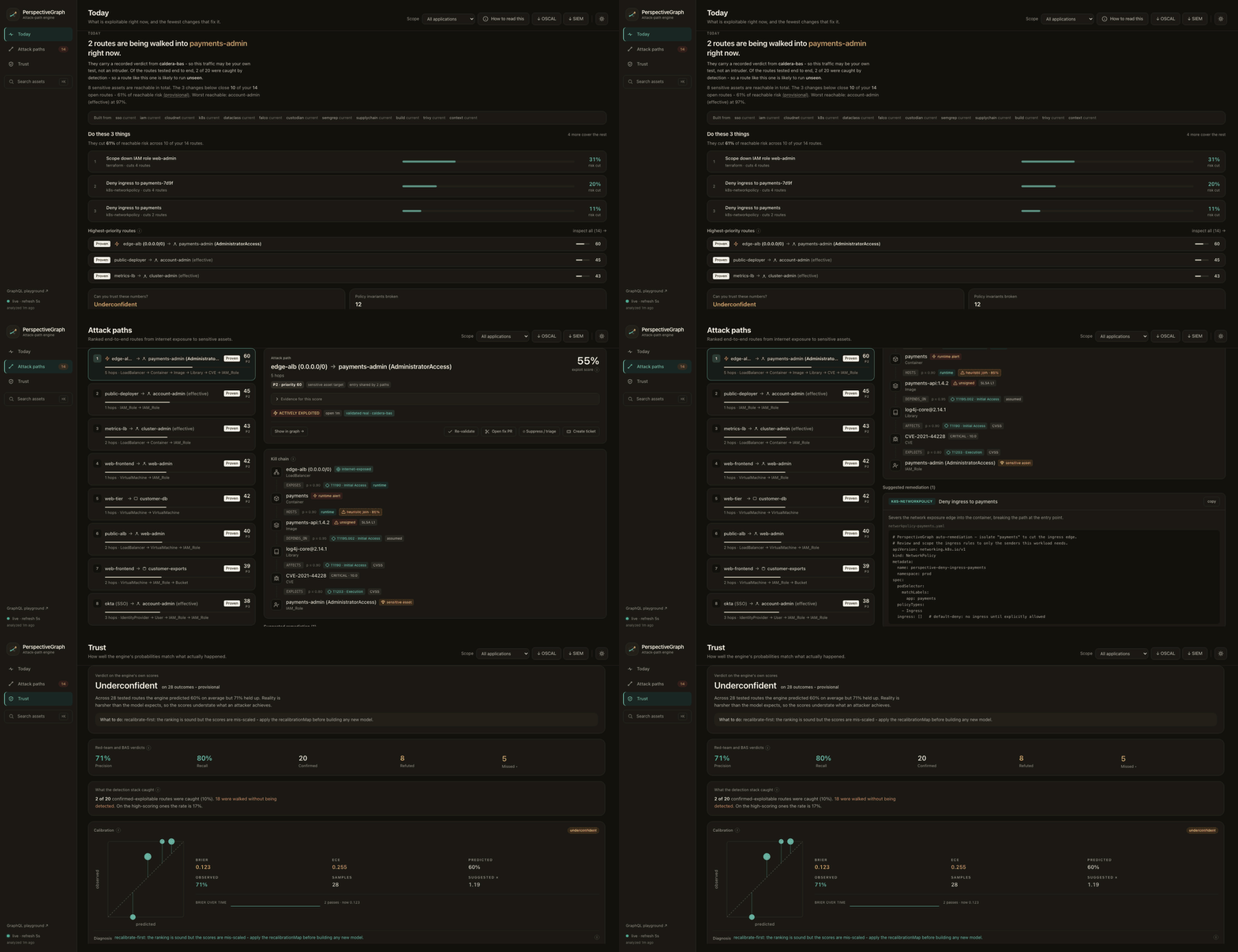
PerspectiveGraph: from the day's exploitable routes to a generated fix

Twelve seconds of make demo: what is exploitable now β†’ the ranked routes β†’ one route's kill chain and the fix it generates β†’ whether the scores can be trusted. Sample scanner output and seeded verdicts, not a real environment.

  • See it running - the same dashboard, published read-only. Nothing to install.
  • Check your own AWS account - one read-only command, no deployment.
  • Put it on your pull requests - ten lines of YAML.

A score here is what the model concludes from the evidence it was given, not a measured frequency: nothing has been calibrated against field data yet, and the engine says so itself rather than rounding up. What is measured, and what is not.

Check your own account in 30 seconds

No deployment, no Docker, nothing ingested. One static binary asks AWS's own policy evaluator which of your roles can reach administrator - applying the service control policies, permission boundaries and condition keys that a policy reader on its own does not see:

bash
# macOS (Apple silicon); swap darwin_arm64 for linux_amd64, linux_arm64 or darwin_amd64
curl -sSL https://github.com/luiacuaniello/perspectivegraph/releases/latest/download/perspectivegraph_darwin_arm64.tar.gz | tar xz
./perspectivegraph redteam -roles -region eu-west-1

It is read-only and free: each check is one iam:SimulatePrincipalPolicy dry run, which creates nothing and costs nothing, and the only permissions it needs are that and iam:ListRoles, both inside SecurityAudit. Windows builds are on the releases page; every binary is signed with cosign and carries SLSA provenance, and two commands verify both before you run anything.

Add -compare and it also runs the engine over the same account, exiting non-zero where the two disagree. That is how the engine's first real false positive was found, and how it stays fixed. If it disagrees on yours, report it: no report is more useful. From here, how to evaluate this walks to a verdict on your own estate in stages that each end in an answer.

See the whole engine in 90 seconds

bash
make demo

Pulls the published, cosign-signed images, feeds them sample Trivy / Semgrep / Custodian / Falco / Kubernetes / IAM / SSO output, and prints the top attack path with its generated fix. Dashboard on http://localhost:3000, make down to tear it down. It needs Docker, jq and curl, compiles nothing, and takes about 23 seconds from an empty image cache; make demo-build is the same demo built from your working tree.

On Kubernetes, the chart is an official package on Artifact Hub:

bash
helm install perspectivegraph oci://ghcr.io/luiacuaniello/charts/perspectivegraph \
  --version 1.25.1 # x-release-please-version

The chart and the three images it runs (ghcr.io/luiacuaniello/perspectivegraph, -dashboard and -postgres) are signed with cosign keyless and carry an SPDX SBOM and SLSA provenance: verify them rather than taking the supply chain on trust.

The dashboard opens on the decision, not the inventory: what is being exploited now, the fewest changes that remove the most risk, and how far the numbers can be trusted. Routes are ranked by triage priority - what the route reaches, whether runtime confirmed it, how exposed the entry is - so a lower-scoring route can outrank a higher-scoring one.
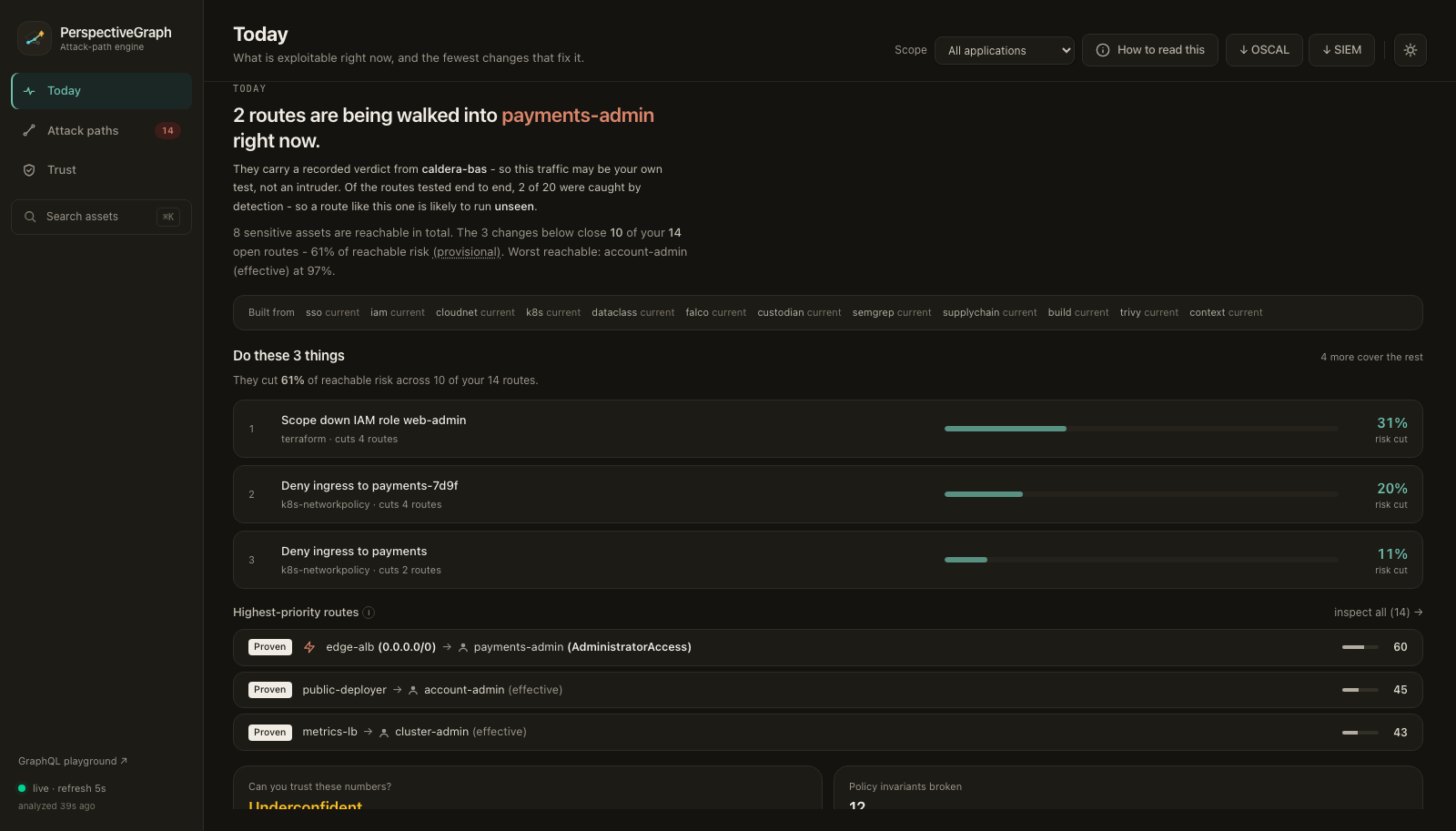
The day's decision surface

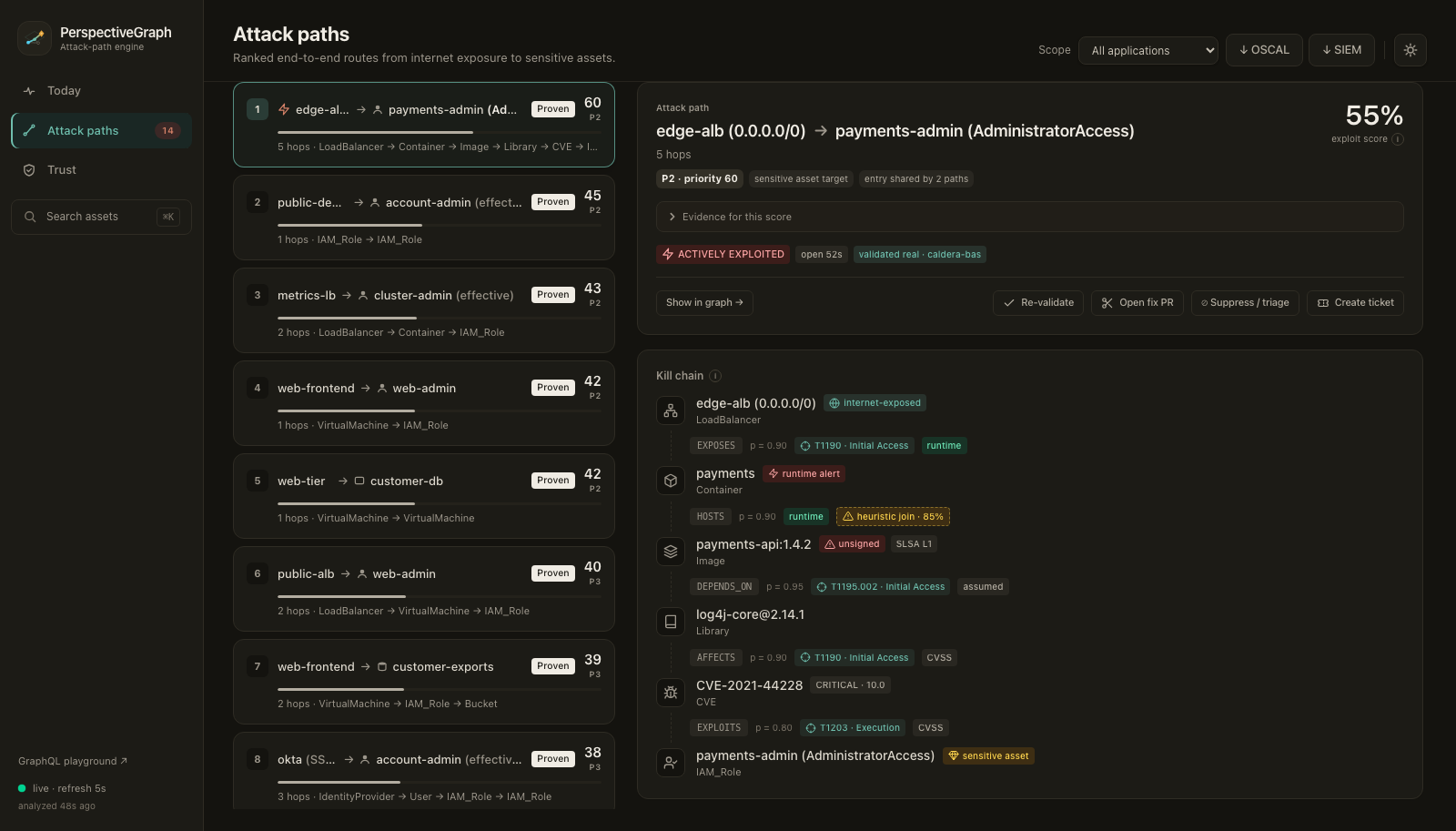
Attack path detailScore calibration
Why the route is P1, one probability with its range, and every hop with what it lets the attacker do and where its probability came from.Whether the engine's own scores held up against recorded outcomes - and whether there are enough of them to say.

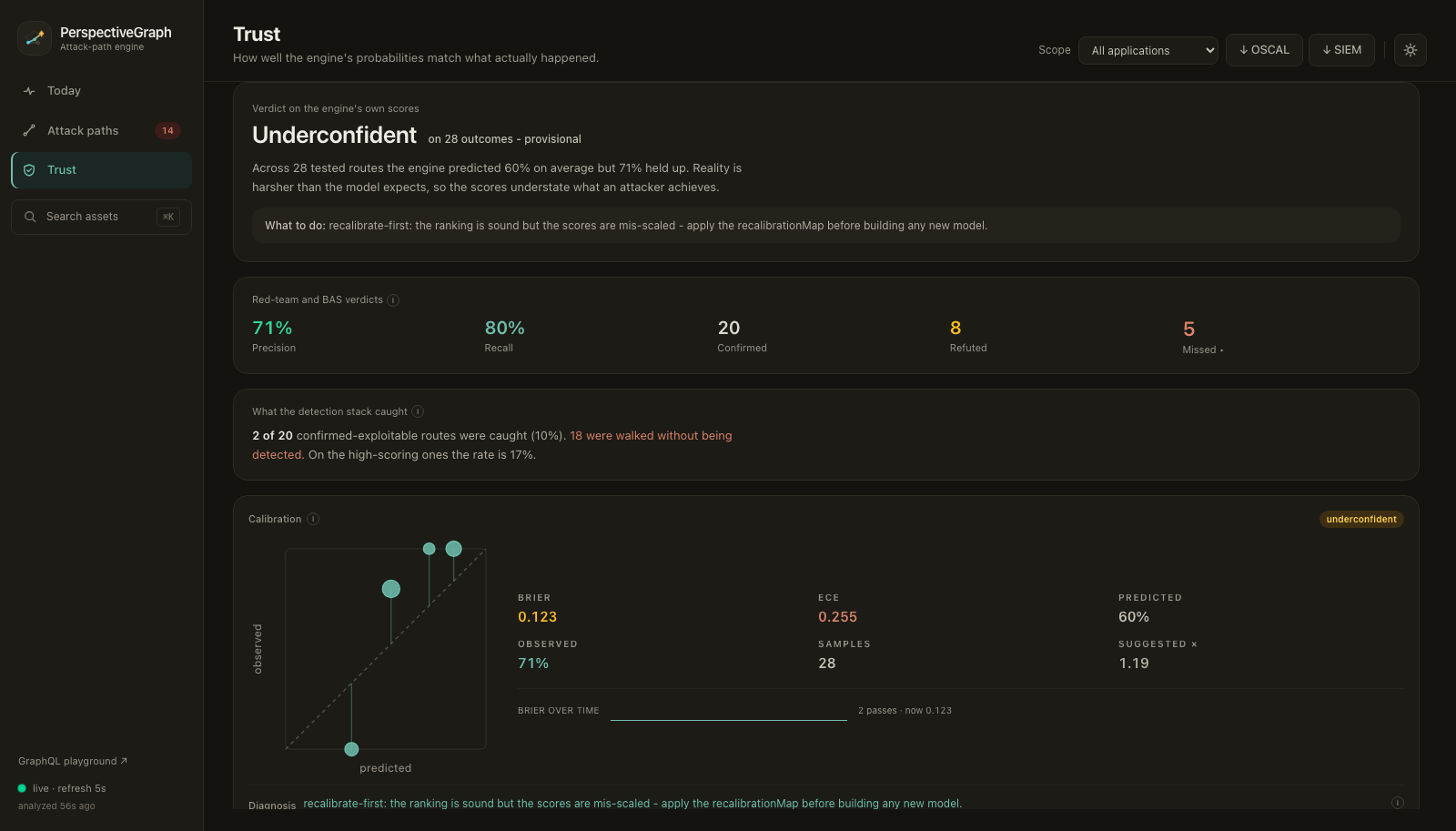
The screenshots are make demo with seeded verdicts, which is why the calibration panel gives one ("underconfident": across 14 outcomes generated to exercise it, the engine predicted 60% where 71% held up). A fresh install and the public demo report insufficient data instead, until real outcomes exist. The public demo runs on one free VM, so treat it as best-effort.

Why?

A scanner reports that a container carries a critical CVE. It cannot report that the container sits behind an internet-facing load balancer, runs with a role that reads the production database, and is therefore the one finding out of ten thousand worth fixing this week. That needs the other tools' output in the same graph, which is what this builds. A developer gets a check that goes red only when their change opens a real route; a security team gets a short ranked list of attack paths instead of a flat list of findings.

Block the pull request that opens the path

No deployment required. The runner reads your estate read-only, ingests this pull request's scan, and answers in-process with the same engine:

yaml
- uses: luiacuaniello/perspectivegraph@v1
  with:
    mode: local
    aws-region: eu-west-1     # read-only; give the job an OIDC role with SecurityAudit
    report: trivy.json

The check goes red when this change opens a route to a sensitive asset - or makes one likelier - not when it adds a critical CVE: a critical on a host nothing routes to does not fail the build, and a medium on a container that now reaches the production database does. Routes that were there before the change do not count, even when they run through what it touches: the scan is applied to a copy of the estate and compared with it, and nothing is written. It also has a third outcome, because a pipeline whose scan never arrived must not get the same green tick as one that is clean:

VerdictExitMeaning
clean0The engine analysed this change: it opens or worsens no critical path
blocked1It opens or worsens critical attack paths - the check names them
unknown2Nobody analysed it. The scan, the ingest or the SHA is wrong

Outside GitHub Actions it is one command, and it installs as a Trivy plugin too:

bash
perspectivegraph gate -local -aws-region eu-west-1 -report trivy.json -slug owner/name -sha "$COMMIT_SHA"

trivy plugin install github.com/luiacuaniello/perspectivegraph
trivy image -f json myapp:pr-42 | trivy perspectivegraph gate -local -aws-region eu-west-1 -report -

[!WARNING] Fork pull requests get no secrets, so the gate fails closed as unknown on them. Do not work around it with pull_request_target: that runs your secrets - in local mode, cloud credentials - against the contributor's code.

On a public repository, a blocked check prints the route (real asset names, the CVE, the sensitive asset) into a public job log. Use soft-fail and post the detail somewhere private.

The manual covers the rest: pointing the action at a deployed engine, gating rendered manifests, a pre-collected estate, rolling the gate out, and every input in action.yml.

Let an agent query it

A language model cannot enumerate thousands of edges reliably or run Dijkstra, and asked for "the attack paths in my account" it will invent plausible ones. So the engine speaks MCP: the agent asks, and reasons over answers it could not have made up.

bash
perspectivegraph mcp --api http://localhost:8080   # or https://demo.a3thinker.it, no credential needed

Read the full README β†’View source on GitHub β†’

Related MCP Servers

View all in Developer Tools View all alternatives
  • O
    Openapi MCP Server

    Connect any HTTP/REST API server using an Open API spec (v3)

    πŸ’» Developer Tools3 views
    Compare vs Openapi MCP Server β†’
  • C
    Claude Task Master

    AI-powered task management system for AI-driven development. Features PRD parsing, task expansion, multi-provider support (Claude, OpenAI, Gemini, Perplexity, xAI), and selective tool loading for optimized context usage.

    πŸ’» Developer Tools8 views
    Compare vs Claude Task Master β†’
  • M
    MCP Server Docker

    Integrate with Docker to manage containers, images, volumes, and networks.

    πŸ’» Developer Tools3 views
    Compare vs MCP Server Docker β†’
  • N
    Next Devtools MCP
    Verified

    Official Next.js MCP server for coding agents. Provides runtime diagnostics, route inspection, dev server logs, docs search, and upgrade guides. Requires Next.js 16+ dev server for full runtime features.

    πŸ’» Developer Tools6 views
    Compare vs Next Devtools MCP β†’

Reviews

No reviews yet β€” be the first to share how this listing worked for you.

Frequently Asked Questions about PerspectiveGraph

We don't have a confirmed install command for PerspectiveGraph yet, so we don't publish a generated one β€” a guessed package name would point at the wrong package or none at all. Follow the project's own README or setup instructions (https://github.com/luiacuaniello/perspectivegraph) for the current steps.

AllMCPs Directory Badge

Full Badge Customizer

Showcase your server listing on GitHub or your project documentation. Embed this dynamic SVG badge to highlight official listing status and live engagement.

Badge Style:
Live Dynamic SVG PreviewPerspectiveGraph AllMCPs Directory Badge

Markdown (GitHub README)
[![AllMCPs](https://allmcps.com/api/badge/perspectivegraph?style=directory)](https://allmcps.com/mcp/perspectivegraph)
HTML Embed
<a href="https://allmcps.com/mcp/perspectivegraph"><img src="https://allmcps.com/api/badge/perspectivegraph?style=directory" alt="PerspectiveGraph on AllMCPs" /></a>

Technical Specs & Signals

CategoryπŸ’»Developer Tools
More technical detailsExpand β–Ύ
Last updatedSep 28, 2026
Views0
Unique ViewsTotal visits recorded for this listing page on AllMCPs.
Installs0
Installs & Copy ActionsTotal times users copied install commands or configuration snippets for this server.
27Quality signal: Emerging Β· 27/100How this signal is calculated β–Ύ
Server availabilityNot measured

Not scored for repo-hosted servers β€” we can't reach the running server, only its GitHub page. Hosted MCP endpoints are health-checked live.

Verified ownership8/20
Documentation & tools11/30
Adoption & activity1/15
Community engagement0/10

A guidance signal from public completeness & health data β€” not a user rating. New listings start lower and rise as they add docs, get verified, and grow adoption. Signals we can't observe for a listing are skipped, not counted against it.

β˜… Featured
A

AllMCPs Server

The official MCP server for AllMCPs.com - submit and manage tools directly from your AI. The open directory for MCP servers. Connect Claude, Cursor, Windsurf, and AI agents to databases, tools, files, and APIs. Explore 10,000+ servers. AllMCPs is the premier, open directory for discovering, evaluating, and installing Model Context Protocol (MCP) servers to equip AI agents and LLMs with real-world superpowers.

Explore Server β†’

Own this project?

This directory is pre-filled from public sources. Claim via GitHub README, site badge, or DNS TXT to unlock edit access and the Official badge and attach your website β€” proof is checked automatically, then reviewed by our team.

Free dofollow backlink: add your website and place the AllMCPs badge on it β€” no claim needed. We detect it automatically and keep it verified as long as the badge stays live.

Claim & get free dofollow

Share & Embed

Add our SVG badge (dark/light directory styles) or embeddable widget to your site.

Explore more

More in πŸ’» Developer Tools β†’Best MCP servers for Developers β†’Alternatives to PerspectiveGraph β†’Install in Claude DesktopInstall in CursorInstall in VS CodeSetup guides for all 13 MCP clients