PatchX Freenote Agent README
The full upstream README, mirrored here for reference. Install config, tool schemas, adoption signals, and an original overview live on the PatchX Freenote Agent listing page.
PatchX Freenote Agent
PatchX Freenote was formerly called PatchXNote. Existing patchxnote-agent commands, patchxnote-mcp Skill installs, MCP configuration and credentials remain compatible.




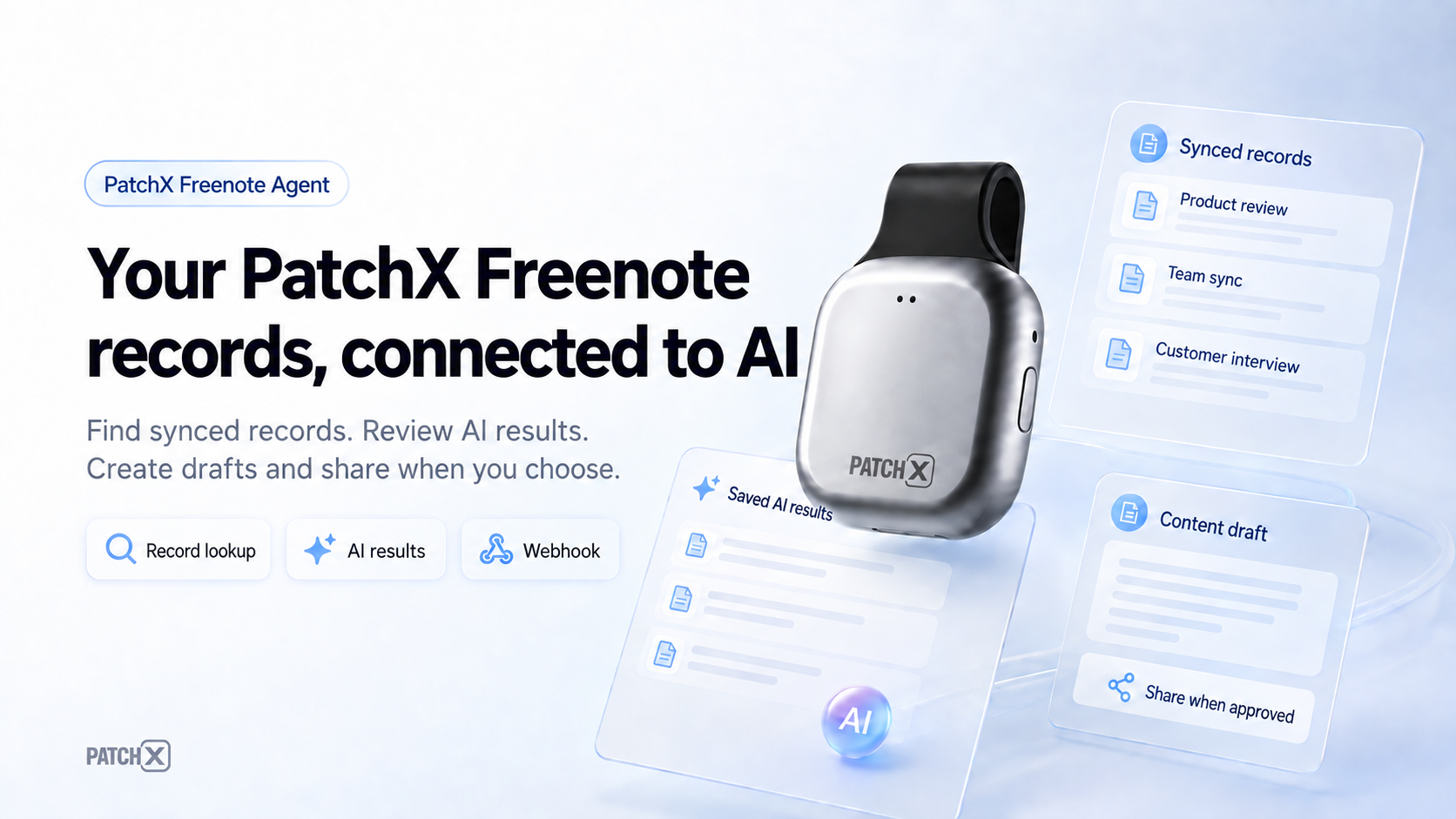
Connect your synced PatchX Freenote records to AI assistants. Find records, review existing AI results, create Markdown drafts, and share approved content through webhooks.
Production service · MCP setup · Download App · User guide (Chinese)
Quickstart · Connection options · Skill · Usage examples · Troubleshooting · Reference
Published Channels
| Channel | Public entry | What is available |
|---|---|---|
| npm | patchxnote-agent | Versioned CLI installer/launcher and bundled Skill; current release 0.2.15. |
| GitHub Release | v0.2.15 | Six Windows/macOS/Linux binaries, checksums, and artifact attestations. |
| MCP official Registry | Search the retained ID · Version record | Registered as io.github.ZsTs119/patchxnote-agent. |
| Vercel skills.sh | patchxnote-mcp | New repository source, searchable as PatchX Freenote; Skill ID remains patchxnote-mcp. |
These links show publication and directory listing. The 0.2.15 verification record documents artifact checks, Windows installation, local protocol discovery, and Registry readback; client/platform acceptance is tracked separately.
Choose Your Connection
| Your environment | Use | Requirements |
|---|---|---|
| Desktop editor or local MCP host | npx -y patchxnote-agent@latest setup --client <client-id> | Node.js 18+, Windows/macOS/Linux on amd64 or arm64, and a PatchX Freenote account. |
| Platform that supports Remote MCP and OAuth | https://freenote.patch-x.cn/mcp | Configure a custom connector and complete that platform's authorization flow; no local Node.js installation is required for this route. |
| Assistant that supports Agent Skills | Install PatchX Freenote MCP Skill | Adds setup and usage instructions; complements the MCP connection. |
Records must already be synced to PatchX Freenote and available to your account. Recorder-card connection, audio processing, and recording remain in the App/PC clients. Read records from the platform you select: mobile or desktop.
Quickstart
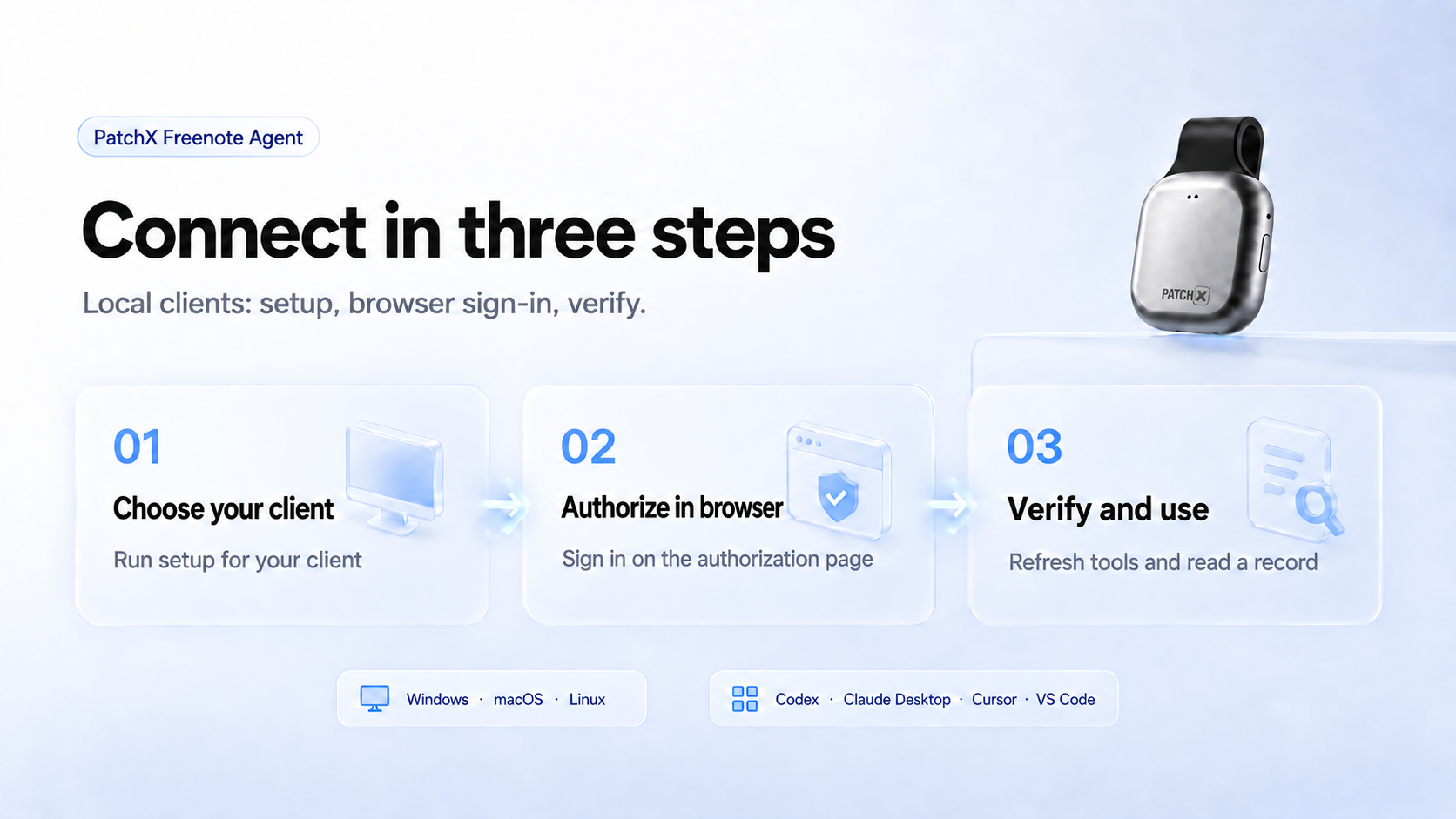
1. Set up your local client
If your assistant supports Agent Skills, install the Skill first. MCP setup also works without it. Choose one command for the client you use:
| Client | Command |
|---|---|
| Cursor | npx -y patchxnote-agent@latest setup --client cursor |
| VS Code | npx -y patchxnote-agent@latest setup --client vscode |
| Codex | npx -y patchxnote-agent@latest setup --client codex |
| WorkBuddy desktop | npx -y patchxnote-agent@latest setup --client workbuddy |
Setup checks browser OAuth login and writes or prints the appropriate MCP config. Run it in the same OS/runtime that will launch MCP: Windows desktop apps and WSL/remote sessions use different credential stores. See Client Setup for other clients and manual configuration.
2. Authorize in the browser
Complete the PatchX Freenote sign-in page opened by setup. Keep phone verification codes and credentials on that page. If you need to start browser login explicitly:
3. Verify and use
Refresh or restart your MCP client, let it discover the available tools, then ask: “Find up to five of today's mobile records.” A successful empty result is normal when that account/platform has no matching records. See Verify the Install for additional checks.
Using a hosted platform instead
Create a custom MCP connector named PatchX Freenote MCP, set its server URL to https://freenote.patch-x.cn/mcp, complete the platform's OAuth flow, and refresh its tool list. Follow the platform-specific instructions in client integration notes; support and acceptance vary by platform.
Copy the complete prompt for an AI assistant
Common Workflows
| Goal | Ask your assistant |
|---|---|
| Find synced records | “Find today's mobile records.” |
| Inspect an existing AI result | “Show the source text and saved AI result for this record.” |
| Prepare content to share | “Create a Markdown draft from this record. Let me review it before sending.” |
| Use a local webhook | “Send this approved Markdown to my Product Feishu webhook.” |
An existing record/result is the input. Local draft files and local webhook aliases require the local tools that provide those capabilities; check the connected endpoint's tool list before using them.
PatchX Freenote MCP Skill
The Skill gives compatible assistants reusable setup, authorization, record lookup, result inspection, and approved webhook instructions. The npm package bundles it, so the recommended install does not require a separate GitHub clone:
This installs the Skill into the user's .agents/skills/patchxnote-mcp directory by default. It does not log in to PatchX Freenote or start an MCP server.
Skill install options and existing-folder handling
Useful skill installer options:
| Option | Use |
|---|---|
--dry-run --json | Preview target paths and conflict status without writing files. |
--home <path> or PATCHXNOTE_AGENT_SKILL_HOME=<path> | Install into a test or alternate home directory. |
--agent universal|codex|cursor|claude-code|gemini-cli|github-copilot|all | Target a known local skill directory family after its location is verified. |
--force | Replace an existing unmanaged or manually edited patchxnote-mcp skill after explicit user intent. |
The installer is idempotent. If an existing patchxnote-mcp directory differs and is not managed by this package, it refuses to overwrite it unless --force is supplied. Managed installs include .patchxnote-agent-skill.json with the package version and source hash.
Alternative: install with the skills CLI
For users of the standard skills CLI, this Codex example installs from GitHub into the current project. It installs the Skill, not the MCP connection. Choose either this route or the npm-bundled install above.
Login And MCP Modes
The client transport and the source of its tools are separate:
mcp servespeaks stdio to the local client. In defaultautomode, matching, unexpired browser OAuth credentials select a proxy to the hosted MCP service; otherwise it uses the local implementation.- The local implementation provides 19 tool definitions in
0.2.15. Their data calls still require appropriate authentication. A proxied or directly connected hosted service supplies its own tool set and may differ. - Use the connected endpoint's
tools/listresult as the source of truth for available tools. Local filesystem and webhook capabilities listed below describe the local implementation. mcp loginis the browser OAuth entry. Terminal-onlypatchxnote loginremains the separate legacy Agent login.mcp servedoes not open a login browser when the editor starts.
Client Setup
Supported clients and advanced setup flags
Local setup supports these client IDs:
vscode, cursor, codex, claude-desktop, and windsurf can write a local config file after confirmation. claude-code, trae, qoder, and workbuddy return manual commands or copyable config in V1. Platform clients such as Feishu Aily, Doubao Work Partner, Tencent Agent Development Platform, and enterprise WorkBuddy require the hosted remote MCP gateway and platform-console acceptance instead of local npx.
Useful setup flags:
Run setup in the same OS/runtime that will later launch MCP. For example, a Windows desktop editor needs Windows Credential Manager credentials, while a WSL or remote VS Code session needs credentials in that Linux runtime.
MCP Configuration
Manual stdio configuration and absolute-path fallback
For generic local stdio MCP hosts, use the pure JSON printed by:
The default config looks like this:
Some clients may require a wrapper-specific field such as type: "stdio" or a different top-level key, but the command and args stay the same. If a client rejects npx, kills slow cold starts, or requires allowlisted absolute paths, use the fallback printed by:
The fallback config uses the installed binary path:
MCP Tools
Local implementation: 19 tool definitions
Account And Record Lookup
| Tool | Purpose |
|---|---|
patchxnote_get_current_user | Show the current PatchX Freenote account status. |
patchxnote_list_recorder_cards | List bound recorder cards with masked identifiers only. |
patchxnote_get_quota_summary | Show current quota. |
patchxnote_get_model_usage_summary | Show current-month AI usage and charged quota. |
patchxnote_list_memories | List records for mobile or desktop. |
patchxnote_search_memories | Search record basics cached in the current MCP session. |
patchxnote_get_memory | Show safe basic information for one record. |
Webhook Configuration And Sending
| Tool | Purpose |
|---|---|
patchxnote_list_webhook_targets | List local webhook aliases and masked metadata. |
patchxnote_configure_webhook_target | Create or update a webhook alias; URL and secret inputs are write-only. |
patchxnote_remove_webhook_target | Remove a webhook alias and best-effort clean up stored secrets. |
patchxnote_list_webhook_templates | List built-in Markdown templates. |
patchxnote_render_webhook_message | Render a record into Markdown and optionally save a local draft. |
patchxnote_export_model_io | Export a complete AI processing record to a user-chosen local file. |
patchxnote_send_webhook | Manually send Markdown, a draft, a rendered record, or a test message to target aliases. |
AI Result Inspection
| Tool | Purpose |
|---|---|
patchxnote_list_model_io_traces | Find AI processing runs and the follow-up request_id. |
patchxnote_get_model_io_source_text | Inspect or export the source text used for that run. |
patchxnote_get_model_io_provider_response | Inspect or export the AI response. |
patchxnote_get_model_io_parsed_result | Inspect or export the parsed AI result. |
patchxnote_get_model_io_packaged_result | Inspect or export the final result. |
Record tools require an explicit platform argument: mobile or desktop. The record list now includes formal saved results plus readable model-generated outputs when the server has model IO data. patchxnote model-io list remains the lower-level AI processing list for finding request IDs and filtering by task or state.
Webhook MCP tools share the same local config, keychain, templates, and sender modules as the CLI. They do not return full webhook URLs or signing secrets, and send calls perform external network requests only when the MCP client explicitly invokes the send tool.
AI result tools are explicit inspection tools. They may expose source text or AI payloads for the logged-in user, so use them only from trusted local MCP hosts. Large fields should be written to an explicit local out file.
CLI Commands
CLI command reference
The examples below are independent commands. Choose the operation for your task; they are not one script to run from top to bottom.
Browser MCP login and local MCP service:
Terminal CLI login:
List AI processing runs and export results:
Get request_id from patchxnote model-io list --platform mobile|desktop when you need a lower-level AI processing run. MCP patchxnote_list_memories returns id and platform for record rendering, drafts, webhook workflows, and model IO field tools; for model-generated entries, that id can be the same value as request_id.
Configure and send webhooks:
Useful global flags:
The npm package is a small installer/launcher wrapper:
Webhook URLs and optional Feishu/DingTalk signing secrets are stored in the local secure credential store, not in the non-secret config file. --url-stdin and --secret-stdin avoid shell history. CLI and MCP webhook sending is manual only, does not follow redirects, and surfaces provider errors directly.
patchxnote model-io export is the preferred complete AI processing export command. patchxnote webhook export-model-io remains available for compatibility.
Verify The Install
These checks do not sign you out or overwrite client configuration:
After authorization, add --verify to mcp status to verify access. If the native binary is on PATH, patchxnote version reports its version and release commit. The current published release is 0.2.15.
Troubleshooting
| Problem | What to check |
|---|---|
patchxnote is not found after install | Add the printed install directory to PATH, then open a new terminal. |
| Login says credential storage is unavailable | Check that macOS Keychain, Windows Credential Manager, or Linux Secret Service is available and unlocked. For local development only, set PATCHXNOTE_AUTH_INSECURE_FILE_KEYCHAIN=true. |
| MCP login expired or points at the wrong server | Run npx -y patchxnote-agent@latest mcp logout --local-only, then run npx -y patchxnote-agent@latest mcp login again in the same runtime. |
| MCP host cannot start the server | If first start is slow or the client rejects npx, run npx -y patchxnote-agent@latest install --print-config once and use the printed absolute command path. |
| Setup writes credentials in the wrong place | Run setup from the same OS/runtime that will launch MCP. Windows desktop apps, WSL terminals, and VS Code Remote do not automatically share keychain credentials. |
| Need to undo setup | Restore the timestamped .bak-YYYYMMDDTHHMMSSZ file printed by setup, or remove only the patchxnote MCP server entry from the client config. |
| Record list is empty | Check that you selected the correct platform: mobile or desktop; use model-io list for lower-level AI processing runs. |
| Webhook did not send | Confirm the alias exists, the target is enabled, and check the provider error returned by the command. |
| Checksum verification fails | Retry later or pin a known version; the installer refuses unchecked binaries. |
skill install says the target already exists and differs | The target contains an unmanaged or manually edited patchxnote-mcp skill. Inspect or back it up first; rerun with --force only when you want PatchX Freenote Agent to replace that skill folder. |
| Wrong server environment | Use --server-base-url <url> when logging in to another environment, and use a separate profile. |
New release returns ETARGET | Check npm config get registry. A mirror may not have synced yet; use the one-command official-registry example below. |
This applies the registry choice to this command only. If a GitHub download is slow, retry later; the npm-bundled Skill avoids a separate repository clone.
Existing test-environment configuration
Version 0.2.12 and later default to production. Existing explicit --server-base-url flags, PATCHXNOTE_SERVER_BASE_URL / legacy PATCHNOTE_SERVER_BASE_URL environment variables, and server.base_url config values override that default; update or remove test-server overrides in both the terminal and MCP host configuration.
Run mcp login in the same OS/runtime and profile that starts MCP, then check mcp status --verify. OAuth credentials are bound to the server address, so test login does not authenticate production. This update does not migrate test accounts or records. To keep both environments, use separate profiles and an explicit base URL for each.
Sign Out And Undo Setup
Choose the action you need; these are separate maintenance operations:
| Action | Command or instructions |
|---|---|
| Sign out of MCP | npx -y patchxnote-agent@latest mcp logout |
| Remove only local MCP credentials | npx -y patchxnote-agent@latest mcp logout --local-only |
| Undo client setup | Restore the timestamped backup printed by setup, or remove its patchxnote entry from that client's configuration. |
| Uninstall the managed native binary | npx -y patchxnote-agent@latest uninstall |
Security And Risk Notice
- PatchX Freenote server data access is read-only. Agent does not bind hardware, read raw audio, trigger model runs, handle payments, or expose Admin APIs.
- Local webhook configuration and user-approved sending are supported local actions. Sending is explicit, with no automatic background delivery.
- Credentials use OS-native secure storage; MCP config contains no bearer tokens or webhook secrets. Windows, WSL, and remote runtimes do not automatically share credentials.
- Records are scoped to the authenticated account and selected
mobileordesktopplatform. Source text, AI results, exported files, and webhook destinations may be sensitive. - Review content before sharing and use trusted MCP clients. Report vulnerabilities through SECURITY.md, without posting credentials or private records in public issues.
Current Limitations
Search covers record basics cached during the current local MCP session. Linux headless environments need an available secure credential store. Hosted-platform acceptance and local installation are separate; see the client status notes. This is a public beta, without a production SLA.
Release History
Release highlights from 0.2.6 to 0.2.15
0.2.15 Highlights
- Corrects the MCP Registry namespace to preserve GitHub owner casing:
io.github.ZsTs119/patchxnote-agent. - Adds the
mcp servelaunch arguments and validates release metadata before publication. - Keeps the existing runtime behavior and Skill license.
0.2.13 Highlights
- Unifies the English and Chinese setup prompts across README, npm, the bundled Skill, and marketplace copy.
- Explicitly names the production service, Remote MCP endpoint, setup page, and App download URL; existing test-address overrides must be updated when switching.
- Points npm and plugin homepage metadata to the production setup page and retires obsolete domain proposals in current guidance.
0.2.12 Highlights
- Defaults to the production API at
https://freenote.patch-x.cn; hosted MCP useshttps://freenote.patch-x.cn/mcp. - Keeps explicit server flags, environment variables, and config-file overrides available for test environments.
- Documents production re-login and migration of existing test-server configurations.
0.2.11 Highlights
- Bundles the canonical PatchX Freenote MCP Skill inside the npm package.
- Adds
npx -y patchxnote-agent@latest skill installfor npm-based skill installation without relying on a separate skills CLI or GitHub clone. - Makes skill installation idempotent, records a managed marker, and protects manually edited skill folders unless
--forceis explicitly used. - Extends skill package sync and validation so OpenAI, Claude, and npm copies stay byte-identical to
skills/patchxnote-mcp/. - Updates the one-line setup prompt and discovery metadata to prefer the npm-bundled skill installer while preserving MCP setup, browser OAuth, and tool verification.
0.2.10 Highlights
- Adds the reusable PatchX Freenote MCP Skill at
skills/patchxnote-mcp/so compatible AI clients can keep the setup and usage SOP across fresh or long sessions. - Adds OpenAI/Codex, Claude Code, Agent Skills, MCP Registry, Smithery, and third-party directory draft packaging and listing materials.
- Adds MCP Registry metadata through
server.jsonandpackage.json#mcpName, plus local validation and stdio smoke scripts for release evidence. - Updates the one-line setup prompt so agents install the skill when supported, then run MCP setup, browser OAuth, and tool verification without asking users to paste codes or tokens into chat.
0.2.9 Highlights
- Polishes the browser OAuth loopback success and failure pages shown after
patchxnote mcp login. - Keeps the post-login result page focused on plain user guidance, without exposing OAuth codes, state values, or token-shaped details.
- Adds regression coverage for the browser callback pages so future changes keep those sensitive details out of the UI.
0.2.8 Highlights
- Adds
patchxnote setup --client <id>and npm wrapper delegation with dry-run, JSON output, confirmation, config printing, force repair, and local MCP smoke hooks. - Adds a client registry for VS Code, Cursor, Codex, Claude Code, Claude Desktop, Windsurf, Trae, Qoder, WorkBuddy, Feishu/Doubao, Tencent platform, and P1 follow-up clients.
- Adds JSON and TOML config merge adapters with backup, conflict detection, rollback, and manual JSONC mode.
- Adds
patchxnote mcp login/status/logout, browser OAuth with PKCE, MCP OAuth secure storage, and remote/mcpstdio proxy mode with local fallback. - Adds website page specs, detail-page copy, and remote platform gateway design for product-style onboarding.
0.2.6 Highlights
- MCP expands to 19 tools across account/record lookup, webhook delivery, and AI result inspection.
- Webhook workflows are available to MCP: configure named aliases and manually send to Feishu, DingTalk, or generic webhooks.
- AI processing runs can be listed first, then inspected by
request_idfor source text, AI response, parsed result, and final result. - Record lists can now include readable model-generated outputs returned by the server, so users can find a record first and then inspect its source text, AI response, parsed result, or final result.
- Webhook aliases containing dots, Chinese text, or spaces now persist and reload correctly from the local config file.
- README, npm README, and public visual assets have been refreshed for the new user-facing positioning.
Development
For architecture, local development, and checks appropriate to your change, read AGENTS.md, engineering rules, and the release and maintenance runbook. Metadata-only releases use the affected-module validation described in that runbook.
Release Notes For Operators
The runbook covers version synchronization, GitHub Release assets, npm Trusted Publishing, and release verification. Current evidence: 0.2.15.
License
This repository is currently published without an open-source license. Contact PatchX Freenote before redistributing or embedding it in another product.