Document AI and headless DMS: OCR, IDP, search, workflows, signatures. EU-hosted, OAuth 2.1.
Quick Install
Automated & IDE SetupCopy the AI prompt to install this server into Claude Code, Cursor, or another agent — or use 1-click editor setup below.
One-click editor setup isn’t available for this listing yet — we don’t have a confirmed install command, and we’d rather show nothing than point your editor at the wrong package or host. Follow the project’s own setup instructions, linked above.
Manual Client & Custom JSON ConfigExpand JSON ▾
No confirmed setup config for this listing yet. We only publish a config block when the install details come from the project itself — its README, its docs, or a verified owner. We haven’t found those for PaperOffice AI, and we’d rather show nothing than a guess you’d paste into your client. Follow the project’s own setup instructions for the current steps.
Documentation Overview

PaperOffice MCP Server
Give your AI assistant access to your documents — in plain language, in under 60 seconds.
Search, read, OCR, classify, extract, sign and analyse documents straight from Claude, Claude Cowork, Cursor, ChatGPT, Grok or Windsurf. No SDK, no boilerplate, no local install.




Why this matters
Your documents live in a DMS. Your AI assistant lives in your IDE or chat window. PaperOffice connects the two through the Model Context Protocol — so you can just ask, and the model does the work across every authorized workspace.
No prompt engineering, no API code — the model picks the right PaperOffice tool and runs it.
See it in action

Claude Fable 5 + PaperOffice MCP DMS — agentic document work. Watch the full guide →
Four real workflows with Claude — under 30 seconds each. Click a card for the deep-dive with prompts and tool lists:
| Use case | Watch & read | |
|---|---|---|
| 📊 | Month-end invoices — open items across every workspace, with totals and overdue flags | 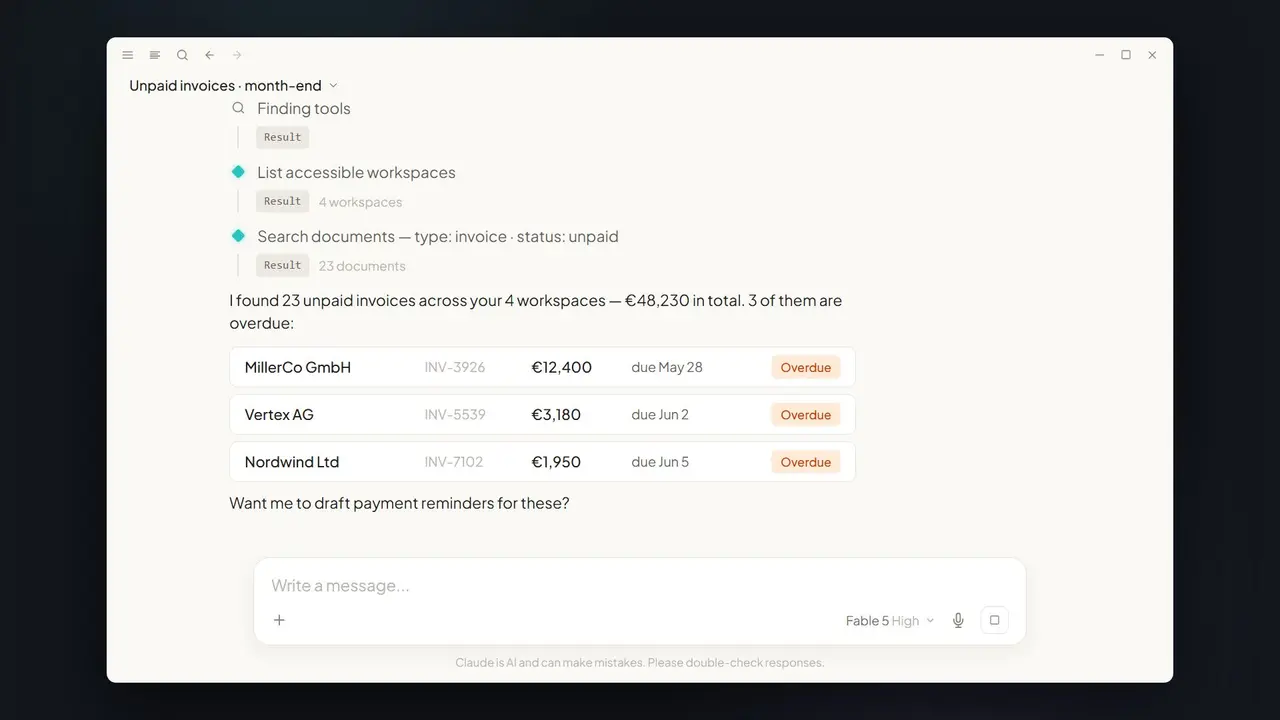 |
| 📥 | Overnight inbox — capture, classify, flag duplicates and expiring contracts before you wake up | 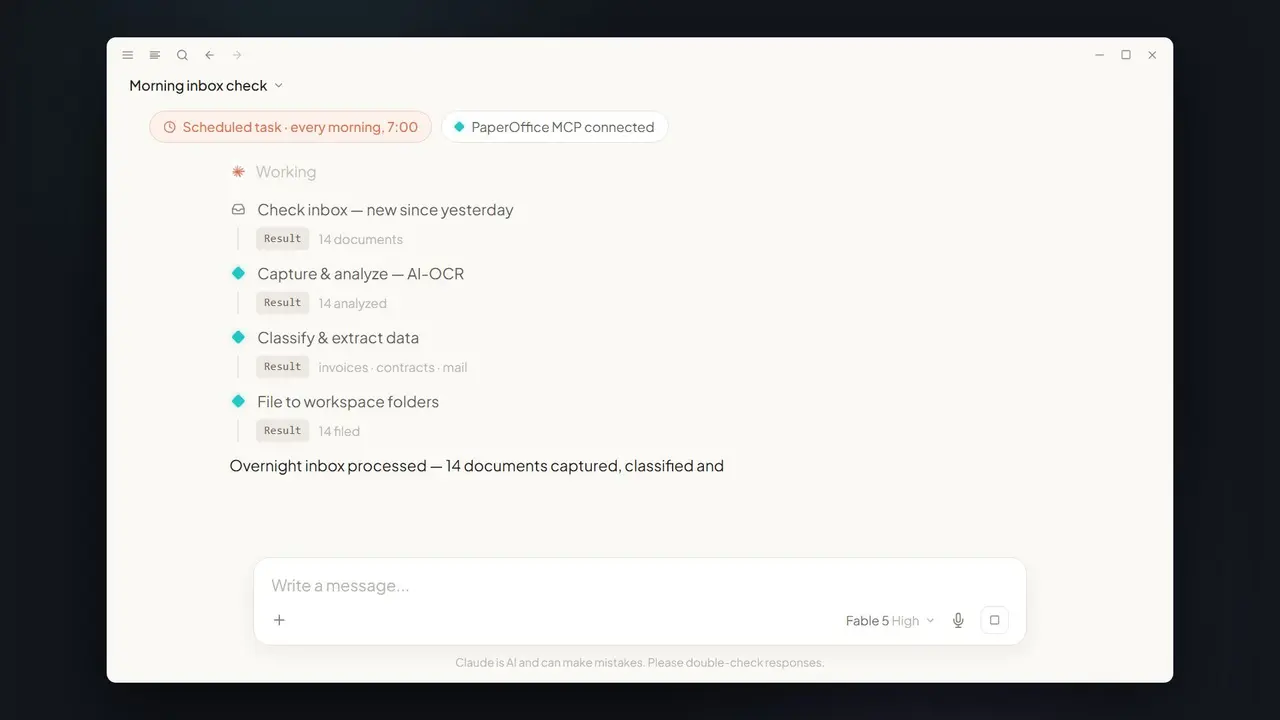 |
| 📱 | Mobile contract lookup — signed date, terms, page reference from your phone in seconds | 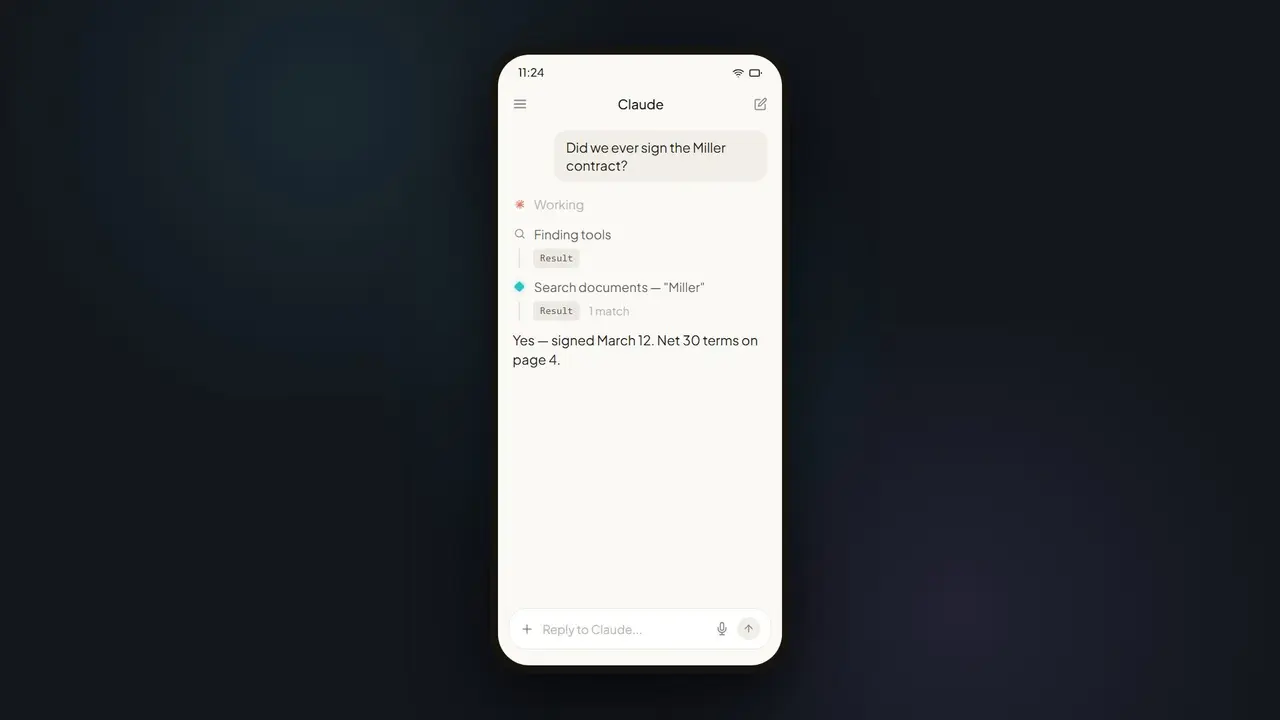 |
| 📈 | Spend dashboard — from 300 invoices to a board-ready dashboard in one prompt | 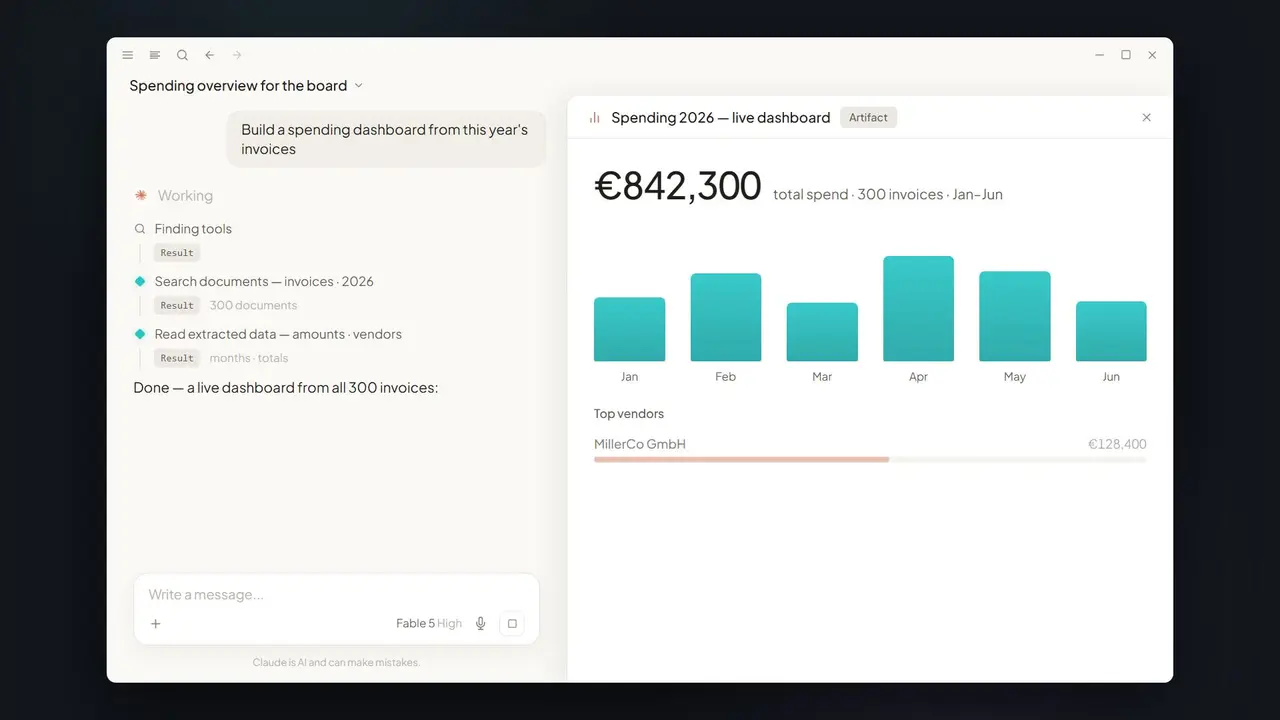 |
60-second setup
1 · Auth
You need a PaperOffice account — the free plan is enough to try everything here. No account yet? Create one at app.paperoffice.ai/en/register/ (no credit card).
Claude, ChatGPT and Grok start with OAuth 2.1: the client opens the PaperOffice sign-in, you approve, no token in any file. For Cursor, DMS, or as an alternative: sign in at app.paperoffice.ai, open Account → API and create a User token (po_ut_) or a Group token (po_gt_, limited to the workspaces of one group). po_sk_ and po_pk_ are blocked for MCP.
Questions or something not working: Help & FAQ · Support · Issues.
2 · Paste one URL into your client
Claude Desktop / Anthropic Directory (OAuth 2.1, no key in file) — configs/claude_desktop_config.json
/dms, /cursor and /grok share the Documents Operations catalog (including TTS). /claude is Directory without TTS. /chatgpt (alias /openai) is the ChatGPT connector (Directory without TTS, OTP/unlock).
Full headless DMS (po_ut_ / po_gt_) — configs/dms_mcp.json → /dms. Same catalog as /cursor and /grok.
ChatGPT / Grok (OAuth 2.1, no key in file) — /chatgpt (alias /openai) or /grok (configs/openai_mcp.json, configs/grok_mcp.json). po_ut_ / po_gt_ remains an alternative for /chatgpt.
Everything (300+ MCP tools across every module) — configs/mcp_full.json → /mcp-full.
3 · Ask away
That's it — your AI now works with your documents.
Choose your scope — you decide, not your client
Any client can use any URL. The paths below are convenience profiles, not limits: go full from day one, or pick Directory / ChatGPT policy surfaces when a catalog requires it.
| I want… | URL | Surface | Good for |
|---|---|---|---|
| Everything | https://mcp.paperoffice.ai/mcp-full | 300+ | Power users, agents, migration |
| Documents Operations | https://mcp.paperoffice.ai/dms | 300+ | Canonical DMS URL |
| Cursor / Windsurf | https://mcp.paperoffice.ai/cursor | same as /dms | IDE — full Documents Operations including TTS |
| Grok | https://mcp.paperoffice.ai/grok | same as /dms | Grok custom connector |
| Claude Directory URL | https://mcp.paperoffice.ai/claude | Directory without TTS | Claude Desktop / Anthropic Directory |
| ChatGPT | https://mcp.paperoffice.ai/chatgpt | Directory without TTS, OTP/unlock | ChatGPT Apps SDK |
| ChatGPT alias | https://mcp.paperoffice.ai/openai | same as /chatgpt | Legacy ChatGPT URL |
| Slim IDE subset | https://mcp.paperoffice.ai/mcp | subset of 300+ | Read-safe default for tool-limited IDEs |
Client shortcuts:
https://mcp.paperoffice.ai/cursor = same Documents Operations catalog as /dms ·
https://mcp.paperoffice.ai/grok = same Documents Operations catalog as /dms ·
https://mcp.paperoffice.ai/claude = Directory without TTS ·
https://mcp.paperoffice.ai/chatgpt = ChatGPT connector (alias https://mcp.paperoffice.ai/openai) ·
https://mcp.paperoffice.ai/mcp = slim IDE subset.
Why scopes at all? Fewer tools = faster, more accurate tool-selection by the model, and some clients enforce a tool-count cap.
/mcpis the slim IDE subset. None of this limits what PaperOffice can do — switch to/mcp-fullanytime for media, CRM and telephony.
Ready-made config files for every profile are in configs/.
Per-client quick reference
| Client | Suggested start | Want more? |
|---|---|---|
| Claude Desktop | /claude (OAuth, Directory without TTS) | /mcp-full for media/CRM |
| Claude Cowork / Claude Code | /dms (Documents Operations, po_ut_ / po_gt_) | /mcp-full for all modules |
| Cursor / Windsurf | /cursor (same catalog as /dms) | /mcp-full for media/CRM |
| ChatGPT | /chatgpt (OAuth, alias /openai) | /mcp-full for all 300+ |
| Grok | /grok (OAuth, same catalog as /dms) | /mcp-full for all 300+ |
These are starting points — change the URL whenever your task needs a different scope.
Marketplace plugins
Prefer a one-click install? The same server is packaged as a plugin for two marketplaces:
| Marketplace | Repository | Endpoint |
|---|---|---|
| Cursor Marketplace | paperoffice-ai/paperoffice-cursor-plugin | /cursor — token set as a plugin variable, never in the repo |
| xAI Plugin Marketplace (Grok Build) | paperoffice-ai/paperoffice-grok-plugin | /grok — OAuth 2.1 on first connection |
ChatGPT and Claude do not need a repository: connect the /chatgpt or /claude URL directly, or install PaperOffice from their app directories once listed.
Official MCP Registry
PaperOffice is published in the official MCP Registry as io.github.paperoffice-ai/paperoffice-mcp — the manifest is server.json in this repository. Clients and directories that read the registry (VS Code, Glama, PulseMCP and others) find the six lanes there without any manual entry.
Agent Skills
The MCP server supplies the tools; paperoffice-ai/paperoffice-skills supplies the procedures — five SKILL.md files (API integration, invoice extraction, OCR, documents, tool discovery) that load as a Claude Code plugin, a claude.ai skill upload, or inside the Cursor plugin.
What you can do
Related MCP Servers
Reviews
No reviews yet — be the first to share how this listing worked for you.
Frequently Asked Questions about PaperOffice AI
AllMCPs Directory Badge
Showcase your server listing on GitHub or your project documentation. Embed this dynamic SVG badge to highlight official listing status and live engagement.
Badge Style:
Live Dynamic SVG Preview
Markdown (GitHub README)
[](https://allmcps.com/mcp/paperoffice-ai)HTML Embed
<a href="https://allmcps.com/mcp/paperoffice-ai"><img src="https://allmcps.com/api/badge/paperoffice-ai?style=directory" alt="PaperOffice AI on AllMCPs" /></a>