PageSpeed Insights MCP Server

Six-tool MCP server for Google PageSpeed Insights & Chrome UX Report APIs. Analyze, compare, and optimize web performance directly through Claude, Cursor, or any MCP-compatible AI client.
⚡ Quick Start (Copy & Paste)
{
  "mcpServers": {
    "pagespeed-insights": {
      "command": "npx",
      "args": ["-y", "pagespeed-insights-mcp"],
      "env": { "GOOGLE_API_KEY": "your-google-api-key" }
    }
  }
}
Get a free API key at Google Cloud Console → paste into Claude Desktop's claude_desktop_config.json → restart. Done. (Codex/OpenAI config, Docker)







🔥 What Makes It Different
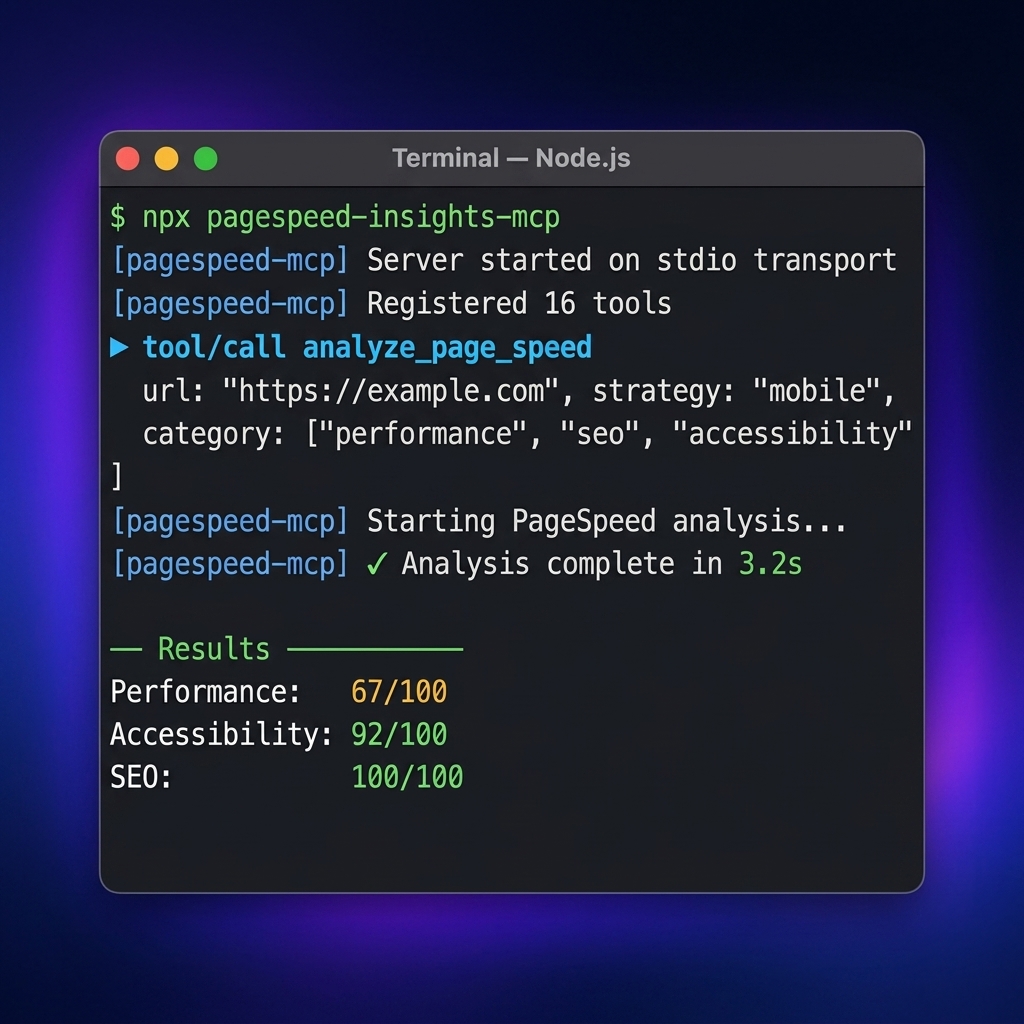
Most PageSpeed MCP servers wrap one tool: "run PSI on a URL." This server ships six workflow tools covering the full performance workflow — not just a score, but an action plan:
- Full toolkit: page analysis, CrUX real-user data (URL + origin), Lighthouse audits, multi-page & batch comparison, baselines, and regression tracking
- Deep diagnostics: element-level, network, JavaScript, image optimization, render-blocking, and third-party impact analysis
- Actionable output: a recommendations engine that turns raw Lighthouse data into prioritized fixes, plus visual analysis of screenshots
- Practical extras: caching for repeat runs and smart recommendations tuned for AI agents to act on
- Battle-tested: published on npm, listed in the Official MCP Registry and Glama, CI-tested with Vitest
🎬 View Interactive Demo → — See the tools in action with animated examples Fallback URL: https://ruslanlap.github.io/pagespeed-insights-mcp/demo.html
📖 Table of Contents
- ⚡ Quick Start (Copy & Paste)
- 🔥 What Makes It Different
- ⚙️ Client Configuration
- 📊 Example Output
- 📚 Documentation
- 📝 Release Notes
- 🎯 Why You Need This
- ✨ Features
- 🚀 Quick Installation
- 🔑 Getting Google API Key
- ⚙️ Claude Desktop Configuration
- 💻 Usage
- Available Tools
- MCP Prompts (Slash Commands)
- MCP Resources
- ✨ Rich Visual & Aesthetic Outputs
- Development
- Troubleshooting
- Requirements
- Security
- Acknowledgments
- License
- Support
⚙️ Client Configuration
Claude Desktop
Add to your claude_desktop_config.json:
{
  "mcpServers": {
    "pagespeed-insights": {
      "command": "npx",
      "args": ["-y", "-p", "pino-pretty", "-p", "pagespeed-insights-mcp", "pagespeed-insights-mcp"],
      "env": {
        "GOOGLE_API_KEY": "your-google-api-key-here"
      }
    }
  }
}
Codex / OpenAI
Add to your configuration (TOML):
[mcp_servers.pagespeed-insights]
command = "npx"
args = [
  "-y",
  "-p",
  "pino-pretty",
  "-p",
  "pagespeed-insights-mcp",
  "pagespeed-insights-mcp"
]
env = { GOOGLE_API_KEY = "your-google-api-key-here" }
Note: The
pino-prettypackage is required for proper log formatting. The above configurations ensure it is installed automatically vianpx.
For Grok Build (config.toml)
Add to ~/.grok/config.toml (global) or <repo>/.grok/config.toml (project-scoped, higher priority):
[mcp_servers.pagespeed-insights]
command = "npx"
args = ["-y", "-p", "pino-pretty", "-p", "pagespeed-insights-mcp", "pagespeed-insights-mcp"]
env = { GOOGLE_API_KEY = "${GOOGLE_API_KEY}" }
enabled = true

# Recommended companion professional MCPs (add once):
# [mcp_servers.github]      — PRs, issues, code search
# [mcp_servers.context7]    — fresh library docs (Upstash)
# [mcp_servers.serena]      — semantic code intelligence (uses your .serena/ if present)
Project-scoped example (put in this repo's .grok/config.toml for local dist/index.js + tighter Serena):
[mcp_servers.pagespeed-insights]
command = "node"
args = ["/home/ubuntuvm/Projects/pagespeed-insights-mcp/dist/index.js"]
env = { GOOGLE_API_KEY = "${GOOGLE_API_KEY}", NODE_ENV = "development" }
Verification inside Grok session:
/mcps(or Ctrl+L → MCP tab) → ensure pagespeed-insights shows "running"- Use tools:
pagespeed-insights__pagespeed_analyze_page,pagespeed-insights__pagespeed_get_field_data, etc. (namespaced)
📊 Example Output
Real pagespeed_analyze_page results for github.com — one mobile Lighthouse run. CrUX numbers come from pagespeed_get_field_data with scope: "origin":
Lighthouse lab scores:
| Category | Score | Status |
|---|---|---|
| Performance (mobile) | 54/100 | 🔴 Poor |
| Performance (desktop) | 52/100 | 🔴 Poor |
Core metrics (mobile):
| Metric | Value | Rating |
|---|---|---|
| First Contentful Paint | 11.9 s | 🔴 Poor |
| Largest Contentful Paint | 13.4 s | 🔴 Poor |
| Total Blocking Time | 30 ms | 🟢 Excellent |
| Cumulative Layout Shift | 0.07 | 🟢 Good |
| Speed Index | 11.9 s | 🔴 Poor |
CrUX field data — real users, github.com origin (phone):
| Metric | p75 (real users) |
|---|---|
| First Contentful Paint | 1.9 s |
| Largest Contentful Paint | 2.2 s |
| Interaction to Next Paint | 243 ms |
| Cumulative Layout Shift | 0.02 |
Results vary between runs — Lighthouse lab data is noisy (a single run is one sample). Use
runs: 3-5for medians.Lab vs field: Lighthouse throttles the connection (hence 54/100 mobile), while CrUX shows how actual GitHub visitors experience it — both views come straight from this server's tools.
📚 Documentation
We have comprehensive documentation available online.
👉 View Full Documentation Site
You can also view the raw markdown files in the
docs/directory or runmkdocs servelocally.
📝 Release Notes
Current release: see the version badges at the top of this README.
Latest Highlights:
-
✨ Rich Aesthetic & Visual Formatters:
- Unicode Score Bars: Gauge progress visualization (
█████████████░░░ 85/100 🟢 Good) for instant visual feedback. - Core Web Vitals Scorecards: Clean markdown tables classified with official Google 2026 guidelines (
🟢 Good,🟡 Needs Improvement,🔴 Poor). - GitHub Shield Badges: Direct copy-paste markdown badges for repository READMEs with direct web.dev analysis links.
- Modernized Mermaid Architecture Maps: High-contrast, dark-mode friendly flowcharts with color-coded nodes.
- Recommendation Callouts: Visual priority summary callout cards (
🔴 High | 🟡 Medium | 🟢 Low | Impact: High).
- Unicode Score Bars: Gauge progress visualization (
-
💬 Native MCP Prompts (Slash Commands):
- Interactive prompts exposed to Claude Desktop, Cursor, and Cline slash menus:
/performance-audit: Guided 4-step performance triage with prioritized remediation./release-comparison: Staging vs production delta verification with a clear GO / NO-GO decision./core-web-vitals-deepdive: Deep-dive contrasting real-user CrUX field data with synthetic Lighthouse lab simulations.
- Interactive prompts exposed to Claude Desktop, Cursor, and Cline slash menus:
-
📚 Native MCP Resources:
- Direct context URIs without tool executions:
pagespeed://web-vitals-guide: 2026 Core Web Vitals thresholds and optimization playbooks.pagespeed://baselines: Locally recorded performance baselines for regression tracking.
- Direct context URIs without tool executions:
-
🧪 Enterprise-Grade Test Suite & Resilience:
- Expanded test coverage across 21 test suites and 304 tests (100% passing).
- High coverage standards: 96.43% statements, 85.82% branch coverage (
100%on formatters, resources, and baselines). - Clean, single-run execution across CI and
prepublishOnly(lint,typecheck,test,build).
-
v2 Core Architecture:
- Six workflow-oriented
pagespeed_*tools replace the former 19 v1 endpoint-shaped tools; all data tools support Markdown or JSON with structured results.
- Six workflow-oriented
The badges at the top of this README update automatically on every release (npm version, GitHub package version, downloads). No manual edits needed.
For the complete release history, see CHANGELOG.md.
🎯 Why You Need This
Pain point 1 — "My page is slow but I don't know why." You open PageSpeed Insights, get a wall of data, and still can't tell what to fix first. This MCP gives your AI assistant six focused workflows that cut through the noise: it identifies the exact render-blocking resources, the specific images wasting 2 MB, the third-party scripts eating 1.5 s of main-thread time — and ranks them by impact. Ask "why is my site slow?" and get a prioritized fix list, not a 40-metric dashboard.
Pain point 2 — "I ship performance regressions to production." Your team moves fast, deploys daily, and nobody runs a full Lighthouse audit before each merge. By the time someone notices the Core Web Vitals dropped, the regression is already live. This MCP lets any developer paste a URL into Claude/Cursor and get a complete audit — lab data, field data from real Chrome users (CrUX), element-level CLS/LCP debugging — in seconds. It's the difference between catching a regression at your desk and discovering it in a Slack message from the SEO team three days later.
✨ Features
Core Features
- 🚀 Performance Analysis of web pages using Google PageSpeed Insights
- 📱 Multi-platform Support: mobile and desktop devices
- 🔍 Detailed Lighthouse Reports with comprehensive metrics
- 📊 Simplified Reports with key performance indicators
- 🎯 Smart Recommendations with priority scoring and actionable fixes
- 💾 Intelligent Caching to reduce API calls and improve performance
- 🌍 Localization - support for multiple languages
- ⚡ Quick Installation - one command setup
- 🐳 Docker Support for containerized deployment
Advanced Analysis Tools (New!)
- 📸 Visual Analysis - Screenshots, filmstrip, and full-page captures
- 🎯 Element-Level Debugging - Find specific DOM elements causing issues
- 🌐 Network Waterfall - Detailed request timing and resource loading
- ⚡ JavaScript Profiling - Execution breakdown and unused code detection
- 🖼️ Image Optimization - Specific image issues with exact savings
- 🚫 Render-Blocking Analysis - Critical request chains and dependencies
- 🔌 Third-Party Impact - Script impact grouped by provider
- 📊 Full Audits - Complete Lighthouse audits for all categories
🚀 Quick Installation
Option 1: Automatic Installation (Recommended)
# Set environment variable
export GOOGLE_API_KEY=your-google-api-key
curl -sSL https://raw.githubusercontent.com/ruslanlap/pagespeed-insights-mcp/master/scripts/install.sh | bash
The installer uses the public npm package (pagespeed-insights-mcp) by default. To install the scoped GitHub Packages build instead, configure GitHub Packages authentication first and run:
curl -sSL https://raw.githubusercontent.com/ruslanlap/pagespeed-insights-mcp/master/scripts/install.sh | \
  PAGESPEED_INSIGHTS_MCP_PACKAGE=@ruslanlap/pagespeed-insights-mcp bash
Option 2: Via npm or GitHub Packages
From npm (Public Registry)
# Global installation from npm
npm install -g pagespeed-insights-mcp

# Or use without installation
npx pagespeed-insights-mcp
From GitHub Packages
# First configure authentication (see GITHUB_PACKAGES.md for details)
# Then install globally
npm install -g @ruslanlap/pagespeed-insights-mcp
Note: This package is available on both npm and GitHub Packages.
- For npm: Use
npm install pagespeed-insights-mcp- For GitHub Packages: Use
npm install @ruslanlap/pagespeed-insights-mcp(requires GitHub authentication)For detailed instructions on installing from GitHub Packages, see GITHUB_PACKAGES.md or visit the GitHub Packages page
🔧 Configuration
The MCP server requires a Google API key to access the PageSpeed Insights API.
# Set environment variable
export GOOGLE_API_KEY=your-google-api-key

# Windows
$env:GOOGLE_API_KEY="your-google-api-key"

# Or pass directly when running
GOOGLE_API_KEY=your-google-api-key npx pagespeed-insights-mcp
📝 MCP Configuration Examples
For Claude Desktop (with pino-pretty logging):
"pagespeed-insights": {
  "command": "npx",
  "args": [
    "-y",
    "-p",
    "pino-pretty",
    "-p",
    "pagespeed-insights-mcp",
    "pagespeed-insights-mcp"
  ],
  "env": {
    "GOOGLE_API_KEY": "your-google-api-key-here"
  }
}
For Codex (with pino-pretty logging):
[mcp_servers.pagespeed-insights]
command = "npx"
args = [
  "-y",
  "-p",
  "pino-pretty",
  "-p",
  "pagespeed-insights-mcp",
  "pagespeed-insights-mcp"
]
env = { GOOGLE_API_KEY = "your-google-api-key-here" }
Note: These examples include
pino-prettyfor better log formatting. For production use without pretty logs, see the Logging section below.
Google Antigravity
Example configuration files are available in the examples directory.
Option 3: Docker
docker build -t pagespeed-insights-mcp .
docker run -e GOOGLE_API_KEY=your-key pagespeed-insights-mcp
🔑 Getting Google API Key
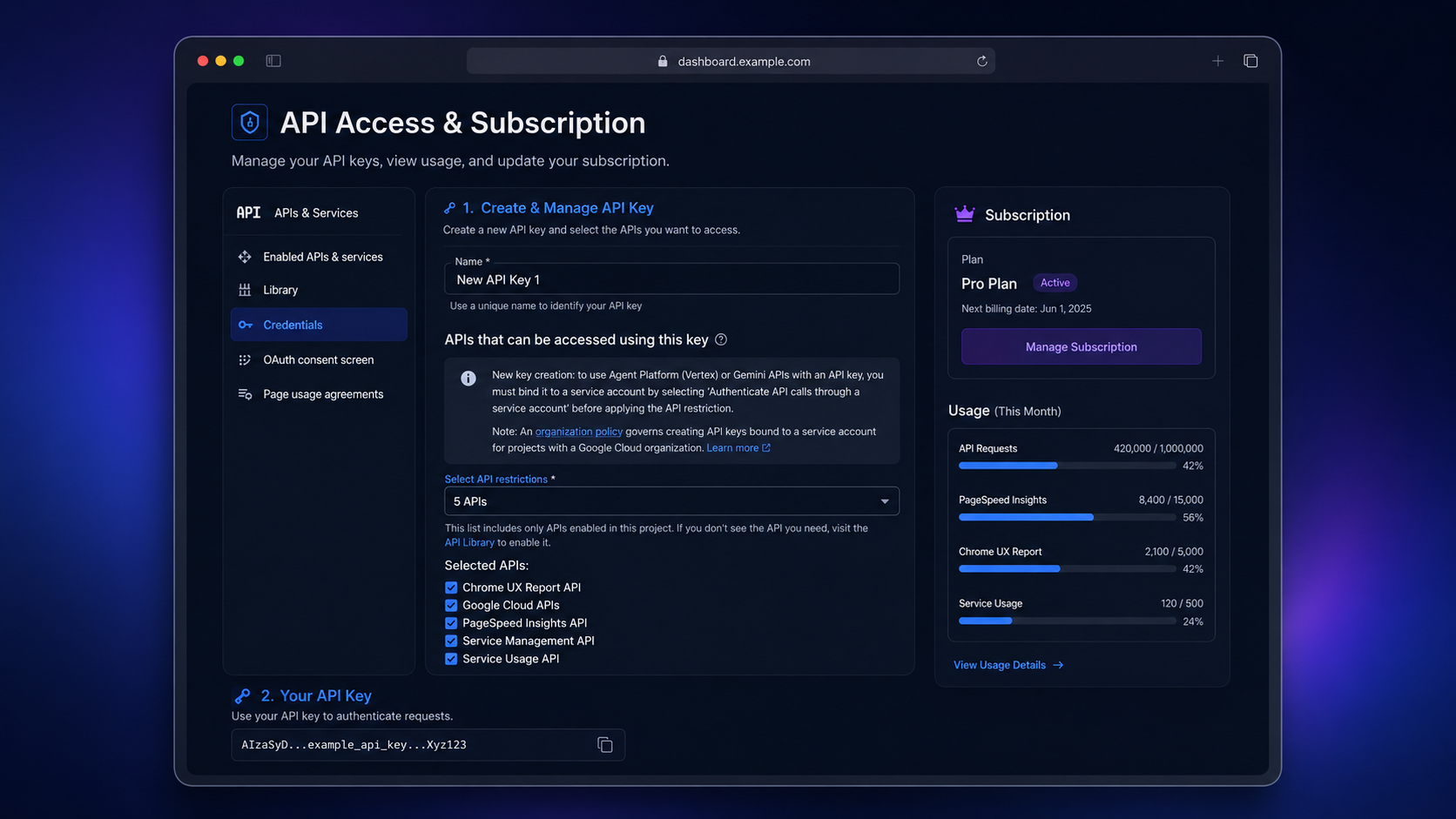
To use this MCP server, you need a Google API key with the PageSpeed Insights API enabled.
[!TIP] ⚡ Quick Setup Link: You can go directly to the Google Cloud Credentials Setup Page to quickly create a key in your project.
Step-by-Step Guide
- Go to the Google Cloud Console (or use the Quick Setup Link).
- Create a new project or select an existing one.
- Enable PageSpeed Insights API:
- Navigate to APIs & Services → Library.
- Search for "PageSpeed Insights API" and click Enable.
- Create an API key:
- Go to APIs & Services → Credentials.
- Click Create Credentials → API Key.
- Copy the generated key and set it as
GOOGLE_API_KEYin your configuration.
⚙️ Claude Desktop Configuration
Config paths: macOS ~/Library/Application Support/Claude/claude_desktop_config.json · Windows %APPDATA%\Claude\claude_desktop_config.json · Linux ~/.config/claude/claude_desktop_config.json — see ⚙️ Client Configuration above for the JSON. Restart Claude Desktop after editing.
💻 Usage
After configuration, simply ask Claude any of these commands:
🔍 Full page analysis
Analyze the performance of https://example.com
📱 Mobile device analysis
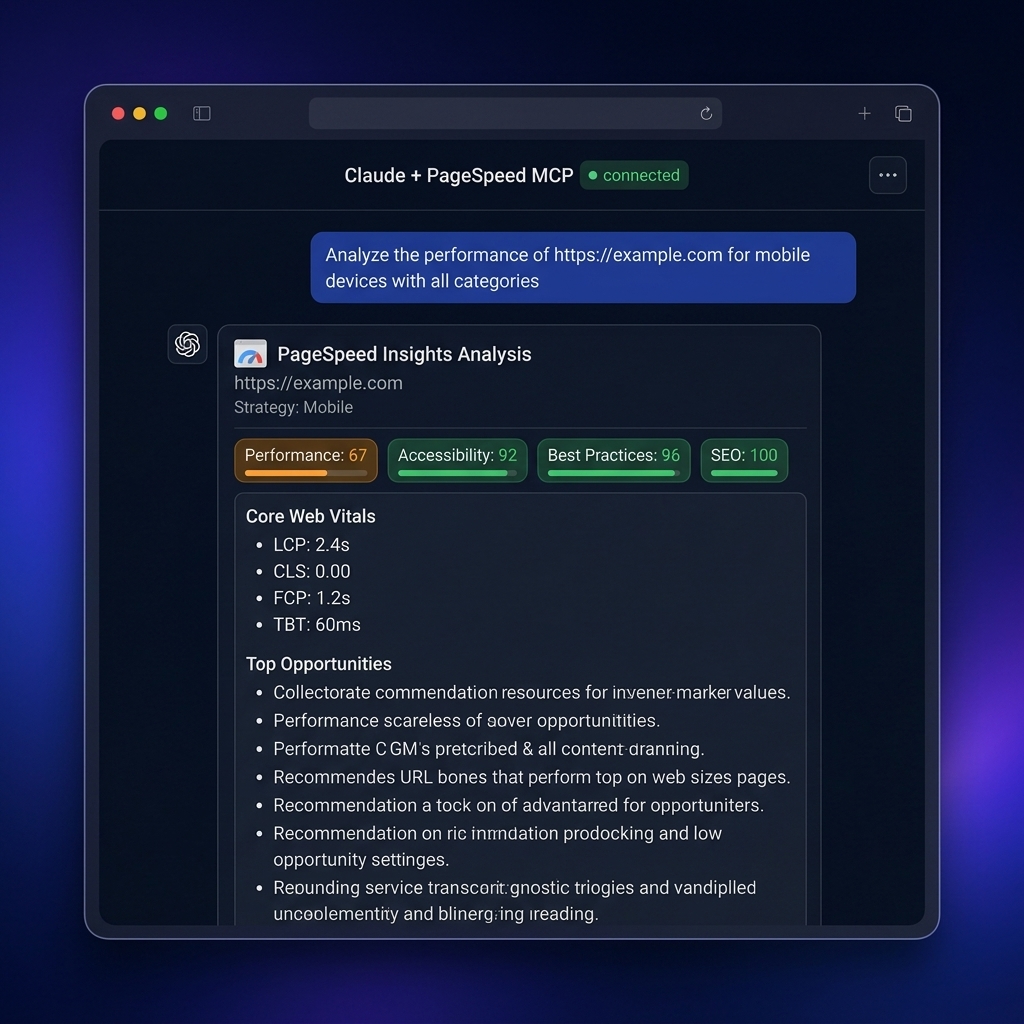
Analyze https://example.com for mobile devices with all categories
⚡ Quick performance overview
Get a quick performance report for https://example.com
🖥️ Desktop analysis
Analyze https://example.com performance for desktop devices
🌐 Multi-category analysis
Perform a full audit of https://example.com including SEO, accessibility, and best practices
🎯 Smart performance recommendations
Get smart recommendations for improving https://example.com performance
💾 Cache management
Clear the cache to get fresh data for all subsequent requests
📸 Visual analysis
Get visual analysis for https://example.com showing screenshots and loading timeline
🎯 Element-level debugging
Show me which specific elements are causing performance issues on https://example.com
🌐 Network waterfall analysis
Analyze the network requests and resource loading for https://example.com
⚡ JavaScript performance
Get JavaScript execution breakdown for https://example.com
🖼️ Image optimization opportunities
Show me which images need optimization on https://example.com
🚫 Render-blocking resources
Find render-blocking resources on https://example.com
🔌 Third-party script impact
Analyze third-party script impact on https://example.com performance
📊 Full Lighthouse audit
Run a full audit including accessibility, SEO, and best practices for https://example.com
Available Tools (v2)
Version 2 replaces the former 19 endpoint-shaped tools with six workflow tools. This is a breaking change: update MCP client prompts, saved tool calls, and integrations to use the names below. Every data-returning tool accepts responseFormat (markdown, default, or json) and returns MCP structuredContent.
| Tool | Use it for |
|---|---|
pagespeed_analyze_page | One-page Lighthouse health check, full report, recommendations, audit findings, or a Mermaid map (report). |
pagespeed_diagnose_page | One focused investigation: visual, elements, network, javascript, images, render-blocking, or third-parties. |
pagespeed_get_field_data | CrUX real-user Core Web Vitals for a page or origin. |
pagespeed_compare_pages | Compare two pages now, or compare one page with its saved baseline (mode). |
pagespeed_analyze_batch | Triage 1–10 pages with progress notifications when supported. |
pagespeed_clear_cache | Clear this process's in-memory API cache after a deploy. |
Migration from v1
| v1 tools | v2 replacement |
|---|---|
analyze_page_speed, get_performance_summary, get_recommendations, get_full_audit, get_performance_map | pagespeed_analyze_page with report=full, summary, recommendations, audit, or performance-map |
get_visual_analysis, get_element_analysis, get_network_analysis, get_javascript_analysis, get_image_optimization_details, get_render_blocking_details, get_third_party_impact | pagespeed_diagnose_page with the matching focus |
crux_summary, get_origin_crux | pagespeed_get_field_data with scope=page or origin |
compare_pages, compare_baseline | pagespeed_compare_pages with mode=pages or baseline |
batch_analyze, clear_cache | pagespeed_analyze_batch, pagespeed_clear_cache |
full_report | Run pagespeed_analyze_page and pagespeed_get_field_data; lab and field data stay explicit rather than being mixed. |
Examples
{"url":"https://example.com","strategy":"mobile","report":"recommendations","responseFormat":"markdown"}
{"url":"https://example.com","focus":"render-blocking","responseFormat":"json"}
{"mode":"baseline","url":"https://example.com","strategy":"mobile","runs":3}
Example
answer example from Claude Desktop with pagespeed-insights-mcp 🔥🔥🔥
MCP Prompts (Slash Commands)
This server exposes built-in MCP Prompts that appear automatically in the prompt / slash menu (/) in Claude Desktop, Cursor, and Cline:
| Prompt | Description | Arguments |
|---|---|---|
performance-audit | Guided 4-step performance triage: Lighthouse summary, CrUX field data, targeted diagnostic, and prioritized fix ticket. | url (required), strategy (mobile / desktop) |
release-comparison | Automated pre-release comparison: staging vs production with directional metrics and a clear GO / NO-GO release recommendation. | productionUrl (required), stagingUrl (required), strategy |
core-web-vitals-deepdive | Root-cause investigation into real-user CrUX metrics vs synthetic Lighthouse lab scores for LCP, INP, and CLS. | url (required), scope (page / origin) |
MCP Resources
Access reference guides and local state directly through standard MCP resource URIs:
| Resource URI | MIME Type | Content |
|---|---|---|
pagespeed://web-vitals-guide | text/markdown | Official 2026 Core Web Vitals thresholds (Good / Needs Improvement / Poor) for LCP, INP, CLS, FCP, TTFB, and TBT. |
pagespeed://baselines | application/json | Locally stored performance baselines recorded by pagespeed_compare_pages. |
✨ Rich Visual & Aesthetic Outputs
Outputs returned to Claude Desktop, Cursor, and Cline feature rich aesthetic formatting:
- Unicode Score Bars: Gauge progress visualization (e.g.
\█████████████░░░` 85/100 🟢 (Good)`). - Core Web Vitals Scorecard: Clean status-badged tables with official 2026 targets (
🟢 Good,🟡 Needs Improvement,🔴 Poor). - README Shield Badges: Direct copy-paste markdown badges for your repository (
[](https://pagespeed.web.dev)). - Modernized Mermaid Architecture Maps: High-contrast, dark-mode friendly flowcharts with color-coded nodes.
Development
For better log formatting during development, it is recommended to install pino-pretty globally:
npm install -g pino-pretty
# Development mode
npm run dev

# Build project
npm run build

# Run built server
npm start
Logging / pino-pretty in MCP environments
This MCP server uses pino for logging and enables the pino-pretty transport when NODE_ENV=development.
- If you just want it to work with minimal setup (Claude, Codex, etc.), set:
NODE_ENV=production GOOGLE_API_KEY=your-google-api-key npx pagespeed-insights-mcp
or in your MCP config:
"pagespeed-insights": {
  "command": "npx",
  "args": ["pagespeed-insights-mcp"],
  "env": {
    "GOOGLE_API_KEY": "your-google-api-key-here",
    "NODE_ENV": "production"
  }
}
- If you want pretty logs in development via
npx, you can havenpxinstallpino-prettyalongside the server:
"pagespeed-insights": {
  "command": "npx",
  "args": [
    "-y",
    "-p",
    "pino-pretty",
    "-p",
    "pagespeed-insights-mcp",
    "pagespeed-insights-mcp"
  ],
  "env": {
    "GOOGLE_API_KEY": "your-google-api-key-here"
  }
}
Troubleshooting
"Google API key not provided"
Ensure the GOOGLE_API_KEY environment variable is set in your Claude Desktop configuration.
"PageSpeed Insights API error: 403"
Check if PageSpeed Insights API is enabled in your Google Cloud project.
"Invalid URL"
Ensure the URL includes the protocol — only http:// and https:// are accepted. Other schemes (file://, ftp://, javascript:, etc.) are rejected at the schema level.
Requirements
- Node.js 20.19.0 or later (Node 18 is EOL since April 2025 and is no longer supported).
- A Google API key with PageSpeed Insights and (optionally) Chrome UX Report APIs enabled.
Security
Please report security issues privately — do not open a public issue. See SECURITY.md for the disclosure policy and operator hardening notes.
Acknowledgments
Special thanks to @engmsaleh (Mohamed Saleh Zaied) for his significant contribution to the development of this project.
A very special thank you to @system-conf for their outstanding and invaluable contribution to the growth and development of this project. Your dedication, expertise, and continuous support have made a tremendous impact — this project wouldn't be where it is today without you. 🙏
License
Apache-2.0 — see LICENSE. Patents granted by contributors under the Apache License 2.0.
Support
For bug reports or feature requests, please create an issue in the repository.