Real Chrome for agents: start a browser, read pages as numbered markdown, click, type, hand off.
Quick Install
Automated & IDE SetupCopy the AI prompt to install this server into Claude Code, Cursor, or another agent — or use 1-click editor setup below.
One-click editor setup isn’t available for this listing yet — we don’t have a confirmed install command, and we’d rather show nothing than point your editor at the wrong package or host. Follow the project’s own setup instructions, linked above.
Manual Client & Custom JSON ConfigExpand JSON ▾
No confirmed setup config for this listing yet. We only publish a config block when the install details come from the project itself — its README, its docs, or a verified owner. We haven’t found those for Oya Browser, and we’d rather show nothing than a guess you’d paste into your client. Follow the project’s own setup instructions for the current steps.
Documentation Overview
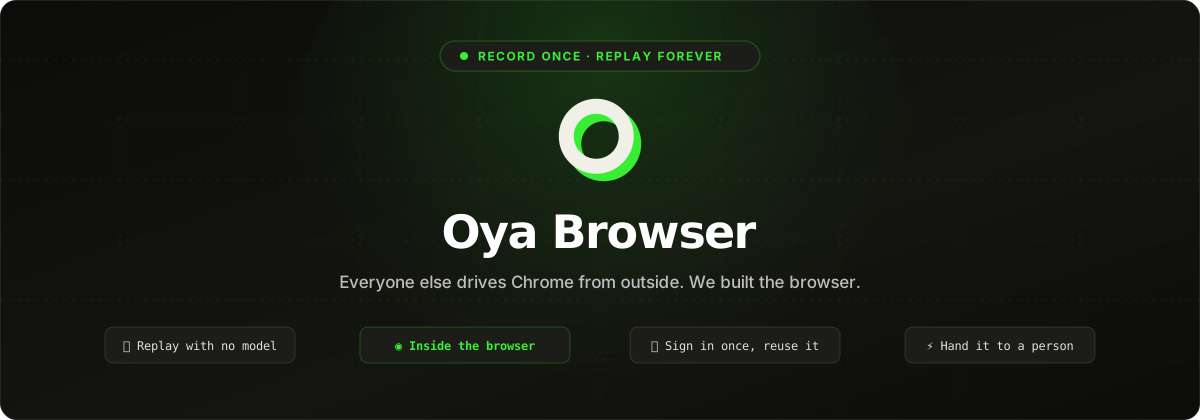
Everyone else drives Chrome from the outside. We built the browser.
The automation lives inside it, not attached over the debugging protocol, so your agents stop
looking like a harness. Sign in once and every browser you start is already signed in.
Do the task once and Oya replays it forever, with no model in the loop.











Join the Discord · Talk to the founders
Start
Set OYA_API_KEY from oyabrowser.com, or let your agent sign itself up
(below). Node 20+.
No provider set up yet? Open the desktop browser on the same
key and start() hands that one over, so those five lines work with nothing else
configured. npx @oya-ai/cli init picks where browsers run when you want it to start them.
For AI agents
Are you an AI agent (OpenClaw, Hermes, Claude Code, Codex, Cursor or any other) looking for a browser? Everything below works with no person at a dashboard. Full reference, written for you: oyabrowser.com/llms.txt.
As a skill, for any agent that reads SKILL.md:
In code (Node 22.3+). Sign yourself up with your person's email, then use their own browser, already signed in to their sites:
desktop.connect() asks your person to install the desktop app
if it is missing, and to click Connect when it opens.
Over MCP, for tools that cannot run code (Claude Desktop, Cursor, Windsurf and the rest):
https://oyabrowser.com/mcp/pool with Authorization: Bearer <key>. In Claude Code:
Then just ask: "Start a browser, open Hacker News and summarise the top 3 stories." Oya is in
the MCP registry as io.github.OyadotAI/oya-browser, on Smithery
and on ClawHub as oya-browser.
Record it once, replay it forever
ask() costs a model call every time. Save the run and it never costs one again.
Nine of ten public sites replay every recorded step with no model and no repair. The tenth is named, with its error. When a page really has changed, the agent finishes the run and its fix replaces the broken steps, so the next replay runs clean. A replay that meets a login signs in with the profile's saved credentials and carries on.
Values you gave in the prompt become variables. A free-text field the agent wrote itself, a comment or the answer to a question, is written fresh by your model on every replay instead of repeating the first run's words. Every playbook is also a Playwright module you can read and keep:
Move one to another environment with oya.playbooks.export(name) and oya.playbooks.import(doc),
oya playbooks export|import on the command line, or Export and Import in the dashboard.
Sign in once
Scripted logins break on Google SSO, Okta, passkeys and Cloudflare. Don't script them. Import the logins you already have from Chrome, Arc, Brave, Edge or Firefox when you connect the desktop app, or sign in by hand once in it. Every browser you start on that persona is then already signed in: the session travels as cookies and localStorage, sealed at rest, because half the portals worth automating keep you signed in with neither one alone. Every way in and out.
For the portals that end the session server-side anyway, store the login and Oya signs in itself, and stops rather than retrying a password the site has already refused, because that is how a real account gets locked out.
Why it isn't flagged as a bot
Everyone else ships an SDK that drives headless Chrome over the debugging protocol. That is the easy way, and it is the shape anti-bot vendors have learned to look for. Oya is a real headful browser a person can sit in front of, and the automation runs inside the process:
- The persona's platform, timezone, locale, cores and screen are set through Chrome's own emulation before the first document, and again in workers and cross-site iframes. A value Chrome reports about itself cannot be caught lying.
- Reading a page uses an isolated world, so it needs no
Runtime.enable, which is a known detection vector. Replay never turns it on. - Console and network come from browser-process APIs, not the
LogandNetworkdomains, so watching a run adds nothing a page can see.
Measured, not asserted: 0% CreepJS headless score (bare headless Chrome: 100%) and 31 of 31 Bot.Sannysoft, re-run on 2026-09-20. Nobody can promise you are never detected (our own numbers page says so), but you can run the harness yourself and see what it says.
Self-host
It checks for git, Docker and Node 20+, asks six questions, then clones, writes the config, builds and waits for /readyz.
Storage is SQLite (the default), Postgres or JSON files; browsers run on Docker, Kubernetes or your
own machines. For production, deployments/ deploys the control plane and its
browsers to one Docker host, Amazon ECS on Fargate, any Kubernetes cluster, or GKE Autopilot, with
one deploy.sh each.
Self-hosting is free up to 5 cloud browsers running at once. Past that, or if you are using it
seriously, write to sales@getoya.ai for a license key (OYA_LICENSE_KEY). A self-hosted server
sends Oya one anonymous ping a day (a random install id, the version and browser counts, nothing
about your users or pages); see telemetry.
Related MCP Servers
Reviews
No reviews yet — be the first to share how this listing worked for you.
Frequently Asked Questions about Oya Browser
AllMCPs Directory Badge
Showcase your server listing on GitHub or your project documentation. Embed this dynamic SVG badge to highlight official listing status and live engagement.
Badge Style:
Live Dynamic SVG Preview
Markdown (GitHub README)
[](https://allmcps.com/mcp/oya-browser)HTML Embed
<a href="https://allmcps.com/mcp/oya-browser"><img src="https://allmcps.com/api/badge/oya-browser?style=directory" alt="Oya Browser on AllMCPs" /></a>