Orbiads GAM MCP README
The full upstream README, mirrored here for reference. Install config, tool schemas, adoption signals, and an original overview live on the Orbiads GAM MCP listing page.
OrbiAds — Google Ad Manager MCP Server
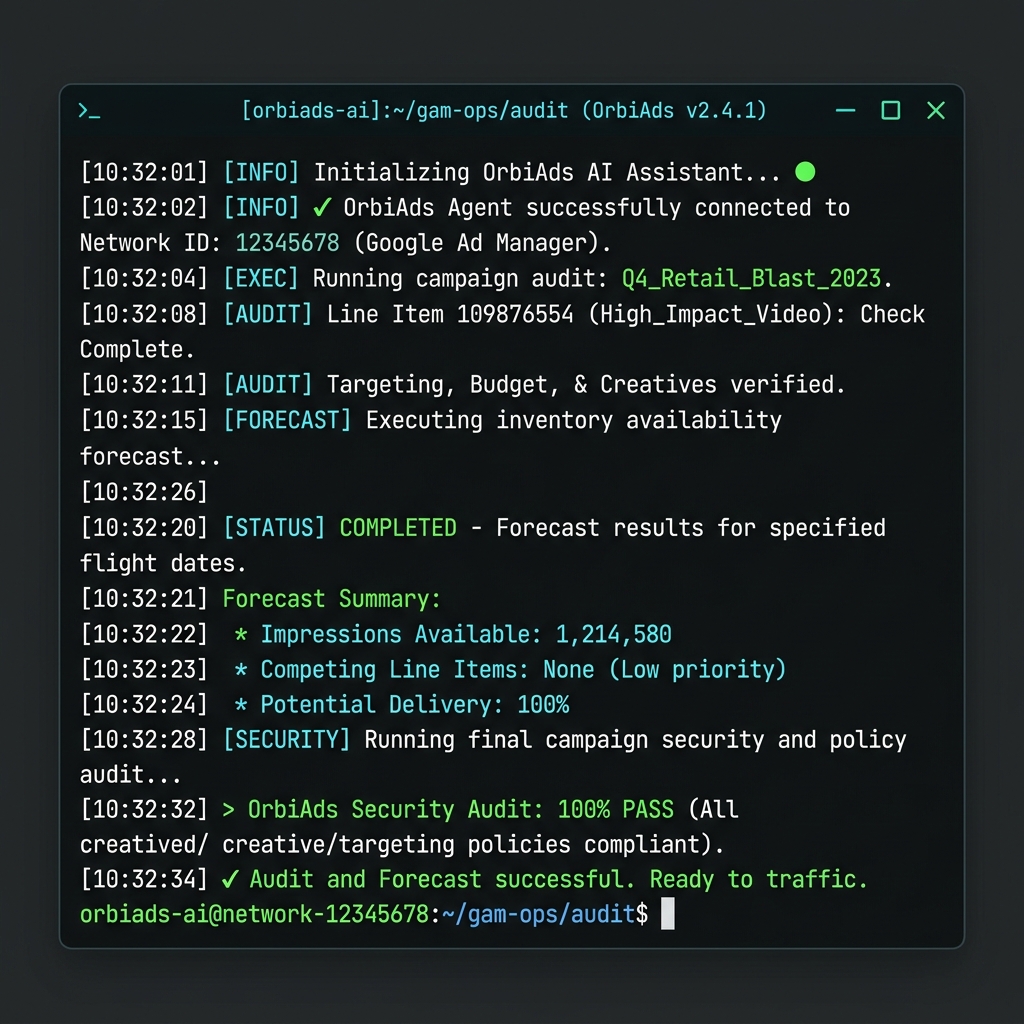
Hosted MCP for AI agents, plus a Python CLI for terminal and CI workflows.











OrbiAds is a hosted Google Ad Manager MCP server that gives AI assistants — Claude, ChatGPT, Gemini, Cursor, and OpenAI Codex — direct, natural-language access to Google Ad Manager. It covers 270+ operations across campaigns, orders, line items, creatives, inventory, targeting, and reporting, on the current GAM API (v202605), with OAuth and confirm-before-write guardrails.
→ Get started free at orbiads.com · ★ Star this repo
Try in 3 Minutes
Hosted MCP, no local install
- Create a free OrbiAds account at orbiads.com and connect Google Ad Manager.
- Add this MCP endpoint to Claude, ChatGPT, Gemini, Cursor, Codex, or Warp:
- Ask your agent:
CLI smoke test
Want a deeper setup path? Start with the CLI guide or the agent install guides.
Trust Signals
| Signal | Status | Link |
|---|---|---|
| Public repo | MIT licensed mirror of the OrbiAds MCP distribution | LICENSE |
| PyPI CLI | Published as orbiads-cli for terminal and CI workflows | pypi.org/project/orbiads-cli |
| Hosted MCP | Remote Streamable HTTP endpoint with OAuth | https://orbiads.com/mcp |
| Glama | Indexed MCP registry page | glama.ai |
| MCP.so | Indexed MCP directory page | mcp.so |
| Official MCP registry | server.json manifest ready for registry publication | server.json |
| Smithery | Submission target prepared for hosted/external MCP listing | smithery.ai/new |
| Safety model | Plan → confirm → execute on write actions | Safety docs |
Two Ways to Connect
OrbiAds offers two integration methods — choose the one that fits your workflow.
Option A: MCP Server (AI agents)
Connect your AI assistant (Claude, ChatGPT, Gemini) to GAM via the hosted MCP endpoint. Conversational, guided, zero-install.
Option B: CLI (terminal & scripts)
A lightweight Python CLI for developers, CI/CD pipelines, and headless automation. Same API, same credits, same guardrails.
[!IMPORTANT] Windows/macOS/Linux PATH Warning: If you install the CLI via
pip(especially with--user), ensure the Python scripts directory is added to your userPATH. Without this, your terminal and local AI agents (like Claude Code, Cursor, or Gemini) will fail to find or execute theorbiadscommand. See the Troubleshooting section in the CLI Guide for quick setup commands.
Comparison
| Criteria | MCP Server | CLI |
|---|---|---|
| Interface | AI agent (Claude, ChatGPT, Gemini) | Terminal / command line |
| Installation | URL to paste into agent settings | pip install orbiads-cli |
| Authentication | OAuth via browser (automatic) | OAuth Device Flow (code displayed) |
| Best for | Exploration, conversations, guided workflows | Scripts, CI/CD, headless automation |
| Output format | Natural language via the agent | JSON or structured table |
| Credits | Same consumption grid | Same consumption grid |
| Offline | No — requires internet | No — requires internet |
| Python required | No | Yes (3.10+) |
Both methods share the same backend, credits, and safety guardrails.
CLI Quick Reference
| Command | Description |
|---|---|
orbiads auth login | Authenticate via Google OAuth Device Flow |
orbiads auth status | Check authentication status |
orbiads network info | Show current GAM network details |
orbiads network list | List accessible GAM networks |
orbiads orders list | List orders in the network |
orbiads line-items list --order ID | List line items for an order |
orbiads creatives list | List creatives |
orbiads inventory ad-units | List ad units |
orbiads forecast check --ad-unit ID | Check inventory availability |
orbiads report run --template ID | Run a delivery report |
Full command reference: orbiads.com/docs/cli/commands
Installation Guide
OrbiAds offers three integration pathways depending on your environment.
1. Zero-Install MCP Server (ChatGPT, Gemini, Claude Desktop)
Connect your AI assistant to our hosted server using the Model Context Protocol:
- Claude Desktop: Add this to your
claude_desktop_config.json: - Gemini / AI Studio: Go to Tools → MCP configuration → Add
https://orbiads.com/mcp - ChatGPT: Go to Settings → Connectors → Add connector → MCP URL:
https://orbiads.com/mcp - GLAMA / MCP Registry: Access, test, and connect the server directly in your browser via glama.ai/mcp/servers/OrbiAds/Orbiads-GAM-MCP
- Other environments (Cursor, Codex, Warp): Add the
https://orbiads.com/mcpendpoint to your configuration and copyAGENTS.mdto your project root.
2. Claude Code Plugin (Slash Commands)
Add the /adops command set directly into your Claude Code CLI terminal:
3. Agent Skills (Structured Workflows)
Install our markdown-based guidelines permanently into Claude Code's memory:
- Clone this repository locally.
- Run the skill installer:
This copies our 6 consolidated skill files to your ~/.claude/skills/ directory. Claude Code will automatically leverage them to prevent hallucinations and strictly apply the plan-before-mutate workflow.
→ Installation guides: Claude · ChatGPT · Gemini · OpenAI Codex
What is OrbiAds?
OrbiAds is a hosted MCP server that connects your AI assistant directly to Google Ad Manager (GAM). Instead of clicking through the GAM interface or writing API scripts, you describe what you want in plain language — OrbiAds handles the API calls, guardrails, and audit trail.
No scripts. No API tokens to manage. No switching tabs.
Who is this for?
- AdOps managers who traffic campaigns daily and want to move faster without making mistakes
- Publishers who manage their own GAM network and want AI-assisted workflows
- Media agencies running multiple GAM accounts who want a consistent, auditable process
- Developers building AdOps automation on top of Claude, ChatGPT, or Gemini
Supported AI Platforms
| Platform | Setup guide | Mode |
|---|---|---|
| Claude (Desktop / claude.ai / Claude Code) | docs/install/claude.md | Plugin + MCP remote |
| ChatGPT (Pro connector) | docs/install/chatgpt.md | MCP remote (HTTP) |
| Gemini | docs/install/gemini.md | MCP remote |
| GLAMA (MCP registry) | glama.ai/mcp/servers/OrbiAds/Orbiads-GAM-MCP | MCP registry |
| Cursor / Codex / Warp / other | AGENTS.md | AGENTS.md + MCP wiring |
All platforms connect to the same hosted MCP endpoint at https://orbiads.com/mcp.
7 Slash Commands
After installing the plugin, these /adops commands are available directly in Claude Code.
| Command | What it does |
|---|---|
/adops campaign | Read live state, plan deployment, dry-run (ExecutionPlan), deploy, pause, rollback — with mandatory plan→confirm→execute gate |
/adops audit | Multi-dimensional account audit: delivery, inventory, security, creatives, billing |
/adops report | Custom reports, delivery queries, CSV export, billing summaries, forecasts |
/adops deal | PMP deals, private auctions, Marketplace PG/PD proposals |
/adops creative | Upload creatives, QA compliance, SSL validation, preview URLs, line item association |
/adops inventory | Browse ad units, manage placements and targeting taxonomy, run blueprints |
/adops admin | Teams, sites, labels, custom fields, network settings (MCP surface only) |
What's Inside (MCP Tools & Skills)
The OrbiAds surface maps the Google Ad Manager API into parent tools and hundreds of actions, organized into 6 core domain Agent Skills plus an orchestrator, to keep context usage clean. See docs/tool-matrix/README.md for the live generated tool and action counts.
Click on any domain below to see which tools and capabilities are included:
1. Campaigns & Creative QA (orbiads-campaigns)
campaign— Read live campaign state, plan deployment, dry-run, deploy, pause, and rollback campaigns.orders— Create and list orders, contacts, and roles.line_items— Define line item delivery rules, CPMs, and targeting logic.creatives— Upload creatives (images, HTML5, video/audio) and configure native styles.creative_assets— Manage associated image and file assets.creative_qa— Audit click-trackers, perform compliance scans, and validate SSL certificates.creative_wrapper_skill— Manage third-party wrappers and delivery presets.formats— Discover and configure ad creative formats.jobs&gam_jobs— Monitor async campaign compilation and deployment workflows.
2. Inventory & Targeting (orbiads-inventory)
inventory— Retrieve ad unit trees, sizes, and generate ads.json manifests.placements— Create, update, and list ad placement groups.targeting— Manage custom targeting keys/values, countries, and categories.audiences— Retrieve and modify first-party audience segments.blueprint— Generate and push structured network inventory blueprints.
3. Reporting & Forecasting (orbiads-reporting)
reporting— Run custom reports from templates, check line item delivery, and integrate GA4.preview— Verify inventory coverage and export preview URLs.pql— Run raw PQL database queries.
4. Programmatic Deals (orbiads-deals)
deals— Manage PMP deals, private auctions, and marketplace buyers.companies— Manage agency and advertiser company profiles.
5. Network Admin (orbiads-admin)
gam_admin— Access advanced fields, network labels, teams, and site records.gam_features— Query active Google Ad Manager beta and system features.network— List accessible networks and switch active network context.settings— Configure default CPMs, pacing, and brand naming templates.tenant_catalog— Access tenant-specific catalogs.
6. Audits & Billing (orbiads-audit)
audit_skill— Run automated security, hygiene, and wrapper coverage audits.billing— Fetch credit balances and transaction histories.audit— Search network audit logs.
See
docs/tool-matrix/README.mdfor the complete parity matrix detailing exact costs, writes, and parameters for all 270+ actions.
Safety by Design
Every write action requires an explicit ExecutionPlan preview and confirmation token. No campaign goes live by accident.
- Plan-before-mutate on campaign, deal, and product writes — preview the signed
ExecutionPlanbefore you push - Dry-run mode on all deployment actions —
confirmationTokenTTL 300 seconds - Forecast gate before inventory commits — availability verified upfront
- Audit trail on every action — who did what, when, with what result
- Credit guard — read operations are always free, writes deduct credits transparently
Quick Start (3 steps)
1. Create your free account
Go to orbiads.com and sign up. You get 5 free credits — no credit card required.
2. Connect Google Ad Manager
From the OrbiAds dashboard, click Connect GAM and authorize with your Google account. OrbiAds uses OAuth — your GAM credentials never leave Google's infrastructure.
3. Configure your AI assistant
Pick your platform and follow the guide:
Then start with:
"Connect to my GAM account and show me my active networks"
MCP Server Details
| Property | Value |
|---|---|
| Endpoint | https://orbiads.com/mcp |
| Transport | streamable-http (default) · sse |
| Auth | OAuth 2.0 — Google account via OrbiAds |
| GAM API version | v202605 |
| MCP Protocol | 2025-03-26 |
Repository Structure
Skills and the tool matrix are generated from the backend catalogue — do not hand-edit them. See
CLAUDE.mdfor the generated vs. hand-authored breakdown.
Pricing
| Plan | Price | Credits |
|---|---|---|
| Trial | Free | 5 credits (no card) |
| Starter | €39/month | 50 credits/month |
| Early Access | €29/month ← locked for life | 50 credits/month |
| Pack S | €29 one-time | +50 credits |
| Pack L | €45 one-time | +100 credits |
Reads are always free. Credits are only consumed on write and deploy operations.
License
The contents of this repository — distribution scaffold, skills, agents, workflows, JSON schemas, CLI client, platform integration manifests, documentation, and examples — are released under the MIT License.
The OrbiAds MCP server backend and Cloud Run services that the hosted endpoint at https://orbiads.com/mcp connects to are NOT in this repository and are governed by separate proprietary terms — see terms at orbiads.com.