OpenScreenShot README
The full upstream README, mirrored here for reference. Install config, tool schemas, adoption signals, and an original overview live on the OpenScreenShot listing page.

OpenScreenShot
The whole page. One click. Yours to keep.
Full-page screenshots for Chrome and Firefox. Free editing. Local processing. No account.





 Add to Chrome Chrome · Edge · Brave · Arc · Chromium |
 Add to Firefox Firefox for desktop · 140+ |



 MCP Local server · client setup required |
 CLI Terminal · scripts · CI/CD |
Website · Docs · Roadmap · Report a bug
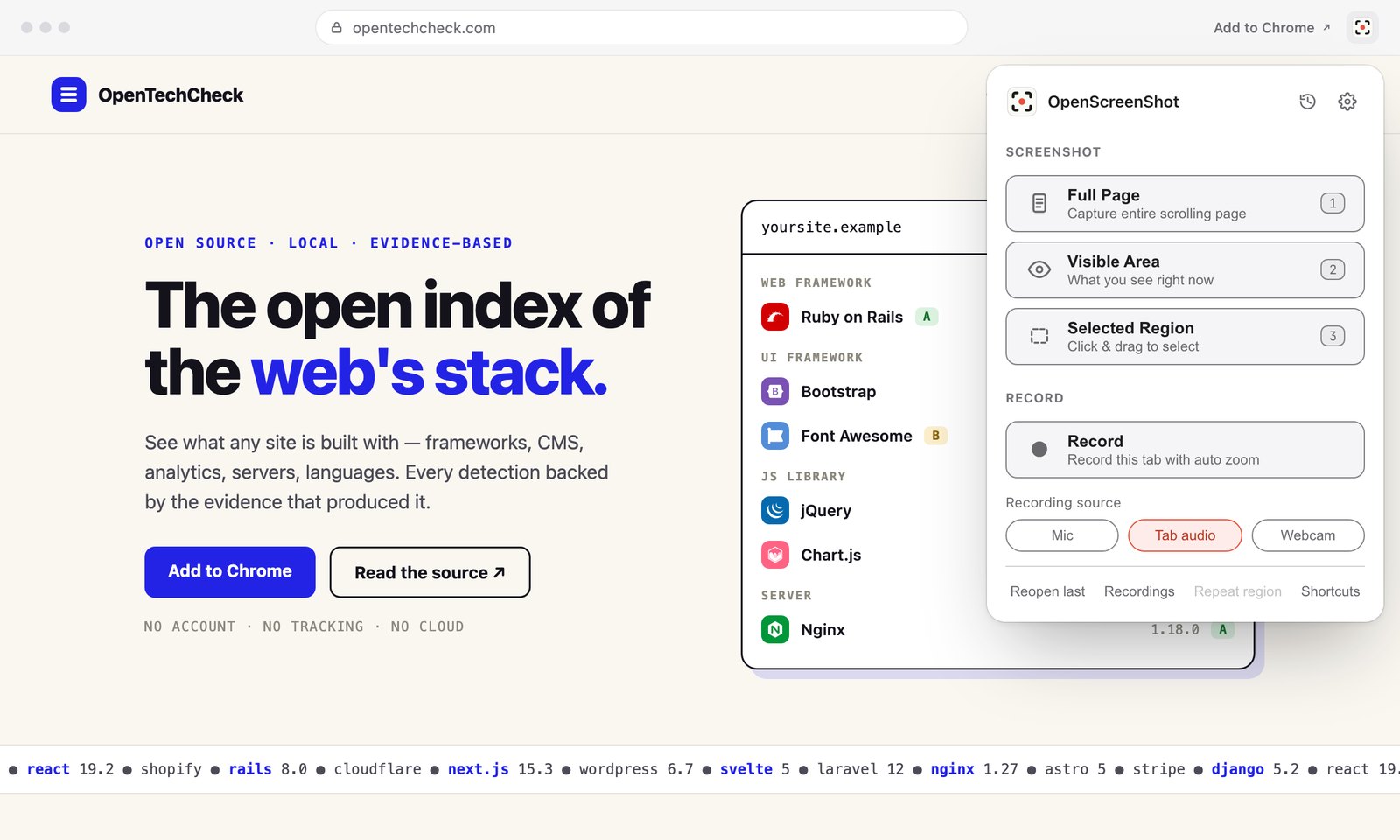
Chrome preview. Screenshot capture and editing are also available in Firefox.
Capture the full web page.
- Crop it as you like.
- Edit it.
- Mark it.
- Blur it. All done locally, no account required. Fully private and privacy-friendly.
Capture → edit → share
- One click, whole page — the toolbar icon captures the entire scrolling page, even behind sticky headers and inside nested scrollers (a settings toggle restores the mode picker)
- Visible area and region capture from the right-click menu or shortcuts
- Annotate with arrows, text, numbered steps, spotlight, and crop, with full undo
- Blur or redact secrets before you share
- Record the tab in Chrome with auto-zoom at your clicks, mic and webcam, and trim. Pick the part of the tab to record and check your camera first; the controls stay out of the video
- Export as PNG, JPEG, WebP, or multi-page PDF, or copy straight to the clipboard
The full tour, every shortcut, and the settings reference live in the docs.
Install
| Chrome & Chromium | Firefox | |
|---|---|---|
| Install | Chrome Web Store | Firefox Add-ons |
| Full-page, visible-area & region capture | ✓ | ✓ |
| Annotations, redaction & local history | ✓ | ✓ |
| Image, PDF & clipboard export | ✓ | ✓ |
| Screen recording | Chrome | Not available |
Firefox requires desktop version 140 or later. The Chrome extension also works in Edge, Brave, Arc, and other Chromium browsers. Screen-wide color picking and floating capture windows appear only when the browser supports them.
Your first screenshot
- Install from your browser’s store and pin the extension to the toolbar.
- Click the icon to capture the whole page. Right-click for visible-area and region capture.
- Edit and share — annotate, redact, copy, or save an image or PDF.
Prefer a capture menu on every click? Turn off Express mode in settings. For alternatives and a sourced feature comparison, see How it compares.
Element capture (source builds)
Choose Capture element from the page or extension right-click menu, or from the popup when Express mode is off. Hover over a card, image, chart, or table to highlight it. Use ↑ / ↓ to select a larger or smaller area, or ← / → to move between elements without a mouse. Click or press Enter to capture; Esc cancels.
The capture follows your existing Editor, Clipboard, or Download setting. The element must be fully visible: scroll it into view, or use the Capture full page fallback offered for clipped elements. Content inside an iframe is captured as part of the iframe's visible rectangle. No new permissions are needed. This feature is available in source builds and has not yet been released to the stores.
Private by design
host_permissions is empty: activeTab grants access on your click, and the extension
does not have standing access to every website. Captures, recordings, and edits stay
in local browser storage until you export or delete them. Chrome can optionally request
broader access for recording across sites; Firefox does not request recording permissions. Full policy: PRIVACY.md.
Every permission, line by line
| Permission | Why |
|---|---|
activeTab | Access the current tab — only when you click the extension, use a shortcut, or pick a capture from the right-click menu |
scripting | Inject on-demand page functions for scroll-and-stitch, region selection, the quick-mode clipboard write, and the recording's click tracker |
storage (+ unlimitedStorage) | Settings, the last region rect, editing drafts, a parked Record click, and stashing large full-page PNGs and recording chunks for the editor |
downloads | Save exports, quick-mode captures, and recording exports to your Downloads folder |
contextMenus | Add one capture submenu to the page right-click menu |
clipboardWrite | Copy a screenshot from the editor or from quick mode; it never reads the clipboard |
offscreen (Chrome) | Run the recording engine in a hidden document — MediaRecorder and the IndexedDB writes need a page context a service worker doesn't have |
tabCapture (Chrome, optional) | Requested once, at your first recording; every recording after that starts in one click |
<all_urls> (Chrome, optional host) | Only if you turn on "Record across sites" — keeps click tracking alive when a recording navigates to a new origin |
Development
TypeScript (strict) + Preact, bundled by Vite + @crxjs/vite-plugin. One runtime dependency (Preact); unit tests with Vitest. Node.js 22.19+ and pnpm 10.33.0.
| Chrome | Firefox | |
|---|---|---|
| Develop | pnpm run dev | pnpm run dev:firefox |
| Build | pnpm run build | pnpm run build:firefox |
| Package | pnpm run package | pnpm run package:firefox |
| Load locally | chrome://extensions → Developer mode → Load unpacked → dist/ | about:debugging → This Firefox → Load Temporary Add-on → dist-firefox/manifest.json |
The Firefox release guide covers reviewer source archives, verification, and automated Mozilla submissions. Tagged releases have separate Chrome and Firefox workflows; store review determines when each update becomes available.
For the website, use pnpm site:dev or pnpm site:deploy. See
CONTRIBUTING.md for the contribution workflow.
Project structure
CLI & MCP

openscreenshot (npm) is a separate, optional tool that drives the Chrome already on your
machine — also fully local:
CLI
MCP
Add this server entry to your MCP client’s configuration, then call capture_screenshot:
The server runs locally over stdio. Your client must support launching a local MCP process; clients that only accept remote MCP URLs need a compatible bridge. Setup and availability depend on the client.
Built for the terminal-heavy parts of the job:
- DevOps — snapshot dashboards, status pages, and admin UIs straight into incident reports, runbooks, and postmortems, from cron or a chat command
- CI/CD — capture pages in your pipeline for docs, release notes, and visual diffs on every deploy: one command, no hosted service
Contributing
Desktop and web apps are also in progress. Follow their development on the roadmap.
See CONTRIBUTING.md and the roadmap. If OpenScreenShot is useful to you, you can buy me a coffee.
License
MIT © OpenScreenShot @PGHQdev