Open Ephemeris
Sub-arcsecond ephemeris and astrology on NASA JPL DE440: natal, transits, eclipses, Human Design.
Install Open Ephemeris
Pick your client, then add it in one click or paste the config.
~/Library/Application Support/Claude/claude_desktop_config.json{
"mcpServers": {
"open-ephemeris": {
"command": "npx",
"args": [
"-y",
"@openephemeris/mcp-server"
]
}
}
}
Settings → Developer → Edit Config, merge this into mcpServers, then fully quit and reopen Claude Desktop.
Automated check passed— started and listed 39 tools correctly (6d ago).
Overview
Tools39
What Open Ephemeris lets your agent do. Expand a tool for its parameters.
Security & health
What it can reach and how reliably it runs — from our own checks, not the maintainer’s claims.
Recent health check succeeded.
What it can do
From the 39 tools this server returned when we ran it; 39 declare their own safety hints.
Observed 2026-10-16 in an isolated sandbox. A description of reach, not a security audit.
Supply-chain signal
No high-severity advisories surfaced by our automated scan.
Scanned 2d ago via OSV.dev · @openephemeris/mcp-server (npm)
Adoption & maintenance
Factual signals from GitHub, npm, and our automated checks — not a rating.
From the project README
Open Ephemeris MCP Server




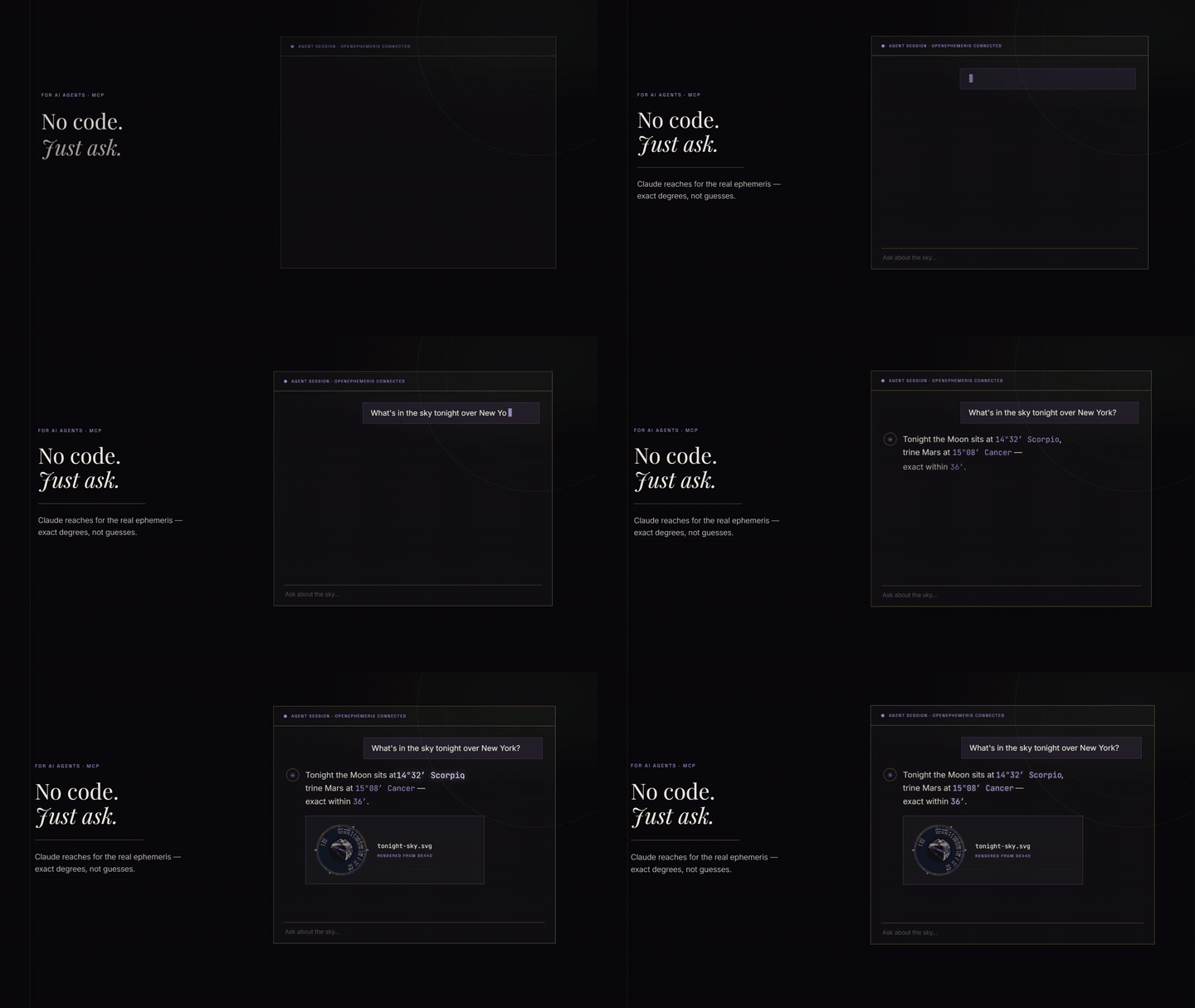
Use it in Claude: add https://mcp.openephemeris.com/mcp as a custom connector (leave the OAuth Client ID and Secret blank) or install the Open Ephemeris plugin from the Claude directory. Sign-in happens in the browser and creates a free account with 150 credits.
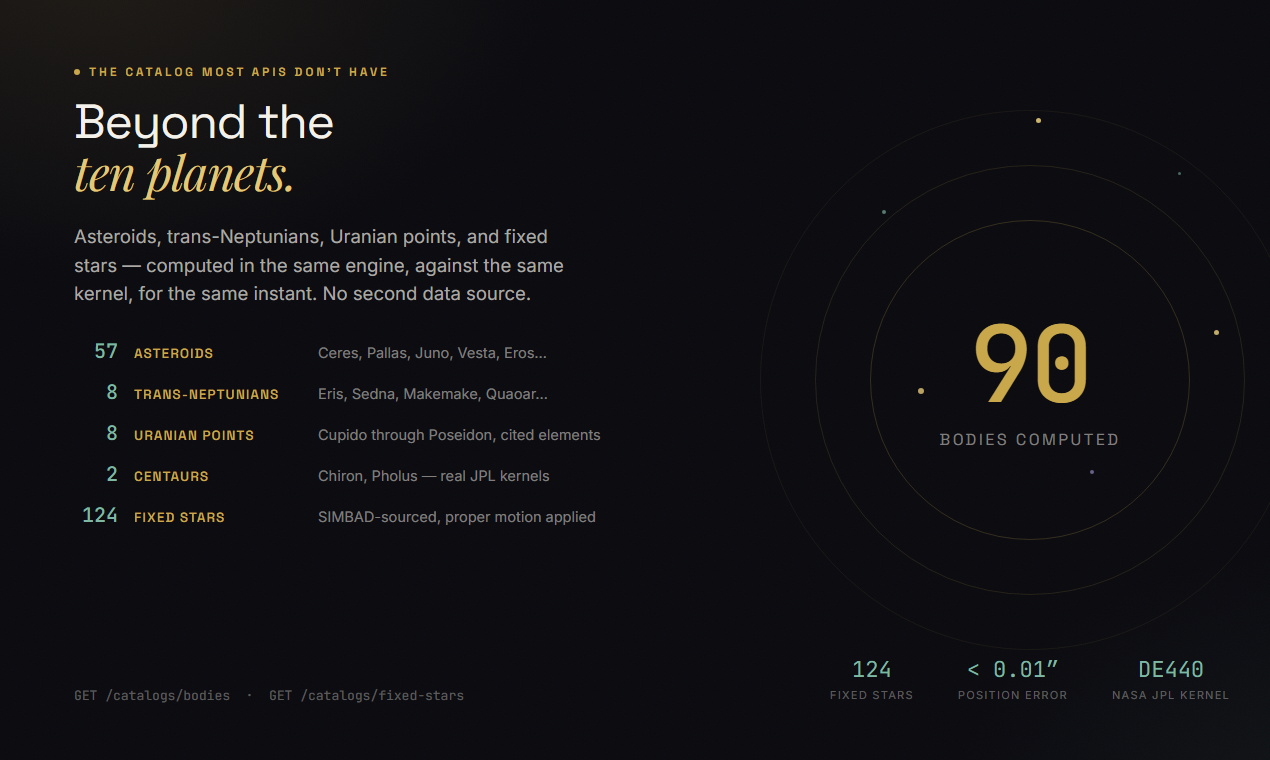
Model Context Protocol server for Open Ephemeris — typed astrology tools powered by the NASA JPL DE440 ephemeris. Zero hallucination on planetary positions, dates, and degrees. Covers 1,100 years of astronomical data.
Hosted endpoint: https://mcp.openephemeris.com/mcp (Streamable HTTP, MCP 2025-11-25 spec)
Quick Start
Install via Smithery (recommended)
The fastest way to connect any MCP-compatible client:
npx -y @smithery/cli install @open-ephemeris/openephemeris --client claude
Or browse the listing and copy connection snippets: smithery.ai/servers/open-ephemeris/openephemeris
Connect via AI SDK (Vercel AI SDK)
import Smithery from "@smithery/api"
import { createMCPClient } from "@ai-sdk/mcp"
import { generateText } from "ai"
import { anthropic } from "@ai-sdk/anthropic"
import { createConnection } from "@smithery/api/mcp"

const smithery = new Smithery()

const conn = await smithery.connections.create("{your-namespace}", {
  mcpUrl: "https://server.smithery.ai/open-ephemeris/openephemeris",
  headers: {
    apiKey: "your-openephemeris-api-key", // get one free at openephemeris.com/dashboard
  },
})

const { transport } = await createConnection({
  client: smithery,
  namespace: "{your-namespace}",
  connectionId: conn.connectionId,
})

const mcpClient = await createMCPClient({ transport })
const tools = await mcpClient.tools()

const { text } = await generateText({
  model: anthropic("claude-sonnet-4-20250514"),
  tools,
  prompt: "Calculate a natal chart for someone born April 15, 1990 at 2:30 PM in Chicago.",
})

await mcpClient.close()
Connect via MCP SDK (TypeScript)
import Smithery from "@smithery/api"
import { Client } from "@modelcontextprotocol/sdk/client/index.js"
import { createConnection } from "@smithery/api/mcp"

const smithery = new Smithery()

const conn = await smithery.connections.create("{your-namespace}", {
  mcpUrl: "https://server.smithery.ai/open-ephemeris/openephemeris",
  headers: {
    apiKey: "your-openephemeris-api-key",
  },
})

const { transport } = await createConnection({
  client: smithery,
  namespace: "{your-namespace}",
  connectionId: conn.connectionId,
})

const mcpClient = new Client(
  { name: "my-app", version: "1.0.0" },
  { capabilities: {} }
)
await mcpClient.connect(transport)

const { tools } = await mcpClient.listTools()
const result = await mcpClient.callTool({
  name: "ephemeris_natal_chart",
  // A datetime that states a clock time must state its zone: either pass
  // `timezone` alongside the local time, or put a Z/±HH:MM offset on the value.
  arguments: {
    datetime: "1990-04-15T14:30:00",
    timezone: "America/Chicago",
    latitude: 41.8781,
    longitude: -87.6298,
    format: "llm",
  },
})
Connect directly (Streamable HTTP, no Smithery)
import { StreamableHTTPClientTransport } from "@modelcontextprotocol/sdk/client/streamableHttp.js"
import { Client } from "@modelcontextprotocol/sdk/client/index.js"

const transport = new StreamableHTTPClientTransport(
  new URL("https://mcp.openephemeris.com/mcp"),
  { requestInit: { headers: { "X-API-Key": "your-openephemeris-api-key" } } }
)

const client = new Client({ name: "my-app", version: "1.0.0" }, { capabilities: {} })
await client.connect(transport)
One-click install (Cursor)

Replace
YOUR_API_KEY_HEREin Cursor MCP settings with your API key from https://openephemeris.com/dashboard.
Cursor deeplink payload:
{
  "command": "npx",
  "args": [
    "-y",
    "@openephemeris/mcp-server"
  ],
  "env": {
    "OPENEPHEMERIS_PROFILE": "dev",
    "OPENEPHEMERIS_BACKEND_URL": "https://api.openephemeris.com",
    "OPENEPHEMERIS_API_KEY": "YOUR_API_KEY_HERE"
  }
}
Manual install (stdio MCP clients)
{
  "mcpServers": {
    "openephemeris": {
      "command": "npx",
      "args": ["-y", "@openephemeris/mcp-server"],
      "env": {
        "OPENEPHEMERIS_PROFILE": "dev",
        "OPENEPHEMERIS_BACKEND_URL": "https://api.openephemeris.com",
        "OPENEPHEMERIS_API_KEY": "YOUR_API_KEY_HERE"
      }
    }
  }
}
Platform guide
Detailed setup walkthroughs for each platform are in SETUP.md.
| Client | Install mode | Config location |
|---|---|---|
| Smithery | One-click | smithery.ai |
| Cursor | One-click deeplink or manual | ~/.cursor/mcp.json |
| Claude Desktop (macOS) | Manual | ~/Library/Application Support/Claude/claude_desktop_config.json |
| Claude Desktop (Windows) | Manual | %APPDATA%\Claude\claude_desktop_config.json |
| Windsurf | Manual | ~/.codeium/windsurf/mcp_config.json (or legacy ~/.codeium/mcp_config.json) |
| ChatGPT | One-click | Open Ephemeris in the ChatGPT app directory |
| Claude Web / remote clients | Hosted URL | https://mcp.openephemeris.com/mcp |
Client install walkthroughs
- Cursor
- Click the "Install in Cursor" button above, then replace
YOUR_API_KEY_HEREin Cursor MCP settings. - If you prefer manual setup, paste the
mcpServers.openephemerisblock from "Manual install" into~/.cursor/mcp.json.
- Click the "Install in Cursor" button above, then replace
- Claude Desktop (macOS/Windows)
- Open the platform config file from the table above.
- Add the same
mcpServers.openephemerisblock from "Manual install". - Restart Claude Desktop.
- Windsurf
- Open
~/.codeium/windsurf/mcp_config.json(or the legacy~/.codeium/mcp_config.jsonpath). - Add the
mcpServers.openephemerisblock from "Manual install". - Restart Windsurf.
- Open
Remote-only clients (Claude Web, ChatGPT, etc.)
The server is hosted at https://mcp.openephemeris.com/mcp with full Streamable HTTP support (MCP 2025-11-25 spec). Remote-only clients can connect directly — no bridge/proxy required:
- Claude Web: Add
https://mcp.openephemeris.com/mcpas a custom connector URL — leave OAuth Client ID and Secret blank. The server uses OAuth 2.1 + PKCE (Dynamic Client Registration), so Claude handles authentication via a browser popup automatically. - ChatGPT: Open Ephemeris is an approved app in the ChatGPT app directory. Open
the listing, click Install plugin, approve the sign-in (that also creates your
free Open Ephemeris account), then type
@Open Ephemerisin any chat. Charts render inline, exactly as they do in Claude. Prefer to wire it yourself? Settings → Plugins → Advanced → Developer mode → + Create app acceptshttps://mcp.openephemeris.com/mcpwith Authentication on OAuth — no client ID or secret to enter. - Via Smithery: Use the Smithery listing for managed connections with any client
- Legacy SSE: retired in 3.20.0 — use Streamable HTTP at
/mcp
Auth and upgrade behavior in MCP clients
- Missing/invalid credentials (
401): tool call fails with a message that points users to sign up/sign in athttps://openephemeris.com/login?signup=true&redirect=%2Fdashboard%3Ftab%3Daccount, then create/manage keys inhttps://openephemeris.com/dashboard?tab=account. - Tier-gated endpoint (
403): tool call returns an upgrade-required message withhttps://openephemeris.com/payand dashboard billing/key management link. - Out of credits (
402): tool call returns a one-tap top-up link (Explorer's 150 free credits are one-time and do not reset; plan allowances renew each billing period) plus the dashboard usage link. Failed calls (any4xx/5xx) are refunded. - Burst/rate limit (
429): tool call returns retry guidance and links to dashboard usage monitoring.
What You Can Ask
Reviews
No reviews yet — be the first to share how it worked for you.
Frequently Asked Questions about Open Ephemeris
Related MCP servers
Add a badge to your READMEShow it’s listed — live SVG, Markdown or HTML.
AllMCPs Directory Badge
Showcase your server listing on GitHub or your project documentation. Embed this dynamic SVG badge to highlight official listing status and live engagement.
[](https://allmcps.com/mcp/open-ephemeris)<a href="https://allmcps.com/mcp/open-ephemeris"><img src="https://allmcps.com/api/badge/open-ephemeris?style=directory" alt="Open Ephemeris on AllMCPs" /></a>