Octagon Deep Research MCP
by OctagonAI
AI-powered deep research MCP server with no rate limits, multi-source synthesis, and fast comprehensive analysis.
Install Octagon Deep Research MCP
Pick your client, then add it in one click or paste the config.
~/Library/Application Support/Claude/claude_desktop_config.json{
"mcpServers": {
"octagonai-octagon-deep-research-mcp": {
"command": "npx",
"args": [
"-y",
"octagon-deep-research-mcp"
],
"env": {
"OCTAGON_API_KEY": "YOUR_VALUE_HERE"
}
}
}
}
Settings → Developer → Edit Config, merge this into mcpServers, then fully quit and reopen Claude Desktop.
Values are written into the snippet above so you can paste it as is. They never leave your browser.
We couldn’t confirm it starts correctly
We ran the install command but it didn't respond within our test window — this can mean a slow first-time install rather than a real problem.
npx -y octagon-deep-research-mcpNo response to initialize.
This is an experimental automated check and can have false negatives — missing environment variables, a slow cold install, etc. It doesn’t necessarily mean something’s wrong. Last checked 1mo ago.
Overview
Use cases
- Perform multi-source academic and scientific literature reviews
- Conduct competitive landscape and market trend analysis
- Extract and synthesize real-time web data for research
- Generate comprehensive reports with cross-verified data
- Analyze policy, regulatory, and economic topics in depth
Key features
- Unlimited parallel deep research queries with no rate limits
- Aggregates and cross-verifies data from multiple sources
- Supports broad domain coverage including technology, healthcare, environment, and policy
- Generates detailed research reports and comparative analyses
- Integrates universally with MCP clients via command invocation
Security & health
What it can reach and how reliably it runs — from our own checks, not the maintainer’s claims.
Recent health check succeeded.
Supply-chain signal
No high-severity advisories surfaced by our automated scan.
Scanned 8d ago via OSV.dev · octagon-deep-research-mcp (npm)
Adoption & maintenance
Factual signals from GitHub, npm, and our automated checks — not a rating.
From the project README
Octagon Deep Research MCP
 The Octagon Deep Research MCP server provides specialized AI-powered comprehensive research and analysis capabilities by integrating with advanced deep research agents. No rate limits, faster than ChatGPT Deep Research, more thorough than Grok DeepSearch or Perplexity Deep Research. Add unlimited deep research functionality to any MCP client including Claude Desktop, Cursor, and other popular MCP-enabled applications.
Powered by Octagon AI - Learn more about the Deep Research Agent at docs.octagonagents.com
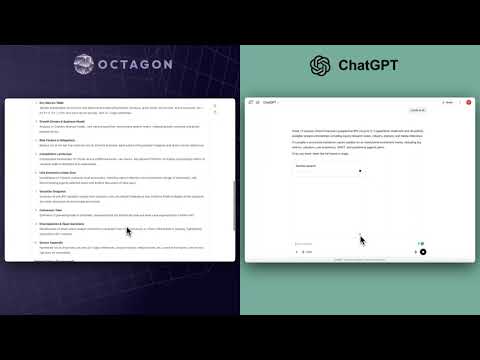
🏆 Why Teams Choose Octagon's Enterprise-Grade Deep Research API
👉 8–10x faster than the leading incumbent—complex analyses complete in seconds, not minutes
👉 Greater depth & accuracy —pulls data from 3x more high-quality sources and cross-checks every figure
👉 Unlimited parallel runs—no rate caps, so your analysts can launch as many deep-dive tasks as they need (unlike ChatGPT Pro's 125-task monthly limit)
🚀 Core Differentiators
✅ No Rate Limits - Execute unlimited deep research queries without restrictions (vs ChatGPT Pro's 125-task monthly limit)
✅ Superior Performance - Faster than ChatGPT Deep Research, more thorough than Grok DeepSearch or Perplexity Deep Research
✅ Enterprise-Grade Speed - 8-10x faster than leading incumbents, with 3x more source coverage
✅ Universal MCP Integration - Add deep research functionality to any MCP client
✅ Multi-Domain Expertise - Comprehensive research across any topic or industry
✅ Advanced Data Synthesis - Multi-source aggregation with cross-verification of every figure
Features
✅ Comprehensive Research Capabilities
- Multi-source data aggregation and synthesis
- Academic research and literature review
- Competitive landscape analysis
- Market intelligence and trend analysis
- Technical and scientific research
- Policy and regulatory research
- Real-time web scraping and data extraction
✅ Universal Domain Coverage
- Technology and AI research
- Healthcare and medical research
- Environmental and sustainability studies
- Economic and business analysis
- Scientific and engineering research
- Social and cultural studies
- Political and policy analysis
✅ Advanced Analysis Tools
- Comprehensive report generation
- Cross-source verification
- Trend identification and forecasting
- Comparative analysis frameworks
Get Your Octagon API Key
To use Octagon Deep Research MCP, you need to:
- Sign up for a free account at Octagon
- After logging in, from left menu, navigate to API Keys
- Generate a new API key
- Use this API key in your configuration as the
OCTAGON_API_KEYvalue
Prerequisites
Before installing or running Octagon Deep Research MCP, you need to have npx (which comes with Node.js and npm) installed on your system.
Mac (macOS)
-
Install Homebrew (if you don't have it):
/bin/bash -c "$(curl -fsSL https://raw.githubusercontent.com/Homebrew/install/HEAD/install.sh)" -
Install Node.js (includes npm and npx):
brew install nodeThis will install the latest version of Node.js, npm, and npx.
-
Verify installation:
node -v
npm -v
npx -v
Windows
- Download the Node.js installer:
- Go to https://nodejs.org/ and download the LTS version for Windows.
- Run the installer and follow the prompts. This will install Node.js, npm, and npx.
- Verify installation:
Open Command Prompt and run:
node -v
npm -v
npx -v
If you see version numbers for all three, you are ready to proceed with the installation steps below.
Installation
Running on Claude Desktop
To configure Octagon Deep Research MCP for Claude Desktop:
- Open Claude Desktop
- Go to Settings > Developer > Edit Config
- Add the following to your
claude_desktop_config.json(Replaceyour-octagon-api-keywith your Octagon API key):
{
  "mcpServers": {
    "octagon-deep-research-mcp": {
      "command": "npx",
      "args": ["-y", "octagon-deep-research-mcp@latest"],
      "env": {
        "OCTAGON_API_KEY": "YOUR_API_KEY_HERE"
      }
    }
  }
}
- Restart Claude for the changes to take effect
Running on Cursor
Configuring Cursor Desktop 🖥️ Note: Requires Cursor version 0.45.6+
To configure Octagon Deep Research MCP in Cursor:
- Open Cursor Settings
- Go to Features > MCP Servers
- Click "+ Add New MCP Server"
- Enter the following:
- Name: "octagon-deep-research-mcp" (or your preferred name)
- Type: "command"
- Command:
env OCTAGON_API_KEY=your-octagon-api-key npx -y octagon-deep-research-mcp
If you are using Windows and are running into issues, try
cmd /c "set OCTAGON_API_KEY=your-octagon-api-key && npx -y octagon-deep-research-mcp"
Replace your-octagon-api-key with your Octagon API key.
After adding, refresh the MCP server list to see the new tools. The Composer Agent will automatically use Octagon Deep Research MCP when appropriate, but you can explicitly request it by describing your research needs. Access the Composer via Command+L (Mac), select "Agent" next to the submit button, and enter your query.
Running on Windsurf
Add this to your ./codeium/windsurf/model_config.json:
{
  "mcpServers": {
    "octagon-deep-research-mcp": {
      "command": "npx",
      "args": ["-y", "octagon-deep-research-mcp@latest"],
      "env": {
        "OCTAGON_API_KEY": "YOUR_API_KEY_HERE"
      }
    }
  }
}
Running with npx
env OCTAGON_API_KEY=your_octagon_api_key npx -y octagon-deep-research-mcp
Manual Installation
npm install -g octagon-deep-research-mcp
Documentation
For comprehensive documentation on using Deep Research capabilities, please visit our official documentation at: https://docs.octagonagents.com
Specifically for the Deep Research Agent: Deep Research Agent Guide
The documentation includes:
- Detailed API references
- Research methodology guidelines
- Examples and use cases
- Best practices for comprehensive research
- Advanced features and capabilities
Available Tool
octagon-deep-research-agent
Comprehensive deep research and analysis across any topic or domain.
The tool uses a single prompt parameter that accepts a natural language query. Include all relevant details in your prompt for optimal results.
📚 Example Research Queries
Technology & AI Research
- "Research the current state of quantum computing development and commercial applications across major tech companies"
- "Analyze the competitive landscape in large language models, comparing capabilities, limitations, and market positioning"
- "Investigate recent developments in autonomous vehicle technology and regulatory challenges"
- "Study the evolution of edge computing architectures and their impact on IoT deployment"
Healthcare & Medical Research
- "Research breakthrough medical treatments for Alzheimer's disease developed in the last 3 years"
- "Analyze the effectiveness of different COVID-19 vaccine technologies and their global distribution"
- "Investigate the current state of gene therapy research for rare diseases"
- "Study mental health treatment innovations and their accessibility across different demographics"
Environmental & Sustainability
- "Research sustainable agriculture practices and their adoption rates globally"
- "Analyze renewable energy adoption trends and policy drivers across different countries"
- "Investigate the environmental impact of cryptocurrency mining and proposed solutions"
- "Study carbon capture technologies and their commercial viability"
Business & Economics
- "Analyze the gig economy's impact on traditional employment models and worker protections"
- "Research the evolution of remote work policies post-pandemic and their effectiveness on productivity"
- "Investigate supply chain resilience strategies adopted after global disruptions"
- "Study the impact of digital transformation on traditional retail businesses"
Social & Cultural Studies
- "Research the impact of social media algorithms on information consumption patterns and political polarization"
- "Analyze changing demographics in urban areas and their impact on city planning"
- "Investigate the effectiveness of different approaches to digital literacy education"
- "Study the cultural impact of streaming services on traditional media consumption"
Science & Engineering
- "Research advances in materials science for semiconductor manufacturing"
- "Analyze the development of fusion energy technologies and timeline to commercialization"
- "Investigate innovations in water purification technologies for developing regions"
- "Study the engineering challenges and solutions for space exploration missions"
Policy & Governance
- "Investigate recent developments in AI regulation across different countries and their potential impact"
- "Research privacy legislation trends and their effects on technology companies"
- "Analyze different approaches to cryptocurrency regulation globally"
- "Study the effectiveness of various climate policy mechanisms"
Reviews
No reviews yet — be the first to share how it worked for you.
Frequently Asked Questions about Octagon Deep Research MCP
Related MCP servers
Add a badge to your READMEShow it’s listed — live SVG, Markdown or HTML.
AllMCPs Directory Badge
Showcase your server listing on GitHub or your project documentation. Embed this dynamic SVG badge to highlight official listing status and live engagement.
[](https://allmcps.com/mcp/octagonai-octagon-deep-research-mcp)<a href="https://allmcps.com/mcp/octagonai-octagon-deep-research-mcp"><img src="https://allmcps.com/api/badge/octagonai-octagon-deep-research-mcp?style=directory" alt="Octagon Deep Research MCP on AllMCPs" /></a>