walletevmtronblockchainsigning
Non-custodial MCP server for approving EVM and TRON transactions and signatures through browser wallets.
Quick Install
Automated & IDE SetupCopy the AI prompt to install this server into Claude Code, Cursor, or another agent — or use 1-click editor setup below.
Not yet automatically verified
We haven't yet run this listing's install command through our automated sandbox check. This isn't a red flag — we're steadily working through the catalog.
Manual Client & Custom JSON ConfigExpand JSON ▾
Client Config & Setup
Choose your client or environment
Target File:
💡 Paste the JSON block into your client's configuration file under mcpServers, then restart the application.
Overview
Use cases
Connect an EVM or TRON browser wallet
Send ETH, tokens, or TRX with user approval
Call EVM or TRON smart contracts
Sign personal messages and typed data
Read native and token balances
Key features
EVM wallet connection through EIP-6963
TRON wallet connection through TronLink
ETH, token, and TRX transaction support
EVM EIP-712 and TRON TIP-712 signing
ERC-20 and TRC-20 balance reads
Built-in RPC support for listed EVM networks and TronGrid balance reads
Capabilities & Tool Schemas (13)
Inspect callable tools, capabilities, and parameters exposed to AI agents by MCP Wallet Signer.
connect_walletConnect wallet, return address
send_transactionSend ETH/tokens, call contracts
sign_messageSign arbitrary message (personal_sign)
sign_typed_dataSign EIP-712 typed data
get_balanceRead ETH balance (via RPC)
get_token_balanceRead ERC-20 balance (`balanceOf`/`decimals`/`symbol`)
Documentation Overview
MCP Wallet Signer


[!WARNING] Superseded by browser-web3-signer — the same browser-wallet signing flow, reimplemented in Rust with a CLI plus Rust/TypeScript/Go libraries. mcp-wallet-signer still works, but new development happens there.
Your private keys never leave your browser. Every transaction requires explicit user approval in your wallet.
Most blockchain MCPs require you to paste a private key into a config file — giving the AI agent full, unsupervised access to your funds. MCP Wallet Signer takes a different approach: it routes every transaction to your actual browser wallet — EVM wallets (MetaMask, Rabby, …) via EIP-6963, and TRON via TronLink — so you review and approve each action just like any other dapp interaction. No keys in config files, no risk of silent transactions.
Compatible With




Works with any MCP-compatible client via stdio transport.
Installation
Claude Code CLI
(The name wallet-signer is just the MCP server identifier — pick anything you like. Legacy evm-wallet still works for users who installed before TRON support landed.)
Claude Desktop
Add to your claude_desktop_config.json:
Run directly
MCP Tools
EVM (MetaMask / Rabby / any EIP-6963 wallet)
| Tool | Description | Browser Required |
|---|---|---|
connect_wallet | Connect wallet, return address | Yes |
send_transaction | Send ETH/tokens, call contracts | Yes |
sign_message | Sign arbitrary message (personal_sign) | Yes |
sign_typed_data | Sign EIP-712 typed data | Yes |
get_balance | Read ETH balance (via RPC) | No |
get_token_balance | Read ERC-20 balance (balanceOf/decimals/symbol) | No |
TRON (TronLink)
| Tool | Description | Browser Required |
|---|---|---|
tron_connect_wallet | Connect TronLink, return Base58 (T…) address | Yes |
tron_send_transaction | Native TRX transfer | Yes |
tron_trigger_contract | TRC-20 / smart-contract call via triggerSmartContract | Yes |
tron_sign_message | Sign arbitrary message (signMessageV2) | Yes |
tron_sign_typed_data | Sign TIP-712 typed data | Yes |
tron_get_balance | Read TRX balance (via TronGrid) | No |
tron_get_token_balance | Read TRC-20 balance (balanceOf/decimals/symbol) | No |
How It Works
- Agent calls an MCP tool (e.g.,
send_transactionortron_send_transaction) - Server opens browser to a local signing page (EVM and TRON each run their own HTTP bridge on a separate port)
- User connects wallet and approves the action — in MetaMask/Rabby/etc. for EVM, in TronLink for TRON
- Result (address, tx hash, signature) returned to agent
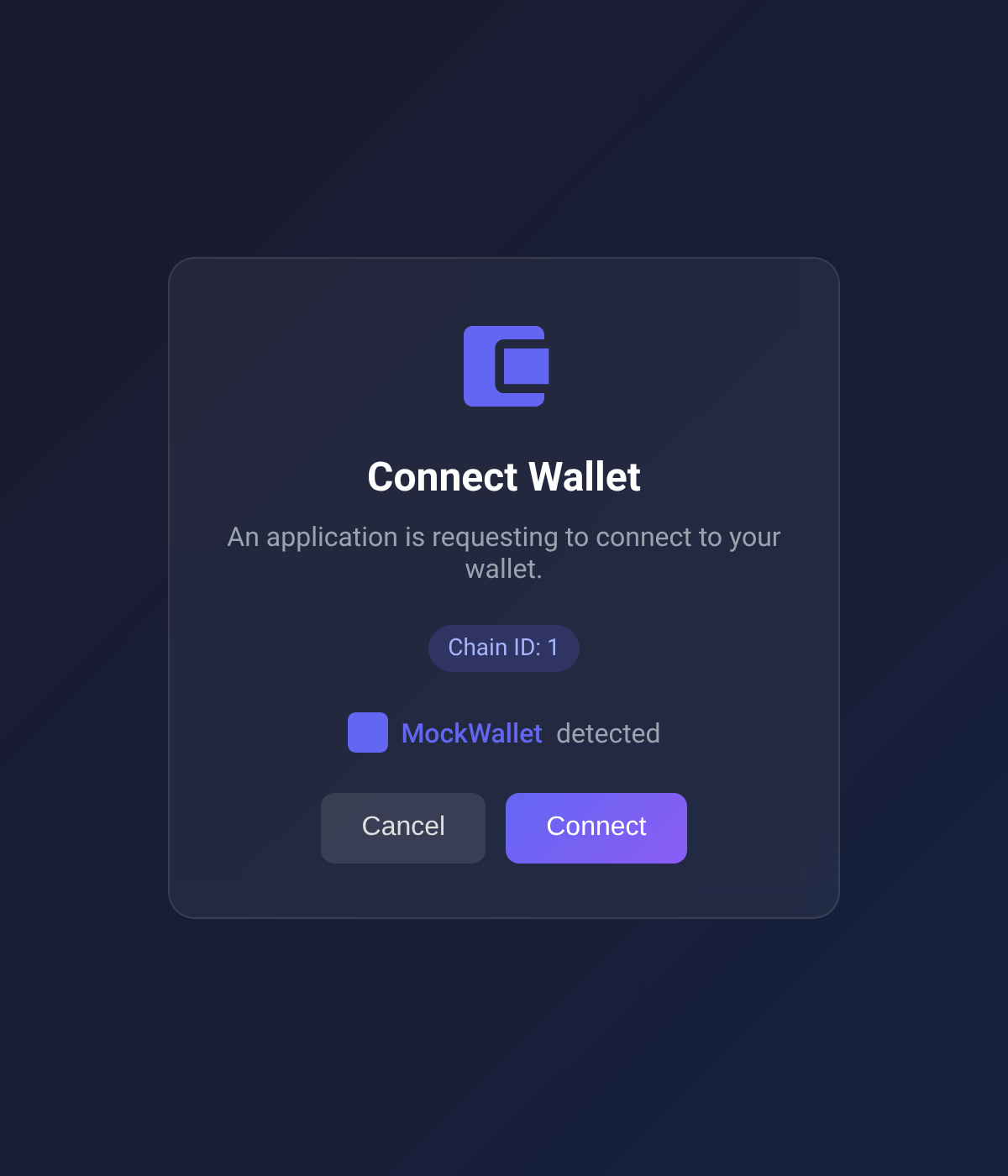
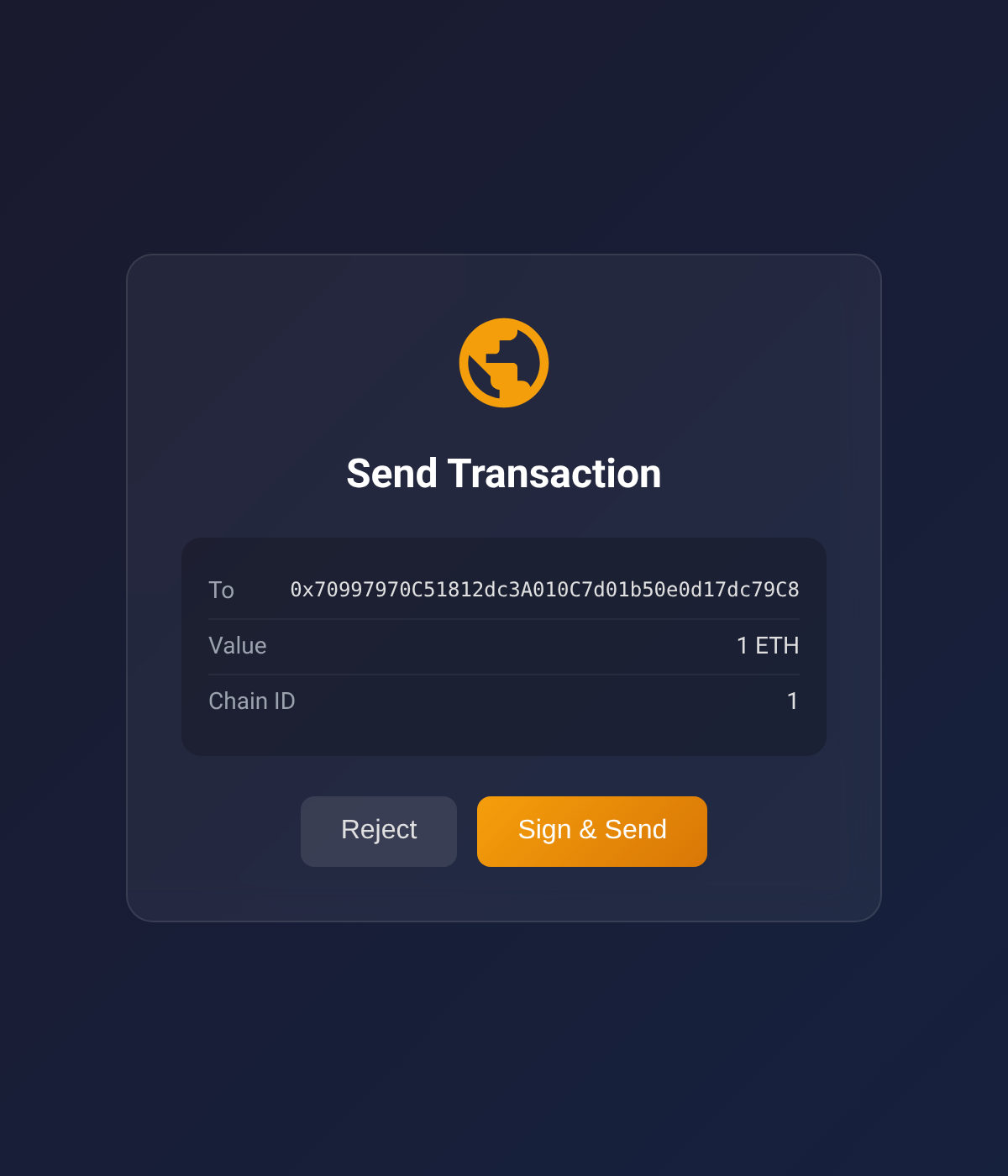
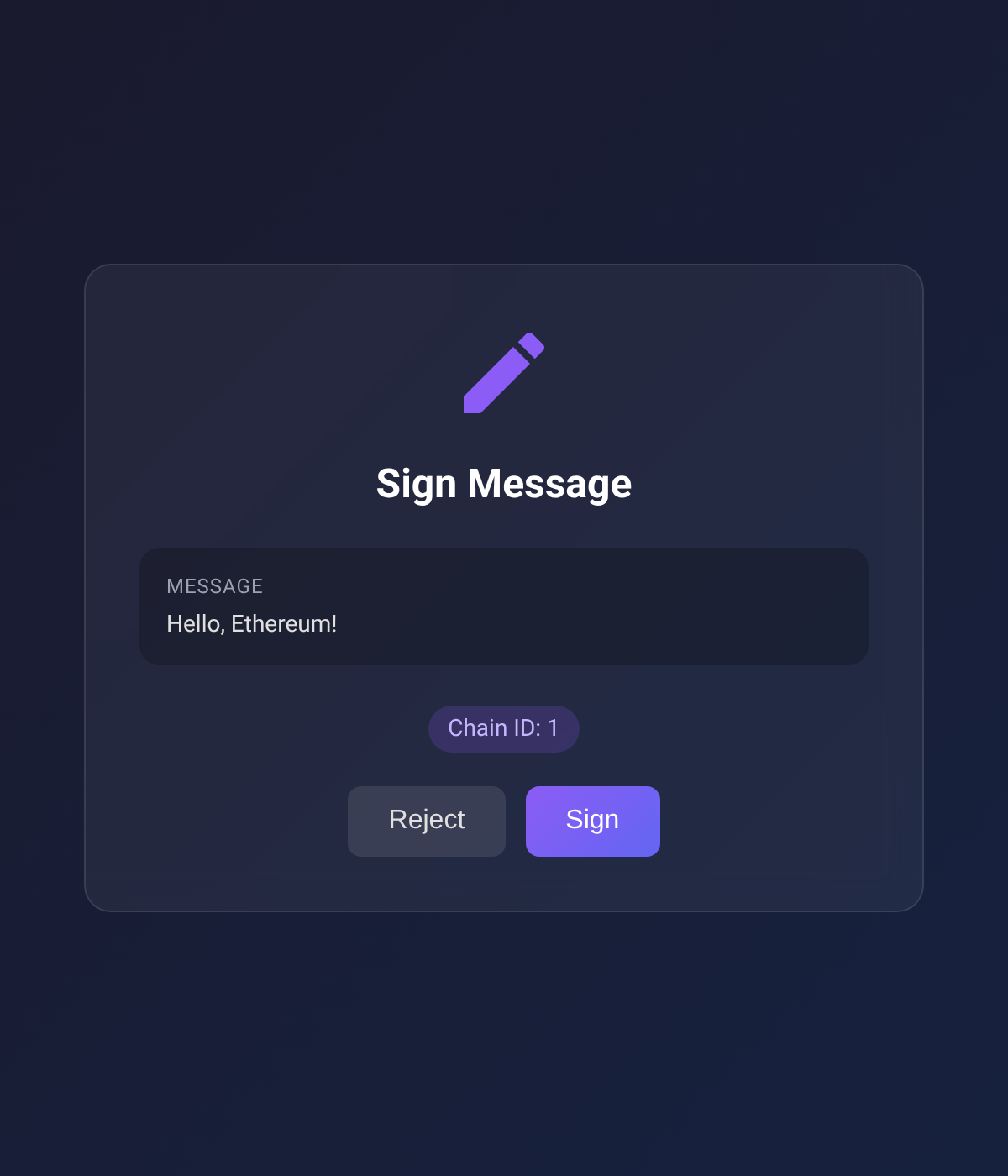
Screenshots below show the EVM approval UI; the TRON UI mirrors the same card layout with TronLink-specific copy and TRX denomination.
| Connect Wallet | Send Transaction | Sign Message |
|---|---|---|
 |  |  |
Supported Chains
Built-in RPC URLs for:
- Ethereum (1)
- Sepolia (11155111)
- Polygon (137)
- Arbitrum One (42161)
- Optimism (10)
- Base (8453)
- Avalanche (43114)
- BNB Smart Chain (56)
Supported TRON Networks
- Tron Mainnet
- Shasta Testnet
- Nile Testnet
Configuration
Environment variables (optional):
| Variable | Description | Default |
|---|---|---|
EVM_MCP_PORT | EVM HTTP server port | 3847 |
EVM_MCP_DEFAULT_CHAIN | Default EVM chain ID | 1 |
TRON_MCP_PORT | TRON HTTP server port | 3848 |
TRON_MCP_DEFAULT_NETWORK | Default TRON network (mainnet/shasta/nile) | mainnet |
Packages
This is a monorepo with three published packages plus one internal one:
| Package | Published | Description |
|---|---|---|
wallet-signer-core | internal | Chain-agnostic primitives (PendingStore, HTTP bridge, errors). Bundled into each chain package at build time — never installed directly. |
browser-evm-signer | npm + JSR | Standalone library — sign EVM transactions via MetaMask/Rabby/any EIP-6963 wallet |
browser-tron-signer | npm + JSR | Standalone library — sign TRON transactions via TronLink |
mcp-wallet-signer | npm | MCP server — exposes the EVM and TRON signers as MCP tools for AI agents |
Use the chain-specific packages directly if you want browser-based signing in your own Node.js/Deno app without MCP.
Development
Requires Deno v2.0+.
Manual signing CLI
A signer-cli script triggers the same flows that the MCP tools do, but from your shell —
useful for smoke-testing against a real wallet without going through an MCP client.
The approval URL is always printed up-front, and every browser-interacting subcommand (both chains, every flow except get-balance which doesn't open a browser) accepts --browser <name> and --print:
--browser <name> accepts chrome, firefox, edge, safari, or a binary path. Useful when your system default doesn't have the wallet extension installed.
Per-package deno task trigger ... works too if you're already inside packages/browser-evm-signer/ or packages/browser-tron-signer/.
Project Structure
Related MCP Servers
Adoption & maintenance
Factual signals from GitHub, npm, and our automated checks — not a rating.
GitHub stars
3
Stargazers on the source repository.
npm downloads
347
Package downloads in the last 30 days.
Last commit
1mo ago
Most recent push to the default branch.
Tools exposed
13
Callable tools this server registers over MCP.
Directory activity
1 views
Config copies, upvotes, and views on AllMCPs.
Reviews
No reviews yet — be the first to share how this listing worked for you.
Frequently Asked Questions about MCP Wallet Signer
AllMCPs Directory Badge
Showcase your server listing on GitHub or your project documentation. Embed this dynamic SVG badge to highlight official listing status and live engagement.
Badge Style:
Live Dynamic SVG Preview
Markdown (GitHub README)
[](https://allmcps.com/mcp/nikicat-mcp-wallet-signer)HTML Embed
<a href="https://allmcps.com/mcp/nikicat-mcp-wallet-signer"><img src="https://allmcps.com/api/badge/nikicat-mcp-wallet-signer?style=directory" alt="MCP Wallet Signer on AllMCPs" /></a>Technical Specs & Signals
CategoryFinance & Fintech
PricingFree
10/11 checks healthy over the last 32d
59Quality signal: Good · 59/100How this signal is calculated ▾
Server availabilityNot measured
Not scored for repo-hosted servers — we can't reach the running server, only its GitHub page. Hosted MCP endpoints are health-checked live.
Verified ownership10/20
Documentation & tools28/30
Adoption & activity6/15
Community engagement0/10
A guidance signal from public completeness & health data — not a user rating. New listings start lower and rise as they add docs, get verified, and grow adoption. Signals we can't observe for a listing are skipped, not counted against it.
Supply-chain signal
No high-severity advisories surfaced by our automated scan.
Critical 0High 0Medium 0Low 0
Scanned 27d ago via OSV.dev · mcp-wallet-signer (npm)
Own this project?
This directory is pre-filled from public sources. Claim via GitHub README, site badge, or DNS TXT to unlock edit access and the Official badge — proof is checked automatically, then reviewed by our team.
Free dofollow backlink: add your website and place the AllMCPs badge on it — no claim needed. We detect it automatically and keep it verified as long as the badge stays live.
Claim & get free dofollowShare & Embed
Add our SVG badge (dark/light directory styles) or embeddable widget to your site.