Next AI Draw IO vs ROBINS I V2 MCP
A side-by-side look at the Next AI Draw IO and ROBINS I V2 MCP MCP servers: transport, auth, tools, quality signals, and the config to install either one in Claude, Cursor, Windsurf or VS Code.
Verdict: choose Next AI Draw IO for developer tools work as a local process; choose ROBINS I V2 MCP for developer tools as a local process. You can also run both side by side in one mcpServers block.
Which MCP server should you choose?
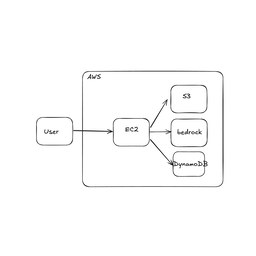 Choose Next AI Draw IO when
- You need dedicated capabilities in the Developer Tools domain.
- You prefer a local stdio subprocess transport.
- Its auth model fits you: API key required.
- You want tools like
get_drawing_guide, get_shape_library, start_session.
 Choose ROBINS I V2 MCP when
- You need dedicated capabilities in the Developer Tools domain.
- You prefer a local stdio subprocess transport.
- You want tools like
get_spec, parse_document, parse_pmcid.
Feature & specification comparison
Rows where the two servers differ are marked.
| Spec | ||
|---|---|---|
| Category | Developer Tools | Developer Tools |
| Quality signal | 72/100 · Great | 55/100 · Good |
| Install command | Confirmed | Confirmed |
| Transport | Local subprocess (stdio) | Local subprocess (stdio) |
| Auth | API key required | Not declared |
| Pricing | BYOK (pay the provider) | Not declared |
| Required env vars | None listed | None listed |
| Verified owner | Community listing | Community listing |
| GitHub stars | 36,387 | 0 |
| Directory activity | 3 views 0 installs 0 upvotes | 1 views 0 installs 0 upvotes |
| Tools | 16 | 9 |
| Full listing | View Next AI Draw IO | View ROBINS I V2 MCP |
Tools & capabilities
Next AI Draw IO tools 16
get_drawing_guideReturn the drawing guide: XML format, layout, edge routing, style and editing rules. start_session already returns it; call this only if the guide is no longer in your context. With topic, returns a short XML reference for tables, layers or groups.get_shape_libraryGet the style syntax and shape names of a draw.io icon library. Call this BEFORE drawing with cloud, network or other icon shapes, and use the exact names it returns; never guess them. Libraries: - Cloud: aws4, azure2, gcp2, alibaba_cloud, openstack, salesforce - Networking: cisco19, network, kubernetes, vvd, rack - Business: bpmn, lean_mapping - General: flowchart, basic, arrows2, infographic, sitemap - UI/Mockups: android, material_design - Enterprise: citrix, sap, mscae, atlassian - Engineering: fluidpower, electrical, pid, cabinets, floorplan - Icons: webiconsstart_sessionStart a new diagram session, or continue a saved one with session_id, and open the browser for real-time preview. Starts an embedded server and opens a browser window with draw.io. The browser will show diagram updates as they happen. The result includes the drawing guide; follow it when drawing.list_saved_diagramsList the diagrams saved by earlier sessions (auto-save files), newest first, with their pages. Continue one with start_session session_id=<id>; the file path also works with load_diagram.create_new_diagramCreate a NEW diagram, REPLACING the whole document: every page and any unsaved user changes (the previous state stays in History). To add a tab use add_page; to change cells use edit_diagram. Before using icon shapes (AWS, Azure, GCP, Kubernetes, Cisco...), call get_shape_library first. Follow the drawing guide returned by start_session (call get_drawing_guide if it is no longer in your context). Pass screenshot: true on the last call of a complex diagram to check the result. Accepted xml: 1) Only the mxCell elements of one page (recommended). The server adds <mxfile>, <mxGraphModel>, <root> and the root cells "0" and "1": <mxCell id="2" value="Shape" style="rounded=1;" x="40" y="40" w="120" h="60"/> 2) A bare <mxGraphModel> with <root> (one page). 3) A full <mxfile> with one or more <diagram> pages. Every page's <root> must start with <mxCell id="0"/><mxCell id="1" parent="0"/>. Rules: cells are siblings (never nested), ids are unique per page and start from "2", parent only for shapes inside a container, no XML comments, and shapes stay within x 0 to 800 and y 0 to 600. A style used by several cells is defined once with <mxStyle name="..." value="..."/> before the cells and used by name (see the drawing guide); html=1 and whiteSpace=wrap are added automatically. To clear the canvas to one blank page, send only the two root cells <mxCell id="0"/><mxCell id="1" parent="0"/>; the previous diagram stays in History.load_diagramLoad a .drawio diagram into the current session, REPLACING the entire diagram (all pages). To change an existing file, load it here, edit with edit_diagram, then export_diagram to the same path; never rewrite the file by hand. Provide ONE of two mutually exclusive sources: 'path' (the server reads the file from disk — you do NOT need to read the file yourself or pass its XML through create_new_diagram) or 'xml' (the raw file content you already have — from another tool, a repository read, or an API response — so no temporary file needs to be written first). Both accept plain XML and draw.io's compressed save format. .drawio.svg (Editable SVG, the format export_diagram writes) is accepted too; .png files (also draw.io's editable PNG) and plain .svg files cannot be loaded. After loading from 'path' (or from compressed 'xml'), call get_diagram before edit_diagram — you haven't seen the file's cell IDs yet. Plain-XML 'xml' content you supplied yourself is already known and can be edited immediately.edit_diagramEdit a specific page in the current diagram by ID-based operations (update/add/delete cells). All-or-nothing: if any operation fails, nothing is applied and every failure is listed. Freshness: the server remembers the last diagram state you have seen, and rejects this call only if the user edited the diagram in the browser since then. You do NOT need to call get_diagram before every edit: a rejected call changes nothing and includes the current XML of the page, so you can rebuild your operations and retry. Call get_diagram first only when you don't know the current diagram content (cell IDs, structure) — e.g. the diagram wasn't created in this conversation, or you're unsure your memory of it is accurate. Multi-page targeting: - page_id / page_name / page_index are optional; when all omitted, the FIRST page is targeted - Use list_pages to discover what pages exist Operations: - add: Add a new cell. Provide cell_id (new unique id within the page) and new_xml. One cell per operation. - update: Replace an existing cell by its id. Provide cell_id and complete new_xml. - delete: Remove a cell by its id. Only cell_id is needed. Its children and connected edges are deleted too, so give only a container's id. For add/update, new_xml is the complete mxCell (inside its <object> wrapper when it has custom data, see the drawing guide) in the compact form (a shape with x, y, w, h; an edge with source and target). No XML comments. Every " inside new_xml must be escaped as \" in the JSON. Example - Add a rectangle on the default (first) page: {"operations": [{"operation": "add", "cell_id": "rect-1", "new_xml": "<mxCell id=\"rect-1\" value=\"Hello\" style=\"rounded=1;\" x=\"100\" y=\"100\" w=\"120\" h=\"60\"/>"}]} Example - Delete a cell on the default page: {"operations": [{"operation": "delete", "cell_id": "rect-1"}]}get_diagramGet the current diagram XML (fetches latest from browser, including user's manual edits). Call this when you don't know the current diagram content (cell IDs, pages, structure) — e.g. before editing a diagram you didn't create in this conversation, or after edit_diagram was rejected because the user changed the diagram in the browser. Returns the full <mxfile> by default. If a page selector is provided, returns just that page's <mxGraphModel> embedded in a one-page <mxfile> wrapper.get_selectionReturn the cells the user has selected in the preview: their ids and labels, for edges the source and target ids, for shapes the position and size, and the page they are on. Call this when the user refers to what they selected ("this box", "these arrows", "the selected shapes"), then act on the ids with edit_diagram. Says when nothing is selected. Needs the preview tab to be open.screenshot_diagramRender the diagram in the preview and return it as a PNG image, so you can see your own result. Call this once after drawing or heavily editing a complex diagram, then fix overlaps and edges that cross shapes. Without a page selector it shows the page on screen; with one it renders that page without changing what the user sees. Needs the preview tab to be open.export_diagramExport the current diagram to a file. Supports .drawio (XML), .png, .svg, and .drawio.svg (an SVG with the diagram embedded, which draw.io and load_diagram can open again). The format is auto-detected from the file extension, or can be specified explicitly. Images get a 20 px margin; a PNG has a white background (or the page's own background color) unless transparent is true. Multi-page behaviour: - .drawio with NO page selector: writes the full <mxfile> (all pages). - .drawio with a page selector: writes a single-page <mxfile> containing only that page. - .png / .svg with NO page selector: exports the currently active page in the browser. - .png with a page selector: renders that page without changing what the user sees. - .svg / .drawio.svg with a page selector: temporarily loads that page into the browser, captures it, then restores the full document (the user sees a brief flicker).list_pagesList every page (tab) in the current diagram. Returns each page's id, name, 0-based index, and cell count. Use this to discover what pages exist before targeting one with edit_diagram, get_diagram, export_diagram, rename_page, or delete_page.- +4 more on the listing page
ROBINS I V2 MCP tools 9
get_specReturn the encoded ROBINS-I V2 specification: 13 preliminaries, 40 signalling questions across 6 domains (domain 1 in two variants), the response vocabularies, the evidence policy, and the algorithm fingerprint. OPTIONAL in the assessment flow — introspection only. assess_result already carries the rubric for the domain in hand, so calling both duplicates the payload. detail='compact' (default) gives question ids, own-words labels, response options and evidence modes; detail='full' adds every intent and assessor note. The descriptions are this implementation's own wording, NOT the published signalling-question text, which is not redistributable. The published question IDs are what make the output interoperable.parse_documentPRIMARY entry point: parse a study report into a bundle with character-offset, source-tagged section spans. Every quote you later cite is resolved against THIS text, and every claim of absence is searched in it. PASS `citation=`: the full bibliographic reference in APA style. It appears on the rendered assessment so the study being judged is unambiguous. `document` is EITHER the raw text OR a file path — but the path must be readable on the SERVER host. If your files live on your own filesystem, paste the TEXT instead, or use parse_pmcid for an open-access PMCID. A path-looking string the server cannot find raises rather than being ingested as its own text. PASS THE SUPPLEMENT WHEN YOU HAVE IT. `supplements` is a list of server-readable paths merged as supplementary material. This matters more for ROBINS-I than for a reporting audit: the target-trial specification that settles C1-C4, and the analysis detail domains 1 and 4 turn on, routinely live only in the appendix. Without it those questions read NI when the answer was merely in a file nobody passed. supplement_status defaults to 'user_provided' when supplements are given; pass 'none_exists' to assert the article has none. Returns the section map, the text hash that keys later calls, and a cue survey — hit counts for the 15 evidence patterns, so you can see before reading where each domain's evidence lives and which absences already look real.parse_pmcidCONVENIENCE entry point: retrieve an open-access article from Europe PMC by PMCID and parse it, main text plus PMC-hosted supplements, merged into one source-tagged bundle. Use it when you have no file in hand, or to auto-fetch an open-access paper's supplement; for a manuscript you were given, use parse_document. supplement_status is 'retrieved' when a supplement was obtained, else 'not_retrieved' — a supplement may still exist on the publisher site, so absence of retrieval is never proof of absence. Raises if no open-access full text is available. An APA-style citation is built from the article's JATS metadata; pass citation= to override it.set_prespecified_confoundersSupply P1 — the confounding factors this REVIEW judges important for the intervention-outcome relationship, listed before any study is assessed. THIS IS BLOCKING. Domain 1 will not be scored without it. Question 1.1 asks whether all IMPORTANT confounding factors were controlled for, and 'important' is defined by this list, not by the paper's covariate table. Substituting the paper's own list would let the study grade its own confounding control, which is exactly the judgement ROBINS-I asks the reviewer to make independently. 'Important' means adjustment would be expected to change the estimate meaningfully; factors with only very weak associations are excluded. You MAY propose a list from domain knowledge or a DAG — that is useful and is what this parameter is for — but a proposed list is not a ratified one. Leave `ratified_by` empty unless a human in this conversation has actually reviewed and accepted the list; the assessment then carries P1 in its ratification queue and is explicitly not final until they do. Do not sign it off on their behalf. Scoped by `review_id` because P1 belongs to the review, not to one study: the same list applies to every result assessed under it.specify_resultName the ONE numerical result being assessed, and settle C4. Required before any domain can be scored. ROBINS-I assesses a single effect estimate, not a paper. A study reporting three outcomes across two analyses yields six assessments; give each its own `result_id` and run them separately. `accounts_for_deviations` IS C4, and it is the highest-leverage input here: it swaps domain 1's entire question set and algorithm, so it cannot be deferred until domain 1 is reached. 'no_itt' — the analysis does NOT account for switches between the compared strategies or other protocol deviations. It targets the effect of assignment. Domain 1 variant A (baseline confounding only). 'yes_pp' — the analysis DOES account for them, by censoring, follow-up partitioning, or a g-method. It targets the effect of sustained receipt. Domain 1 variant B (baseline AND time-varying confounding). Judge this on what the ANALYSIS DOES, not on the label the authors give their estimand. A paper whose protocol table says 'observational analogue of the per-protocol effect' but which never censors at deviation is 'no_itt'. Getting this wrong means answering five questions that do not apply. `result_assessed` is A1: the estimate with its precision. `outcome` is A3. `result_location` (A2) is where it appears and why it was chosen. `target_trial` is C1-C3 as a dict of labelled strings — eligible participants, intervention strategy, comparator strategy, and any note on the estimand. `information_sources` is D1: what you actually read. An NI answer is only defensible relative to what was searched. `b1`/`b2`/`b3` are the section B screening answers (Y/PY/PN/N). b1: was any attempt made to control confounding in this result? b2 (asked only if b1 is PN/N): is the potential for confounding great enough that an unadjusted result should not be considered further? b3: is the outcome measurement method unsuitable for the outcome it is meant to capture? Y/PY on b2 or b3 sends the result straight to critical and no domain is scored.assess_resultReturn the assessment scaffold for ONE domain: the questions actually in play, their own-words intent, the response vocabulary each accepts, what evidence each answer must carry, and the cue searches already run against this bundle with their hits. THE SCAFFOLD IS PER DOMAIN BY DESIGN. Most signalling questions are unreachable on any given path — 24 of 41 were never reached on the reference assessment — and which of domain 1's two question sets exists at all is decided by C4. There is no flat 41-question rubric to fetch, and asking for one would mean answering questions the algorithm discards. domain=0 (default) returns the overview: the preliminaries, what is settled, which domains are done, and which are outstanding. domain=1..6 returns that domain's scaffold. Domain 1 is refused until P1 is set. Work a domain at a time: read the cues to find where the evidence is, answer only the questions the algorithm reaches, then submit_answers. You do not state a judgement — the server computes it from your answers.submit_answersSubmit one domain's signalling-question answers and get back the COMPUTED domain judgement, or (domain=0) finalize the assessment. Each element of `answers` is one question: `question`, `response`, `evidence_mode`, `rationale`, plus the evidence that mode requires — `quotes` for manuscript_positive, `search_cue` or `search_terms` for manuscript_absent, `prior_ref` for reviewer_prior. Answer only the questions the algorithm reaches; omit the rest rather than answering NA. `support` is your narrative for the domain as a whole and appears in the report. Three things are enforced here, and all three are the point of the tool: every quote is resolved to character offsets in the ingested bundle and an unresolvable one is REJECTED with the nearest text found; every claim of absence is backed by a search THE SERVER runs, so it is reproducible; and the judgement is computed by the published algorithm from your answers, never asserted by you. If the traversal reaches a question you did not answer, the call returns status='incomplete' naming it — supply it and call again. `override_judgement` sets the domain judgement against the algorithm and REQUIRES `override_justification`. Overrides cannot hide: the report shows both values and the override enters the ratification queue. domain=0 finalizes: it computes the overall judgement (worst of the six domains by default), assembles the stamped assessment and returns the rendered report inline. `overall_escalate` applies the tool's permitted escalation — several moderates to serious, or several seriouses to critical — and requires a justification. The returned `report` is THE ARTIFACT OF RECORD: present that, not a table of your own, and repeat its ratification queue if it is non-empty, because an assessment with unratified items is not final.render_reportRe-render a finalized assessment as a self-contained HTML page — the meta panel, the six-domain summary strip, the per-domain judgement with its algorithm trail and the evidence behind every answer, styled to the Black Swan Causal Labs identity and carrying the provenance stamp. Returns the HTML in `html` (display it inline or publish it as an artifact) and the same bytes base64-encoded in `content_base64` (decode and save as .html). This is a pure re-render of the artifact submit_answers already stamped — nothing is re-scored. The assessment must have been finalized this session; the cache does not survive a server restart.export_robvisCombine assessment RECORDS from any number of runs into a CSV for **robvis** (McGuinness & Higgins), the standard tool for Cochrane-style risk-of-bias figures. A review of 200 studies is 200 separate runs — each assessment costs a session, and nothing in this server survives between them. So pass `records`: the `record` object each submit_answers(domain=0) returns. They are small, flat and JSON-native, so a whole review's worth fits in one context, and they carry their own provenance so every row stays traceable to a document and an algorithm fingerprint. Omit `records` to use only what was assessed in THIS session (convenient, but session-scoped). READ THE RETURNED `losses` BEFORE PUBLISHING THE FIGURE. It reports records that are not yet ratified, mixed C4 variants, equal weighting, and records built under differing algorithm transcriptions — each of which would make the figure claim more than the assessments support. This is not a column dump, because robvis's ROBINS-I template is ROBINS-I **V1** and V2 is not drop-in compatible: * V1 has SEVEN domains and orders selection of participants BEFORE classification of interventions. V2 has six and swaps that pair. Writing V2's columns out in order loses no data and raises no error — it just prints your classification judgement under the heading "Bias due to selection of participants". layout='robins_i' (the default) places each V2 judgement into its correct V1 SLOT and marks the dropped deviations domain NA. Upload it with tool='ROBINS-I'. * layout='generic' writes six columns headed with V2's own domain names, for tool='Generic'. The headings are then right, but robvis relabels the judgements into ROB1's vocabulary — Moderate becomes "Some concerns", Serious becomes "High". Prefer 'robins_i'. Neither layout can carry 'Low, except for concerns about uncontrolled confounding': robvis reduces every cell to its first initial over a five-fill palette, so it collapses to Low whatever string is written. Say so in the figure caption.
Ready-to-paste client configs
Paste either block (or both) into your client config, e.g. claude_desktop_config.json or ~/.cursor/mcp.json. We only show a config when the install command is confirmed.
Next AI Draw IO
{
  "mcpServers": {
    "next-ai-draw-io": {
      "command": "npx",
      "args": [
        "-y",
        "@next-ai-drawio/mcp-server@latest"
      ]
    }
  }
}
ROBINS I V2 MCP
{
  "mcpServers": {
    "robins-i-v2-mcp": {
      "command": "uvx",
      "args": [
        "robins-i-mcp"
      ]
    }
  }
}
Frequently asked questions
Next AI Draw IO is categorized under Developer Tools and uses a local stdio subprocess. ROBINS I V2 MCP belongs to Developer Tools and uses a local stdio subprocess. Pick Next AI Draw IO for developer tools work and ROBINS I V2 MCP for developer tools.
Copy the mcpServers block from the config section on this page into your client's config (for example claude_desktop_config.json or ~/.cursor/mcp.json), then fully restart the client.
Next AI Draw IO is bring-your-own-key: usage is billed by the API provider you supply a key for. Auth: api key required. ROBINS I V2 MCP has no declared pricing — check the project's own site. If a server needs environment variables such as API keys, define them under the env key in your client's MCP config.
Yes. MCP clients support multiple servers: add next-ai-draw-io and robins-i-v2-mcp as separate keys in the same mcpServers object, and your assistant will call tools from either one.
On AllMCPs, Next AI Draw IO has a quality signal of 72/100 (Great) with 3 views, 0 installs and 36,387 GitHub stars. ROBINS I V2 MCP has 55/100 (Good) with 1 views, 0 installs and 0 GitHub stars.