Navisworks vs Opentakeoff
A side-by-side look at the Navisworks and Opentakeoff MCP servers: transport, auth, tools, quality signals, and the config to install either one in Claude, Cursor, Windsurf or VS Code.
Verdict: choose Navisworks for architecture & design work over a hosted endpoint; choose Opentakeoff for architecture & design as a local process. You can also run both side by side in one mcpServers block.
Which MCP server should you choose?
 Choose Navisworks when
- You need dedicated capabilities in the Architecture & Design domain.
- You prefer a remote HTTP/SSE transport.
- You want tools like
nwd_upload, nwd_get_clashes, nwd_export_report.
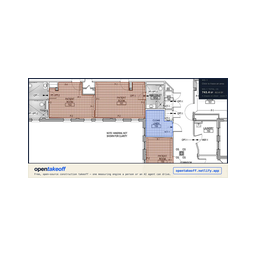 Choose Opentakeoff when
- You need dedicated capabilities in the Architecture & Design domain.
- You prefer a local stdio subprocess transport.
- Its auth model fits you: No auth required.
- You want tools like
load_plan, sheet_info, set_scale.
Feature & specification comparison
Rows where the two servers differ are marked.
| Spec | ||
|---|---|---|
| Category | Architecture & Design | Architecture & Design |
| Quality signal | 51/100 · Good | 72/100 · Great |
| Install command | Confirmed | Confirmed |
| Transport | Remote HTTP/SSE | Local subprocess (stdio) |
| Auth | Not declared | No auth required |
| Pricing | Not declared | Free |
| Required env vars | None listed | None listed |
| Verified owner | Community listing | Community listing |
| GitHub stars | 0 | 670 |
| Directory activity | 0 views 0 installs 0 upvotes | 10 views 0 installs 0 upvotes |
| Tools | 5 | 53 |
| Full listing | View Navisworks | View Opentakeoff |
Tools & capabilities
Navisworks tools 5
nwd_uploadUpload a Navisworks file (.nwd/.nwf/.nwc) to Autodesk Platform Services (APS) Object Storage and start an SVF2 translation job so the model becomes queryable by the other nwd_* tools. When to use: at the start of a coordination workflow — e.g. the GC hands off a federated NWD combining MEP + structural + architectural models and the agent needs to stage it for clash review before issuing an RFI, or when a subcontractor publishes a new NWC model revision that must be ingested for weekly BIM coordination. Always the first call in a session for any new model. When NOT to use: do not call for already-translated models (re-use the returned model_id/URN); do not use for raw Revit .rvt, IFC, or DWG — those go through a different MCP. APS scopes required: data:read data:write data:create bucket:read bucket:create viewables:read. The worker acquires a 2-legged client-credentials token; the caller does not supply one. Rate limits: APS default ~50 req/min per app per endpoint; Model Derivative translation job submission ~60 req/min. NWD bundles can be large (hundreds of MB); the upload PUT and translation can take minutes — translation is asynchronous, poll via nwd_export_report (manifest) with exponential backoff (e.g. 5s, 10s, 30s, 60s) before calling clash/properties tools. Errors the agent should handle: 401 invalid/expired APS token (surface as auth failure — do not retry with same creds); 403 missing scope (report scope gap, do not retry); 404 source file_url unreachable (ask user for a fresh public URL); 409 bucket already exists (handled internally, safe to ignore); 413/422 unsupported Navisworks version — APS Model Derivative supports NWD/NWC from Navisworks 2015 and later (state the unsupported version to the user); 429 rate limited (exponential backoff, retry); 5xx APS upstream (retry once, then surface). Side effects: creates a fresh transient OSS bucket (scanbim-nwd-<timestamp>, 24h TTL) and uploads the file as an object, then POSTs a Model Derivative translation job. NOT idempotent — each call creates a new bucket/URN even for the same file_url. Logs usage to the D1 usage_log table.nwd_get_clashesDetect geometric/logical clashes between two element sets in an already-translated Navisworks model. Uses APS Model Derivative property extraction + same-level proximity heuristics, optionally augmented by VDC rules stored in D1 (table vdc_rules). When to use: when coordinating federated MEP + structural + architectural models for clash review before issuing an RFI; e.g. "find duct vs. beam clashes on Level 3 before the Wed coordination meeting" or "sanity-check the latest MEP revision against structure before releasing for fabrication." Pair with nwd_export_report to produce a deliverable. When NOT to use: do not call on a model whose translation is still "inprogress" — call nwd_export_report first and confirm translation_status == "success"; not a substitute for Navisworks Manage Clash Detective for final sign-off (this is a coordination-stage screen, not a regulatory clash report). APS scopes required: viewables:read data:read (read-only — does not create anything in APS). Rate limits: APS default ~50 req/min per endpoint; Model Derivative metadata/properties endpoints are the bottleneck. Properties response may return 202 "isProcessing" on first call — the worker retries once after 3s. For very large models (>50k elements) the worker caps analysis at 50x50 element cross-compare and 100 reported clashes; re-run with tighter category_a/category_b filters for exhaustive coverage. Errors: 401 APS token expired (transient, retry); 403 missing viewables:read/data:read scope (report, do not retry); 404 URN not found or not translated (prompt user to re-run nwd_upload); 409 not applicable; 422 model translated but property index unavailable — typically means source NW version unsupported or translation partially failed (supported: Navisworks 2015+); 429 rate limit (backoff); 5xx APS upstream (retry once). If properties.data.collection is empty the tool returns clash_count: 0 with a note rather than erroring — the agent should treat that as "model not ready" and retry later. Side effects: none in APS. Reads vdc_rules from D1 when both categories are supplied. Logs usage to D1 usage_log. Idempotent — same inputs on a stable model yield the same clash list.nwd_export_reportBuild a coordination report for a translated Navisworks model: translation status/progress, derivative outputs, available views (2D sheets / 3D viewables), total element count, and a per-category element breakdown. Doubles as the canonical way to poll translation status after nwd_upload. When to use: after nwd_upload to check whether translation has completed before calling clash/object tools; at the end of a coordination session to generate a status snapshot for the weekly BIM report; when auditing a model revision to confirm expected element counts per discipline. When NOT to use: do not use for a per-element property dump — use nwd_list_objects; do not use for clash results — use nwd_get_clashes. APS scopes required: viewables:read data:read bucket:read (read-only). Rate limits: APS default ~50 req/min per endpoint; this tool issues up to 4 sequential APS calls (manifest, metadata, properties — two with retry). When polling for translation completion, backoff: 5s, 10s, 30s, 60s, 120s — Model Derivative NWD translation typically completes in 1-10 min but large federated models can take 20+ min. Errors: 401 APS token expired (retry); 403 missing scope (report); 404 URN not found (model was never uploaded or bucket TTL expired); 409 N/A; 422 translation failed permanently — inspect report.translation_status == "failed" and report.derivatives[].status; 429 rate limit (backoff); 5xx APS upstream (retry once). Property extraction may legitimately 202 "isProcessing" — the tool handles retry and then silently swallows to still return manifest/metadata (element_count will be 0 until properties index is built). Side effects: none. Pure read. Idempotent — report reflects current APS state. Logs usage to D1 usage_log.nwd_get_viewpointsList saved viewpoints / camera positions and top-level view containers for a translated Navisworks model. Pulls the metadata view list and enriches each 3D view with its first two levels of the object tree (viewpoint folders typically live there in NWD files). When to use: when preparing a coordination meeting and you need a quick index of every saved viewpoint (e.g. "Level 3 Mech Room", "Clash - duct vs beam gridline C-4") to drive screenshots or BCF-style issues; when an agent needs to deep-link a 2D sheet or 3D camera into the APS Viewer. When NOT to use: does not return camera matrices (position/target/up vectors) — APS Model Derivative does not expose those from the NWD viewpoint XML; for full camera data the source NWD must be opened in Navisworks Manage. APS scopes required: viewables:read data:read. Rate limits: APS default ~50 req/min; this tool fans out one object-tree call per 3D view (capped implicitly by metadata view count, usually <5). For federated models with many sheets this can approach the per-minute quota — cache the result. Errors: 401 token (retry); 403 scope (report); 404 URN not found / translation incomplete; 409 N/A; 422 model returned empty metadata (returns viewpoint_count:0 rather than throwing — agent should verify translation via nwd_export_report); 429 rate limit (backoff); 5xx APS upstream (retry once). Per-view object-tree failures are swallowed so the overall call still returns the metadata-level view list. Side effects: none. Pure read. Idempotent. Logs usage to D1 usage_log. Results are capped at 100 viewpoint entries.nwd_list_objectsList elements (objects) in the translated Navisworks model with their objectid, name, externalId, and full property bag, optionally filtered by a case-insensitive keyword matched against name and Category. When to use: when answering "how many VAV boxes are on Level 3?", "list every steel column with mark C-*", or any per-element question; when dumping a quick takeoff of a discipline before handing off to an estimator; when an agent needs externalIds to cross-reference with a Revit or ACC issue. When NOT to use: not for clash detection (use nwd_get_clashes); not for camera/viewpoint data (use nwd_get_viewpoints); not for full-model exports — results are capped at 100 objects per call, so use the filter argument to narrow. APS scopes required: viewables:read data:read. Rate limits: APS default ~50 req/min; two Model Derivative calls per invocation (metadata guid + properties). Properties endpoint may 202 "isProcessing" on first call after translation — the worker retries once after 3s. For very large models the properties payload can be tens of MB; expect higher latency. Errors: 401 token (retry); 403 scope (report); 404 URN not found; 409 N/A; 422 property index not yet built — returns object_count:0 (poll via nwd_export_report); 429 rate limit (backoff); 5xx APS upstream (retry once). If property collection is legitimately empty the tool returns success with object_count:0 and an empty objects array. Side effects: none. Pure read. Idempotent. Logs usage to D1 usage_log. Response includes a `note` field when the unfiltered collection exceeds the 100-object cap.
Opentakeoff tools 53
load_planOpen a plan PDF from disk. Default: replace the whole session (previous documents, scales, conditions, and shapes are cleared). merge: true ADDS the document to the working set instead (#152) — a bid set is plans + schedule + addenda, not one PDF — keeping every scale, condition, and shape; sheet keys carry file names so documents never collide, the sheet graph spans the whole set (resolve_tag can chain a plan tag on one file to a schedule row in another), and the marked set covers every worked sheet. Re-loading an already-merged file is refused — reload = replace, deliberately. Returns file, files, page_count, and one entry per sheet. The loaded sheets also become browsable resources (takeoff://sheets). Coordinates are image px at render scale 2.0: PDF pt × 2, origin top-left, y down (the browser canvas's native space). Sheet payloads carry dims in both px and pt.sheet_infoSheet detail: dims (px and pt), vector segment count, whether the sheet has vector linework (measure_polygon runs on it; get_sheet_vectors returns the strokes), scale status, the detected scale suggestion, and this sheet's committed shape count. Coordinates are image px at render scale 2.0: PDF pt × 2, origin top-left, y down (the browser canvas's native space). Sheet payloads carry dims in both px and pt.set_scaleSet a sheet's scale — exactly ONE of: label (a standard scale, e.g. '1/4" = 1'-0"'), upp (real feet per image px), calibrate (two points along a known dimension plus its real feet), or use_detected (adopt the drawn scale note read off the sheet). The detected scale is never applied automatically — setting it is always this explicit call. Changing an existing scale recomputes measurements and cutout restore quantities from geometry and records one undo_last step. Counts are unchanged. Human-reviewed dimensional work must be recalibrated in the canvas; scales must be finite and positive. Coordinates are image px at render scale 2.0: PDF pt × 2, origin top-left, y down (the browser canvas's native space). Sheet payloads carry dims in both px and pt.propose_takeoffOpen a PROPOSAL — a named batch of the shapes you are about to commit, with one identity (#365). Every shape you commit from here on (measure_polygon, measure_line, measure_surface, place_count, the sweeps, the derives, cut_out) attaches to it until you open another proposal or withdraw this one; the estimator then sees ONE Accept pill for the whole batch instead of one per shape — a forty-room pass becomes one decision, not forty. Use it BEFORE the work, the way an estimator titles a takeoff before tracing: "Level 2 rooms per finish schedule A-601", "Base derived from CPT-1 rooms". label is what the estimator reads on the pill; rationale is what decided the batch (the schedule row, the sheet, the rule) — both required, neither is a comment. Nothing here commits geometry or changes a total: an empty proposal is just a heading. The batch is what revise_proposal replaces and withdraw_proposal removes; shapes the estimator has already accepted leave the batch and no agent verb reaches them. takeoff_summary carries the ledger (pending / accepted / withdrawn per batch).measure_polygonMeasure a closed polygon you supply (min 3 vertices, image px): area_sf and perimeter_lf at the sheet's scale. Requires the scale to be set. Pass condition to commit it; role "deduct" subtracts. A room ring belongs on the innermost wall-face strokes from get_sheet_vectors, crossing each door opening on the wall centerline and wrapping columns and stubs; never on a hatch edge, casework or a door leaf. Check it with view_sheet overlay:true on a tight crop and fix it with edit_shape. A CURVED wall is a circle: do not chord it and do not hand-tessellate it — give the bow one point on the wall and list its index in arc_through. Coordinates are image px at render scale 2.0: PDF pt × 2, origin top-left, y down (the browser canvas's native space). Sheet payloads carry dims in both px and pt.cut_outCut a REAL hole in a committed floor_area shape (#206) — the way the canvas cuts one (#137): the same lib/cutout.js boolean subtract, so the two surfaces can never disagree about what a hole holds. The parent keeps its outer ring plus the reconciled hole(s) (verts_norm_holes), its computed nets for real — N cuts compose, overlap between cuts never double-deducts (set subtraction), a hole ADDS perimeter — and the deduct commits carrying cuts_shape_id so the report and legend read the reconciled number, never a second arithmetic pass. This is the verb for a column, a floor drain, an island of casework INSIDE a room; an independent measure_polygon role:"deduct" stays the tool for a deduction that isn't a hole in one parent. Refusal over guessing: the ring must sit FULLY inside the parent's outer ring (an edge-crossing cut is a boundary correction — edit_shape the parent instead), and a cut that would erase the parent or split it in two refuses whole (trace the pieces as rooms). One journal entry — undo_last restores parent and hole together; delete_shape on the deduct later reverts the cut too (a multi-cut parent rebuilds from the chain's pristine snapshot minus the survivors). AN OPEN RUN IS CLIPPED, NOT SUBTRACTED: wall tile (surface_area) and base/transitions (linear) are polylines traced in plan, so the ring removes the stretch it covers, the run keeps its id and takes what survives, and a cut through the MIDDLE leaves the far side as its own shape (same condition, same height) — quantities ride the surviving length, which is exact, since wall SF is LF × height and a border's SF is LF × thickness. No deduct is minted for a run: there is no area for one to sit on, and a deduct's SF counts against the FLOOR total a run never fills. A ring that misses the run, one that swallows it whole (delete_shape it), and a curved run (its verts are control points) all refuse. A derived base with numeric openings also refuses: those deductions have no stored location; use measure_line for installed runs so a geometric cut cannot erase the numeric allowance. Coordinates are image px at render scale 2.0: PDF pt × 2, origin top-left, y down (the browser canvas's native space). Sheet payloads carry dims in both px and pt.measure_lineMeasure an open polyline (min 2 points, image px): length_lf at the sheet's scale. Requires the scale to be set. Pass condition to commit it as a linear shape (base, transitions, feature strips, conduit and home runs). A curved run (base along a radius wall, a curved feature strip) takes arc_through: one point on the bow, marked. DROP AND RISE (#441): a plan trace is the flat X–Y path; the material also travels VERTICALLY — a home run drops from the ceiling to a panel, rises to a box. length_lf is the TOTAL: plan + rise + drop. The condition's rise_ft / drop_ft (edit_condition) are the defaults for every run under it; pass rise_ft / drop_ft here to give THIS run its own legs (0 included — "no drop on this one" is a statement), and the reply splits plan_lf / vertical_lf beside the total when a leg exists. Coordinates are image px at render scale 2.0: PDF pt × 2, origin top-left, y down (the browser canvas's native space). Sheet payloads carry dims in both px and pt.measure_surfaceSurface Area — wall SF (#146): trace an OPEN run along the wall in plan view (min 2 points, image px) and the quantity is traced LF × height. This is how wall tile, wainscot, and wall systems are taken off — the quantity family measure_polygon cannot produce. Height lives on the CONDITION (the canvas's H knob): pass height_ft to set it on this call (journals as its own undo step, like typing H before tracing), or set it once with edit_condition; with neither, this refuses and mints nothing. The shape snapshots the height it was quantified at. Requires the sheet's scale. Coordinates are image px at render scale 2.0: PDF pt × 2, origin top-left, y down (the browser canvas's native space). Sheet payloads carry dims in both px and pt.place_countCount markers — EA (#146): one point, one each. Thresholds, stair nosings, floor boxes, entrance mats — the scale-free quantity family. Commits one count shape per point (computed {count: 1}, exactly the canvas's Count tool), NO scale required, and the whole call is ONE undo step. takeoff_summary reports them as ea; the marked set draws each marker. Coordinates are image px at render scale 2.0: PDF pt × 2, origin top-left, y down (the browser canvas's native space). Sheet payloads carry dims in both px and pt.symbol_sweepFind EVERY instance of a repeated plan symbol from ONE example — drains, thresholds, fixtures, transition markers: marquee a tight seed_rect around a single instance and the vector linework is searched for every other placement of that same segment cluster. Deterministic geometry, not vision: each placement scores as the length-weighted fraction of the seed's segments reproduced within tolerance_px, under translation plus 0/90/180/270 rotation and mirroring (symbols rotate on plans — both ON by default; turn them off to pin orientation). Score ≥ 0.92 is a match; the 0.75–0.92 band comes back in `withheld` with a reason — a near-match is a question you answer by LOOKING (view_sheet at its `at`), never a silent commit and never a silent drop. RICHER VARIANTS are named, never silent: a placement that reproduces the whole seed but carries >30% extra linework fully inside its footprint (a register against a grille seed — the same outline plus louvers) comes back with its measured `extra` fraction on the row — LOOK at those first, they are the classic mislabel; background lines CROSSING the symbol and coincident duplicate ink never trip this. By default such placements still COUNT, because the contained-seed workflow below depends on supersets matching (seed a bare sub-shape, count the richer symbols that contain it, exclude what you don't mean). Pass `variant_guard: true` when your seed is the WHOLE symbol — grilles, drains, fixtures marqueed complete — and extra-ink placements demote to `withheld` as questions instead of counting; the guard stands down automatically when `exclude` counter-examples are in play, since supplying negatives is manual variant discrimination. The seed's own location is reported in `seed` and never double-committed. Every proposed placement is scored up to a hard work ceiling sized for pathological sheets, and the reply says which it was: complete true means the count is a total; complete false (with candidates.dropped > 0) means the count is a FLOOR — some placements were never scored — so tighten the seed rect around more distinctive geometry rather than trusting it as a total. Marquee discipline: the rect must hug ONE instance — only segments FULLY inside it define the symbol, so a loose rect that swallows wall linework fingerprints the wall, not the symbol. scope "set" sweeps the WHOLE working set, counting on PLAN-role sheets only (the sheet graph decides): a symbol drawn in a detail, legend, or schedule is a reference drawing and never counts itself — which is also how you seed from one: marquee the assembly on the detail sheet and its plan-sheet occurrences are counted while the detail stays excluded (the exclusion disclosed in `skipped`, per-sheet results with per-sheet caps and wall-clock in `sheets`). Scale across sheets: the fingerprint is size-true and is never scale-SEARCHED, so a detail drawn at 1-1/2" = 1'-0" is 12× the size of the same mark on a 1/8" plan — when BOTH sheets have a scale set, the exact ratio is computed from them and the seed is resized before matching (reported per sheet as `scaled`); when a scale is missing, the sweep runs at 1:1 and SAYS so (`scale_assumed`), because an unknown ratio plus a zero count is not evidence of absence. Seeding from a detail/legend/schedule sheet REFUSES outright until both scales are set — that is the case where an unstated ratio silently finds nothing. commit: true (requires condition) commits every match center as an EA count marker through the same path as place_count — the whole sweep (set-wide included) is ONE undo step, each marker carries origin.method "symbol_sweep" with its score, transform, and seed source, and withheld placements are NEVER committed. The SEED instance is not in that count (#296) — in sheet scope it is almost always installed work, so pass commit_seed: true to mint it into the same batch (the reply reminds you whenever a sheet-scope commit leaves it out; ea_total one short of the hand tally is exactly this). The COUNT is scale-free (EA), but matching across sheets of different scales is not — set_scale on the sheets involved is what turns the ratio from an assumption into arithmetic. Counter-examples (#259): drafting reuses one generic shape for different devices — a wall-mounted data outlet drawn as a plain triangle, the flush-floor variant the SAME triangle inside a square, keynote callouts a triangle with a letter in it — so the seed legitimately matches things you do not mean, and seeding more geometry only works where the drawing offers more to capture. `exclude` takes rects around instances you do NOT mean, marqueed exactly like the seed. You never choose a mechanism; the rect's contents decide, because both are the same gesture: a rect holding EXTRA linework beyond the seed rejects placements where that extra linework is present too (the box, the letter), and a rect holding no extra linework of its own is read as the line running THROUGH it — a bare ceiling-grid tile whose grid line a real fixture, drawn over it, would BREAK. That second mechanic is not expressible as a seed: only segments fully INSIDE a rect define a symbol, and background structure is long by nature. Every rejection is disclosed in rejected[] — which negative, what fraction of its evidence was found, and the placement — and NEVER counted in found: an exclusion is a judgement, so look at it and reinstate any you disagree with using place_count at its `at`. A counter-example that holds no instance of the seed, or holds the seed with nothing extra, is REFUSED rather than silently doing nothing. Stroke luminance (#260): a flattened export strips the layer tree and flattens every pen, but the file still STATES stroke color — a black fixture outline over a grey ceiling grid is unambiguous there even when the geometry is identical (two empty 2 ft grid tiles reproduce a 2×4 fixture's outline exactly). luminance_tolerance (0–254) gates on it: a sheet segment only answers for a seed segment when their stroke luminances are within the stated tolerance (Rec. 709, 0 = black, 255 = white; 32–64 separates black from grey without touching anti-aliasing wobble). OPT-IN and disclosed, in the spirit of tolerance_px — omitted, sweeps score exactly as before; stated, the reply's lum_gate says the seed's own luminance band and names every placement the geometry would have committed and the pen did not, so you can LOOK at what a stated gate cost. Prefer geometry (a counter-example, a tighter seed) where the drawing offers it — color is the fallback for exports where nothing else survived. Labels (#308): for a LABELED family — fixtures, tagged equipment, keyed devices — the drawing already names every instance, and the sweep reads those names: a fixture token written beside a placement, or connected to it by a drawn leader line (leader-following arms only on multi-pen sheets, where the annotation pen separates from the work), comes back as `label` + `label_via` on the row, and the seed's own tag rides `seed.label`. Disclosure in both directions, never a recount: a committed match with NO label while the family is labeled was counted on shape alone (measured case: two 0.97 matches that were valve internals, not drains — LOOK at those first), a withheld row carrying the seed's own tag is the drawing vouching for a near-miss (look, then place_count), and a withheld row named a DIFFERENT tag is a sibling fixture answered, not a missed count. After any batch commit, LOOK at what landed — view_sheet {overlay: true} over the swept area — and audit the markers against the drawing before trusting the EA total. Coordinates are image px at render scale 2.0: PDF pt × 2, origin top-left, y down (the browser canvas's native space). Sheet payloads carry dims in both px and pt.sweep_schedule_rowTake off a schedule row's mark from the row itself — the estimator's own gesture: a transition type sometimes exists only as a schedule row plus tag markers scattered across the plan sheets, and this tool mints the condition FROM the row and finds every occurrence. Pass the row's key (e.g. 'T1') and the tool (1) reads the row from the set's schedule tables (the sheet_graph/find_schedule machinery — the row is the condition's cited source), (2) anchors a geometric fingerprint on the marker the tag is DRAWN as on a plan sheet (a deterministic pad ladder around the tag text; where the tag occurs more than once the fingerprint must recur at a second occurrence before it is trusted — `anchor.corroborated`), and (3) sweeps every PLAN-role sheet for it. The count is geometry AND text agreeing: drafting reuses one bubble shape across many marks, so a match counts ONLY when the row's own tag sits within the marker footprint (its bbox rides the match as `tag_at` evidence); a match labeled with a SIBLING row's tag is excluded and says whose it is, an unlabeled match is withheld as a question, and a tag drawn with no matching marker is disclosed as text_only. REFUSAL over guessing, with the reason and the fix: no such row; the same key in two tables (ambiguous); a tag drawn on no plan sheet; no repeatable marker linework around the tag — a fingerprint is never guessed from text alone (the fallback is always: marquee one instance with symbol_sweep). commit: true commits the counted matches as EA markers under the row's own key — one undo step for the whole set-wide sweep, every marker carrying origin.assignment {source: "schedule"} plus the anchor and row citation on origin.symbol.seed. The COUNT is scale-free (EA), but matching is not: where the anchor sheet and a target sheet both carry a scale, the marker is resized by their exact ratio before matching (`scaled` per sheet), and where one does not, the sweep runs at 1:1 and discloses it (`scale_assumed`) rather than reporting a confident zero. After committing, LOOK: view_sheet {overlay: true} over each swept sheet. Coordinates are image px at render scale 2.0: PDF pt × 2, origin top-left, y down (the browser canvas's native space). Sheet payloads carry dims in both px and pt. LABEL-FIRST for devices (any trade): when the marker cannot be fingerprinted or does not reach a drawn tag amid linework — a heater bar or fan drawn to its own size, tagged by a leader — every such tag on a plan sheet counts as ONE instance BY LABEL, disclosed in found_by_label / label_only / counted_by; a bare mention in a note (no linework near it) is text_only, never a count. Rows come from every schedule family the sheet graph reads: room-finish, finish/material, and equipment (mechanical, electrical, plumbing, fire).count_marksThe COUNT TAKEOFF in one deterministic call — no seeds, no model, seconds: census every VALUE-ANNOTATED mark tag on the plan-role sheets, counted per schedule mark, committed as EA markers when asked. The identity rule is the annotated-device drafting pattern: a device is drawn as its mark tag with a value under it ("S1" over "200" — CFM on air devices, GPM on fixtures, a rating on equipment), so a tag WITH a paired value counts, a tag inside a schedule table's own region is a row label (excluded, tallied), and every other occurrence is WITHHELD with a reason and coordinates — a tag amid linework but unvalued may be a real device (view_sheet it), a bare tag is probably a note mention. Marks default to the set's schedule row keys (a compound row "R1 / E1" answers for R1 AND E1; each mark cites its row), or state them: {marks: ["S1","R1"]}. The complement to sweep_schedule_row: THAT tool is for marks drawn ON their marker with no value (finish tags in bubbles) and matches geometry; this one is for annotated devices and needs no fingerprint at all. Refusal-honest: scans refuse (no text layer), a set with no mark-shaped rows refuses unless marks are stated, non-plan sheets are skipped with the role that excused them. commit: true commits every counted occurrence under its mark's own tag — ONE undo step for the whole census, schedule citation on origin. Counts are scale-free (EA) — no set_scale needed. Then AUDIT: view_sheet {overlay: true} where the markers landed, and read every withheld entry — a withheld item you ignore is a hole in the bid. Coordinates are image px at render scale 2.0: PDF pt × 2, origin top-left, y down (the browser canvas's native space). Sheet payloads carry dims in both px and pt. EQUIPMENT marks (a row in an equipment/device schedule — fans, pumps, heaters, fixtures, panels) follow the leader-tag convention instead: a scheduled mark drawn amid linework with no value under it is counted BY LABEL (occurrence by: "label", counted_by_label on the mark); a bare mention in a note still withholds.- +41 more on the listing page
Ready-to-paste client configs
Paste either block (or both) into your client config, e.g. claude_desktop_config.json or ~/.cursor/mcp.json. We only show a config when the install command is confirmed.
Navisworks
{
  "mcpServers": {
    "navisworks": {
      "url": "https://navisworks-mcp.itmartin24.workers.dev/mcp"
    }
  }
}
Opentakeoff
{
  "mcpServers": {
    "kentucky-ai-opentakeoff": {
      "command": "npx",
      "args": [
        "-y",
        "opentakeoff-mcp"
      ]
    }
  }
}
Frequently asked questions
Navisworks is categorized under Architecture & Design and uses a remote HTTP/SSE transport. Opentakeoff belongs to Architecture & Design and uses a local stdio subprocess. Pick Navisworks for architecture & design work and Opentakeoff for architecture & design.
Copy the mcpServers block from the config section on this page into your client's config (for example claude_desktop_config.json or ~/.cursor/mcp.json), then fully restart the client.
Navisworks has no declared pricing — check the project's own site. Opentakeoff is listed as free. Auth: no auth required. If a server needs environment variables such as API keys, define them under the env key in your client's MCP config.
Yes. MCP clients support multiple servers: add navisworks and kentucky-ai-opentakeoff as separate keys in the same mcpServers object, and your assistant will call tools from either one.
On AllMCPs, Navisworks has a quality signal of 51/100 (Good) with 0 views, 0 installs and 0 GitHub stars. Opentakeoff has 72/100 (Great) with 10 views, 0 installs and 670 GitHub stars.