Agent Bom README
The full upstream README, mirrored here for reference. Install config, tool schemas, adoption signals, and an original overview live on the Agent Bom listing page.
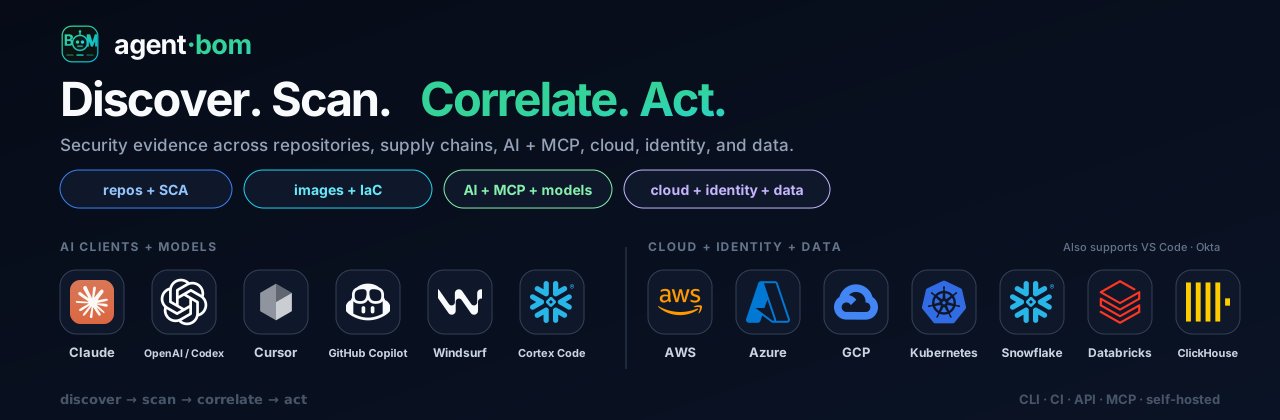








Open security scanner and self-hosted control plane for AI, MCP, and cloud infrastructure.
Product tour · Self-host · Quick start · Docs
Built for the teams that build, secure and govern AI
| Your team | What you can do |
|---|---|
| Developers & AI engineers | Inspect repositories, dependencies and MCP configuration; bring findings into CI and coding assistants. |
| AppSec & cloud security | Connect cloud accounts, trace findings through workloads and identities, and prioritize fixes by reachable impact. |
| Platform & DevOps | Run a shared control plane, collect fleet evidence, and apply policy to MCP traffic through the proxy or gateway. |
| GRC & audit | Open Compliance to review mappings and export scan evidence with its source, freshness and assessment gaps. |
| Security & engineering leaders | Open Overview to review posture, remediation priorities and tracked AI spend across connected sources. |
| AI assistants & automation | Use MCP workflows to query evidence and inspect findings within the caller’s permissions. |
Product tour
Security and engineering leaders: decide what needs attention
See the current risk posture, critical findings, assessment coverage and tracked AI spend together. Open the underlying evidence before assigning a priority.

AppSec and cloud teams: explain why a finding matters
Follow CVE-2023-4863 in pillow@9.0.0 from its service and container through the tool, workload identity and reachable data asset. Inspect the source receipts and carry the selected finding into remediation.

Engineers and GRC: prioritize findings and verify fixes
Review findings by priority, affected asset, detection evidence and available fix. Open remediation to compare package upgrades and mapped controls, assign owners, set SLAs and re-scan to verify fixes.

See package remediation and verification

These are application captures, not mockups. Overview, Findings and remediation use labeled sample data. The graph uses the reproducible reference lab: real parsers, a pinned advisory scan and authenticated gateway calls, with modeled infrastructure. A blocked call does not establish that the underlying package was fixed.
Discover and scan · Runtime policy and agent workflows · Run the reference evidence lab · Evidence workflow · Control-plane architecture
Self-host in your environment
Your infrastructure, your identity, your database, your audit boundary. Run the control plane on a workstation, a VM or your Kubernetes cluster. Connect the sources you need and add fleet collection or runtime enforcement as teams adopt them. The deployment guides cover credentials, persistence and access controls for each supported path.
For a workstation pilot, run from a published release checkout:
Open http://localhost:3000, then Connections or New Scan. For cloud accounts, add a scoped read-only connection, verify access, then start a scan. The pilot binds to loopback and retains state in a Docker volume. Use the authenticated deployment guide below for a shared instance.
| Where you run it | Start here |
|---|---|
| Workstation evaluation | Docker pilot — packaged API, dashboard and persistent state |
| Shared VM / private cloud | Authenticated deployment · Compose profile — PostgreSQL and configured identity |
| Kubernetes | Helm deployment · EKS Terraform |
| Snowflake | Native App installation |
| Restricted networks | Air-gapped image bundle |
Choose a deployment · Enterprise configuration · Connect cloud accounts
Work with your existing tools
Use the CLI or GitHub Action in CI, the REST API for automation, and MCP from coding assistants. Export SARIF, CycloneDX, SPDX, JSON and HTML for downstream workflows. Cloud connectors and fleet sync feed the control plane; proxy and gateway deployments contribute runtime evidence.
Integration capability matrix · MCP client setup · Proxy, gateway and fleet · Smithery setup and manifest
Quick start
Scan a repository:
Save CI evidence with agent-bom scan . -f sarif -o findings.sarif.
Use agent-bom doctor to check setup. First-run guide
Try the CLI demo: agent-bom scan --demo --offline.
The synthetic sample deliberately triggers a security gate (exit 1).
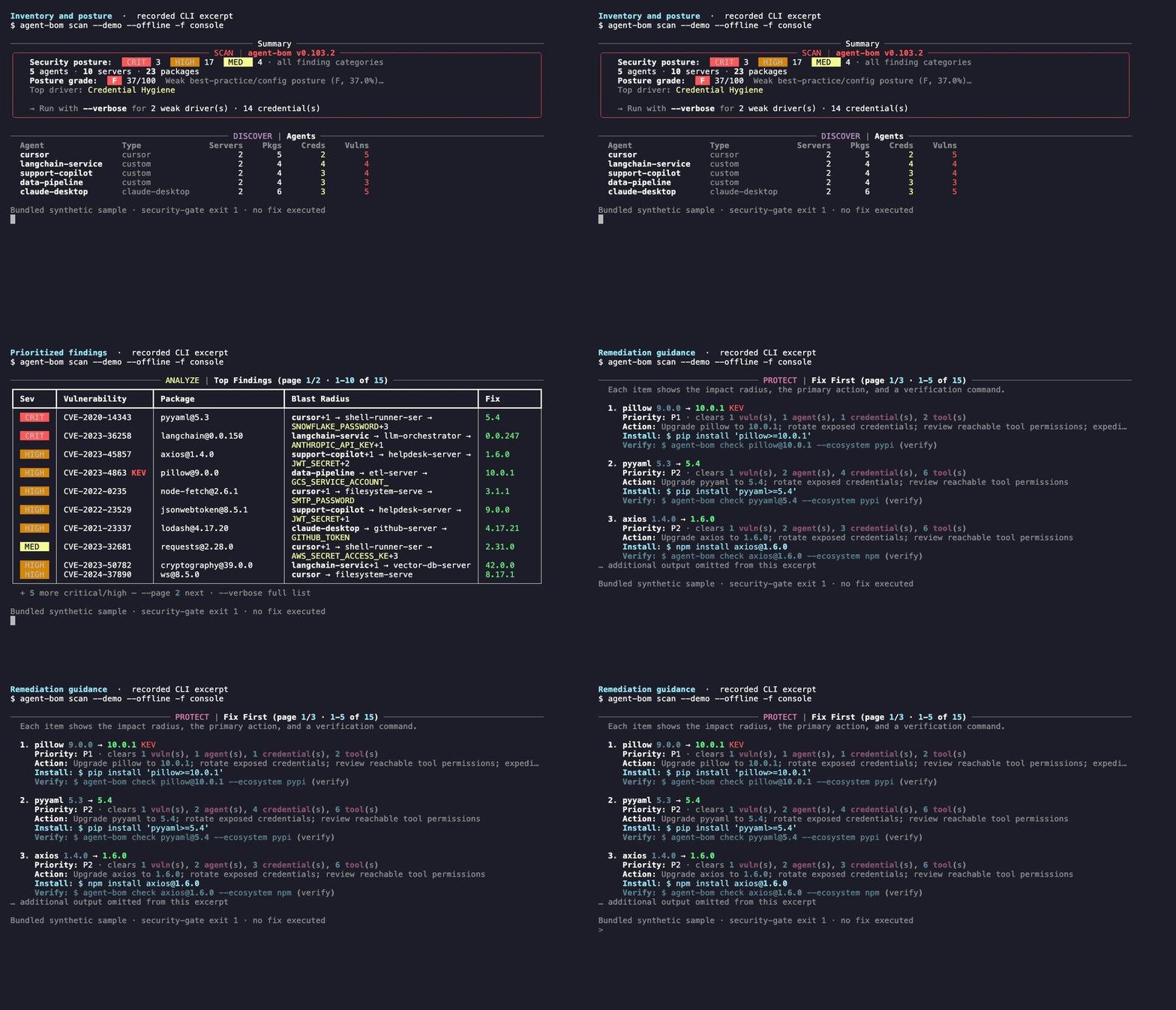
The recording runs the offline command and pages its output for readability.
Give assistants access to the same evidence:
Start with eight focused tools, then select a graph, cloud, runtime or audit profile. The full catalog has 86 MCP tools, 7 resources, and 8 workflow prompts. MCP workflows
Developer gates and offline scans
Use uvx agent-bom scan . without a global install, or
uvx agent-bom check requests@2.33.0 --ecosystem pypi before adding a package.
For automatic dependency and secret gates, see
pre-commit and CI setup.
agent-bom db update --osv-ecosystem PyPI covers only the selected ecosystem;
add the ecosystems you need before running agent-bom scan . --offline.
The full agent-bom db update --source osv archive can exceed 1 GB; the command shows live progress.
A non-zero exit can mean a security gate or incomplete assessment: inspect the
report and coverage. Exit codes
Trust and evidence
Discovery uses read-only access by default. Explicit disk side-scans create temporary cloud resources; runtime enforcement acts on selected tool calls. Missing evidence stays unavailable or partial. Control mappings are not audit certification.
Product boundaries · Permissions · Threat model · Security policy · Release verification · Measured matcher proof