Rancher MCP Server
by mrostamii
MCP server for Rancher ecosystem managing multi-cluster Kubernetes, Harvester HCI, Helm, and Fleet GitOps.
Install Rancher MCP Server
Pick your client, then add it in one click or paste the config.
~/Library/Application Support/Claude/claude_desktop_config.json{
"mcpServers": {
"mrostamii-rancher-mcp-server": {
"command": "npx",
"args": [
"-y",
"rancher-mcp-server"
],
"env": {
"RANCHER_MCP_RANCHER_SERVER_URL": "YOUR_VALUE_HERE",
"RANCHER_MCP_RANCHER_TOKEN": "YOUR_VALUE_HERE",
"RANCHER_MCP_TOOLSETS": "YOUR_VALUE_HERE",
"RANCHER_MCP_READ_ONLY": "YOUR_VALUE_HERE",
"RANCHER_MCP_DISABLE_DESTRUCTIVE": "YOUR_VALUE_HERE",
"RANCHER_MCP_SHOW_SENSITIVE_DATA": "YOUR_VALUE_HERE",
"RANCHER_MCP_TRANSPORT": "YOUR_VALUE_HERE",
"RANCHER_MCP_PORT": "YOUR_VALUE_HERE"
}
}
}
}
Settings → Developer → Edit Config, merge this into mcpServers, then fully quit and reopen Claude Desktop.
Values are written into the snippet above so you can paste it as is. They never leave your browser.
We couldn’t confirm it starts correctly
We ran the install command but it didn't respond within our test window — this can mean a slow first-time install rather than a real problem.
npx -y rancher-mcp-serverNo response to initialize.
This is an experimental automated check and can have false negatives — missing environment variables, a slow cold install, etc. It doesn’t necessarily mean something’s wrong. Last checked 1mo ago.
Overview
Use cases
- Manage Kubernetes clusters and resources across multiple clusters
- Control Harvester HCI virtual machines, storage, and network components
- Operate Helm releases including install, upgrade, rollback, and uninstall
- Manage Fleet GitOps repositories, bundles, and cluster drift detection
- Automate Rancher Norman and Steve API interactions for users, tokens, and settings
Key features
- Harvester toolset for VM, image, volume, network, and host management
- Rancher toolset accessing clusters, projects, users, tokens, and settings
- Kubernetes resource CRUD operations with event and capacity descriptions
- Helm release lifecycle management and repository listing
- Fleet GitOps management including GitRepo and drift detection
- Security controls: read-only default, disable destructive actions, sensitive data masking
Security & health
What it can reach and how reliably it runs — from our own checks, not the maintainer’s claims.
Recent health check succeeded.
Supply-chain signal
No high-severity advisories surfaced by our automated scan.
Scanned 2d ago via OSV.dev · rancher-mcp-server (npm)
Adoption & maintenance
Factual signals from GitHub, npm, and our automated checks — not a rating.
From the project README
rancher-mcp-server



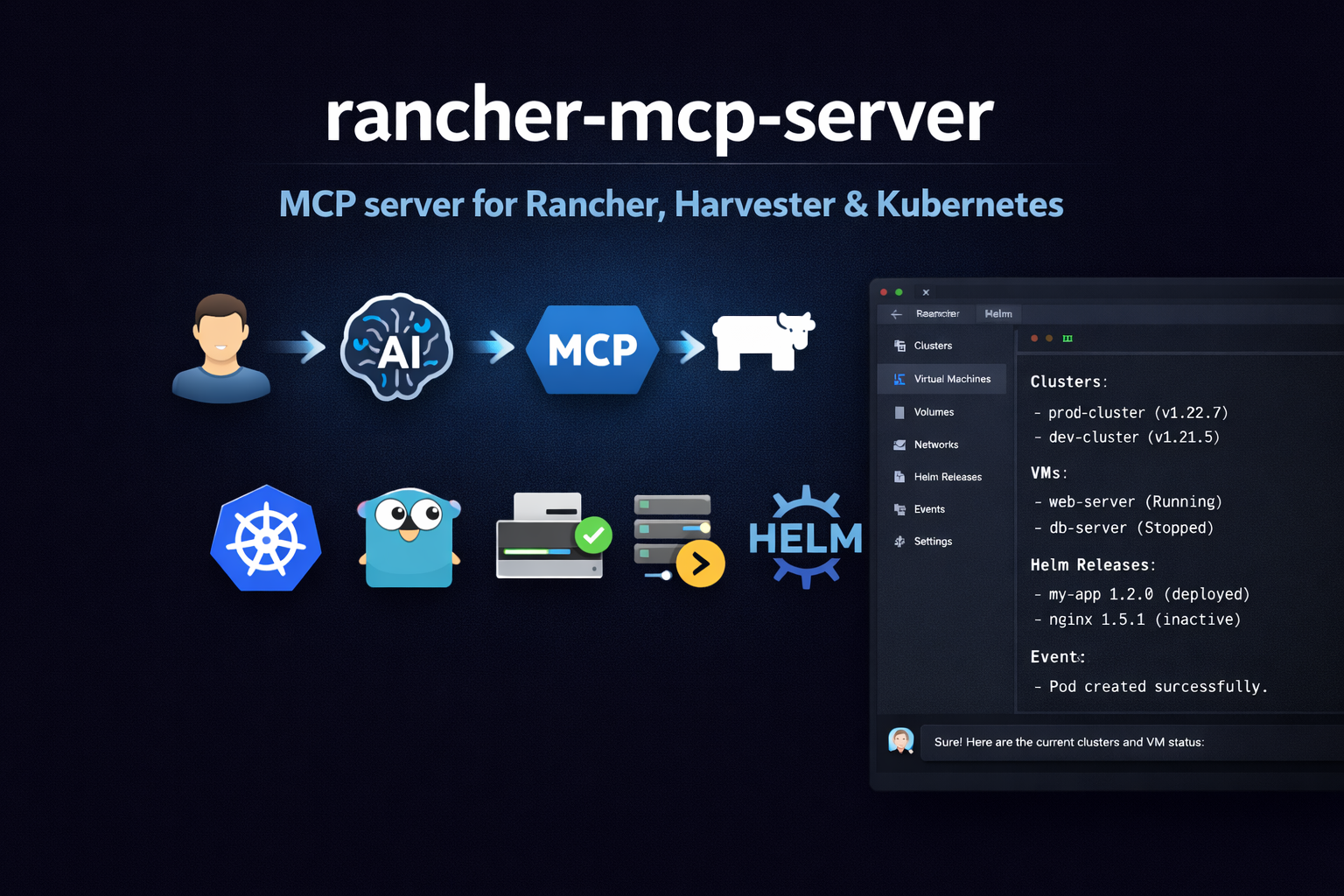
Model Context Protocol (MCP) server for the Rancher ecosystem: multi-cluster Kubernetes, Harvester HCI (VMs, storage, networks), and Fleet GitOps.
Demo
A walkthrough of how this MCP server works (example in Cursor).
https://github.com/user-attachments/assets/7d8fb814-e504-47b4-956d-28f43aeea3b8
Features
- Harvester toolset: List/get VMs, images, volumes, networks, hosts; VM actions; addon list/switch (enable/disable)
- Rancher toolset: Clusters and projects via Steve (management proxy); Norman management API (
/v3) for schemas, users, tokens, auth configs, global role bindings, cluster registration tokens, node drivers, cloud credentials, catalogs, cluster repos, feature flags, settings, audit (when exposed); support bundle and generic actions when writes are enabled - Kubernetes toolset: List/get/create/patch/delete resources by apiVersion/kind; describe (resource + events), events, capacity
- Helm toolset: List/get/history of releases; install, upgrade, rollback, uninstall; repo list
- Fleet toolset: GitRepo list/get/create; Bundle list; Fleet cluster list; drift detection
- Rancher APIs: Same Bearer token for Steve (
/k8s/clusters/...) and Norman (/v3/...); no CLI wrappers - Security: Read-only default, disable-destructive, sensitive data masking (Norman token/credential fields redacted unless
--show-sensitive-data) - Config: Flags, env (
RANCHER_MCP_*), or file (YAML/TOML)
Quick start
Install
npm install -g rancher-mcp-server
Cursor
Add to .cursor/mcp.json (project-level) or ~/.cursor/mcp.json (global):
{
  "mcpServers": {
    "rancher": {
      "command": "npx",
      "args": [
        "-y", "rancher-mcp-server",
        "--rancher-server-url", "https://rancher.example.com",
        "--rancher-token", "token-xxxxx:yyyy",
        "--toolsets", "harvester,rancher,kubernetes,fleet"
      ]
    }
  }
}
Restart Cursor after saving. Check Settings → Tools & MCP that rancher is listed and enabled.
Claude Desktop
Add to your Claude Desktop config (claude_desktop_config.json):
{
  "mcpServers": {
    "rancher": {
      "command": "npx",
      "args": [
        "-y", "rancher-mcp-server",
        "--rancher-server-url", "https://rancher.example.com",
        "--rancher-token", "token-xxxxx:yyyy",
        "--toolsets", "harvester,rancher,kubernetes,fleet"
      ]
    }
  }
}
With env vars instead of args
If you prefer to keep the token out of the JSON config:
{
  "mcpServers": {
    "rancher": {
      "command": "npx",
      "args": ["-y", "rancher-mcp-server"],
      "env": {
        "RANCHER_MCP_RANCHER_SERVER_URL": "https://rancher.example.com",
        "RANCHER_MCP_RANCHER_TOKEN": "token-xxxxx:yyyy",
        "RANCHER_MCP_TOOLSETS": "harvester,rancher,kubernetes"
      }
    }
  }
}
Enable write operations
For VM create, snapshots, backups, image/volume create, addon switch, host maintenance mode, VPC create/update/delete, VPC NAT gateway create, Harvester setting updates, Kubernetes create/patch/delete, Helm install/upgrade/rollback, Fleet gitrepo create/delete, and Norman writes (tokens, users, auth configs, role bindings, cluster registration tokens, cloud credentials, catalog refresh, feature flags, settings, rancher_norman_action, support bundle), add --read-only=false. Delete operations (Norman tokens/bindings/registration tokens/cloud credentials, VPC NAT gateway delete, plus existing toolset deletes) also require --disable-destructive=false (default).
{
  "mcpServers": {
    "rancher": {
      "command": "npx",
      "args": [
        "-y", "rancher-mcp-server",
        "--rancher-server-url", "https://rancher.example.com",
        "--rancher-token", "token-xxxxx:yyyy",
        "--toolsets", "harvester,rancher,kubernetes,helm,fleet",
        "--read-only=false"
      ]
    }
  }
}
Streamable HTTP transport
For web clients or remote access (e.g. Claude Code claude mcp add -t http), add --transport and --port:
{
  "mcpServers": {
    "rancher": {
      "command": "npx",
      "args": [
        "-y", "rancher-mcp-server",
        "--rancher-server-url", "https://rancher.example.com",
        "--rancher-token", "token-xxxxx:yyyy",
        "--transport", "http",
        "--port", "8080"
      ]
    }
  }
}
The server uses the MCP Streamable HTTP transport. The default MCP path is /mcp; connect to http://localhost:8080/mcp (or your server base URL + /mcp). Best supported with Claude Code; Cursor support may vary.
Build from source
If you prefer to build the Go binary yourself:
go build -o rancher-mcp-server ./cmd/rancher-mcp-server
Then reference the binary directly in your MCP config:
{
  "mcpServers": {
    "rancher": {
      "command": "/absolute/path/to/rancher-mcp-server",
      "args": [
        "--rancher-server-url", "https://rancher.example.com",
        "--rancher-token", "token-xxxxx:yyyy",
        "--toolsets", "harvester,rancher,kubernetes,fleet"
      ]
    }
  }
}
Configuration
| Option | Env | Default | Description |
|---|---|---|---|
--rancher-server-url | RANCHER_MCP_RANCHER_SERVER_URL | — | Rancher server URL (required) |
--rancher-token | RANCHER_MCP_RANCHER_TOKEN | — | Bearer token (required) |
--tls-insecure | RANCHER_MCP_TLS_INSECURE | false | Skip TLS verification |
--read-only | RANCHER_MCP_READ_ONLY | true | Disable write operations |
--disable-destructive | RANCHER_MCP_DISABLE_DESTRUCTIVE | false | Disable delete operations |
--show-sensitive-data | RANCHER_MCP_SHOW_SENSITIVE_DATA | false | Show Norman token/credential fields without redaction (use with care) |
--toolsets | RANCHER_MCP_TOOLSETS | harvester | Toolsets to enable: harvester, rancher, kubernetes, helm, fleet |
--transport | RANCHER_MCP_TRANSPORT | stdio | Transport: stdio or http (Streamable HTTP; default path /mcp) |
--port | RANCHER_MCP_PORT | 0 | Port for HTTP (0 = stdio only) |
Harvester tools
Reviews
No reviews yet — be the first to share how it worked for you.
Frequently Asked Questions about Rancher MCP Server
Related MCP servers
Add a badge to your READMEShow it’s listed — live SVG, Markdown or HTML.
AllMCPs Directory Badge
Showcase your server listing on GitHub or your project documentation. Embed this dynamic SVG badge to highlight official listing status and live engagement.
[](https://allmcps.com/mcp/mrostamii-rancher-mcp-server)<a href="https://allmcps.com/mcp/mrostamii-rancher-mcp-server"><img src="https://allmcps.com/api/badge/mrostamii-rancher-mcp-server?style=directory" alt="Rancher MCP Server on AllMCPs" /></a>