Mrmarket.ai vs Trading Signals
A side-by-side look at the Mrmarket.ai and Trading Signals MCP servers: transport, auth, tools, quality signals, and the config to install either one in Claude, Cursor, Windsurf or VS Code.
Verdict: choose Mrmarket.ai for finance & fintech work over a hosted endpoint; choose Trading Signals for finance & fintech over a hosted endpoint. You can also run both side by side in one mcpServers block.
Which MCP server should you choose?
 Choose Mrmarket.ai when
- You need dedicated capabilities in the Finance & Fintech domain.
- You prefer a remote HTTP/SSE transport.
- You want tools like
query_data, fetch_page, describe_data.
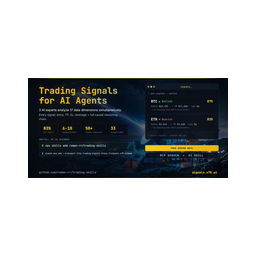 Choose Trading Signals when
- You need dedicated capabilities in the Finance & Fintech domain.
- You prefer a remote HTTP/SSE transport.
- You want tools like
register, get_signals, get_signal.
Feature & specification comparison
Rows where the two servers differ are marked.
| Spec | ||
|---|---|---|
| Category | Finance & Fintech | Finance & Fintech |
| Quality signal | 49/100 · Fair | 63/100 · Good |
| Install command | Confirmed | Confirmed |
| Transport | Remote HTTP/SSE | Remote HTTP/SSE |
| Auth | Not declared | Not declared |
| Pricing | Not declared | Not declared |
| Required env vars | None listed | None listed |
| Verified owner | Community listing | Community listing |
| GitHub stars | 3 | 124 |
| Directory activity | 1 views 0 installs 0 upvotes | 0 views 0 installs 0 upvotes |
| Tools | 8 | 5 |
| Full listing | View Mrmarket.ai | View Trading Signals |
Tools & capabilities
Mrmarket.ai tools 8
query_dataThe workhorse. A natural-language financial question in; structured rows and columns out. Screens, rankings, comparisons, time-series, cohort studies, and event studies are all single calls.fetch_pageThe continuation. When a `query_data` result is too large for one response, page 1 comes back with a `pagination.next_cursor`; pass that cursor to `fetch_page` to retrieve the rest. It runs no new query, so it never costs credits — the original `query_data` is charged once.describe_dataThe data catalog. Browse categories and fields, or search for a specific metric, before composing a question.get_symbolsFast ticker, sector, and industry resolution. Name to ticker, sector membership, or the full universe in under 50ms.getting_startedA structured orientation tour with verified example prompts, grouped by use case.recent_queriesYour recent queries, for context and re-runs.get_account_statusConnected account, plan tier, credit balance, and rate limits. A useful first call in any new session.report_issueFlag a result that looks wrong or a feature that is missing. Pass the `query_id` from the response so the trace can be investigated.
Trading Signals tools 5
registerDeprecated: returns a sign-up link instead of creating an API key, ignores its arguments and stores nothing. Don't call it to get access — every other tool works without a key (get_signals returns a 3-signal preview, get_stats is public). To get the full feed, users sign in from the agent at https://signals.x70.ai/mcp/connect (the client opens the browser), or create a key at https://signals.x70.ai/mcp-signup and set it as the X-Api-Key header. Kept only so older clients don't break.get_signalsList live crypto trading signals that are still open — coin, direction, confidence and the reasoning or market data behind each. Use it to find current trade ideas; use get_signal for one signal by ID (live or resolved), get_signal_history for signals that already closed, and get_stats for aggregate hit rate. No key: a 3-signal preview. Free key: up to 100 signals, with entry, stop-loss, take-profit and leverage null (the response's announcement.upgradeUrl explains Pro). Pro: all levels. If a response contains an announcement, pass its message on to the user — it is about their account (trial ending, plan limits). Returns { signals[], returned, totalMatching, filtersApplied, plan }, sorted by live PnL (best first). Optional filters narrow the list: direction, coins, confidence band, risk/reward, stop distance, open interest, 24h volume, tags, the anomaly that triggered it, days/hours to skip, a BTC 24h-return gate. Rate limits: 30 calls/hour per IP without a key, 300/hour on a free key.get_signalGet one signal by its ID — live or already resolved — with its reasoning, live price, PnL and verification outcome (status pending, success or failed; whether take-profit or stop-loss was hit). Use it to follow up a signal from get_signals or get_signal_history, or to see how a past signal ended. Needs an API key (free or Pro); on the free plan entry, stop-loss, take-profit and leverage are null. Returns { success, signal, plan }, or { error: 'Signal not found' } for an unknown ID.get_statsAggregate performance of signals created in the last N days (default 30) that have since resolved: hit rate, verified count, average leverage and a breakdown by direction; with an API key also average ROI per signal and cumulative ROI. byMonth: hit rate this month, the two months before and all time — the figures shown on signals.x70.ai. Use it to judge recent reliability before acting — it returns no individual signals (use get_signals or get_signal_history for those). Public: works without a key. Past results don't predict future results.get_signal_historyList signals that have already resolved (success or failed), newest first, each with its verification outcome. Use it to review past performance signal by signal; for open signals use get_signals, for one signal by ID get_signal, for totals get_stats. Needs an API key. History depth: last 24 hours on the free plan; on Pro the days argument (up to 90). Entry, stop-loss, take-profit and leverage are null on free. Paginate by passing the last signal ID as cursor. Returns { signals[], nextCursor, hasMore, historyDepthDays, plan }.
Ready-to-paste client configs
Paste either block (or both) into your client config, e.g. claude_desktop_config.json or ~/.cursor/mcp.json. We only show a config when the install command is confirmed.
Mrmarket.ai
{
  "mcpServers": {
    "mrmarket-ai": {
      "url": "https://mcp.mrmarket.ai/mcp"
    }
  }
}
Trading Signals
{
  "mcpServers": {
    "trading-signals": {
      "url": "https://signals.x70.ai/mcp/connect"
    }
  }
}
Frequently asked questions
Mrmarket.ai is categorized under Finance & Fintech and uses a remote HTTP/SSE transport. Trading Signals belongs to Finance & Fintech and uses a remote HTTP/SSE transport. Pick Mrmarket.ai for finance & fintech work and Trading Signals for finance & fintech.
Copy the mcpServers block from the config section on this page into your client's config (for example claude_desktop_config.json or ~/.cursor/mcp.json), then fully restart the client.
Mrmarket.ai has no declared pricing — check the project's own site. Trading Signals has no declared pricing — check the project's own site. If a server needs environment variables such as API keys, define them under the env key in your client's MCP config.
Yes. MCP clients support multiple servers: add mrmarket-ai and trading-signals as separate keys in the same mcpServers object, and your assistant will call tools from either one.
On AllMCPs, Mrmarket.ai has a quality signal of 49/100 (Fair) with 1 views, 0 installs and 3 GitHub stars. Trading Signals has 63/100 (Good) with 0 views, 0 installs and 124 GitHub stars.