browser-automationcssdebuggingchromeaccessibility
Deterministically diagnose and verify live-page CSS, layout, interaction, pixel, and contrast issues through Chrome DevTools Protocol.
Quick Install
Automated & IDE SetupCopy the AI prompt to install this server into Claude Code, Cursor, or another agent — or use 1-click editor setup below.
Automated check passed— started and listed 28 tools correctly (1mo ago).
Manual Client & Custom JSON ConfigExpand JSON ▾
Client Config & Setup
Choose your client or environment
Target File:
💡 Paste the JSON block into your client's configuration file under mcpServers, then restart the application.
Overview
Use cases
Trace a winning CSS rule to its source file and line
Preview the blast radius of changing a shared selector
Trial a CSS fix on the live page before editing source
Verify visual assertions across responsive viewports
Audit alignment, painted colors, and WCAG contrast
Key features
CSS cascade winner and source attribution
Blast-radius and scoped-fix analysis
Live CSS injection and impact previews
Visual assertions and pixel-diff baselines
Interaction timelines and animation diagnosis
Alignment, color, and contrast audits
Capabilities & Tool Schemas (28)
Inspect callable tools, capabilities, and parameters exposed to AI agents by Visionaire Engine.
connectALWAYS the first call: start (or restart) the browser session — launch a local Chrome by default, or attach to the user's real, logged-in browser via browserUrl (e.g. http://127.0.0.1:9222, for pages behind auth like wp-admin or a dashboard). Pass url to load a page immediately. Every other tool needs a live session; if a tool reports no session or a wedged browser, call connect again to reset.
navigateNavigate the connected tab to a URL — or, with no url, hard-reload the current page. Pass bypassCache: true when a stale cached stylesheet/script keeps being served (disables the browser cache for the rest of the session). All element uids from earlier snapshots become stale — take a fresh page_snapshot afterwards.
set_viewportEmulate a viewport size (and optional deviceScaleFactor) on the connected tab, then re-inspect. Use for responsive bugs — 'it breaks on mobile', 'the menu is wrong at tablet width', anything behind a media query — since resizing can change which @media rule wins. Follow with a fresh page_snapshot / explain_styles at the new size.
page_snapshotToken-budgeted census of the rendered page — a nested, uid-keyed element tree with geometry and visibility flags. Call this FIRST after connect to orient yourself and to obtain the stable uids every other tool targets. Reach for it whenever you do not yet know the page structure or an element uid. To find one specific element by description use find_elements; to see the page visually use annotated_screenshot.
page_originsInventory of every stylesheet (URL, byte size, origin, source-map presence) plus platform detection — WordPress version, theme/child theme, page builder (Elementor/Divi), and CSS optimizer. Use before proposing edits to learn where the CSS actually lives, when a file:line points at a generated/minified bundle and you need the true source, or to answer 'is this WordPress/Elementor?' and 'which stylesheet owns this?'.
inspect_elementThe 'WHAT' for one element: box model (margins/padding/border), key computed styles as authored → used values, a visibility verdict, and layout context. Use when you need an element's current rendered state — its real size, spacing, or whether it is actually visible/where it sits. These are the values the page ACTUALLY renders, so it catches the common case where the source rule you'd edit is overridden or never applied. For 'WHY it looks like this / which rule wins' use explain_styles; for 'which ancestor constrains its size or position' use inspect_ancestors.
Documentation Overview
Visionaire Engine
Which rule, which file, which line — and why it wins.




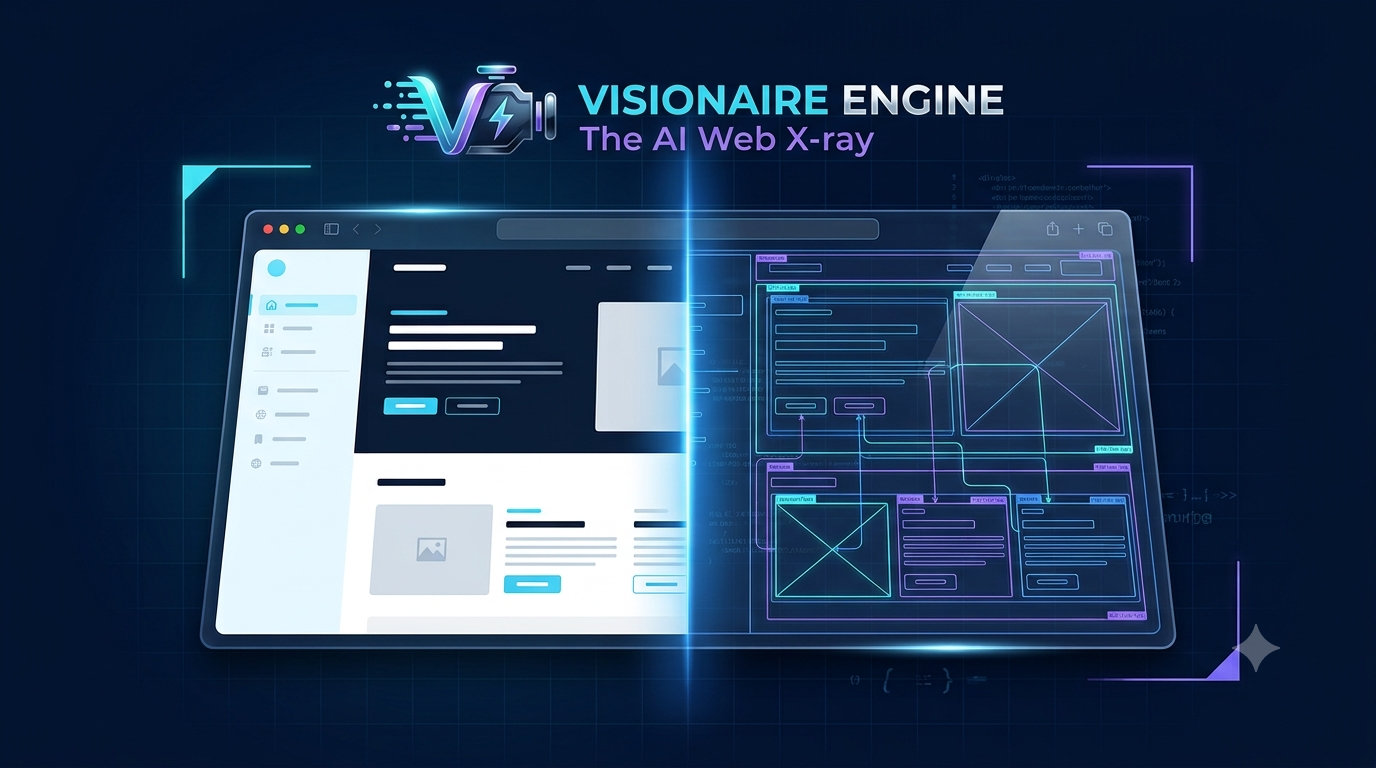
The problem: Something looks off. You screenshot it, explain it, the LLM guesses wrong, you re-explain.
The solution: Visionaire reads the live page and hands the LLM the exact rule, file, and line. Right fix, first try.
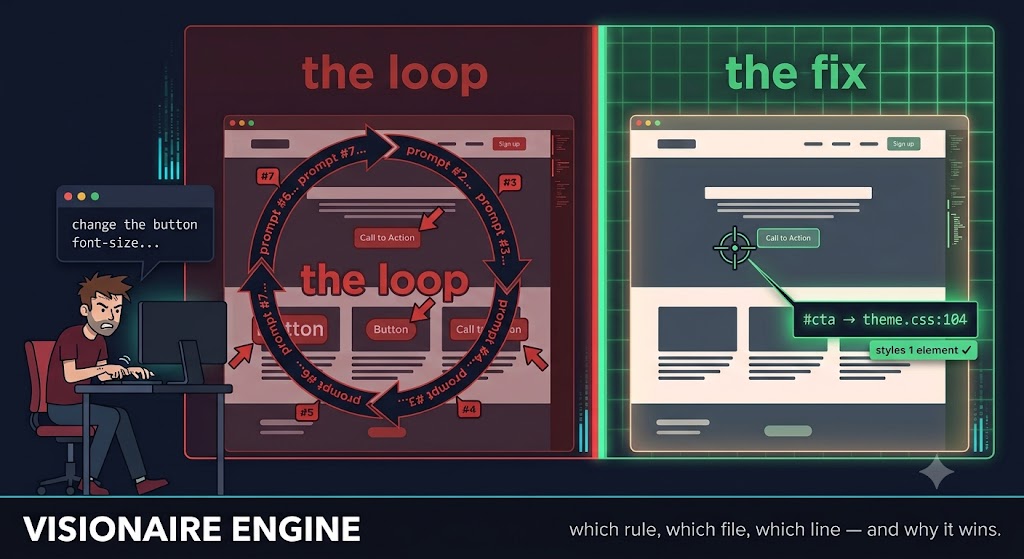
You shouldn't have to write a paragraph to explain a 2px margin bug — and now you don't. Less explaining, more fixing: built for developers, vibe coders, and anyone shipping site design changes with an LLM in the loop.
Status: v0.7 — 28 tools, 435 tests (252 unit + 183 end-to-end on real Chrome), a 24-case seeded-bug benchmark (npm run bench), verified live against wordpress.org.
What's new, by version
- v0.7 — the verification layer:
assert_visual(a 17-type assertion grammar — PASS/FAIL verdicts with measured pixels, offending uids, and re-runnable named suites),visual_diff(pixel diff vs a mockup or recorded baseline, divergent regions mapped to element uids),impact_preview(blast radius + sandboxed dry-run before editing a shared selector),diagnose(ranked "why is this broken" culprits with measured evidence),responsive_sweep(one call → per-viewport verdict matrix),capture_proof(before/after evidence bundles with a verdict delta); the verify-after-edit harness for Claude Code and Cursor (npx visionaire-engine init-harness);style_diff { capture_pixels }baselines;check_alignmentdeprecated in favor ofassert_visual - v0.6 — the pixel-perfect pack:
check_alignment(group alignment / gap-rhythm / grid / pixel-snap audit) andpick_color(actual painted-pixel sampling + WCAG contrast verdicts) - v0.5:
inject_css— the live fix loop (trial a fix on the page, see what changed, converge, write source once);navigate { bypassCache }for stale-stylesheet hard reloads; blast-radius + scoped-fix reporting onexplain_styles(change the button, not all buttons) - v0.4 (field-report items):
interactto drive the UI into a state and inspect it;measure_elementfor sub-pixel glyph/text-ink centering; anevaluateescape hatch; element-scoped crops/zoom onannotated_screenshot;match:"any"/visibleOnly:falseonfind_elements; zero-config cold-start Chrome discovery - v0.3: the time dimension — event-listener attribution, animation diagnosis, source-attributed interaction timelines
- Hardened for untrusted pages: prompt-injection sanitization, fail-fast watchdog, dialog auto-dismiss
The problem, in the wild
AI coding agents are structurally blind to what they render. They emit CSS as text and never see the pixels that come back — so they guess, insist the guess worked, and loop. The community has a name for it now: "CSS gaslighting." Visionaire gives the agent deterministic eyes on the real render — measured geometry, the actual cascade winner, PASS/FAIL verdicts — so the loop ends. If you want the problem in other people's words first, start here:
-
Why AI Sucks At Front End — Adam Argyle on why models can't reason about layout they can't perceive.
"It's an LLM, not a rendering engine! It's notoriously bad at math, and throwing screenshots at it means very little. It's stabbing in the dark."
-
Is AI Causing a Repeat of Frontend's Lost Decade? — Mauro Bieg on the wider cost of AI-generated frontend.
"AI is enabling lots of AI slop — but this doesn't mean we don't still need people who know what they're doing."
The gap
Ask an LLM to fix a visual bug today and it gets one of two incomplete pictures: pixels, with no link back to code, or code, with no rendering truth about what's actually winning on screen. Existing browser MCPs make this worse for design work specifically — they ship accessibility snapshots that deliberately strip out all styling. What's missing is explanation and attribution:
- Which CSS rule wins the cascade for this property, and why did the others lose?
- Which file, which line does the winner live in — or which Elementor widget control, or which Customizer entry?
- Why is this element invisible, misaligned, or the wrong size?
Visionaire answers those questions with zero AI inside — everything is computed deterministically from the Chrome DevTools Protocol plus closed rulesets. The fuzzy part (matching "the button under the hero looks off" to an actual element) stays with the calling LLM, which gets uid-keyed snapshots, search tools, and annotated screenshots to do that cheaply.
What the output looks like
Live against wordpress.org:
Winner, losers with the decisive loss reason, and an honest edit pointer for each — including WordPress-aware answers like "Site Editor → Styles" instead of a useless path to a generated file.
Quick start
Requires Node ≥ 20 and Chrome/Chromium installed.
Fastest path — register straight from npm with Claude Code (no clone, no build):
Or run from a clone (for development or a pinned local build):
Using GitHub Copilot, Cursor, Claude Desktop, Google Antigravity, or another client? See docs/clients.md for a copy-paste config for each, plus browser-install help for Linux/WSL/Docker.
Run it from your project's root directory — Visionaire is at its best when the agent has both the running site and its source on disk, so it can cross-reference the two. Ground before you search: take a page_snapshot (or read the source) to get real element names instead of guessing selectors. If a selector matches nothing, the error suggests the closest real ids/classes on the page.
Then, in a session:
connect { url: "https://your-site.com" }— launches Chrome (or{ browserUrl: "http://127.0.0.1:9222" }to attach to your real, logged-in browser)page_snapshot {}— a uid-keyed census of what's visible; target elements by theiruid, not invented selectorsexplain_styles { uid: "e17", property: "margin-bottom" }— cascade verdict with file:line
Try it without an MCP client:
The 28 tools
Session & grounding — get connected and find the right element without guessing.
| Tool | Purpose |
|---|---|
connect / navigate / set_viewport | Launch or attach to Chrome, go to a URL (bypassCache for hard reloads), emulate viewports |
page_snapshot | Pruned, uid-keyed tree of what's visible — geometry, layout hints, invisibility reasons |
page_origins | Stylesheet inventory + platform detection (WordPress version, theme, builders, optimizers) |
find_elements | Deterministic search by text, selector, role, or screen region — AND-combined by default, match:"any" for a union, visibleOnly:false to include hidden elements |
node_at_point | x,y → element uid + ancestor chain |
pick_element | Human-in-the-loop grounding: DevTools-style hover highlight, the user clicks the element that looks wrong |
Explanation — the "why," with a receipt.
| Tool | Purpose |
|---|---|
inspect_element | The "what": box model, computed values, visibility verdict |
explain_styles | The wedge. Cascade winner/loser per property with file:line + origin attribution, each winner's blast radius (how many other elements it styles), and a scoped-fix selector for just this element |
inspect_ancestors | Constraint-chain walk: which ancestor constrains width/overflow/stacking |
get_listeners | Event listeners on an element + its ancestors, with handler file:line and capture/passive/once flags |
explain_animations | Animations/transitions touching an element: live census, declared rules with file:line, and a closed "why is it not smooth" ruleset |
Pixel-level checks — new in v0.6.
Related MCP Servers
Adoption & maintenance
Factual signals from GitHub, npm, and our automated checks — not a rating.
GitHub stars
4
Stargazers on the source repository.
npm downloads
72
Package downloads in the last 30 days.
Last commit
9d ago
Most recent push to the default branch.
Availability
100%
Our rolling endpoint + install checks that succeeded.
Install check
Passed
Our sandbox started it and listed its tools.
Tools exposed
28
Callable tools this server registers over MCP.
Directory activity
2 views
Config copies, upvotes, and views on AllMCPs.
Reviews
No reviews yet — be the first to share how this listing worked for you.
Frequently Asked Questions about Visionaire Engine
AllMCPs Directory Badge
Showcase your server listing on GitHub or your project documentation. Embed this dynamic SVG badge to highlight official listing status and live engagement.
Badge Style:
Live Dynamic SVG Preview
Markdown (GitHub README)
[](https://allmcps.com/mcp/mi60dev-visionaire-engine)HTML Embed
<a href="https://allmcps.com/mcp/mi60dev-visionaire-engine"><img src="https://allmcps.com/api/badge/mi60dev-visionaire-engine?style=directory" alt="Visionaire Engine on AllMCPs" /></a>