
Mermaid Docs
Turn a Mermaid diagram into a guided walkthrough.


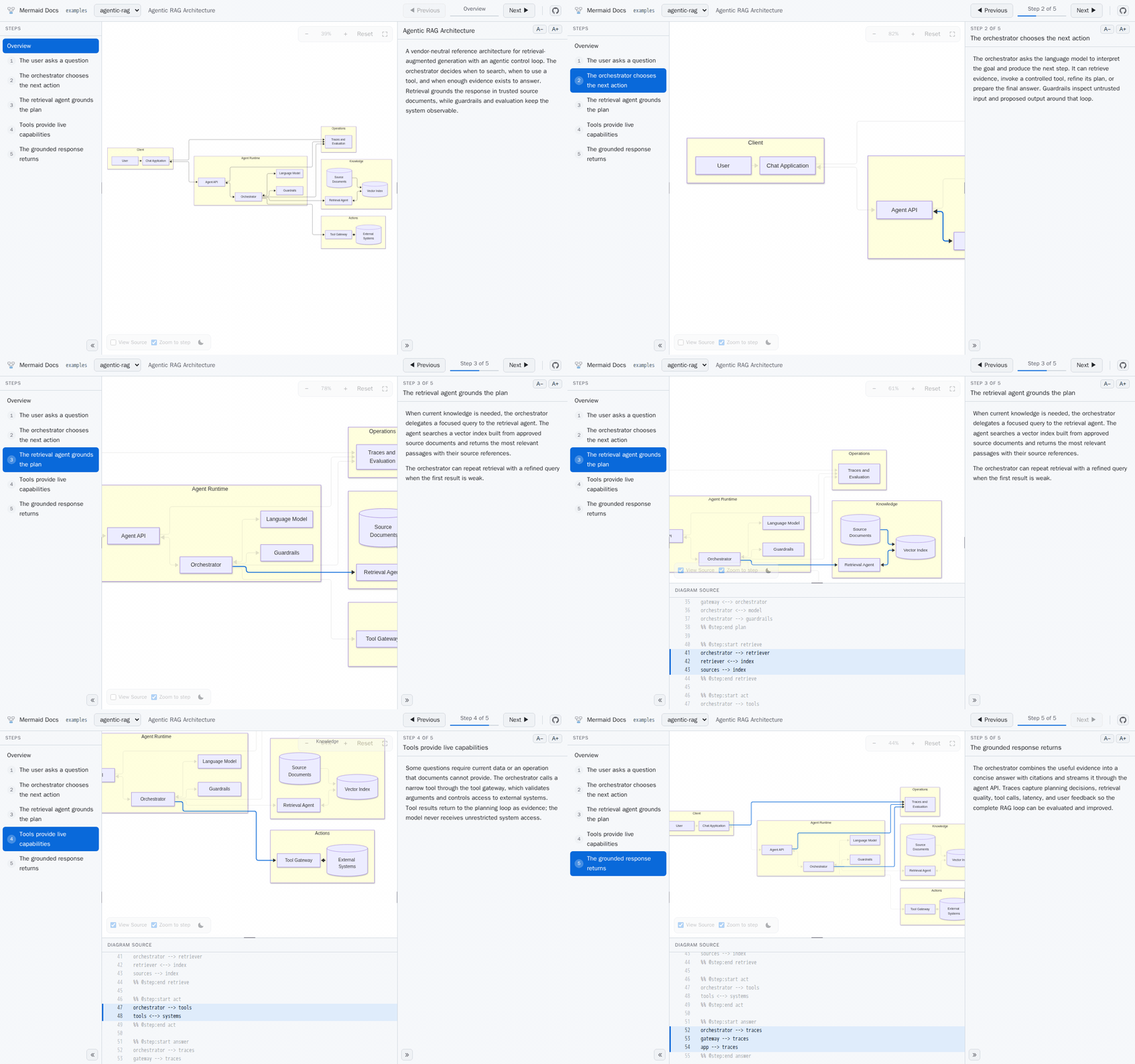
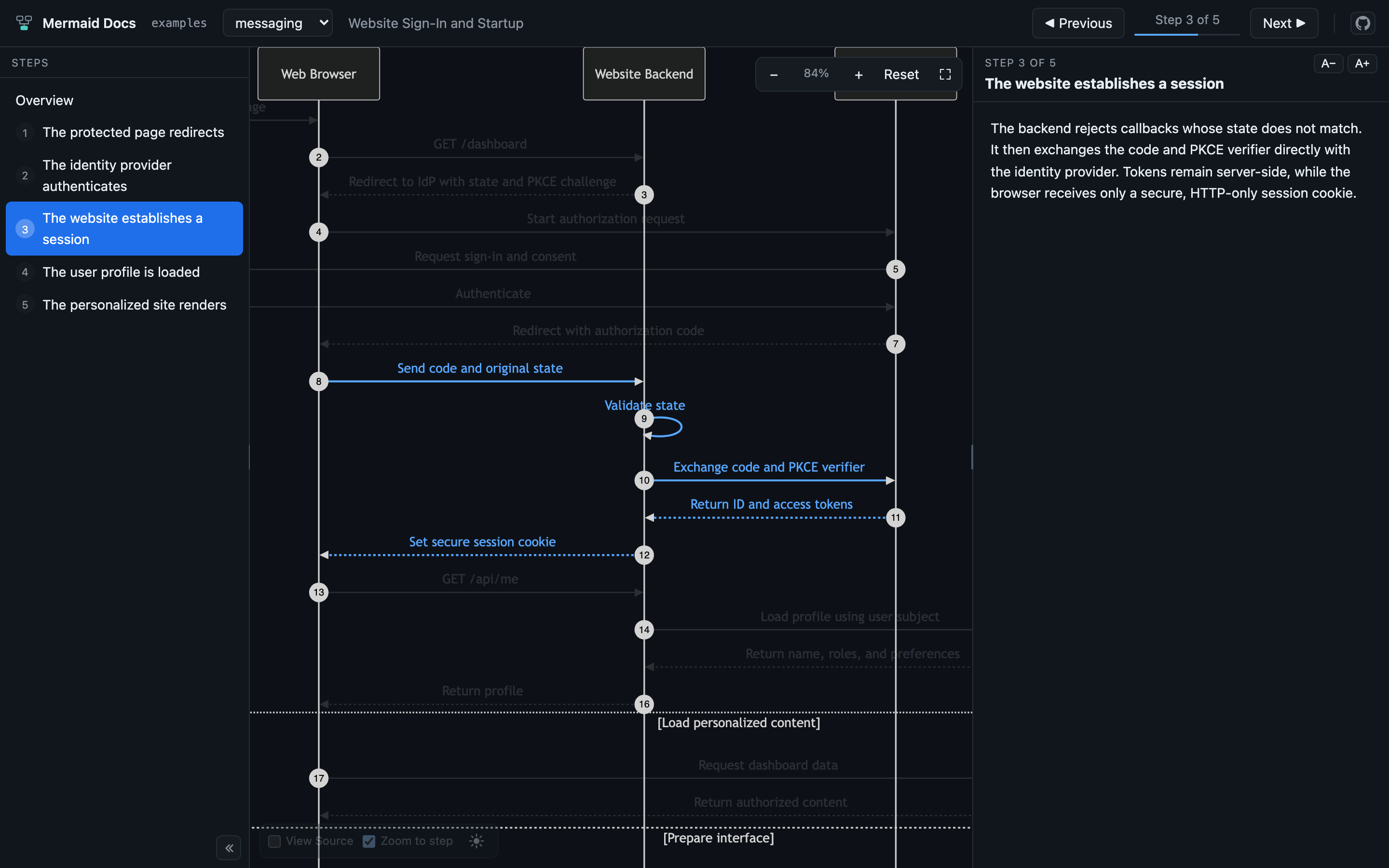
Mark regions of the diagram as steps, describe each one in Markdown, and the viewer plays them back a step at a time — highlighting the connections that step is about, the source lines that draw them, and the prose that explains them.
npx mermaid-docs ./docs
Why
A Mermaid diagram shows the whole system at once. That is what makes it a good reference and a poor explanation — a newcomer sees twenty arrows and no idea which three matter first.
Mermaid Docs adds the narration track. The diagram stays an ordinary .mmd file that
renders anywhere, because the steps are written as Mermaid comments. What you get on top
is an order to read it in, and a viewer that dims everything you are not being told about
yet.
How it looks in your repo
Two files with the same basename. Wrap the lines a step is about in @step comments —
Mermaid reads them as comments, so the diagram still renders anywhere:
flowchart LR
  %% @step:start request
  Client[Browser] --> API[API]
  %% @step:end request
Then write one ## section per step, starting with the matching id:
## request - The browser calls the API

A plain `GET`, no auth yet.
Point the viewer at the folder and it plays back, a step at a time. Edits to either file show up immediately — no restart.
Let an agent write it
Mermaid Docs ships an MCP server that teaches your coding agent the format on connect, and gives it tools to write, reorder, and validate steps, and to link you straight to the one it just wrote. So the whole job can be one sentence:
Document the auth flow diagram as a walkthrough.
Documentation
| Page | |
|---|---|
| Getting started | The two files, and opening the viewer |
| Authoring walkthroughs | Markers, step documentation, phases |
| MCP server | Agent setup, and the tools it gets |
| CLI | Every command, and validating in CI |
| GitHub Pages | Publish the walkthroughs for everyone |
| Viewer | Shortcuts, supported diagram types, limits |
| Privacy | What leaves your machine |
Contributing
Issues and pull requests are welcome — see CONTRIBUTING.md for the development setup and the design decisions behind the viewer.
License
MIT © Brennen Cage