MCP Ticket Demo — A Full-Stack MCP Reference Server









A production-shaped MCP server you can run in under five minutes. Ships with 10 tools, 3 resources, 5 prompts, three auth modes, API key management, per-tool gates, rate limiting, a live observability dashboard, and a VS Code / Bob / Cursor / Windsurf control-plane extension.
Use it to learn MCP, test IDE integrations, run live demos, or as a reference implementation when building your own server.
Companion to MCP as a Platform: What I Learned Building a Portfolio of MCP Servers · MCP Dev Summit Toronto · 5 October 2026 · Talk slides →
| MCP server | npm install mcp-ticket-demo |
| VS Code extension | VS Code Marketplace · Open VSX |
| Talk slides | markusvankempen.github.io/linuxfoundation-mcp-dev-summit |
Personal open-source project. Not an IBM product.
What makes this useful beyond a hello-world
Most MCP examples stop at "here is a tool that returns a string." This one goes further:
| Feature | What you learn |
|---|---|
| 10 tools with intent-named descriptions | Naming is the interface — not request(path, method) |
3 resources (ticket://, tickets://open, schema://) | resources/list enumerates instances; reads use the same gate() as the matching tool |
| 5 MCP prompts | User-facing prompts vs agent-facing tools |
Tool annotations (readOnlyHint, destructiveHint, idempotentHint, openWorldHint: false) | Client confirm/retry UX |
| Server instructions | The README the model actually reads |
isError: true on every failure | Clients don't need to parse ok: false |
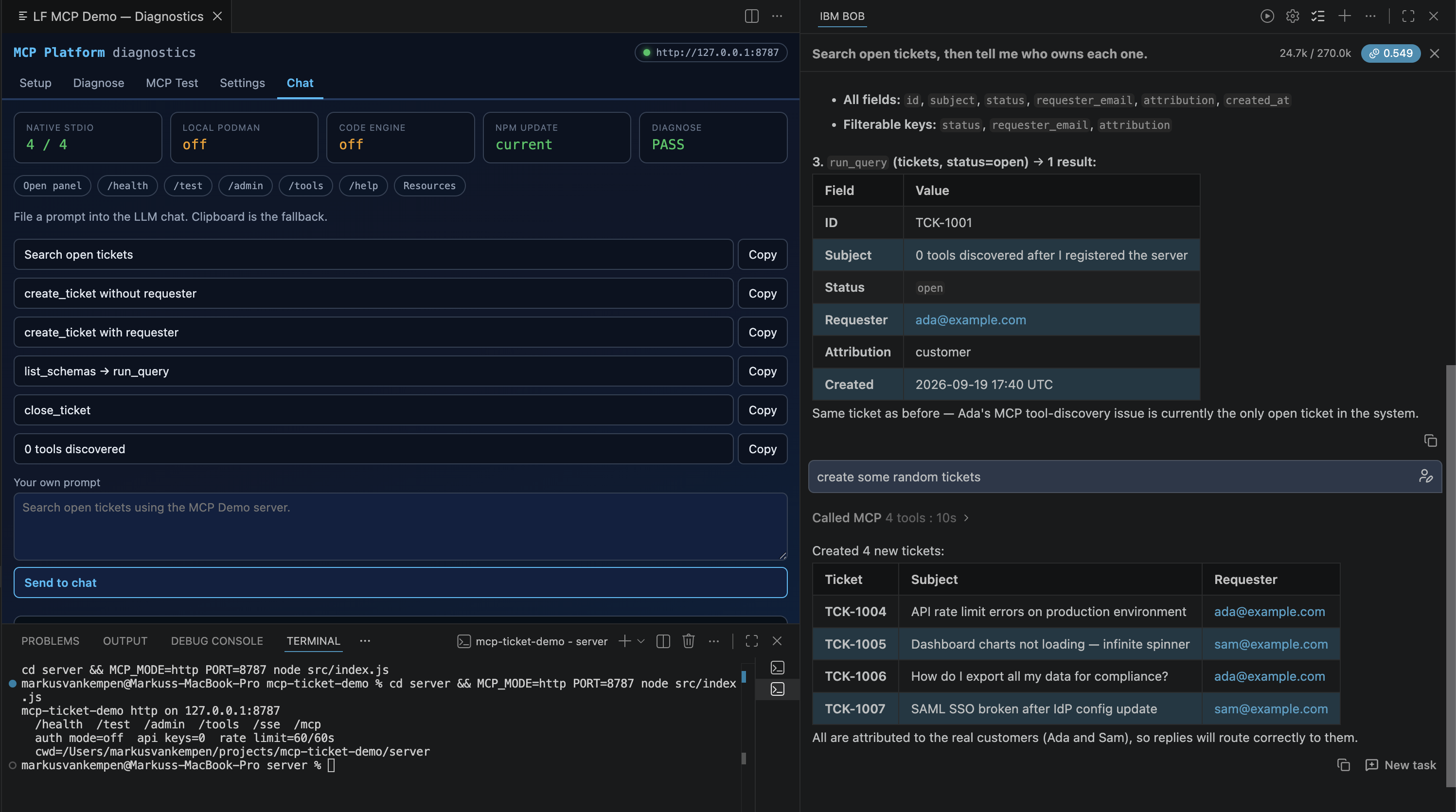
Attribution scar — create_ticket without requester_email | 201 is not done. The bot owns the ticket. |
Schema discovery — list_schemas → get_schema → run_query | One query tool beats a pile of query_* names |
| 0 tools discovered — hand a laptop path to a cloud runner | The silent failure with no error and no warning |
| stdio + SSE + Streamable HTTP from one codebase | Two transports, same 10 tools |
Auth modes (off / write / all) + per-tool gate + per-tool auth lock | Security is an operator concern |
tools/list_changed broadcast when admin flips a gate | SSE and Streamable HTTP sessions refresh; one-shot curl does not |
Rate limiting with retry_after_seconds in the error | Stop the model retrying in a loop |
PII redaction on lookup_customer | Scope-gated field visibility |
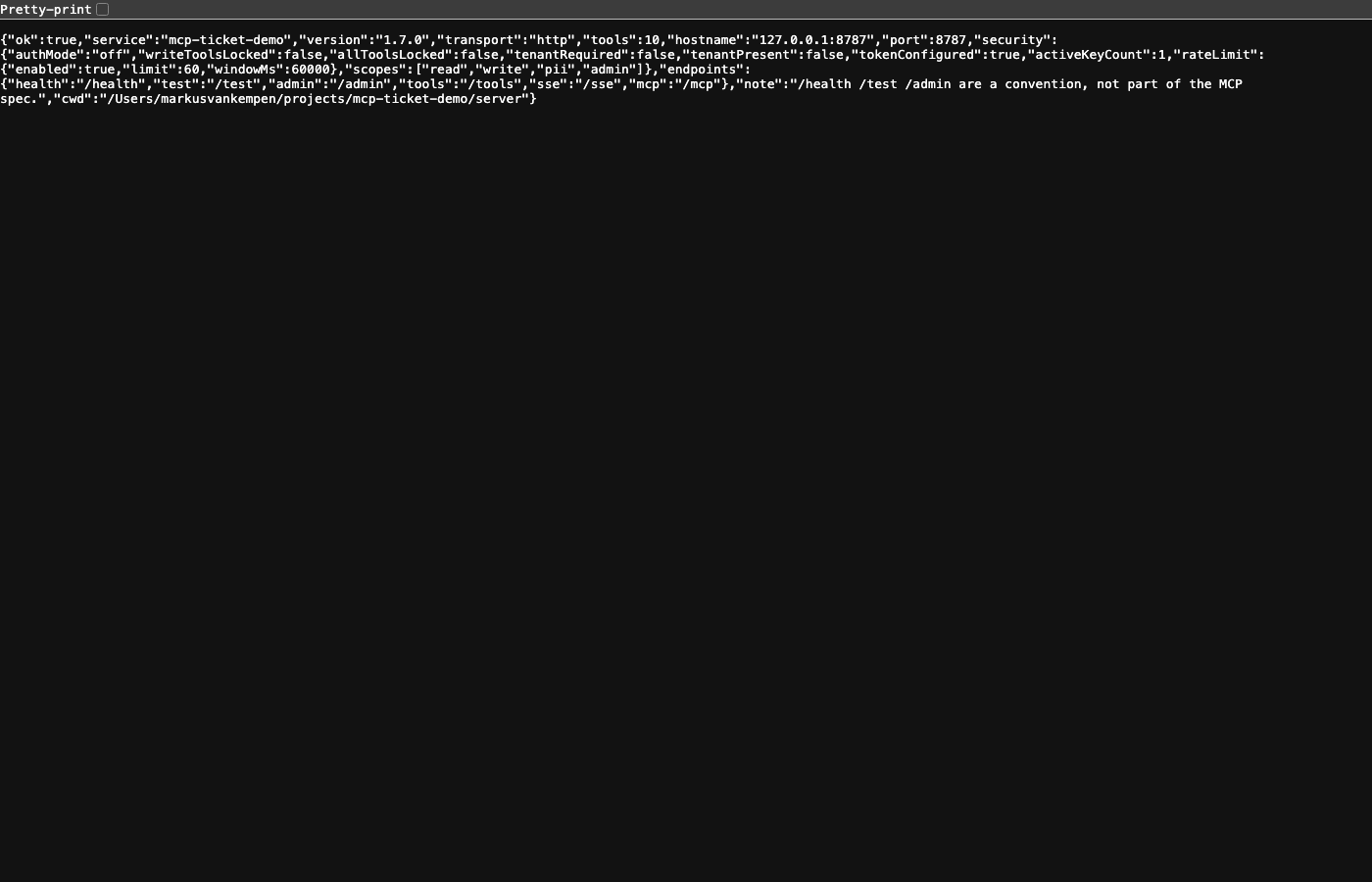
/health vs /test | Alive ≠ works. Public /test is read-only; cwd stays off public /health |
Live observability — /log page with counters, error log, call trace | See what the model is actually doing |
Quickstart — five minutes
Then open in a browser:
| URL | What it shows |
|---|---|
| http://127.0.0.1:8787/health | Is the process alive? (cwd only on localhost) |
| http://127.0.0.1:8787/test | Read-only smoke (search / get / schemas / query) |
| http://127.0.0.1:8787/admin | Auth mode, API keys, tool gates, observability |
| http://127.0.0.1:8787/log | Call counters, error log, full call trace |
| http://127.0.0.1:8787/tools | Tool inventory with scope and auth status |
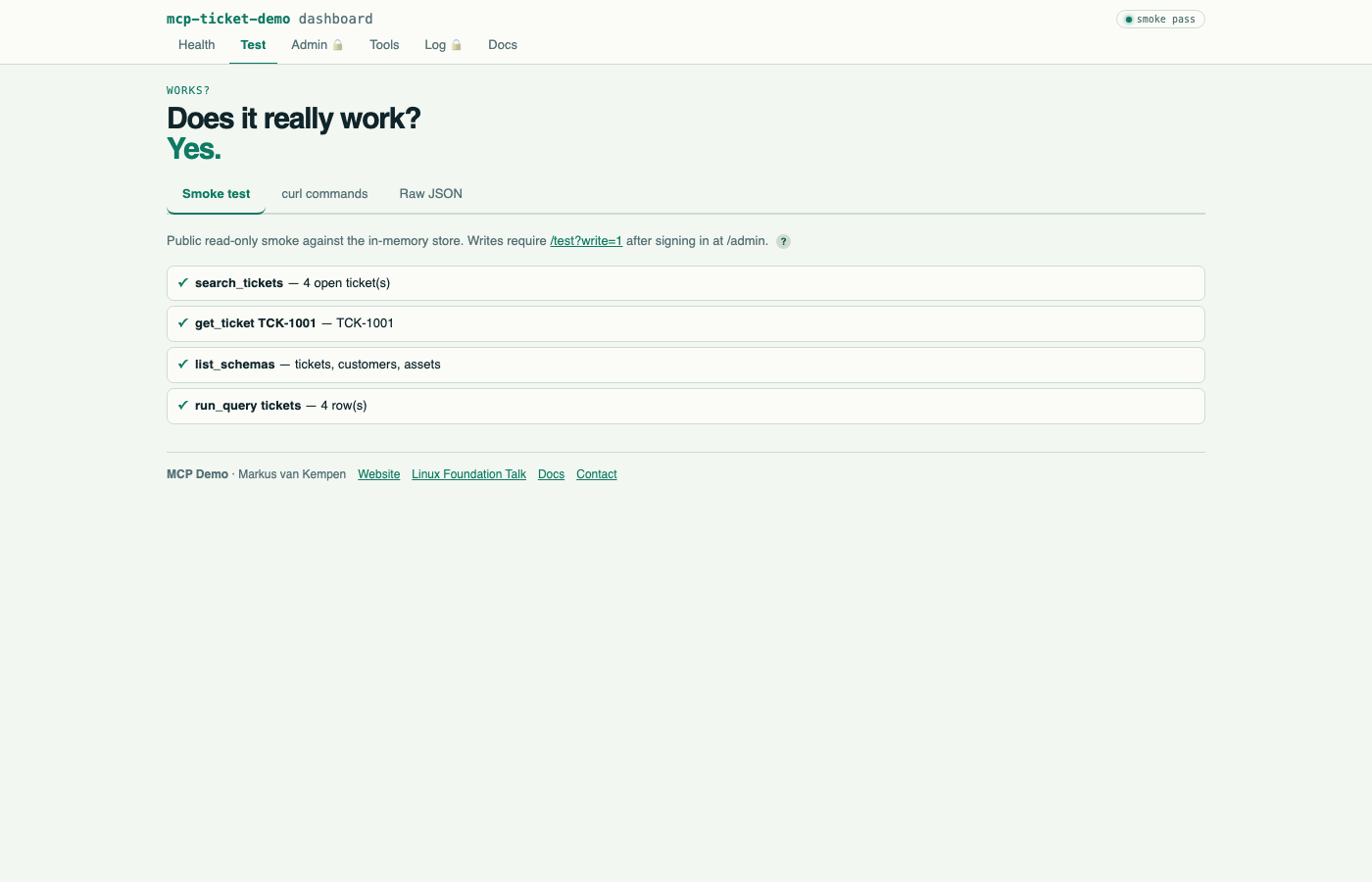
Laptop login: demo / demo. On a public bind (HOST=0.0.0.0, container, Code Engine) set ADMIN_PASSWORD — the default is disabled. Write smoke is /test?write=1 after admin sign-in.
Add to your IDE (one line)
VS Code / GitHub Copilot — .vscode/mcp.json:
Bob / Cursor / Windsurf — .bob/mcp.json / .cursor/mcp.json / .windsurf/mcp.json:
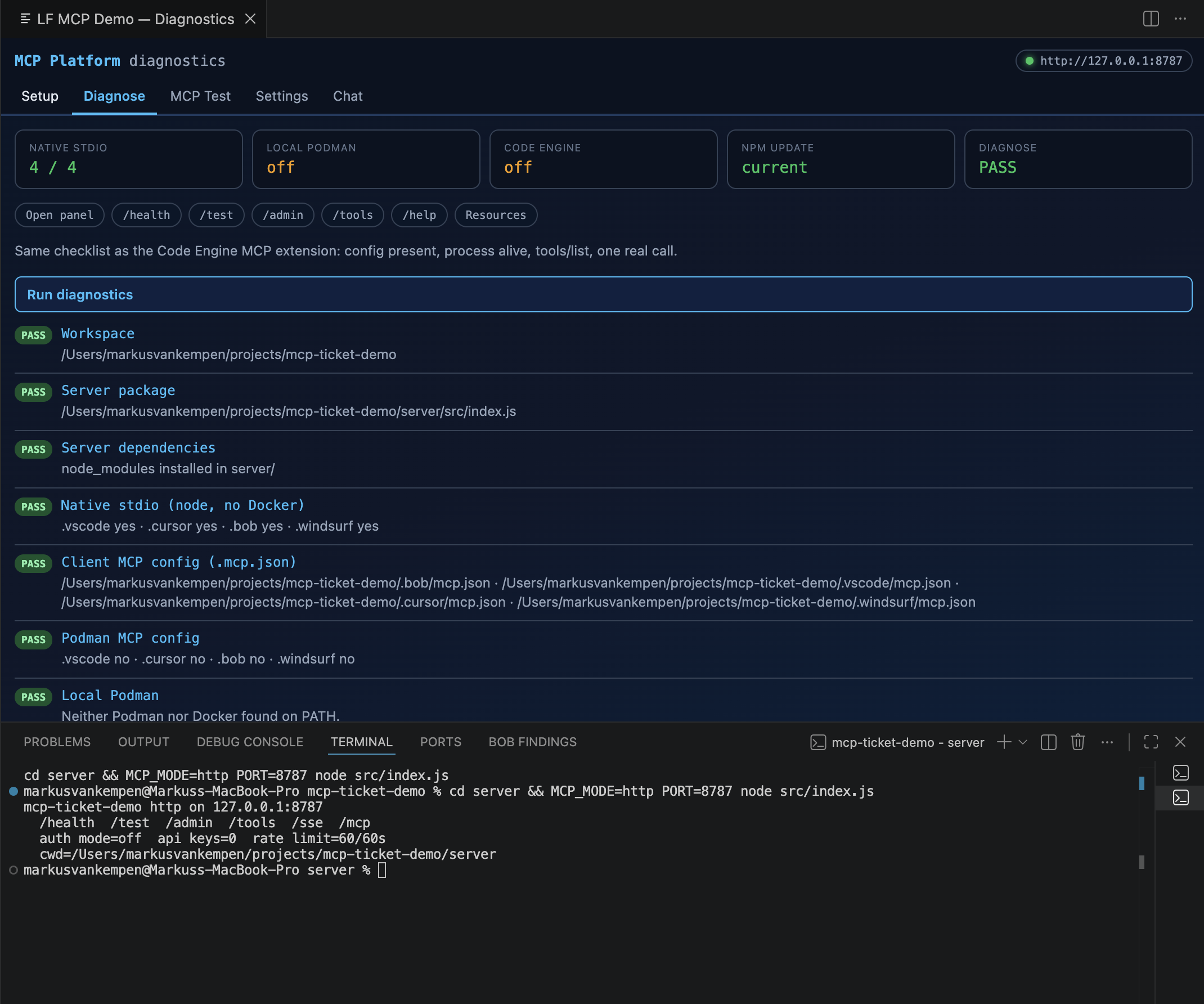
Or install the extension and click Register server with all IDEs — it writes all four configs at once: VS Code Marketplace · Open VSX
10 Tools
| Tool | Scope | When to use | Lesson |
|---|---|---|---|
describe_server | open | First call, and after any denial | Discovery beats guessing |
search_tickets | read | Find by status / requester / keyword | Intent name, not an HTTP wrapper |
get_ticket | read | You already have a TCK-… id | Instance fetch |
create_ticket | write | Open a ticket — always pass requester_email | Omit it → 201 + bot owns the ticket |
add_comment | write | Comment on a known ticket | Write tool; gated |
close_ticket | write | Resolve a ticket, optionally add resolution note | destructiveHint: true, idempotentHint: true |
list_schemas | read | Before any query | Discover the shape |
get_schema | read | After list, before query | Fields + filterable keys |
run_query | read | The one query tool | Replaces query_tickets / query_assets / … |
lookup_customer | pii | Customer record — phone is PII | Redacted without pii scope |
3 Resources
Resources are addressable and pinnable — clients can subscribe and refresh. Tools are for agent loops.
| URI | What it returns | Same gate as |
|---|---|---|
ticket://TCK-1001 | One ticket by id | get_ticket |
tickets://open | Live open ticket list (top 25) | search_tickets |
schema://tickets | Query schema shape (also customers, assets) | get_schema / list_schemas |
Call resources/list to browse — you do not need to know a URI ahead of time. A denied read is a JSON-RPC error (not a fake ticket document you can pin).
5 Prompts
User-facing prompts — the user picks these, the model executes them.
| Prompt | Lesson it teaches |
|---|---|
search-open-tickets | Find service-account scars in the live data |
attribution-scar | Create without requester_email → explain what broke |
schema-discovery | list_schemas → get_schema → run_query walkthrough |
close-ticket-flow | add_comment then close_ticket in sequence |
diagnose-server | describe_server — auth mode, scopes, available tools |
Auth model
Credentials: Authorization: Bearer <api key> over HTTP · MCP_API_KEY env var over stdio.
Issue keys, set modes, toggle per-tool gates, and lock individual tools on /admin.
A change broadcasts notifications/tools/list_changed to connected SSE and Streamable HTTP sessions (Cursor/Bob after initialize). One-shot POST /mcp (curl) has no session — it sees the new list on the next call.
Repo layout
Docs
| Doc | What's in it |
|---|---|
| docs/DEMO.md | End-to-end demo guide — 11 live curl demos, every lesson, real captured output |
| docs/LESSONS-LEARNED.md | 15 lessons building a real MCP server — war stories + pre-publish checklist |
| docs/LOCAL.md | Local stdio + HTTP walkthrough |
| docs/REMOTE.md | Code Engine deploy + the 0-tools-discovered repro |
| docs/ADMIN-AND-SECURITY.md | Auth modes, API keys, tool gates |
| docs/BOB.md | IBM Bob specific setup |
| docs/PUBLISHING.md | npm + MCP Registry + VS Code Marketplace publish steps |
| server/README.md | Full curl reference for every endpoint |
Environment variables
| Variable | Default | What it does |
|---|---|---|
MCP_MODE | stdio | stdio or http |
PORT | 8080 | HTTP only |
HOST | 127.0.0.1 | 0.0.0.0 inside container (set automatically) |
AUTH_MODE | off | off · write · all |
ADMIN_USER / ADMIN_PASSWORD | demo / demo | /admin login. Default disabled on a public bind until ADMIN_PASSWORD is set |
CORS_ORIGINS | unset | Extra Origin values allowed on /mcp. Localhost and same-host are always allowed |
API_KEY / API_KEY_SCOPES | unset | Register one key at boot |
MCP_API_KEY | unset | stdio credential |
MCP_USERNAME / MCP_PASSWORD | unset | stdio basic auth |
MCP_USERS | unset | "alice:secret:read,write" extra logins |
RATE_LIMIT / RATE_LIMIT_WINDOW_MS | 60 / 60000 | Calls per window per caller |
TENANT_ID | unset | If set, writes need x-tenant-id header |
Honest limits
- Tickets live in memory — a new container starts from seed data.
- Admin auth is a session cookie, not SSO. Cookie is
HttpOnly(+Secureon HTTPS). /healthbeing green does not mean the ticket went to the right person.- Public
/testdoes not create or close tickets. Use/test?write=1after admin sign-in.
Author: Markus van Kempen · markus.van.kempen@gmail.com · markusvankempen.github.io · MCP Dev Summit Toronto talk · Talk slides · npm · VS Code Marketplace · Open VSX