AllMCPs
BrowseBestCategoriesStackCompareToolsGuidesBlog Log in Submit MCP

Stay in the loop

Get new MCP servers and top picks in your inbox.

AllMCPs

The open directory for discovering and installing Model Context Protocol servers.

Explore

  • Browse servers
  • Best MCP servers
  • Categories
  • MCP clients
  • Agent prompts
  • Stack Builder
  • Compare servers
  • Tags index
  • Submit a server
  • Pricing

Learn

  • Guides hub
  • What is MCP?
  • Install guide
  • Troubleshooting
  • Security
  • Blog
  • Blog RSS

Tools

  • All tools
  • Config generator
  • Config validator
  • MCP playground
  • OpenAPI β†’ MCP
  • Badge generator

For agents

  • API docs
  • Trust & traffic
  • llms.txt β†— (opens in a new tab)
  • Catalog JSON β†— (opens in a new tab)
  • Remote MCP β†— (opens in a new tab)

Company

  • About
  • Contact
  • X (@AllMCPs) β†— (opens in a new tab)
  • GitHub β†— (opens in a new tab)
  • Terms
  • Privacy
AllMCPs VerifiedAllMCPs VerifiedFeatured on Nick LaunchesFeatured on Nick LaunchesLaunch Llama NewsletterLaunch Llama NewsletterVerified DR - allmcps.comVerified DR - allmcps.comFeatured on SaaSGrowFeatured on SaaSGrowFeatured on Twelve ToolsFeatured on Twelve ToolsFeatured on Saaspa.geFeatured on Saaspa.geFeatured on Findly.toolsFeatured on Findly.toolsFeatured on Startup FameFeatured on Startup FameFeatured on LaunchKiwiFeatured on LaunchKiwiFeatured on ScrollLaunchFeatured on ScrollLaunchFeatured on DailyPingsFeatured on DailyPingsFazier badgeFazier badgeFeatured on NewTool.siteFeatured on NewTool.siteFeatured on saasfame.comFeatured on saasfame.comDR Checker - Domain RatingDR Checker - Domain RatingListed on Turbo0Listed on Turbo0Launched on LaunchBoard - Product Launch PlatformLaunched on LaunchBoard - Product Launch PlatformList on SimilarlabsList on Similarlabshttps://codetrendy.comhttps://codetrendy.comListed on DevTool.ioFeatured on BuildlistFeatured on BuildlistAllMCPs VerifiedAllMCPs VerifiedFeatured on Nick LaunchesFeatured on Nick LaunchesLaunch Llama NewsletterLaunch Llama NewsletterVerified DR - allmcps.comVerified DR - allmcps.comFeatured on SaaSGrowFeatured on SaaSGrowFeatured on Twelve ToolsFeatured on Twelve ToolsFeatured on Saaspa.geFeatured on Saaspa.geFeatured on Findly.toolsFeatured on Findly.toolsFeatured on Startup FameFeatured on Startup FameFeatured on LaunchKiwiFeatured on LaunchKiwiFeatured on ScrollLaunchFeatured on ScrollLaunchFeatured on DailyPingsFeatured on DailyPingsFazier badgeFazier badgeFeatured on NewTool.siteFeatured on NewTool.siteFeatured on saasfame.comFeatured on saasfame.comDR Checker - Domain RatingDR Checker - Domain RatingListed on Turbo0Listed on Turbo0Launched on LaunchBoard - Product Launch PlatformLaunched on LaunchBoard - Product Launch PlatformList on SimilarlabsList on Similarlabshttps://codetrendy.comhttps://codetrendy.comListed on DevTool.ioFeatured on BuildlistFeatured on Buildlist
Β© 2026 Jackalope Digital LLC. All rights reserved.
  1. Home
  2. πŸ’» Developer Tools
  3. Mcp Server Scf
Mcp Server Scf logo
Health: ActiveRecent health check succeeded.Last checked 8/10/2026, 11:10:03 PM

Mcp Server Scf

Enrichment pendingWe haven’t run our AI enrichment pass on this listing yet, so the overview, use cases, and FAQ below may be sparse or missing. We work through the catalog over time β€” check back soon.
View Repository2 GitHub StarsTotal stargazers on GitHub for the source repository (2 stars).Visit Website

MCP server for the SCF Controls Platform β€” 72 tools for controls, evidence, risk, and TPRM.

Quick Install

Automated & IDE Setup

Copy the AI prompt to install this server into Claude Code, Cursor, or another agent β€” or use 1-click editor setup below.

Add to CursorAdd to VS Code
Not yet automatically verified

We haven't yet run this listing's install command through our automated sandbox check. This isn't a red flag β€” we're steadily working through the catalog.

Manual Client & Custom JSON ConfigExpand JSON β–Ύ

Install Config Generator

Choose your client
claude_desktop_config.json
{
  "mcpServers": {
    "mcp-server-scf": {
      "command": "npx",
      "args": [
        "-y",
        "@modelcontextprotocol/inspector"
      ]
    }
  }
}

πŸ’‘ Paste into ~/Library/Application Support/Claude/claude_desktop_config.json (macOS) or %APPDATA%\Claude\claude_desktop_config.json (Windows)

Install Directory Badge Claim listing AlternativesπŸ’» More in Developer Tools

Documentation Overview

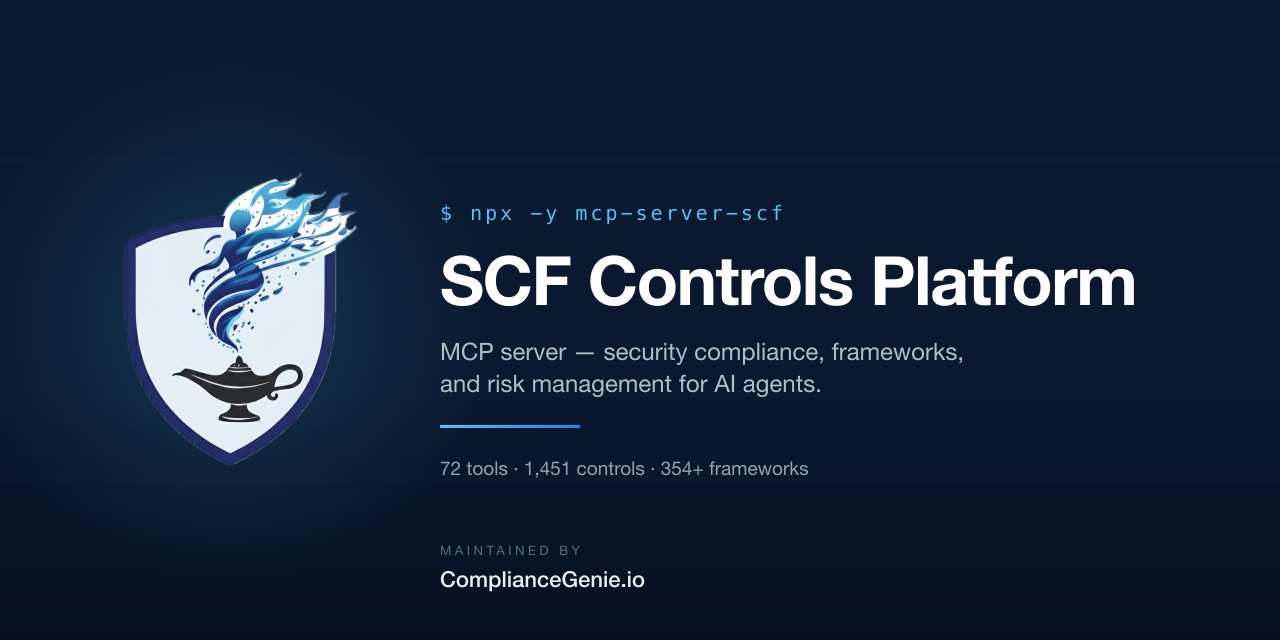
SCF Controls Platform β€” MCP server for security compliance, frameworks, and risk management for AI agents. Maintained by ComplianceGenie.io.

mcp-server-scf

CI Security OpenSSF Scorecard Socket.dev

npm version npm downloads install size License: MIT MCP

MCP Registry smithery badge

TypeScript Node.js

Security compliance controls, frameworks, and risk management for AI agents.

Give your AI assistant access to 1,451 SCF security controls, 354+ framework mappings (NIST 800-53, ISO 27001, SOC 2, FedRAMP, GDPR), evidence tracking, risk registers, and vendor risk management β€” all through the Model Context Protocol.

Built for the SCF Controls Platform. Maintained by ComplianceGenie.io.

πŸ†• The platform is now open-source, self-hosted software. The SCF Controls Platform β€” SCF-native GRC tooling for the free Secure Controls Framework content β€” is published under AGPL-3.0 at scf-controls-platform-oss. Companies download and host it themselves via Docker Compose.

Having trouble? β†’ docs/troubleshooting.md Β· API key setup β†’ docs/authentication.md Β· How it works β†’ docs/architecture.md


Overview

mcp-server-scf connects AI assistants to the SCF Controls Platform via MCP, enabling natural language interaction with your compliance program. Your AI can browse the full SCF control catalog, track implementation progress, manage evidence collection, assess risks, and monitor third-party vendors β€” all without leaving your editor or chat.

88 tools across 8 domains β€” click through for full parameter tables and example prompts:

DomainToolsDescription
Catalog6Browse 1,451 controls, 354+ frameworks, 5,736 assessment objectives
Control Scoping6Track implementation status across an 8-state workflow
Evidence26Manage evidence collection, validation, maturity scoring, windowed AI assessments, and control-composite rollups
Risk Management125x5 risk matrix, risk register, custom risks and control mapping
Vendor Risk (TPRM)11Vendor registry, AI security research, async AI assessments (replaces DPSIA)
Organization7Users, orgs, audit trail, work queue, notifications
Capabilities14KSI themes, scorecards, evidence posture, systems inventory, system catalog + AI recipes
Webhooks6Webhook endpoints, delivery logs, secret rotation

Try it with MCP Inspector

Kick the tires without adding the server to a client β€” MCP Inspector launches a local UI that introspects every tool, its schema, and its description:

Terminal
npx @modelcontextprotocol/inspector npx -y mcp-server-scf

Inspector opens on http://localhost:6274 and connects to mcp-server-scf over stdio. You'll see all 88 tools, grouped by domain, with their Zod schemas rendered as a live form.

Live tool calls need your instance's URL and an API key β€” export SCF_API_URL and SCF_API_KEY in the same shell before launching Inspector, or set them under the "Environment Variables" tab inside the Inspector UI. Without them, you can still browse schemas and descriptions; tool calls return a configuration error.


Quick Start

1. Self-host the platform & get an API key

The SCF Controls Platform is open-source software you host yourself β€” there is no sign-up. Deploy it from scf-controls-platform-oss (a Docker Compose stack with bundled PostgreSQL, Redis, and MinIO), then:

  1. Set an API_KEY in the platform's .env (generate one with openssl rand -hex 32), or create a key in Settings β†’ API Keys once the app is running.
  2. Note your instance's API URL β€” http://localhost:8000 by default, or your deployed host.

Use that key as SCF_API_KEY and the instance URL as SCF_API_URL (see Configuration).

2. Install β€” one-click

Pick the route for your client.

Claude Desktop β€” the one-click path is the signed .mcpb Desktop Extension below. Claude Desktop does not register a custom URL scheme, so there is no clickable deeplink; instead you drag the .mcpb onto Settings β†’ Extensions and paste your API key once. See anthropics/claude-code#26952 for the upstream tracking issue.

Cursor β€” click the badge below. Cursor registers the cursor:// scheme, so the deeplink opens the IDE with the server config pre-filled:

Install in Cursor

After install, edit the pre-filled SCF_API_URL to point at your instance β€” there is no hosted default.

Smithery β€” managed hosted deployment:

Try on Smithery

Prefer to edit config by hand, or on a client without a deeplink (Windsurf, Docker)? See 3. Manual config below.

Claude Desktop Extension (.mcpb)

For Claude Desktop β‰₯ 0.11.0, the easiest install is a signed .mcpb bundle β€” no JSON editing, no npx runtime, no Node required on the host:

  1. Download mcp-server-scf-<version>.mcpb from the latest GitHub release.
  2. Double-click the file (or drag it onto Claude Desktop β†’ Settings β†’ Extensions).
  3. When prompted, paste your scf_… API key. It's stored in your OS keychain, not in a config file.
  4. Claude Desktop restarts the server and all 88 tools are available.

To uninstall or update the API key later: Settings β†’ Extensions β†’ SCF Controls Platform β†’ Configure.

3. Manual config

Claude Desktop β€” edit ~/Library/Application Support/Claude/claude_desktop_config.json (macOS) or %APPDATA%\Claude\claude_desktop_config.json (Windows):

config.json
{
  "mcpServers": {
    "scf": {
      "command": "npx",
      "args": ["-y", "mcp-server-scf"],
      "env": {
        "SCF_API_KEY": "your_api_key_here",
        "SCF_API_URL": "http://localhost:8000"
      }
    }
  }
}

Claude Code:

Terminal
claude mcp add scf -- npx -y mcp-server-scf
export SCF_API_KEY="your_api_key_here"
export SCF_API_URL="http://localhost:8000"

Cursor / Windsurf β€” same JSON shape as Claude Desktop in .cursor/mcp.json (or the equivalent Windsurf path).

Docker:

config.json
{
  "mcpServers": {
    "scf": {
      "command": "docker",
      "args": ["run", "-i", "--rm", "-e", "SCF_API_KEY", "-e", "SCF_API_URL", "markac007/mcp-server-scf"],
      "env": {
        "SCF_API_KEY": "scf_your_api_key_here",
        "SCF_API_URL": "https://scf.your-domain.example"
      }
    }
  }
}

Configuration

VariableRequiredDefaultDescription
SCF_API_KEYYesβ€”API key from your self-hosted platform instance
SCF_API_URLYesβ€”Base URL of your self-hosted platform (e.g. http://localhost:8000). The former hosted default is decommissioned.

Example Prompts

Once connected, try asking your AI assistant:

  • "What NIST 800-53 controls apply to access control?"
  • "Show me my organization's control implementation progress."
  • "List all critical vendors and their risk scores."
  • "Create a risk assessment for our cloud migration."
  • "What evidence do I need to collect for SOC 2 audit?"
  • "Show the 5x5 risk matrix for my organization."
  • "Run a DPSIA on our cloud provider vendor."

More examples live in each per-domain doc under docs/tools/.


Documentation

  • docs/authentication.md β€” API key setup, rotation, self-hosted URL configuration, scopes.
  • docs/architecture.md β€” request flow, error model, rate limiting, what the server does and does not do.
  • docs/troubleshooting.md β€” symptom/cause/fix for the common failure modes.
  • docs/tools/ β€” per-domain reference with full parameter tables.

Security

  • API keys are never logged or included in error messages.
  • Keys are SHA-256 hashed server-side. Use HTTPS for any instance reachable beyond localhost.
  • Rate limiting: 100 req/min read, 20 req/min write.
  • Multi-tenant β€” all operations scoped to your organization.
  • npm package published with provenance attestation via OIDC trusted publishing.
  • CI includes Gitleaks secret detection, CodeQL analysis, and Semgrep SAST.

See SECURITY.md to report a vulnerability.


Development

bash
git clone https://github.com/MarkAC007/mcp-server-scf.git
cd mcp-server-scf
npm install
npm run build
npm run dev        # Watch mode
npm run lint       # ESLint
npm test           # Vitest

Testing with MCP Inspector

bash
SCF_API_KEY=scf_your_key npx @modelcontextprotocol/inspector node build/index.js

Contributing

Contributions welcome! Please read CONTRIBUTING.md before submitting PRs.

This project follows the Contributor Covenant β€” see CODE_OF_CONDUCT.md. By participating, you are expected to uphold this code.

  1. Fork the repository
  2. Create your feature branch (git checkout -b feature/amazing-feature)
  3. Commit your changes (git commit -m 'Add amazing feature')
  4. Push to the branch (git push origin feature/amazing-feature)
  5. Open a Pull Request

License

MIT β€” see LICENSE.


Links

  • scf-controls-platform-oss β€” the open-source, self-hosted platform (AGPL-3.0)
  • ComplianceGenie.io β€” maintainer
  • Model Context Protocol β€” MCP specification
  • SCF Framework β€” Secure Controls Framework
  • npm Package β€” npm registry
  • Changelog β€” release history

Related MCP Servers

View all in Developer Tools View all alternatives
  • World Monitor logoWorld Monitor

    Live global intelligence: real-time markets, conflicts, country risk, chokepoints, energy. 39 tools.

    πŸ’» Developer Tools1 views
    Compare vs World Monitor β†’
  • A
    Ai Netcafe

    Compare LLM cost & latency on one prompt, translate PDF keeping layout, cited research, make PPTX

    πŸ’» Developer Tools0 views
    Compare vs Ai Netcafe β†’
  • Claude Task Master logoClaude Task Master

    AI-powered task management system for AI-driven development. Features PRD parsing, task expansion, multi-provider support (Claude, OpenAI, Gemini, Perplexity, xAI), and selective tool loading for optimized context usage.

    πŸ’» Developer Tools7 views
    Compare vs Claude Task Master β†’
  • W
    Windows MCP

    An MCP Server for computer-use in Windows OS

    πŸ’» Developer Tools1 views
    Compare vs Windows MCP β†’

Frequently Asked Questions about Mcp Server Scf

Add the following block to your claude_desktop_config.json under mcpServers: "mcpServers": { "mcp-server-scf": { "command": "npx", "args": ["-y", "mcp-server-scf"] } }

AllMCPs Directory Badge

Full Badge Customizer

Showcase your server listing on GitHub or your project documentation. Embed this dynamic SVG badge to highlight official listing status and live engagement.

Badge Style:
Live Dynamic SVG PreviewMcp Server Scf AllMCPs Directory Badge

Markdown (GitHub README)
[![AllMCPs](https://allmcps.com/api/badge/mcp-server-scf?style=directory)](https://allmcps.com/mcp/mcp-server-scf)
HTML Embed
<a href="https://allmcps.com/mcp/mcp-server-scf"><img src="https://allmcps.com/api/badge/mcp-server-scf?style=directory" alt="Mcp Server Scf on AllMCPs" /></a>

Technical Specs & Signals

CategoryπŸ’»Developer Tools
More technical detailsExpand β–Ύ
TransportSTDIO
RuntimeNode.js
Views0
Unique ViewsTotal visits recorded for this listing page on AllMCPs.
Installs0
Installs & Copy ActionsTotal times users copied install commands or configuration snippets for this server.
GitHub stars2
GitHub Star CountTotal stargazers on GitHub representing community popularity (2 stars).
Last commit14d ago
Last Repository CommitThe most recent commit or push recorded for this server's GitHub repository.Last commit on Jul 27, 2026
41Quality signal: Fair Β· 41/100How this signal is calculated β–Ύ
Server availabilityNot measured

Not scored for repo-hosted servers β€” we can't reach the running server, only its GitHub page. Hosted MCP endpoints are health-checked live.

Verified ownership10/20
Documentation & tools16/30
Adoption & activity5/15
Community engagement0/10

A guidance signal from public completeness & health data β€” not a user rating. New listings start lower and rise as they add docs, get verified, and grow adoption. Signals we can't observe for a listing are skipped, not counted against it.

β˜… FeaturedMoxie Docs MCP logo

Moxie Docs MCP

MCP & Agent Skills for Automated Documentation, and codebase conventions + context

Explore Server β†’

Own this project?

This directory is pre-filled from public sources. Claim via GitHub README, site badge, or DNS TXT to get the verified badge.

Free dofollow backlink: after claiming, verify your product site and place a dofollow AllMCPs badge β€” we recheck it stays live.

Claim & get free dofollow

Share & Embed

Add our SVG badge (dark/light directory styles) or embeddable widget to your site.

Explore more

More in πŸ’» Developer Tools β†’Best MCP servers for Developers β†’Alternatives to Mcp Server Scf β†’Install in Claude DesktopInstall in CursorInstall in VS Code