PowerPointMcp — MCP Server & CLI for Microsoft PowerPoint






Create and edit real PowerPoint presentations with AI assistants or scripts.
Build a new deck or update an existing .pptx file. Add slides, format text and
shapes, create charts and tables, insert images, and write speaker notes using
the installed Microsoft PowerPoint desktop application on Windows.
Choose how you work. Connect your AI assistant through the
Model Context Protocol server, use the VS Code
extension with GitHub Copilot Chat, or run pptcli from terminal commands and
scripts. The packages require desktop PowerPoint; they do not replace it.
Review the actual result. The MCP server can export presentations to PDF or render slides as images through PowerPoint. An assistant that can inspect images can then check for overlapping shapes, text overflow, and layout problems before you share the presentation.
Technical Requirements:
- ⚠️ Windows Only — COM interop is Windows-specific
- ⚠️ PowerPoint Required — Microsoft PowerPoint 2016 or later must be installed
- ⚠️ Desktop Environment — controls a real PowerPoint process (not for server-side processing)
[!TIP] Also automating spreadsheets? Check out Excel MCP Server — the sister project, built the same way.
🎯 What You Can Do
32 MCP tools with 215 operations across 17 domains:
The tool total includes 15 read-only aliases; the operation total counts each unique action once.
- 🗂️ Presentation (20 ops) — create, open, Save As, Save Copy As, close, list sessions, apply a
.potx/.pptxtemplate's masters/theme/layouts, read the current theme name, set/read PowerPoint's advisory Mark as Final flag, read/write built-in and custom document properties, and manage string tags - 📑 Slide (26 ops) — lifecycle, visibility, backgrounds, sections, comments, slide import, and string tags
- ▭ Shape (57 ops) — shapes, free-floating and attached connectors, WordArt, 3D rotation, alignment/distribution, styling, grouping, merging, duplication and cross-slide copying, hyperlinks, linked assets, placeholder editing, and string tags
- ✏️ TextFrame (22 ops) — text, find/replace, font size/name/color, bold, italic, underline, alignment, bullets
- 📊 Table (12 ops) — add, cell text, insert/delete rows & columns, cell fill/border, merge cells
- 🗣️ Notes (2 ops) — set/get speaker notes
- 🖼️ Layout (4 ops) — set/get slide layout
- 📐 Page Setup (5 ops) — slide size, first slide number, footer, date/time, slide numbers
- ♿ Accessibility (3 ops) — deterministic audit and reading-order management
- 🎭 Master (12 ops) — theme color/font inspection, slide master title/body placeholder fonts, background color
- 🎬 Animation (5 ops) — shape entrance/emphasis/exit effects, slide transitions
- 🖼️ Image (16 ops) — insert, adjust, crop, set transparency, and compress pictures
- 📈 Chart (16 ops) — add chart, multi-series data, titles, legend, built-in styles, color styles, and data tables
- 🎧 Media (2 ops) — insert embedded or linked audio/video and inspect native media metadata
- 🔀 SmartArt (7 ops) — insert and edit SmartArt diagrams
- 🖼️ Export (3 ops) — export to PDF or images for delivery and visual verification
- 🎬 Custom Shows (3 ops) — named custom shows: curated, ordered slide subsets for reusing one deck with different audiences
Every domain is exposed as a single action-dispatch tool (e.g. shape, table, chart,
presentation) with an action parameter selecting the specific operation — keeping the tool
list small for AI assistants while still exposing every operation.
📚 Complete Feature Reference → — detailed documentation of every tool and operation
💬 Example Prompts
Build a deck from scratch:
- "Create a new presentation with a title slide and three content slides about our Q3 results, then export it as images so I can see it."
Tables & charts:
- "Add a 4x3 table summarizing this data, then add a bar chart next to it."
Formatting & shapes:
- "Make the title bold and blue, and move the logo to the top-right corner."
Speaker notes:
- "Write speaker notes for each slide summarizing the key talking point."
Templates & themes:
- "Apply our corporate template to this deck without losing any of the slide content."
Visual verification:
- "Export slide 3 as an image and tell me if the chart overlaps the text box."
👥 Who Should Use This?
Perfect for:
- ✅ AI assistants and coding agents that need to build or edit
.pptxdecks - ✅ Anyone automating repetitive slide-deck workflows (reports, status decks, templates)
- ✅ Teams that want export-to-verify visual checks on every automated edit
Not suitable for:
- ❌ Server-side/headless processing (this drives a real desktop PowerPoint process)
- ❌ Linux/macOS users (Windows + PowerPoint installation required)
🚀 Quick Start
| Platform | Installation |
|---|---|
| VS Code | Install Extension (one-click, recommended) |
| Claude Desktop | Download .mcpb from latest release (requires Node.js 18+) |
| Any MCP Client | Run npx -y @sbroenne/mcp-server-powerpoint@latest |
| Details | 📖 Full Installation Guide → |
⚠️ Important: Close any open instances of the target file before automating it — the server needs exclusive access to the presentation while it's driving PowerPoint.
🔧 CLI vs MCP Server
This project provides both a CLI and an MCP Server interface. Choose based on your use case:
| Interface | Best For | Why |
|---|---|---|
CLI (pptcli / powerpointcli.exe) | Coding agents (Copilot, Cursor, Windsurf) + scripting | Single tool, no large schemas — better for cost-sensitive, high-throughput automation. |
MCP Server (mcp-powerpoint) | Conversational AI (Claude Desktop, VS Code Chat) | Rich tool discovery, persistent session. Better for interactive, exploratory workflows. |
Manual installation:
# Primary: npm launchers select the matching native x64 or ARM64 Windows runtime
npx -y @sbroenne/mcp-server-powerpoint@latest
npx -y @sbroenne/pptcli@latest --help

# Alternatives: standalone release archives or .NET tools (requires .NET 10 runtime)
dotnet tool install --global Sbroenne.PowerPointMcp.McpServer
dotnet tool install --global Sbroenne.PowerPointMcp.CLI

# After installing either way, auto-configure your coding agents:
npx add-mcp "mcp-powerpoint" --name powerpoint-mcp
# Optional: Install the agent skill for better AI guidance
npx skills add sbroenne/mcp-server-powerpoint --skill powerpoint-mcp
💡 The VS Code extension installs this skill automatically. Manual
npx skills addis for other MCP clients (Claude Code, Cursor, Windsurf, etc.).
⚙️ How It Works - COM Automation & Unified Service Architecture
PowerPointMcp uses Windows COM automation to control the actual PowerPoint application (not
just .pptx files).
The MCP Server and CLI are two equal, first-class entry points. Each hosts its own PowerPointMcp Service that manages presentation sessions — the MCP Server runs it in-process (direct calls, no pipe), while the CLI uses a background daemon over a named pipe so sessions persist across CLI invocations:
┌──────────────────────┐        ┌──────────────────────┐
│  MCP Server          │        │  CLI (pptcli)        │
│  (AI assistants)     │        │  (coding agents)     │
└──────────┬───────────┘        └──────────┬───────────┘
           │ in-process                     │ named pipe →
           │ (direct calls)                 │ background daemon
           ▼                                ▼
┌──────────────────────┐        ┌──────────────────────┐
│  PowerPointMcp       │        │  PowerPointMcp       │
│  Service             │        │  Service             │
│  (session mgmt)      │        │  (daemon; sessions   │
│                      │        │   persist across     │
│                      │        │   CLI invocations)   │
└──────────┬───────────┘        └──────────┬───────────┘
           ▼                                ▼
      Core Commands                    Core Commands
           ▼                                ▼
┌──────────────────────┐        ┌──────────────────────┐
│  PowerPoint COM API  │        │  PowerPoint COM API  │
│  (PowerPoint.        │        │  (PowerPoint.        │
│   Application)       │        │   Application)       │
└──────────────────────┘        └──────────────────────┘
Both entry points share the same Core Commands codebase, so every operation behaves identically. They are separate processes, though: each runs its own PowerPointMcp Service and its own PowerPoint instance, and they do not share live sessions with each other.
Key Benefits:
- ✅ Two equal entry points — every operation works identically through the MCP Server and the CLI
- ✅ Persistent CLI sessions — the CLI daemon keeps presentations open across multiple
pptclicalls, so scripts don't re-open files each time - ✅ In-process MCP calls — the MCP Server runs the service in-process (no pipe) for low-latency automation
- ✅ Real PowerPoint automation — drives the actual
PowerPoint.Applicationvia COM, not just file parsing - ✅ Export-to-verify — close the loop on every visual change with a real rendered image
⭐ GitHub Star History
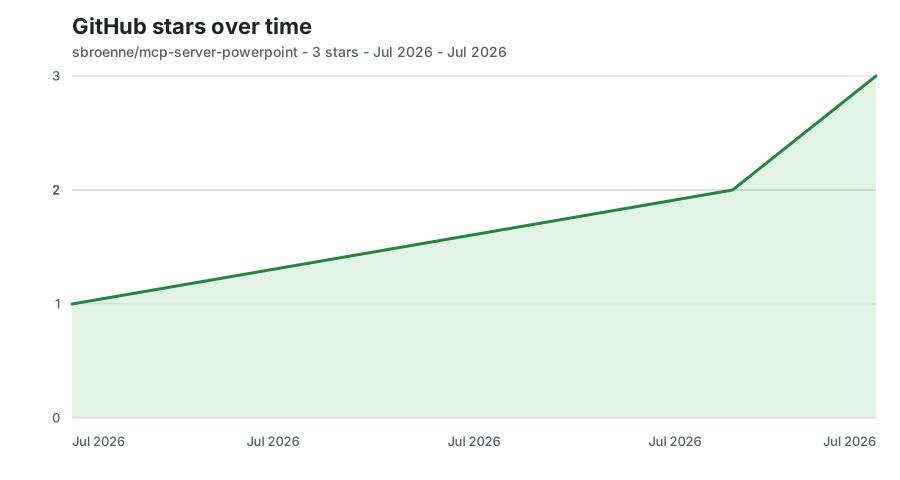
Bootstrapped from exact authenticated stargazer timestamps, then updated daily from GitHub's exact public star count. Only date/count aggregates are retained.
📋 Additional Information
📚 MCP Server Guide → | CLI Guide → | Agent Skills →
📖 Complete Feature Reference • Installation Guide • Changelog • Native Feature Roadmap • Contributing • Security • Privacy
License: MIT License — see LICENSE
Built With: This entire project was developed using GitHub Copilot AI assistance.
Acknowledgments:
- Microsoft PowerPoint Team — for comprehensive COM automation APIs
- Model Context Protocol community — for the AI integration standard
- mcp-server-excel — the sibling project this architecture and tooling is ported from
Related Projects
Other projects by the author:
- Excel MCP Server — AI-powered Excel automation via Power Query, DAX, VBA, and PivotTables
- Windows MCP Server — AI-powered Windows automation via MCP
- OBS Studio MCP Server — AI-powered OBS Studio automation
- pytest-skill-engineering — LLM-powered testing framework for AI agents