feature-flagsab-testingexperimentationdeveloper-toolsi18n
Shipeasy is an AI-native experimentation platform — feature flags, kill switches, dynamic configs, A/B tests, metrics, and translations — that an AI coding agent can spin up from a single sentence.
Quick Install
Automated & IDE SetupCopy the AI prompt to install this server into Claude Code, Cursor, or another agent — or use 1-click editor setup below.
One-click editor setup isn’t available for this listing yet — we don’t have a confirmed install command, and we’d rather show nothing than point your editor at the wrong package or host. Follow the project’s own setup instructions, linked above.
Manual Client & Custom JSON ConfigExpand JSON ▾
No confirmed setup config for this listing yet. We only publish a config block when the install details come from the project itself — its README, its docs, or a verified owner. We haven’t found those for Shipeasy MCP, and we’d rather show nothing than a guess you’d paste into your client. Follow the project’s own setup instructions for the current steps.
Overview
Use cases
Spin up a new feature flag from a single sentence to the agent
Add a kill switch to quickly disable a risky feature in production
Set up an A/B experiment with tracked metrics
Add a new translation key across locales via chat
Key features
Feature flags, kill switches, and dynamic configs
A/B experiments with metrics
i18n/translation management
Matching CLI, MCP, and SDK surfaces under one API contract
CI-enforced API/skills contract tests and a production health probe
Capabilities & Tool Schemas
Inspect callable tools, capabilities, and parameters exposed to AI agents by Shipeasy MCP.
Extracted Tool Capabilities
Feature flags, kill switches, and dynamic configs
A/B experiments with metrics
i18n/translation management
Matching CLI, MCP, and SDK surfaces under one API contract
CI-enforced API/skills contract tests and a production health probe
Documentation Overview



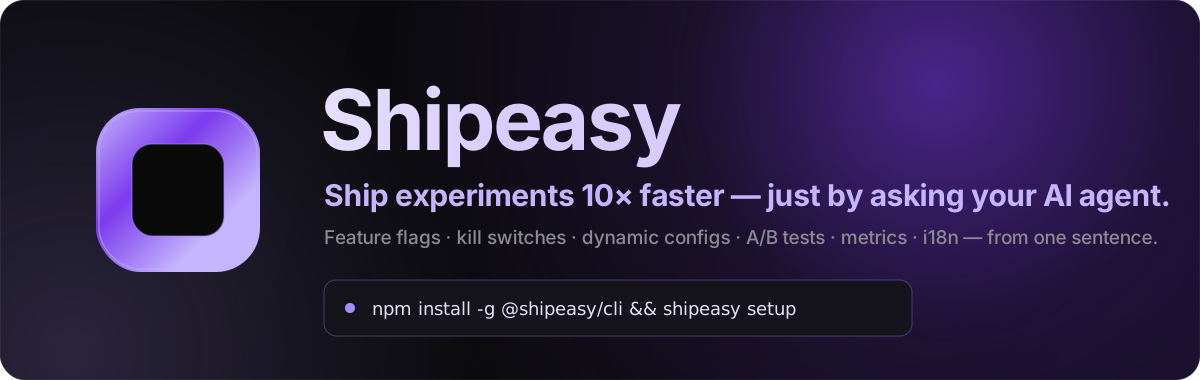

Feature flags · kill switches · dynamic configs · A/B experiments · metrics · i18n — spun up from a single sentence to your AI coding agent.


What is Shipeasy?
Shipeasy is the AI-native experimentation platform. Feature flags, kill switches, dynamic configs, A/B tests, metrics and translations — all controllable from where you already work: a sentence to your AI coding agent.
"Ship the new pricing page behind a flag at 5%." "Add a kill switch for checkout in case it breaks." "Run an A/B test on the signup button and tell me which wins."
No dashboards to learn, no SDK boilerplate to hand-write. Shipeasy installs as a plugin into your coding agent and an MCP server, so Claude Code (and 70+ other agents) can create the flag, instrument the metric, wire the SDK call, and roll it out — end to end, from plain English.
This directory is the source-of-truth for that plugin marketplace.
One plugin tree, many hosts — the same shipeasy/skills/ directory and the
same shipeasy MCP server feed every coding agent below. Each host gets a tiny
manifest that points at the shared files; nothing is duplicated.
Why teams use it
- 🚀 From one sentence to shipped. Describe what you want; the agent creates the gate/config/experiment, instruments the event, and edits the call site.
- 🎛️ The whole release toolkit. Feature flags, kill switches, dynamic configs, A/B experiments, event metrics and i18n — one SDK, one key per entrypoint, one install.
- 📊 Statistics that won't lie to you. Sequential testing, SRM detection, auto-ramp guardrails and holdouts come built in — no stats degree required.
- ⚡ Edge-fast, globally. Built on Cloudflare Workers + KV with infinite-TTL CDN caching and explicit purge — flag reads never touch a database on the hot path.
- 🤖 Works with your agent, not against it. Native plugins for Claude Code, Codex and Copilot CLI; shared skills + MCP for everything else.
- 🛟 Closes the loop. An operational inbox turns bug reports, feature requests, production errors and metric alerts into one queue your agent can burn down — even on a schedule, unattended.
Install in 12 seconds
That's it. shipeasy setup detects your coding agent, installs the right
integration for it (native plugin where one exists, shared skills + MCP
everywhere else), authenticates, binds the repo to a project, mints keys and
installs @shipeasy/sdk. One command, every host — then just talk to your agent.
Prefer to wire the agent integration yourself? Per-host install commands
There are two install tiers. Tier 1 hosts have a native plugin system, so
one command bundles skills + MCP. Tier 2 hosts (70+ agents) take the same
shared skills via the
vercel-labs/skills CLI plus a small
MCP config snippet. (shipeasy setup above does the right one for you.)
Tier 1 — one-command plugin install
| Agent | Install |
|---|---|
| Claude Code | claude plugin marketplace add shipeasy-ai/shipeasy → claude plugin install shipeasy@shipeasy |
| Codex | codex plugin marketplace add shipeasy-ai/shipeasy → codex plugin add shipeasy@shipeasy (or, in the TUI, /plugin marketplace add shipeasy-ai/shipeasy → /plugin add shipeasy@shipeasy) |
| GitHub Copilot CLI | copilot plugin marketplace add shipeasy-ai/shipeasy → copilot plugin install shipeasy@shipeasy |
Tier 2 — skills + MCP (Cursor, Windsurf, Cline, Gemini, OpenCode, Continue, …)
<agent> is e.g. opencode, cursor, windsurf, cline, gemini-cli,
continue, github-copilot. The full per-host list, exact MCP file paths and
formats live in INSTALL.md (also published at
https://docs.shipeasy.ai/get-started/agents).
Then: "set up shipeasy"
Installing the plugin registers the skills and MCP tools — it does not run any shell commands. To go live:
- Run
shipeasy setup(or say "set up shipeasy") — one command detects your subprojects, installs@shipeasy/sdk, authenticates, binds the repo to a project, mints keys, installs the SDK + feature how-to skills into your agents, offers the modules + devtools overlay, and emitsshipeasy-wiring.mdwith the remaining code steps. - Turn on the modules you want —
shipeasy setupoffers them, or enable one directly withshipeasy install <group>:shipeasy install flags— flags + configs + kill switches + experiments + events (the whole decide-at-runtime platform, one pass).shipeasy install ops— feedback (bugs + feature requests) + production errors + alerts.shipeasy install i18n— translations.
The matching per-area how-to skills (shipeasy-flags, shipeasy-ops,
shipeasy-i18n) are installed alongside. After that, just talk to your agent.
Works with your agent
| Native plugin (Tier 1) | Claude Code · Codex · GitHub Copilot CLI |
| Skills + MCP (Tier 2) | Cursor · Windsurf · Cline · Gemini CLI · OpenCode · Continue · OpenClaw · 70+ more |
All 11 skills (9 area guides + 2 multi-step workflow skills) and the
shipeasy MCP server port to every agent — the flows trigger from
natural-language phrasing everywhere, and Claude Code additionally exposes each
skill as a /shipeasy:<skill-name> command. Skills and MCP are referenced,
never copied.
Learn more
- 📖 Skill reference — every skill, its auto-triggers, MCP tool and CLI mapping, plus the headline workflows.
- 🧩
INSTALL.md— full per-agent install reference (70+ hosts). - ⏰ Trigger install guide —
shipeasy ops trigger create <provider> --help(also at https://docs.shipeasy.ai/get-started/triggers) — set up unattended scheduled triggers that burn down your ops inbox and open one PR per item. - 🌐 shipeasy.ai · docs.shipeasy.ai
Built on Cloudflare Workers · shipeasy.ai · Free to start.
Related MCP Servers
Adoption & maintenance
Factual signals from GitHub, npm, and our automated checks — not a rating.
Last commit
1mo ago
Most recent push to the default branch.
Directory activity
2 views
Config copies, upvotes, and views on AllMCPs.
Reviews
No reviews yet — be the first to share how this listing worked for you.
Frequently Asked Questions about Shipeasy MCP
AllMCPs Directory Badge
Showcase your server listing on GitHub or your project documentation. Embed this dynamic SVG badge to highlight official listing status and live engagement.
Badge Style:
Live Dynamic SVG Preview
Markdown (GitHub README)
[](https://allmcps.com/mcp/mcp-29)HTML Embed
<a href="https://allmcps.com/mcp/mcp-29"><img src="https://allmcps.com/api/badge/mcp-29?style=directory" alt="Shipeasy MCP on AllMCPs" /></a>