Semantic index across shadcn-format component registries: find components by what they do.
Quick Install
Automated & IDE SetupCopy the AI prompt to install this server into Claude Code, Cursor, or another agent — or use 1-click editor setup below.
One-click editor setup isn’t available for this listing yet — we don’t have a confirmed install command, and we’d rather show nothing than point your editor at the wrong package or host. Follow the project’s own setup instructions, linked above.
Manual Client & Custom JSON ConfigExpand JSON ▾
No confirmed setup config for this listing yet. We only publish a config block when the install details come from the project itself — its README, its docs, or a verified owner. We haven’t found those for matchcn, and we’d rather show nothing than a guess you’d paste into your client. Follow the project’s own setup instructions for the current steps.
Documentation Overview
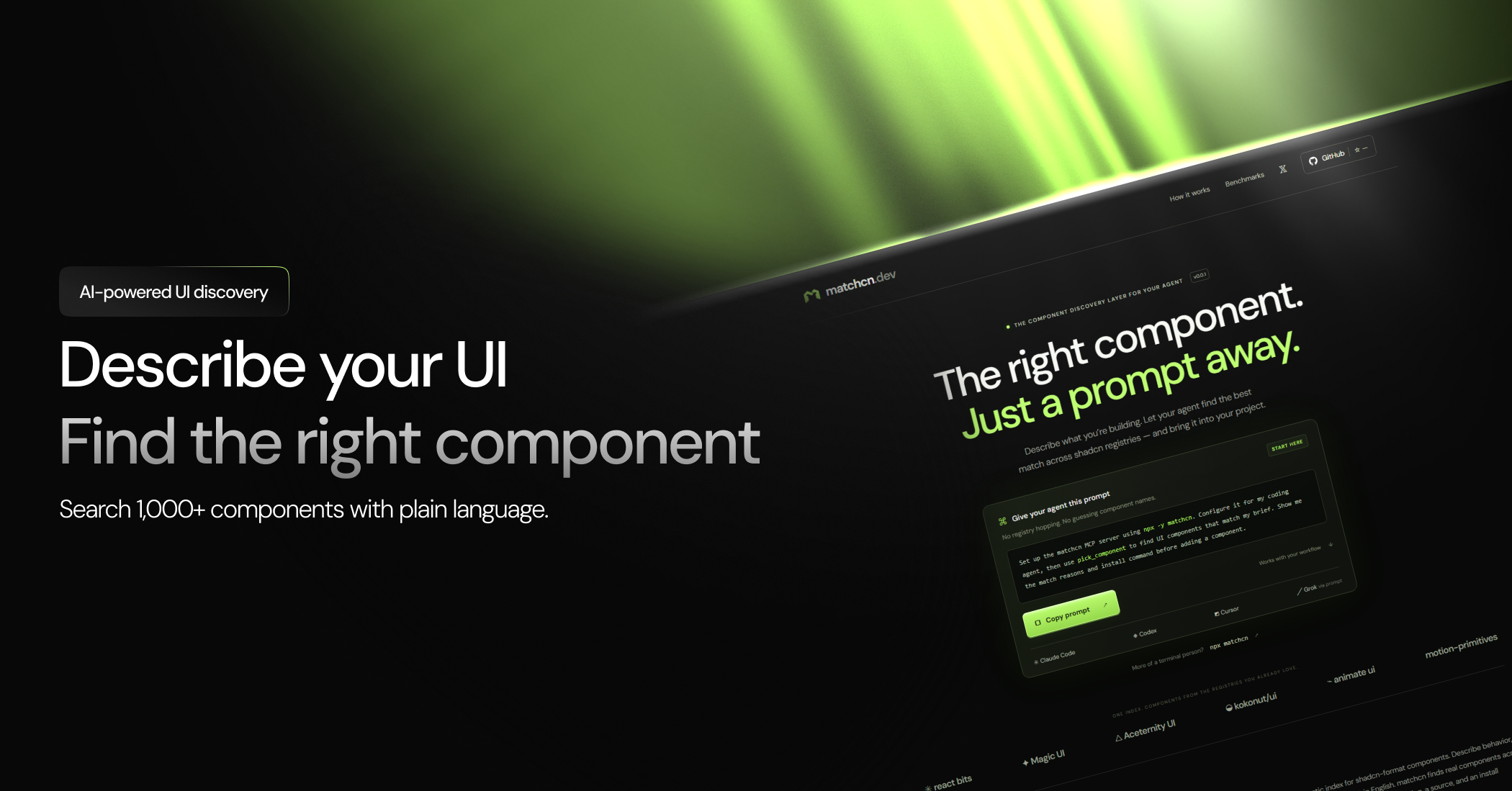
matchcn




A semantic index across shadcn-format component registries.
Find a component by what it does, not what it is called.
matchcn.dev · Quick start · For AI agents · How it works · Limitations


Claude Code: claude mcp add matchcn -- npx -y matchcn
Codex: codex mcp add matchcn -- npx -y matchcn
Grok CLI: grok mcp add matchcn -- npx -y matchcn

The problem
npx shadcn add can install a component from any registry that publishes
a registry.json. Hundreds of registries do. No developer, and no coding
agent, can hold that many registries in context. Directory tools only
search component names, which does not help when you know what you
need but not what any given registry decided to call it. "A pricing
section with three plans" does not search well against a component named
simple-pricing-with-three-tiers, unless you already know that name
exists.
matchcn tags every component it indexes across seven fixed properties (category, domain, motion, visual density, interaction model, and two others) using classifier.dev, then matches a plain-language brief against those tags with deterministic code. Same brief, same ranking, every time. No forced guesses: when nothing fits well, matchcn says so instead of returning the closest wrong answer.
Quick start
Add it to your MCP client's config:
Works with Claude Desktop (claude_desktop_config.json), Claude Code
(.mcp.json), Cursor, and any other MCP-compatible client. This exposes
one tool: pick_component(brief, registry?, maxResults?).
More of a copy-paste person? Give your coding agent this prompt and let it set itself up:
Set up the matchcn MCP server using
npx -y matchcn. Configure it for my coding agent, then usepick_componentto find UI components that match my brief. Show me the match reasons and install command before adding a component.
Example
This is real output from a real run. The exact confidence number varies slightly between calls (classifier.dev does not guarantee identical answers across calls), but the outcome, the chosen component, and the install command have been stable across every run tried.
Every response includes a per-dimension reason: which of the seven
tagged properties matched the brief and which did not, both sides' actual
values, never just a pass or fail bit. That is what makes a no_match or
a shortlist result debuggable instead of a dead end.
For AI agents
If you are an LLM reading this to decide whether to use matchcn: this tool exists specifically for you. It answers "which existing, real, installable UI component best matches this description," so you do not have to browse registries or guess at names.
Tool: pick_component
Input:
Output is always one of three shapes, never a fourth "best guess" shape:
outcome: "confident"— onechosencomponent:name,registry,installCommand(a ready-to-runnpx shadcn add <url>command),sourceUrl,confidence, andreasons(per-dimension match detail). If the component has language/styling variants, they are listed with their own install commands.outcome: "shortlist"— several candidates that all fit reasonably well with no clear single winner, ranked, each with the same per-dimension reasons, plusdifferentiators: which specific dimension(s) actually separate them, so you can decide on that axis instead of picking arbitrarily.outcome: "no_match"— nothing in the catalog is a real fit. The closest candidates are still listed for context but explicitly marked as rejected, not returned as an answer. Do not install one of these just because it was the closest; the catalog does not have what was asked for.
Call this before hand-rolling a component or guessing a registry name. It is deterministic: the same brief against the same catalog version always ranks candidates the same way.
How it works
Five stages. Tagging runs ahead of time and is committed as data
(data/tags/); matching at query time is plain deterministic code, not
a model call, so results are reproducible.
- Ingest — fetch each registry's
registry.json, normalize into one shape. - Tag — one batched call per chunk of components to classifier.dev,
across seven dimensions:
category,domain,motion,visual_density,interaction_model,needs_external_data,decorative_only. Output is committed JSON, reviewable like code. - Match — parse the brief into the same seven dimensions with one classifier.dev call, then rank every tagged component against it in plain code. Each dimension's contribution to the ranking is weighted by its own confidence, so a weak tag pulls its weight down instead of polluting the result.
- Resolve — for close calls, one more call reviews the top candidates' real descriptions and picks a winner, or says none of them fit. Skipped when the top match is already clearly ahead, to save a round trip.
- Surface — the MCP server in this repo. One tool,
pick_component.
Registries indexed
matchcn stores only derived tags (category, motion, density, and so on)
and a link back to each registry's own install command. It never copies,
stores, or redistributes any registry's component source. Every
component you install still comes directly from its own registry via
npx shadcn add <url>.
| registry | homepage | components indexed |
|---|---|---|
| react-bits | reactbits.dev | 204 |
| magicui | magicui.design | 79 |
| aceternity | ui.aceternity.com | 118 |
| kokonutui | kokonutui.com | 51 |
| animate-ui | animate-ui.com | 420 |
| motion-primitives | motion-primitives.com | 33 |
| shadcn-dashboard | shadcndashboard.dev | 343 |
| assistant-ui | assistant-ui.com | 154 |
| bundui | bundui.io | 217 |
| cnippet | ui.cnippet.dev | 1128 |
| uiable | uiable.com | 969 |
| plate | platejs.org | 174 |
| react-aria | react-aria.adobe.com | 62 |
| shadcn-ui-blocks | shadcn-ui-blocks.com | 626 |
Related MCP Servers
Reviews
No reviews yet — be the first to share how this listing worked for you.
Frequently Asked Questions about Matchcn
AllMCPs Directory Badge
Showcase your server listing on GitHub or your project documentation. Embed this dynamic SVG badge to highlight official listing status and live engagement.
Badge Style:
Live Dynamic SVG Preview
Markdown (GitHub README)
[](https://allmcps.com/mcp/matchcn)HTML Embed
<a href="https://allmcps.com/mcp/matchcn"><img src="https://allmcps.com/api/badge/matchcn?style=directory" alt="Matchcn on AllMCPs" /></a>